
Caliber Caliber HCG019QI-PB
Contents
Caliber HCG019QI-PB Digital Alarm Clock with Wireless Charging Station
User Instruction Manual
Product Overview
The Caliber HCG019QI-PB is a versatile device combining an alarm clock, a bedside lamp, and a wireless phone charger all in one. This all-in-one unit is designed for convenience on your bedside table. It features a distinctive arc design that accommodates the internal light source and provides a stable platform for wireless phone charging.
- Digital Alarm Clock: Ensures timely wake-up with a snooze function.
- Wake-up Light: Features an integrated light with various color options (warm white, purple, green) to assist with waking up.
- Wireless Charging: Supports Qi fast charging technology for compatible mobile phones.
- Dual Alarm: Allows setting two different alarm times.
- Dimmable LED Display: Time display with automatic dimming based on ambient light, and manual adjustment.
- Additional USB Port: For charging devices not compatible with wireless charging.
Setup Guide
1. Unboxing and Initial Inspection
Carefully remove all components from the packaging. Verify that all parts are present and undamaged. The package should contain the Caliber HCG019QI-PB unit and a USB power cable.
2. Power Connection
Connect the provided USB power cable to the USB port on the back of the alarm clock. Plug the other end of the USB cable into a compatible USB power adapter (not included) and then into a wall outlet. The display will illuminate, indicating the device is powered on.

Figure 1: Caliber HCG019QI-PB Digital Alarm Clock with a smartphone placed on its wireless charging pad.
Operating Instructions
1. Setting the Time
- Press and hold the Time Set button (usually indicated by a clock icon) located on the top panel until the hour digits begin to flash.
- Use the + and - buttons to adjust the hour.
- Press the Time Set button again to switch to minute adjustment. Use the + and - buttons to adjust the minutes.
- Press the Time Set button one more time to confirm and exit time setting mode.
2. Setting Alarms (Dual Alarm Function)
The device supports setting two independent alarms (Alarm 1 and Alarm 2).
- Press the Alarm 1 button (often indicated by a single bell icon) to activate or deactivate Alarm 1. Hold the button to enter Alarm 1 setting mode.
- When the hour digits flash, use the + and - buttons to set the desired alarm hour.
- Press the Alarm 1 button again to switch to minute adjustment. Use the + and - buttons to set the desired alarm minutes.
- Press the Alarm 1 button again to confirm.
- Repeat the process for Alarm 2 using its dedicated button (often indicated by a double bell icon).
When an alarm sounds, press any button (except the power button) to activate the snooze function. The alarm will sound again after approximately 9 minutes. To turn off the alarm completely, press the dedicated alarm button again.

Figure 2: The alarm clock display illustrating the dual alarm setting capability.
3. Light Control (Wake-up Light & Ambient Light)
The integrated light can function as a wake-up light or an ambient night lamp.
- Press the Light button (indicated by a light bulb icon) to cycle through different light colors and modes (e.g., warm white, purple, green, color cycle).
- Hold the Light button to turn the light off.
- The light can also be set to gradually brighten before your alarm time, simulating a sunrise. Refer to the specific settings for this feature.

Figure 3: The alarm clock demonstrating its versatile night lamp with multiple color options.
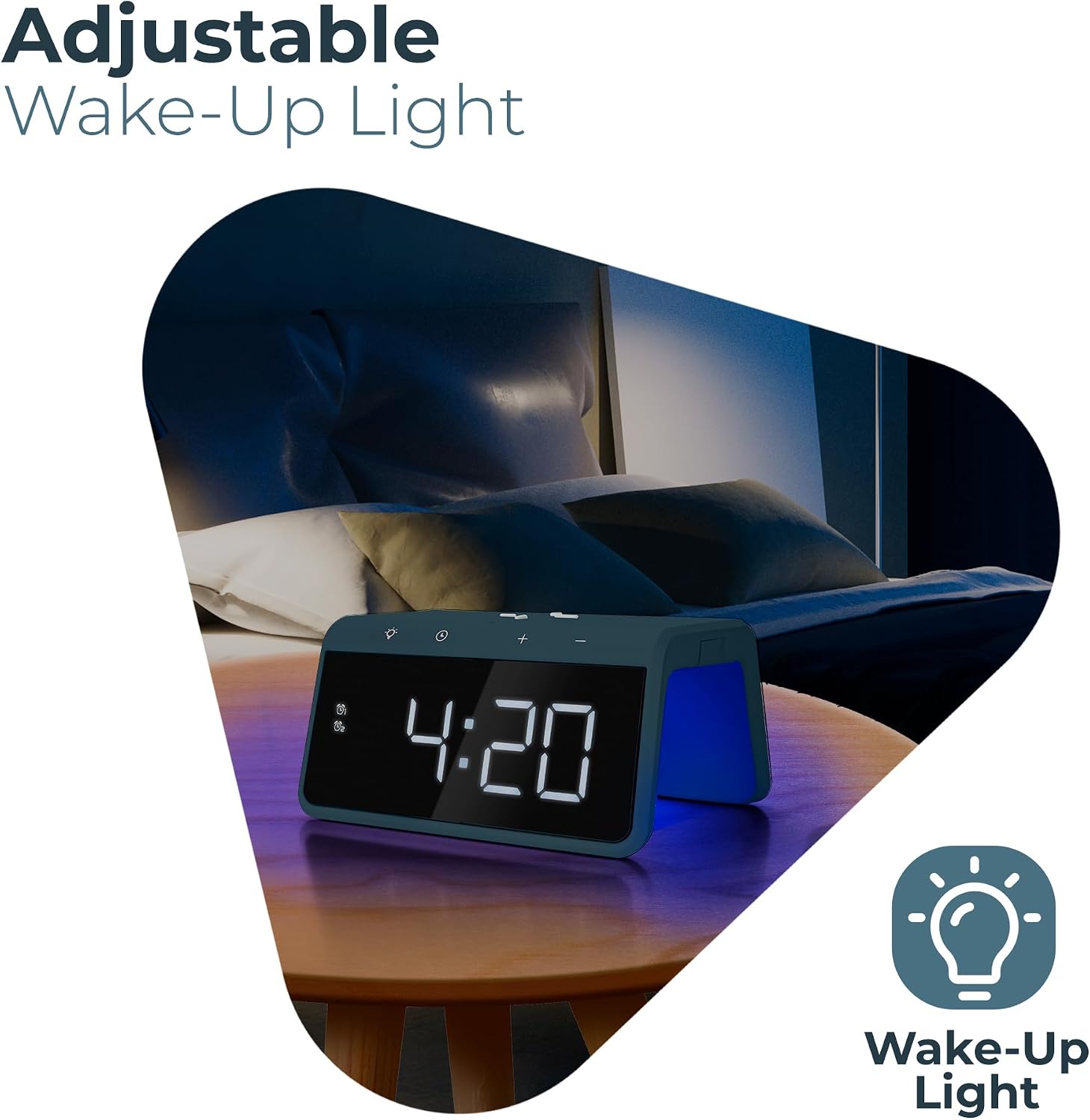
Figure 4: The adjustable wake-up light feature, providing a gentle illumination.
4. Wireless Charging (Qi Compatible)
Place your Qi-compatible smartphone directly on the top surface of the alarm clock, ensuring it is centered over the charging pad. The charging indicator on the display or a dedicated LED will illuminate to confirm charging has begun. If your phone does not support Qi wireless charging, use the USB port on the back of the device with your phone's charging cable.

Figure 5: Wireless charging via Qi technology and the additional USB charging port.
5. Automatic Dimming
The time display features an automatic dimming function that adjusts brightness based on ambient light conditions. This ensures the display is not too bright in a dark room and remains visible in a well-lit environment. Manual brightness adjustment may also be available through specific button presses (refer to the device's top panel for brightness control buttons, usually + and - near the light icon).

Figure 6: The automatic dimming feature provides optimal display brightness for various lighting conditions.
Maintenance
- Cleaning: Use a soft, dry cloth to clean the surface of the alarm clock. Do not use abrasive cleaners, waxes, or solvents as they may damage the finish.
- Dust: Regularly dust the device to prevent accumulation, especially around buttons and charging areas.
- Liquid Exposure: Keep the device away from water and other liquids. In case of accidental spills, immediately unplug the device and allow it to dry completely before reconnecting power.
- Storage: If storing the device for an extended period, unplug it from the power source and store it in a cool, dry place.
Troubleshooting
| Problem | Possible Cause | Solution |
|---|---|---|
| Device does not power on. | No power connection or faulty cable/adapter. | Ensure the USB cable is securely connected to both the alarm clock and a working USB power adapter/outlet. Try a different USB adapter or outlet. |
| Wireless charging not working. | Phone not Qi-compatible, not properly aligned, or phone case is too thick. | Verify your phone supports Qi wireless charging. Reposition the phone on the charging pad. Remove thick phone cases. Use the USB port for charging if wireless charging is not feasible. |
| Alarm does not sound. | Alarm not set, alarm volume too low, or alarm deactivated. | Check if the alarm is set and activated (alarm icon visible on display). Ensure the volume is not muted or too low. |
| Display is too bright/dim. | Automatic dimming active or manual setting needed. | The display has an automatic dimming feature. If manual adjustment is desired, refer to the operating instructions for brightness control buttons. |
Specifications
| Brand | Caliber |
| Model Number | HCG019QI-PB |
| Color | Blue |
| Dimensions (L x W x H) | 140 x 100 x 75 mm (5.5 x 3.9 x 3.0 inches) |
| Item Weight | 300 g (0.66 lbs) |
| Power Input | USB (18 Watts) |
| Material | Plastic |
| Display Type | Digital LED |
| Special Features | Wireless Charging (Qi), Dual Alarm, Snooze, Wake-up Light, Ambient Light, Automatic Dimming, USB Charging Port |
Warranty and Support
For warranty information and technical support, please refer to the official Caliber website or contact your local retailer. Keep your proof of purchase for any warranty claims.
Online Resources: Visit the official Caliber website for updated manuals, FAQs, and support contact information.
Ask a question about this manual
Ask about setup, troubleshooting, compatibility, parts, safety, or missing instructions. Manuals+ will review the question and use this page’s manual context to help answer it.