1. Introduction
Thank you for choosing the ZWILLING Enfinigy Digital Kitchen Food Scale. This manual provides essential information for the safe and efficient use of your new kitchen appliance. Please read these instructions carefully before first use and retain them for future reference.
The ZWILLING Enfinigy Digital Kitchen Food Scale is designed for precise measurement of food ingredients, offering accuracy and ease of use for various culinary tasks. Its sleek design and rechargeable battery make it a convenient addition to any kitchen.
2. Important Safety Instructions
- Read all instructions before using the scale.
- Do not immerse the scale in water or other liquids. Clean with a damp cloth only.
- Do not place the scale near heat sources or in direct sunlight.
- Avoid dropping the scale or subjecting it to strong impacts, as this may damage the internal components.
- Do not exceed the maximum weight capacity of 22 lbs (10 kg).
- Use only the provided micro-USB cord for charging.
- This appliance is intended for household use only.
3. Package Contents
Upon unpacking, please ensure all items are present and in good condition:
- ZWILLING Enfinigy Digital Kitchen Food Scale
- Micro USB Charging Cord
- Instruction Manual (this document)
4. Setup
4.1 Unpacking
Carefully remove the scale and all accessories from the packaging. Retain packaging for future storage or transport.
4.2 Initial Charging
Before first use, fully charge the scale. Connect the provided micro-USB charging cord to the charging port on the side of the scale and plug the other end into a compatible USB power source (e.g., a computer USB port or a USB wall adapter).
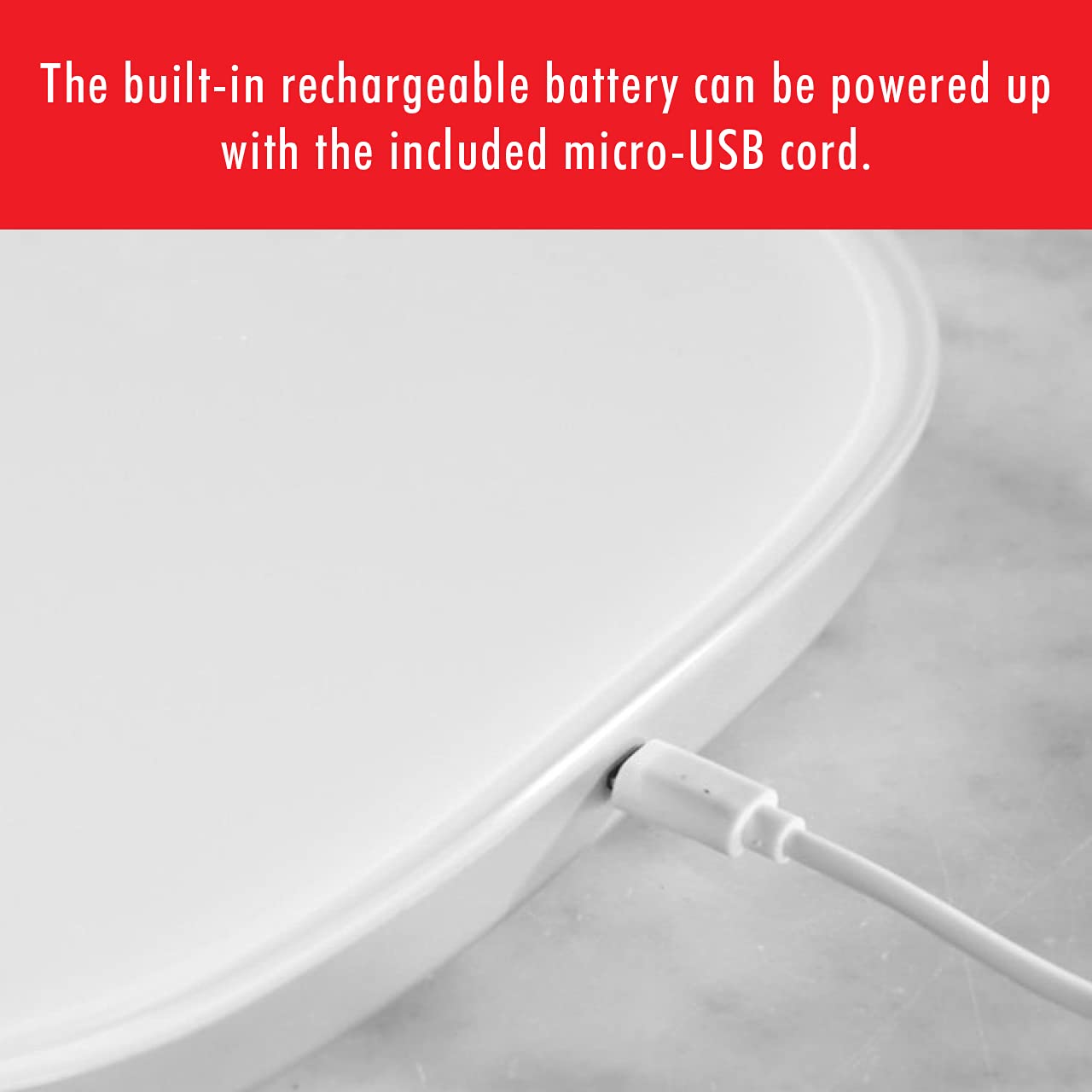
Image 1: The micro-USB charging port located on the side of the scale.
The display will indicate charging status. Once fully charged, disconnect the cable. The rechargeable battery provides cordless operation.
4.3 Placement
Place the scale on a flat, stable, and level surface to ensure accurate measurements. Avoid placing it on soft or uneven surfaces.
5. Operating Instructions
5.1 Power On/Off
To power on the scale, gently press the power symbol (circle with a vertical line) located on the surface of the scale. The hidden display will illuminate. To power off, press and hold the power symbol for a few seconds until the display turns off.

Image 2: The ZWILLING Enfinigy Digital Kitchen Food Scale with its illuminated display and power button.
5.2 Changing Measurement Units
The scale can measure in grams (g) and ounces (oz). To switch between units, locate the unit button on the underside of the scale. Press this button to toggle between the available units.
5.3 Tare Function
The tare function allows you to weigh multiple ingredients in the same container or to subtract the weight of a container. To use the tare function:
- Place an empty container on the scale. The display will show its weight.
- Press the 'T' (Tare) button on the scale's surface. The display will reset to zero.
- Add your first ingredient. The display will show the weight of the ingredient.
- To add another ingredient, press the 'T' button again to reset the display to zero, then add the next ingredient. Repeat as needed.

Image 3: The scale in use, weighing chocolate, demonstrating the clear digital display.
5.4 Weighing Ingredients
Place the item(s) to be weighed directly onto the scale's glass surface or in a container (using the tare function). The scale will display the weight with an accuracy of 0.1 grams or 0.1 ounces, up to a maximum of 22 lbs (10 kg).

Image 4: Various ingredients being weighed on ZWILLING Enfinigy scales, showcasing practical use in a kitchen setting.
5.5 ZWILLING Culinary World App
The ZWILLING Enfinigy Digital Kitchen Food Scale is compatible with the ZWILLING Culinary World App. Scan the QR code found on the product packaging to download the app. The app provides access to a database of original recipes and additional features.
6. Care and Maintenance
6.1 Cleaning
The scale features an easy-to-clean glass surface. To clean, wipe the surface with a soft, damp cloth. Do not use abrasive cleaners or immerse the scale in water. Ensure the scale is completely dry before storage or next use.
6.2 Storage
Store the scale in a dry, cool place away from direct sunlight and extreme temperatures. Ensure no heavy objects are placed on top of the scale during storage to prevent damage.
7. Troubleshooting
| Problem | Possible Cause | Solution |
|---|---|---|
| Scale does not turn on. | Battery is depleted. | Charge the scale using the provided micro-USB cord. |
| Inaccurate or fluctuating readings. | Scale is on an uneven surface; weight limit exceeded; external vibrations. | Place the scale on a flat, stable surface. Ensure the weight does not exceed 22 lbs (10 kg). Avoid vibrations during measurement. |
| Display shows "Err" or similar error message. | Overload or internal error. | Remove the item from the scale. If the error persists, power off and restart the scale. If the issue continues, contact customer support. |
| Scale turns off too quickly. | Automatic shut-off feature activated. | The scale has an automatic shut-off feature to conserve battery. Ensure continuous use during weighing tasks. |
8. Specifications
- Brand: ZWILLING
- Model Number: 53011-053-0
- Product Dimensions: 9.6 x 7.4 x 0.8 inches
- Weight: 2 Pounds
- Color: Black
- Weight Limit: 22 Pounds (10 kg)
- Accuracy: 0.1 gram / 0.1 ounce
- Display Type: LCD (hidden when off)
- Special Feature: Programmable, Rechargeable Battery, Touch Control, Tare Function
- Power Source: Built-in rechargeable battery (Micro-USB charging)

Image 5: Product dimensions of the ZWILLING Enfinigy Digital Kitchen Food Scale.
9. Warranty and Customer Support
For warranty information and customer support, please refer to the warranty card included with your product or visit the official ZWILLING website. You may also contact ZWILLING customer service directly for assistance with product inquiries, troubleshooting, or replacement parts.
ZWILLING Customer Service: Please visit www.zwilling.com/us/contact-us/ for contact details and support options.


