
Audizio 102.217
Audizio Prato DAB Digital Radio with CD Player User Manual
Model: 102.217
Introduction
Welcome to the user manual for your Audizio Prato DAB Digital Radio. This all-in-one music system combines modern digital radio technology with classic audio playback options, offering a versatile listening experience. Please read this manual carefully to ensure proper use and to maximize the performance of your device.
Key features of your Audizio Prato include:
- DAB+ Digital and FM Radio reception for clear audio.
- Built-in slot-loading CD player supporting various CD formats.
- Bluetooth 5.3 technology for wireless audio streaming.
- USB MP3 input for direct music playback and device charging.
- Rich stereo speakers with X-Bass enhanced audio and selectable sound modes.
- Remote control for convenient operation.

Figure 1: The Audizio Prato DAB Digital Radio with its included remote control, showcasing its white and light brown wooden design.
Setup
1. Unpacking
Carefully remove the Audizio Prato unit and all accessories from the packaging. Retain the packaging for future transport or storage.
2. Power Connection
Connect the supplied power adapter to the DC IN socket on the rear of the unit, then plug the adapter into a suitable wall outlet. The unit will enter standby mode.
3. Antenna Setup
Extend the telescopic antenna fully for optimal DAB+ and FM radio reception. Adjust its position for the best signal quality.
4. Initial Power On and Auto Scan
Press the POWER button on the unit or remote control to turn on the device. Upon first use, the unit may automatically initiate a DAB+ station scan. Allow the scan to complete to populate the station list.

Figure 2: The Audizio Prato radio positioned on a wooden cabinet, demonstrating its aesthetic integration into a home environment and highlighting its digital radio capabilities.
Operating Instructions
1. General Controls
| Control | Function |
|---|---|
| POWER button | Turns the unit on or off (standby). |
| VOLUME knob | Adjusts the audio output level. |
| MENU button | Accesses the system menu for current mode. |
| FUNCTION button | Switches between different operating modes (DAB, FM, CD, Bluetooth, USB, AUX). |
| PRESET buttons (1-4) | Quick access to stored radio stations or tracks. |

Figure 3: A detailed view of the Audizio Prato's front panel controls, including the volume knob, function buttons, and the accompanying remote control for comprehensive operation.
2. DAB+ Radio Operation
- Press FUNCTION to select DAB mode.
- The unit will display the current station or initiate a scan if no stations are found.
- Use the SELECT knob or PRESET +/- buttons to navigate through the available station list.
- Press SELECT to confirm your station choice.
- To save a preset: Press and hold a PRESET button (1-4) until "Preset Stored" appears.
3. FM Radio Operation
- Press FUNCTION to select FM mode.
- Press and hold the PLAY/PAUSE button to auto-scan for the next available station.
- Alternatively, use the PRESET +/- buttons for manual tuning.
- To save a preset: Press and hold a PRESET button (1-4) until "Preset Stored" appears.
4. CD Player Operation
The Audizio Prato features a convenient slot-loading CD player.
- Press FUNCTION to select CD mode.
- Gently insert a CD into the slot. The unit will automatically load the disc and begin playback.
- Use the PLAY/PAUSE, STOP, SKIP FORWARD, and SKIP BACKWARD buttons to control playback.

Figure 4: A close-up view of the integrated slot-load CD player on the Audizio Prato, showing a CD being inserted into the unit.
5. Bluetooth Streaming
Stream audio wirelessly from your smartphone, tablet, or other Bluetooth-enabled devices.
- Press FUNCTION to select Bluetooth mode. The display will show "Bluetooth Pairing" or "Bluetooth Connected".
- On your device, enable Bluetooth and search for "Audizio Prato".
- Select "Audizio Prato" from the list to pair. Once connected, you can play audio from your device through the radio.
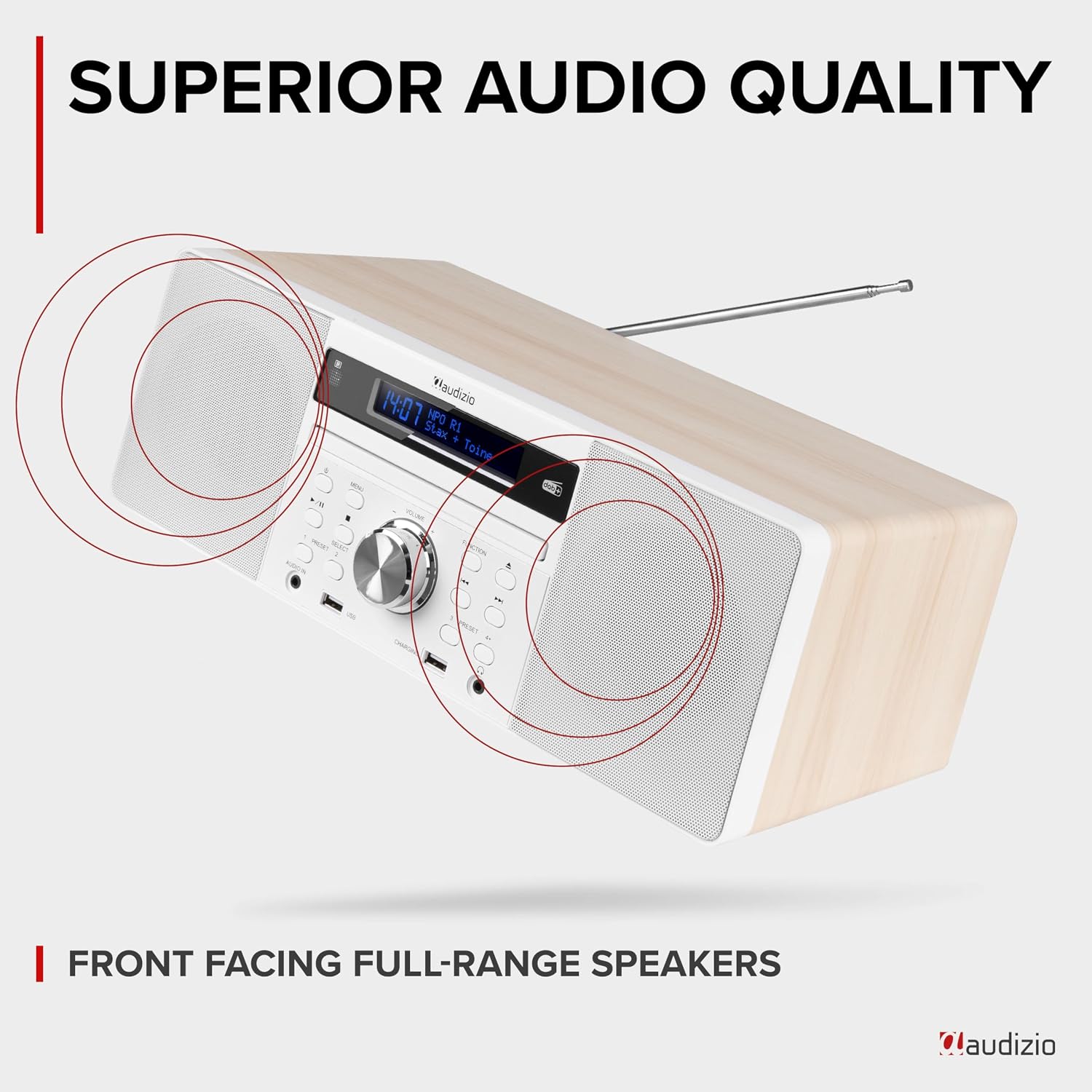
Figure 5: A user wirelessly streaming music from a smartphone to the Audizio Prato via Bluetooth, demonstrating the convenience of cable-free audio playback.
6. USB Playback and Charging
The USB port allows for MP3 playback from a USB stick and charging of external devices.
- Insert a USB stick containing MP3 files into the USB port.
- Press FUNCTION to select USB mode. Playback will begin automatically.
- Use the SKIP FORWARD/BACKWARD buttons to navigate tracks.
- To charge a device, connect it to the USB charging port using a compatible cable.
7. Auxiliary Input (AUX IN)
Connect external audio devices using a 3.5mm audio cable to the AUX IN port.
- Connect your external device to the AUDIO IN jack on the front panel.
- Press FUNCTION to select AUX mode.
- Control playback from your connected external device.
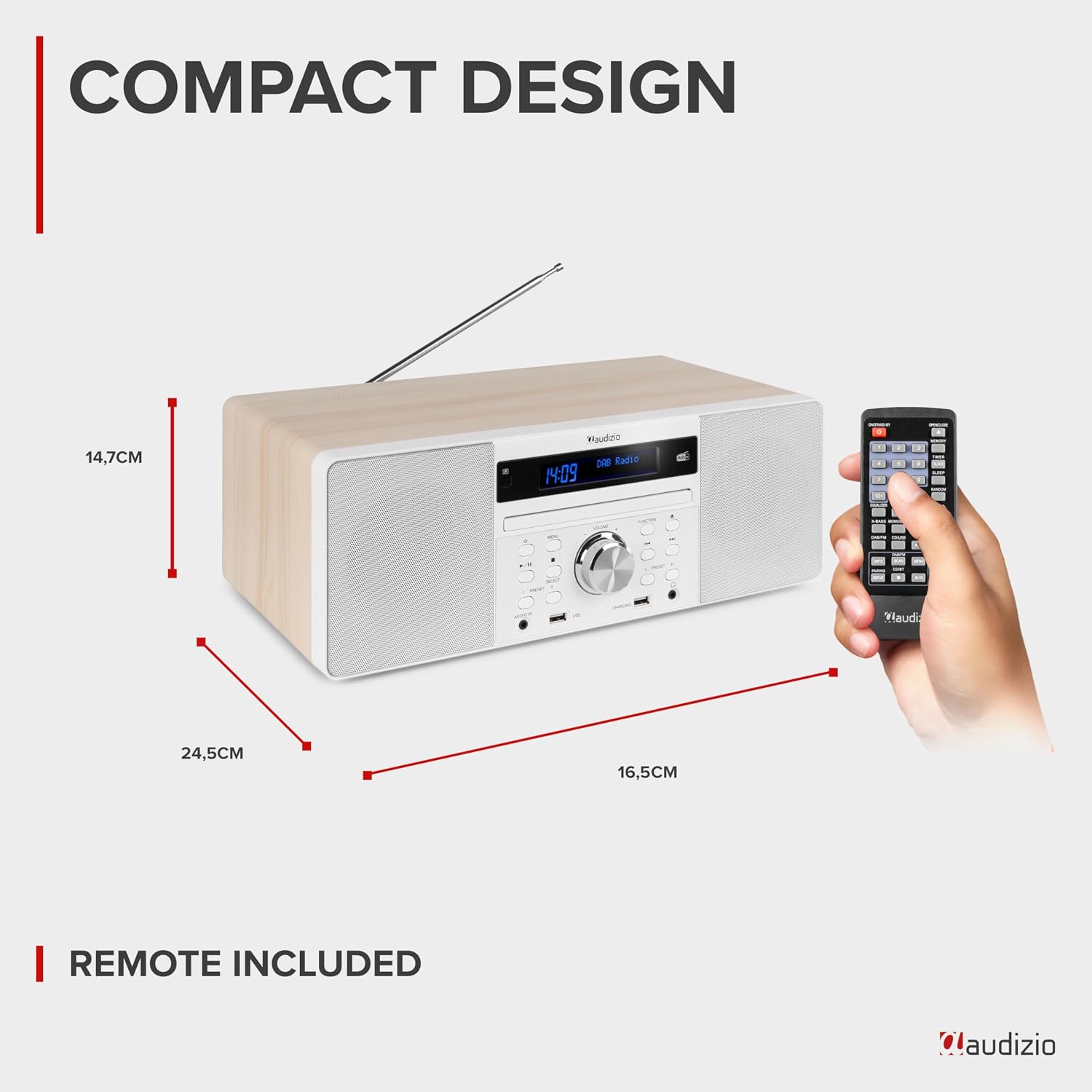
Figure 6: A diagram illustrating the various connection points on the Audizio Prato, including Audio In, USB Port, USB Charging, and Headphones Output.
8. Sound Modes and X-Bass
Enhance your listening experience with selectable sound modes:
- Press the EQ button on the remote control to cycle through sound modes: Flat, Classic, Rock, Pop, Jazz.
- The X-Bass feature provides enhanced bass response. Activate or deactivate it via the remote control.

Figure 7: The Audizio Prato unit with visual representations of sound waves, emphasizing its front-facing full-range stereo speakers and superior audio quality.
9. Alarm and Sleep Timer
Set alarms to wake up to your favorite radio station or a buzzer, and use the sleep timer to automatically turn off the unit.
- Alarm Setup: Press the ALARM button on the remote. Use the SELECT knob to set time, source (DAB/FM/Buzzer), and volume. Press SELECT to confirm each setting.
- Sleep Timer: Press the SLEEP button on the remote repeatedly to cycle through sleep timer options (e.g., 15, 30, 45, 60, 90, 120 minutes, OFF).

Figure 8: The Audizio Prato unit on a bookshelf, displaying the time on its LCD screen, illustrating its alarm and snooze functions for waking up.
Maintenance
1. Cleaning
To clean the unit, use a soft, dry cloth. Do not use abrasive cleaners, waxes, or solvents as these may damage the surface. For the display, use a soft, lint-free cloth. Avoid spraying cleaning solutions directly onto the unit.
2. CD Care
Handle CDs by their edges. Keep them clean and free from scratches. If a CD is dirty, wipe it gently from the center outwards with a soft, lint-free cloth. Do not use harsh chemicals or abrasive materials.
3. General Handling
Avoid placing the unit in direct sunlight, near heat sources, or in areas with high humidity or dust. Ensure adequate ventilation around the unit to prevent overheating. Do not block the ventilation openings.
Troubleshooting
| Problem | Possible Cause / Solution |
|---|---|
| No power | Ensure the power adapter is securely connected to the unit and the wall outlet. Check if the wall outlet is functioning. |
| No sound | Adjust the volume. Ensure the correct input mode is selected. Check headphone connection if applicable. |
| Poor radio reception | Fully extend and adjust the telescopic antenna. Try repositioning the unit. Perform a new auto-scan for DAB+ stations. |
| Bluetooth pairing issues | Ensure the unit is in Bluetooth mode. Make sure Bluetooth is enabled on your device and it is within range. Forget "Audizio Prato" on your device and try pairing again. |
| CD not playing / "Unknown Disk" | Ensure the CD is clean and free from scratches. Try a different CD. Ensure the CD is inserted correctly. |
| Remote control not working | Check and replace the batteries in the remote control. Ensure there are no obstructions between the remote and the unit's sensor. |
Specifications
| Feature | Detail |
|---|---|
| Model Number | 102.217 |
| Product Dimensions (L x W x H) | 44.3 x 26 x 19 cm |
| Item Weight | 3.6 kg |
| Connectivity Technology | Bluetooth 5.3, USB, AUX-in |
| Speaker Type | Stereo |
| Radio Tuner | DAB+, FM |
| CD Player | Slot-loading, supports CD, CD-R, CD-RW, MP3 CD |
| USB Playback | MP3 files from USB stick |
| USB Charging | Yes |
| Colour | White & Light Brown |
| Manufacturer | Tronios B.V. |

Figure 9: A diagram illustrating the compact dimensions of the Audizio Prato unit, including its length, width, and height, alongside the remote control.
Warranty and Support
Your Audizio Prato DAB Digital Radio is designed and manufactured to the highest quality standards. For information regarding warranty coverage, please refer to the warranty card included with your product or contact your retailer.
For technical support, troubleshooting assistance beyond this manual, or spare parts, please contact the seller or manufacturer directly. Their contact information can typically be found on your purchase receipt or the product packaging.
Please retain your proof of purchase for any warranty claims.
Related documents102.217


Ask a question about this manual
Ask about setup, troubleshooting, compatibility, parts, safety, or missing instructions. Manuals+ will review the question and use this page’s manual context to help answer it.