
MEE audio C11Z
MEE Audio C11Z 4K Ultra HD Webcam User Manual
Model: C11Z | Brand: MEE audio
1. Introduction
This manual provides comprehensive instructions for the setup, operation, and maintenance of your MEE Audio C11Z 4K Ultra HD Webcam. Designed for high-quality video conferencing and streaming, this webcam features 4K resolution, active noise-canceling microphones, and automatic low-light correction.
2. Setup
2.1 Connecting the Webcam
- Connect the USB cable from the MEE Audio C11Z webcam to an available USB port on your computer (PC or Mac).
- The webcam is plug-and-play, meaning no additional drivers are typically required. Your operating system should automatically detect and install the necessary software.
- For optimal performance, ensure you are connecting to a USB 3.0 port if available.

Figure 1: Connecting the MEE Audio C11Z Webcam to a laptop.
2.2 Software Configuration
Once connected, launch your preferred video conferencing application (e.g., Zoom, Google Meet, Microsoft Teams, Skype). Navigate to the application's settings to select the MEE Audio C11Z as your primary camera and microphone.
Video 1: Official MEE Audio guide on setting up your USB camera for video conferencing.
3. Operating the Webcam
3.1 Key Features
- 4K Ultra HD Resolution: Experience professional-quality video at up to 3840 x 2160 pixels, ensuring crisp and clear visuals for all your communications.
- 4X Digital Zoom: A dedicated zoom button provides easy access to digital zoom, allowing you to focus on specific details or adjust your framing.
- Automatic Low Light Correction: The webcam automatically adjusts to low-light conditions, ensuring your video remains clear and bright even in dimly lit environments.
- 90-Degree Wide Angle Lens: Capture more of your surroundings with a 90-degree field of view, ideal for group conferences or showcasing a wider area.
- Built-in Stereo Microphones with ANC: Integrated stereo microphones with Active Noise Canceling technology effectively eliminate unwanted background noise, ensuring your voice is heard clearly.
- Removable Privacy Shutter: A physical privacy shutter and integrated privacy indicator light provide enhanced privacy and peace of mind when the camera is not in use.
- Integrated Mounting Clip: The versatile clip allows for secure mounting on laptops or monitors, offering 360-degree rotation for flexible positioning.
- Tripod Compatibility: The camera base features a standard 1/4"-20 thread, enabling easy attachment to tripods for more stable or specialized setups (tripod not included).
- Plug and Play Operation: No additional software is required. The webcam works seamlessly with popular videoconferencing apps and is compatible with Windows, macOS, and ChromeOS.

Figure 2: The MEE Audio C11Z webcam delivers stunning 4K Ultra HD resolution for video calls.
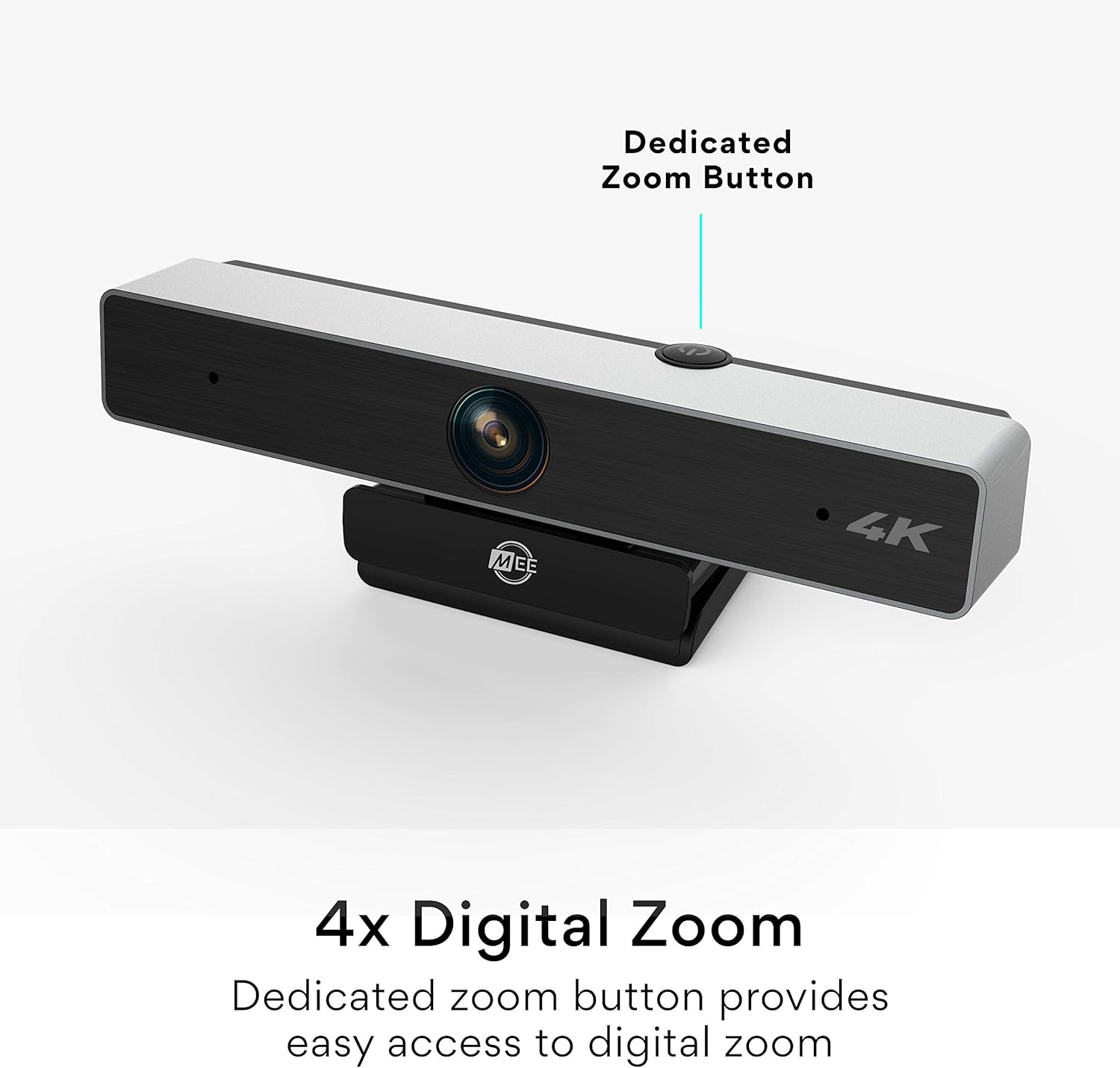
Figure 3: The dedicated zoom button on the MEE Audio C11Z webcam.

Figure 4: Crystal-clear image quality with automatic low light correction.

Figure 5: The wide-angle lens provides a broad field of view.
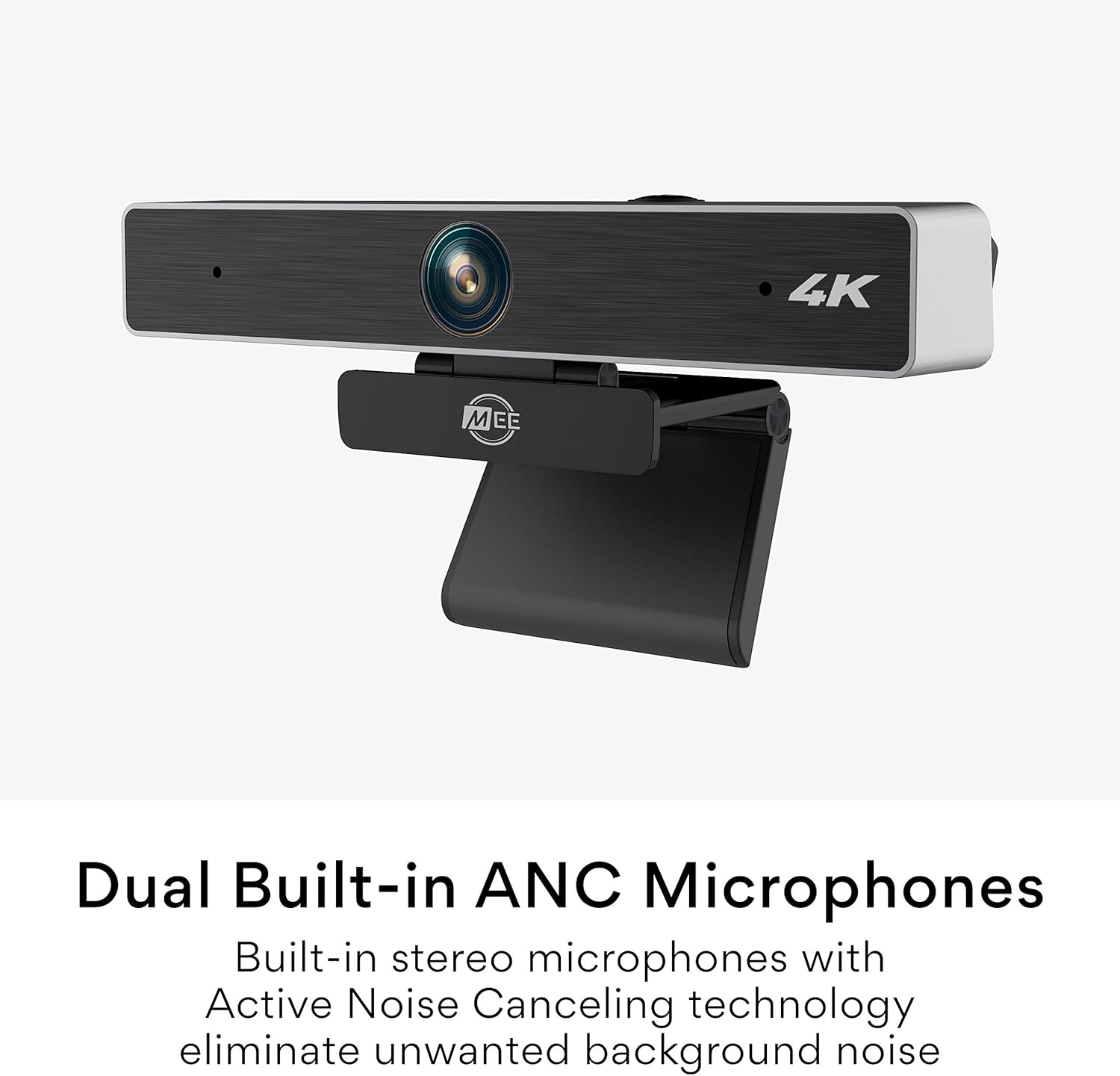
Figure 6: Dual built-in ANC microphones for clear audio.

Figure 7: The integrated mounting clip allows for secure and flexible placement.

Figure 8: The webcam is tripod-compatible for versatile use.

Figure 9: Enjoy plug and play operation with no additional software needed.
4. Maintenance
- Cleaning: Use a soft, dry cloth to clean the webcam lens and body. Avoid abrasive cleaners or solvents that could damage the surface.
- Storage: When not in use, store the webcam in a cool, dry place, away from direct sunlight and extreme temperatures. Utilize the privacy shutter to protect the lens.
- Cable Care: Avoid bending or twisting the USB cable excessively to prevent internal damage.
5. Troubleshooting
- No Video/Audio:
- Ensure the webcam is securely connected to a USB port.
- Check your video conferencing application's settings to confirm the MEE Audio C11Z is selected as the camera and microphone.
- Try connecting to a different USB port or another computer to rule out port or system issues.
- Restart your computer.
- Poor Image Quality:
- Ensure the lens is clean and free of dust or smudges.
- Verify that your video conferencing application is set to the highest possible resolution (e.g., 4K or HD).
- Check lighting conditions. While the webcam has low-light correction, adequate ambient lighting will always yield better results.
- Microphone Issues:
- Confirm the MEE Audio C11Z microphone is selected in your application's audio settings.
- Adjust the microphone input level in your system or application settings.
- Ensure no other applications are monopolizing the microphone.
6. Specifications
| Brand | MEE audio |
| Model | C11Z |
| Photo Sensor Technology | CMOS |
| Video Capture Resolution | 4K (3840 x 2160) |
| Maximum Focal Length | 30 Millimeters |
| Maximum Aperture | 2.8 f |
| Connectivity Technology | USB |
| Field of View | 90 degrees |
| Microphones | Built-in Stereo with Active Noise Canceling |
| Mounting | Integrated clip (360-degree rotation), 1/4"-20 tripod thread |
| Compatibility | Windows, macOS, ChromeOS |
7. Warranty and Support
For warranty information and technical support, please refer to the official MEE audio website or contact their customer service. Keep your purchase receipt for warranty claims.
MEE audio Official Website: www.meeaudio.com
Customer Support: Refer to the contact section on the official website for email or phone support.
Related documentsC11Z


Ask a question about this manual
Ask about setup, troubleshooting, compatibility, parts, safety, or missing instructions. Manuals+ will review the question and use this page’s manual context to help answer it.