
ist computers V15 Gen 4 83CQ
Lenovo V15 Gen 4 Business Laptop User Manual
Model: V15 Gen 4 83CQ
Introduction
This manual provides detailed instructions for the setup, operation, maintenance, and troubleshooting of your Lenovo V15 Gen 4 Business Laptop. Please read this manual thoroughly to ensure proper use and to maximize the lifespan of your device.
What's in the Box
- Lenovo V15 Gen 4 Laptop
- 65W AC Adapter with Power Cord
- User Manual (this document)
Product Overview
The Lenovo V15 Gen 4 is a business-grade laptop designed for efficiency and reliability. It features an AMD Ryzen 5 7520U processor, 16GB DDR5 RAM, and a 512GB PCIe NVMe M.2 SSD, running on Windows 11 Pro.

Figure 1: Front view of the Lenovo V15 Gen 4 Laptop.
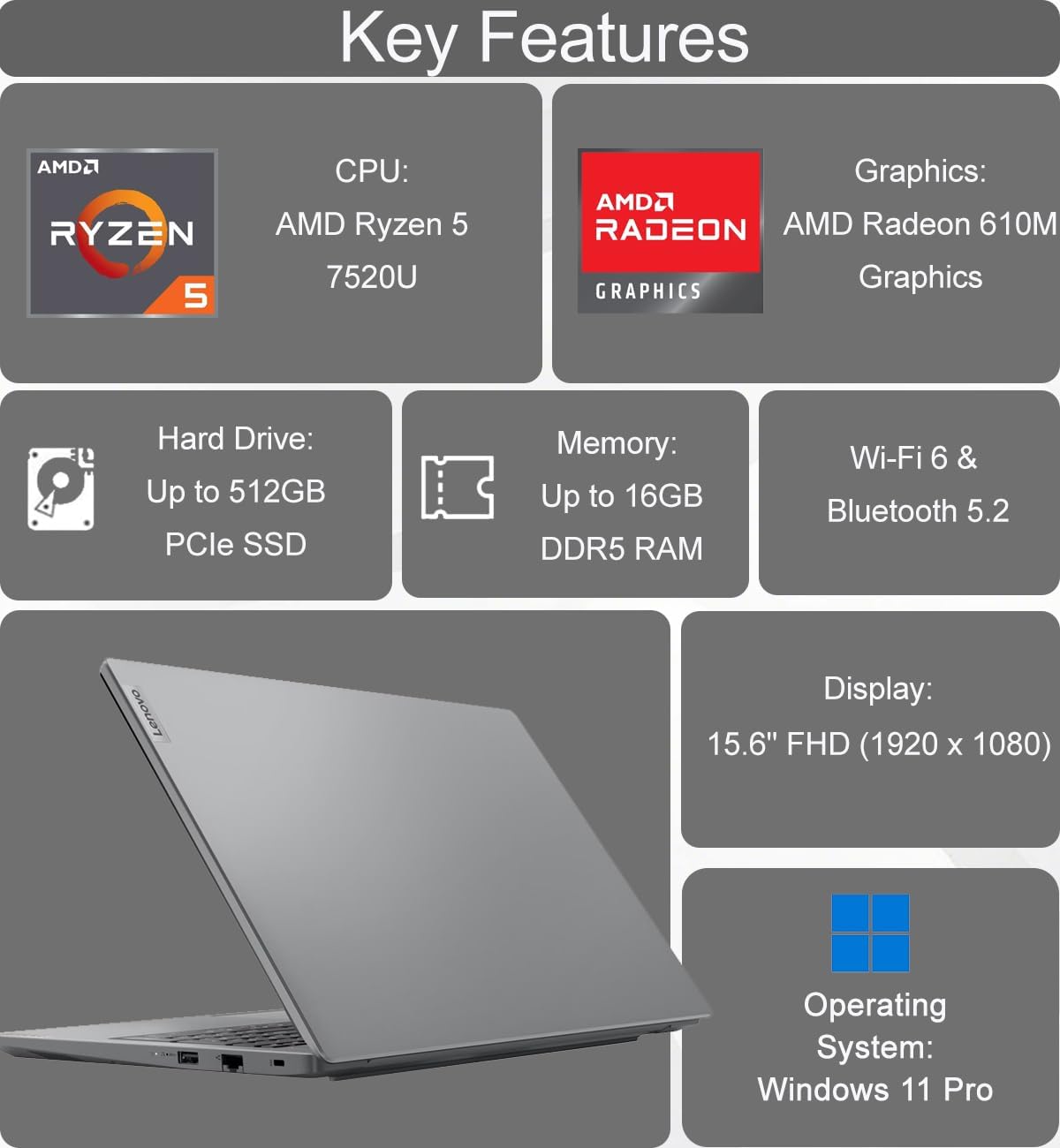
Figure 2: Key features of the Lenovo V15 Gen 4 Laptop.
Component Identification
Familiarize yourself with the various ports and components of your laptop.
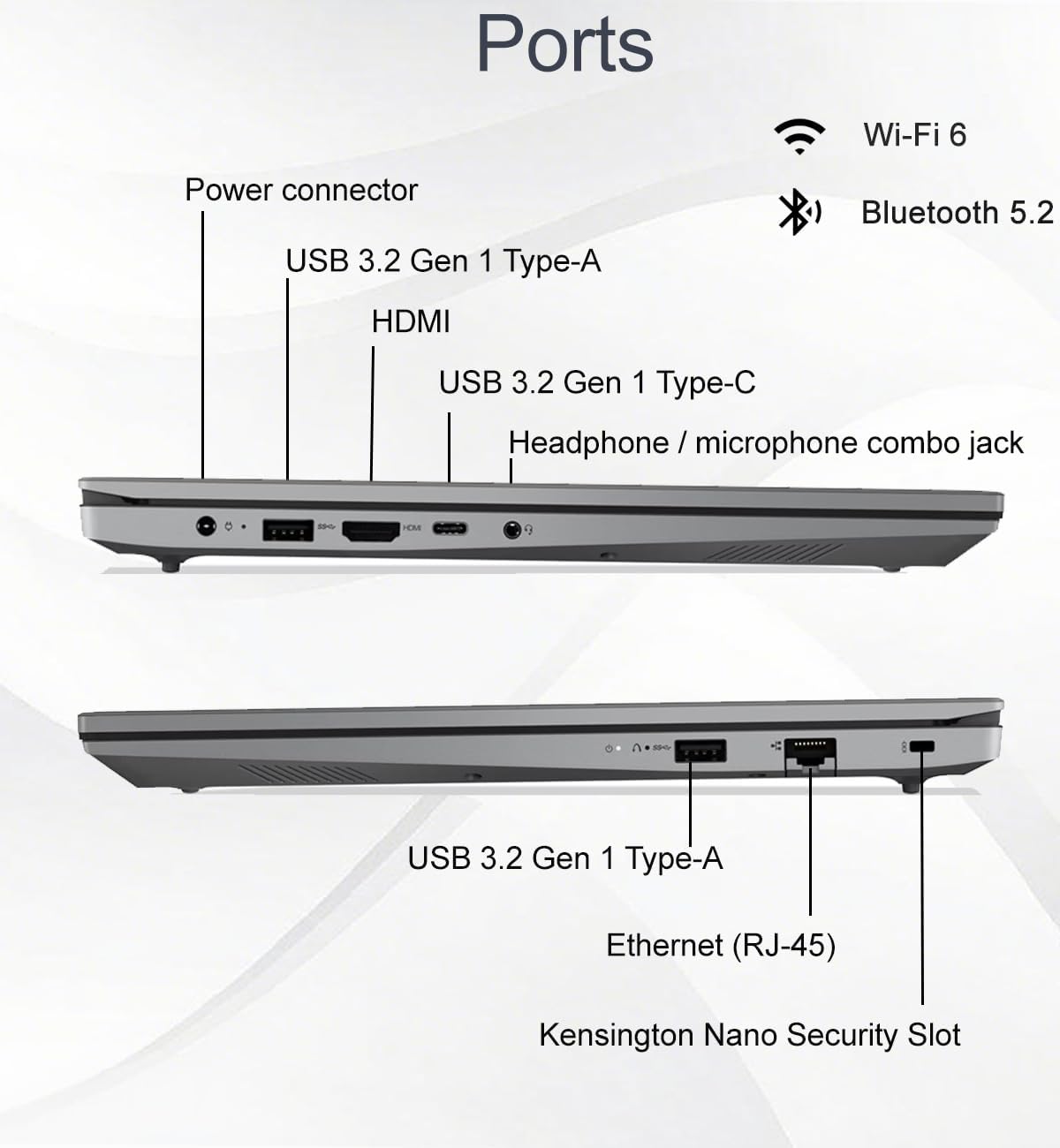
Figure 3: Port layout of the Lenovo V15 Gen 4 Laptop.
- Left Side Ports: Power connector, USB 3.2 Gen 1 Type-A, HDMI 1.4b, USB 3.2 Gen 1 Type-C (supports data transfer, Power Delivery, and DisplayPort 1.2), Headphone/microphone combo jack.
- Right Side Ports: USB 3.2 Gen 1 Type-A, Ethernet (RJ-45), Kensington Nano Security Slot.
Setup Instructions
- Unpack the Laptop: Carefully remove the laptop and all accessories from the packaging.
- Connect Power: Plug the 65W AC adapter into the laptop's power connector and then into a power outlet.
- Initial Power On: Open the laptop lid and press the power button. The laptop will guide you through the initial Windows 11 Pro setup process.
- Connect to Network: During setup, connect to a Wi-Fi network or use an Ethernet cable for internet access.
- Complete Windows Setup: Follow the on-screen prompts to configure your operating system, create a user account, and install updates.
Operating Instructions
Power Management
- Power On: Press the power button located on the top-right of the keyboard.
- Sleep Mode: Close the lid or select "Sleep" from the Start menu.
- Shut Down: Go to Start > Power > Shut down.
- Restart: Go to Start > Power > Restart.
Display and Visuals
The laptop features a 15.6-inch Full HD (1920 x 1080) anti-glare display with TÜV Low Blue Light certification for reduced eye strain.

Figure 4: Display features of the Lenovo V15 Gen 4 Laptop.
You can connect up to two external monitors via the HDMI and Type-C ports, supporting resolutions up to 4K (3840x2160) at 60Hz without a docking station.
Webcam and Collaboration
The integrated HD webcam includes a privacy shutter for enhanced security during video calls.

Figure 5: Collaboration features including webcam and keyboard.
Keyboard and Input
The full-sized keyboard features a numeric keypad for efficient data entry and is designed to be spill-resistant.
Audio
Experience clear audio with dual-array microphones and 2 x 1.5W stereo speakers, enhanced by Dolby Audio.

Figure 6: Audio features of the Lenovo V15 Gen 4 Laptop.
Connectivity
- Wireless: Integrated Wi-Fi 6 (802.11ax) and Bluetooth 5.2 for fast and reliable wireless connections.
- Wired: Ethernet (RJ-45) port for stable wired network access.
Battery Life and Charging
The laptop is equipped with a battery that provides approximately 10 hours of average usage. It supports rapid charging, reaching up to 80% capacity in one hour.
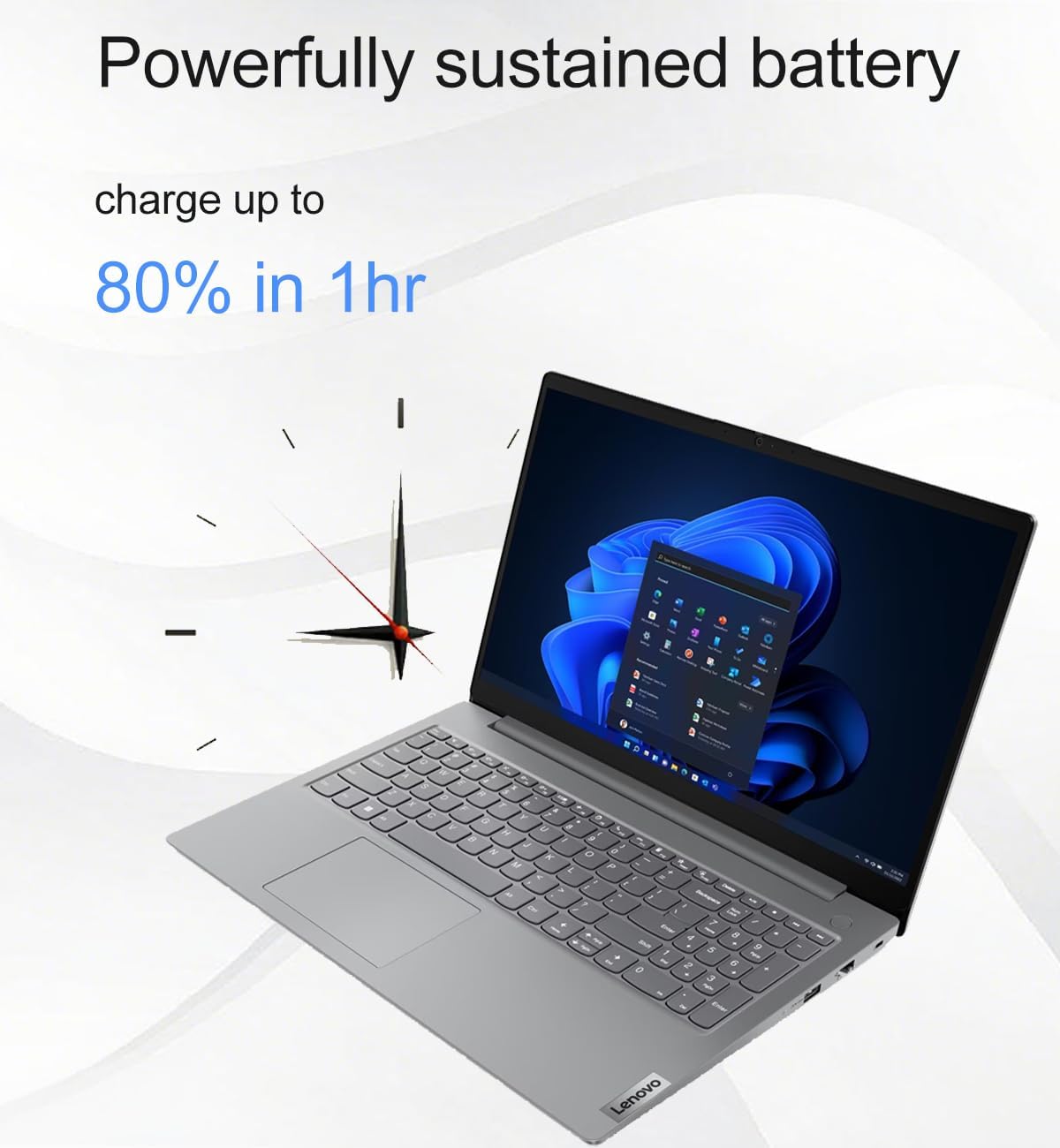
Figure 7: Battery charging capability.
Maintenance
- Cleaning: Use a soft, lint-free cloth slightly dampened with water or a screen cleaner to clean the display. For the keyboard and chassis, use a soft, dry cloth. Avoid harsh chemicals.
- Software Updates: Regularly check for and install operating system and driver updates to ensure optimal performance and security.
- Battery Care: To prolong battery life, avoid extreme temperatures and fully discharging the battery frequently.
- Storage: Store the laptop in a cool, dry place when not in use.
Troubleshooting
Common Issues and Solutions
- Laptop does not power on: Ensure the AC adapter is securely connected to both the laptop and a working power outlet. Try a different outlet.
- Screen is blank: Check if the laptop is in sleep mode. Press any key or the power button to wake it. Ensure external monitors are properly connected if in use.
- No internet connection: Verify Wi-Fi is enabled and connected to the correct network. If using Ethernet, ensure the cable is securely plugged in and your router is functioning.
- Slow performance: Close unnecessary applications. Check for background updates. Restart the laptop.
- Webcam not working: Ensure the privacy shutter is open. Check camera settings in Windows and application permissions.
For more complex issues, refer to the Lenovo support website or contact customer service.
Specifications
| Feature | Detail |
|---|---|
| Model Name | V15 Gen 4 83CQ |
| Processor | AMD Ryzen 5 7520U (2.8 GHz, 4 Cores) |
| RAM | 16 GB DDR5 (5500 MHz) |
| Storage | 512 GB PCIe NVMe M.2 SSD |
| Display | 15.6-inch FHD (1920 x 1080) TN Anti-glare, TÜV Low Blue Light |
| Graphics | Integrated AMD Radeon 610M Graphics |
| Operating System | Windows 11 Pro 64-bit |
| Wireless Connectivity | Wi-Fi 6 (802.11ax), Bluetooth 5.2 |
| Ports | 1x USB-C 3.2 Gen 1 (Data, PD, DP 1.2), 2x USB-A 3.2 Gen 1, 1x HDMI 1.4b, 1x Ethernet (RJ-45), 1x Headphone/Mic Combo Jack |
| Webcam | HD with Privacy Shutter |
| Audio | Dual-array microphones, 2x 1.5W Stereo Speakers, Dolby Audio |
| Battery Life | Approx. 10 hours (average) |
| Dimensions (LxWxH) | 14.48 x 9.64 x 0.74 inches |
| Weight | 3.59 pounds |
| Durability | MIL-STD-810H tested |
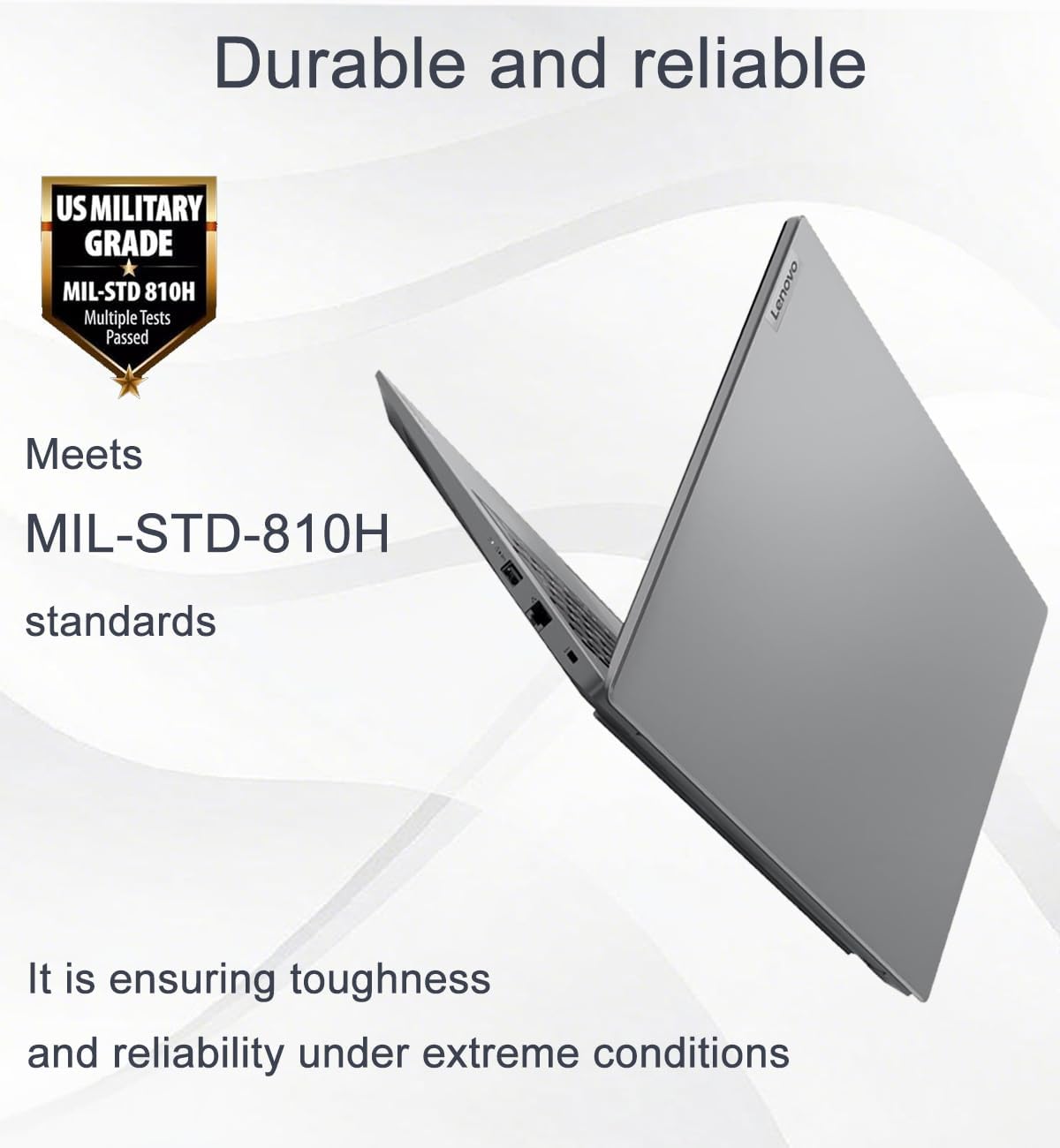
Figure 8: MIL-STD-810H durability standard.

Figure 9: Laptop dimensions and weight.
Warranty and Support
This product comes with a one-year manufacturer warranty on remaining components. For RAM (Memory) and SSD (Storage) upgraded by Issaquah Highlands Tech (IST Computers), a three-year warranty is provided by Issaquah Highlands Tech.
For support, please refer to the official Lenovo support channels or contact Issaquah Highlands Tech directly for issues related to upgraded components.
Visit the IST Computers Store for more information.
Video Resources
No official product videos from the seller were available for embedding in this manual.
Related documentsV15 Gen 4 83CQ


Ask a question about this manual
Ask about setup, troubleshooting, compatibility, parts, safety, or missing instructions. Manuals+ will review the question and use this page’s manual context to help answer it.