
KUQIBAO K101
KUQIBAO Motorcycle Helmet User Manual
Model: K101
1. Introduction
This user manual provides essential information for the safe and effective use of your KUQIBAO Motorcycle Helmet. This helmet is designed for motorcyclists, offering integrated Bluetooth communication capabilities, enhanced safety features, and comfortable wear. Please read this manual thoroughly before using the helmet to ensure proper operation and maintenance.
2. Product Overview
The KUQIBAO Motorcycle Helmet combines advanced protection with modern communication technology. Key features include:
- Integrated Bluetooth System: Equipped with a 3000 mAh polymer lithium battery, offering up to 80 hours of continuous music playback and 30 days of standby time. Features a CSR5.0 Bluetooth chip for good sound quality and long battery life.
- Detachable Bluetooth Unit: The main Bluetooth unit and speaker can be disassembled separately for convenience when switching helmets.
- Dual Lens Design: Features an anti-glare inner lens and a high-definition, scratch-resistant outer lens.
- Comfortable Interior: The inner lining is made of breathable and comfortable material, which is removable and washable for hygiene.
- Durable Construction: Helmet shell made of new ABS material with a high-density EPS buffer layer for impact resistance.
- DOT Certified: Meets Federal Motor Vehicle Safety Standard 218 (FMVSS 218) for safety.
- Electronic Noise Reduction Microphone: Ensures clear communication even at high speeds.
Product Visuals

Front-side view of the KUQIBAO Motorcycle Helmet, showcasing the integrated Bluetooth controls and clear visor.

Side profile of the helmet, highlighting its aerodynamic design and the visor mechanism.
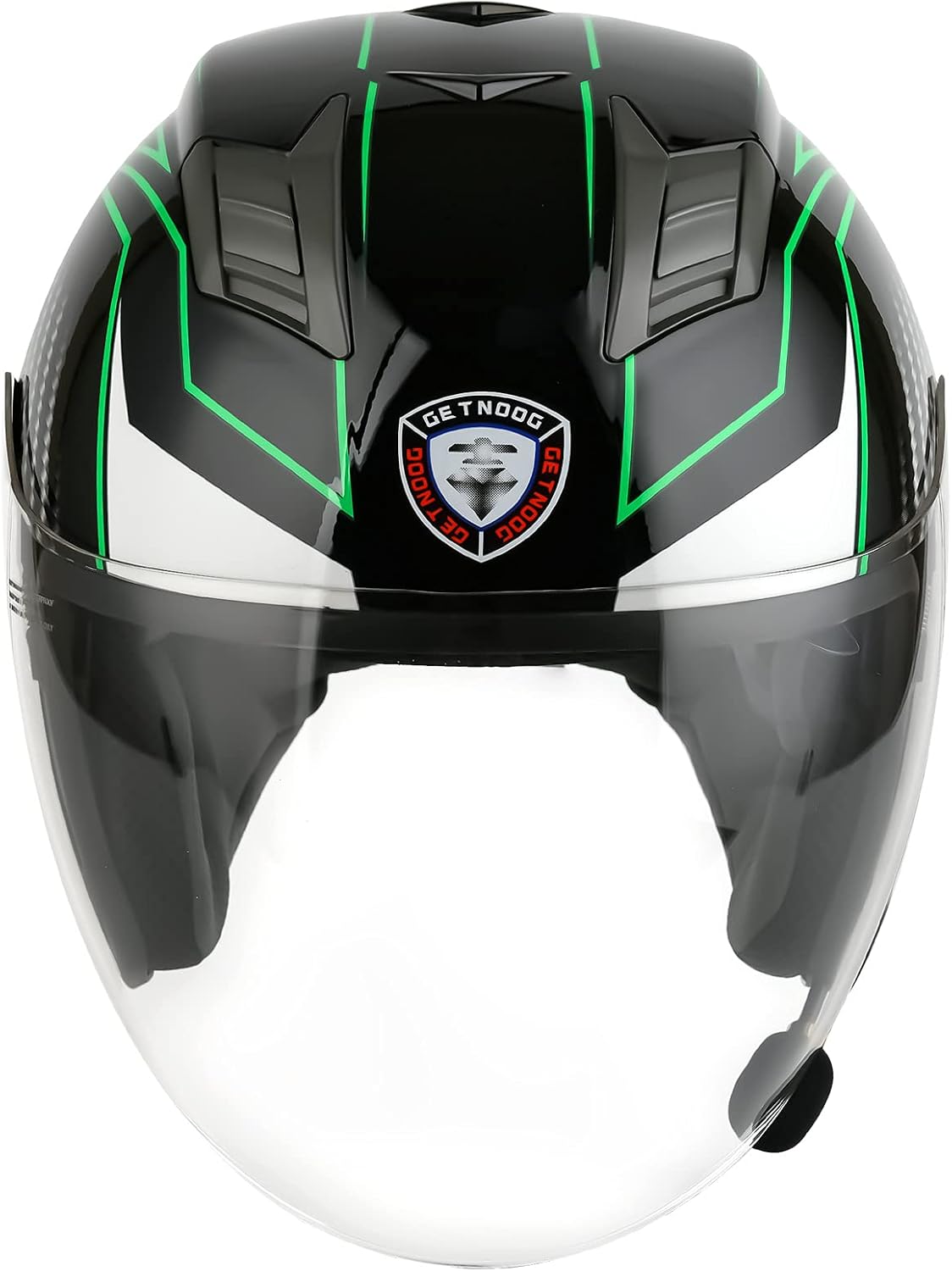
Direct front view of the helmet with the clear outer visor down.

Rear view of the helmet, showing the KUQIBAO branding and ventilation design.

Close-up view of the breathable and comfortable inner lining of the helmet.

Detailed view of the electronic noise reduction microphone, designed for clear communication.

Close-up of the helmet's top ventilation system, designed for airflow.
Product Video
Official product video demonstrating the features and design of the KUQIBAO Motorcycle Helmet with integrated Bluetooth.
3. Setup
3.1 Initial Charging
Before first use, fully charge the integrated Bluetooth system. The 3000 mAh polymer lithium battery typically takes about 4 hours to fully charge.
- Locate the charging port on the helmet's Bluetooth unit.
- Connect the provided charging cable to the port and a suitable USB power source.
- An indicator light will show charging status (e.g., red for charging, blue/off for fully charged).

Image showing the charging port and indicator light on the helmet's Bluetooth unit.
3.2 Bluetooth Unit Installation/Removal
The Bluetooth unit is designed to be detachable for convenience.
- To remove: Gently unclip or slide the Bluetooth main unit and speakers from their designated slots within the helmet.
- To install: Align the unit and speakers with the corresponding slots and press firmly until they click into place. Ensure the microphone is positioned correctly for clear voice pickup.
4. Operating Instructions
4.1 Power On/Off and Pairing
- Power On: Press and hold the main power button on the Bluetooth unit until you hear an audible prompt or see the indicator light.
- Power Off: Press and hold the main power button again until the unit powers down.
- Pairing: With the unit powered on, activate Bluetooth on your mobile device. Search for "KUQIBAO Helmet" or a similar device name and select to pair. A successful connection will be indicated by a sound or light change.
4.2 Music Playback
- Once paired, open your music application on your device.
- Use the play/pause button on the helmet's Bluetooth unit to control playback.
- Use the volume +/- buttons to adjust the audio level.
4.3 Call Management
- Answering Calls: When an incoming call is detected, the helmet will automatically answer the call.
- Ending Calls: Press the main button to end a call.
- The electronic noise reduction microphone ensures clear voice transmission during calls, even at high speeds.
4.4 Navigation and Radio
The helmet's Bluetooth system supports audio output from navigation apps and can receive radio signals (if supported by your paired device or the unit itself).
- Ensure your navigation app is active on your paired device. Audio directions will be transmitted to the helmet speakers.
- For radio functionality, use your paired device's radio app or follow specific instructions for the helmet's built-in radio if available.
4.5 Visor Operation
- The helmet features a double lens system. The outer clear visor can be raised or lowered manually.
- The inner anti-glare lens can be deployed or retracted using the dedicated lever or switch, typically located on the side of the helmet.
- The design allows for comfortable use with prescription glasses.
5. Maintenance
5.1 Cleaning the Helmet Shell
Clean the helmet shell with a soft cloth and mild soap and water. Avoid abrasive cleaners or solvents that could damage the finish or materials.
5.2 Cleaning the Inner Lining
The inner lining is removable and washable.
- Carefully remove the inner lining from the helmet.
- Hand wash with mild soap and cool water. Do not machine wash or tumble dry.
- Allow the lining to air dry completely before reinserting it into the helmet.
5.3 Visor Care
Clean visors with a soft, damp cloth and mild soap. Do not use harsh chemicals or abrasive materials, as this can scratch the surface or damage the anti-glare coating.
6. Troubleshooting
| Problem | Possible Cause | Solution |
|---|---|---|
| Bluetooth unit speaks in Chinese / Cannot change language. | Default language setting or incorrect language selection. | While the helmet is powered on and not connected to any device, quickly double-press the power button. This action typically cycles through available languages. Listen for the English prompt. If this does not work, consult the manufacturer's official support channels for specific language change instructions for your unit's firmware version. |
| Bluetooth not pairing. | Bluetooth unit off, low battery, out of range, or pairing mode not active. |
|
| No sound or low volume. | Volume too low on helmet or device, speakers disconnected, or audio source issue. |
|
| Battery not charging. | Faulty cable, power source, or charging port. |
|
7. Specifications
| Feature | Detail |
|---|---|
| Brand | KUQIBAO |
| Model Name | K101 |
| Shell Type | Hard |
| Outer Material | Acrylonitrile Butadiene Styrene (ABS) |
| Buffer Layer | High-density EPS |
| Bluetooth Chip | CSR5.0 |
| Battery Capacity | 3000 mAh polymer lithium battery |
| Music Playback Time | Up to 80 hours |
| Standby Time | Up to 30 days |
| Speaker Size | 40MM |
| Microphone | Electronic noise reduction technology |
| Visor Type | Double lens (anti-glare inner, high-definition scratch-resistant outer) |
| Lining | Removable and washable breathable material |
| Certification | DOT (FMVSS 218) |
| Item Weight | 3 Pounds |
| Item Dimensions (LxWxH) | 13.7 x 9.4 x 9.8 inches |
8. Warranty & Support
8.1 Warranty Information
The KUQIBAO Motorcycle Helmet comes with a One year warranty from the date of purchase. This warranty covers manufacturing defects and material flaws under normal use. Please retain your proof of purchase for warranty claims.
8.2 Customer Support
For any questions, technical assistance, or warranty claims, please contact KUQIBAO customer support through the retailer where you purchased the product or visit the official KUQIBAO store page on Amazon: KUQIBAO Store.
When contacting support, please provide your product model (K101) and a detailed description of the issue.
Related documentsK101


Ask a question about this manual
Ask about setup, troubleshooting, compatibility, parts, safety, or missing instructions. Manuals+ will review the question and use this page’s manual context to help answer it.