
1. Introduction
This manual provides detailed instructions for the proper use and maintenance of the LAUNCH EL-50448 OEC-T5 TPMS Relearn Tool. This device is designed to activate and reprogram Tire Pressure Monitoring System (TPMS) sensors in compatible GM vehicles.

Image 1.1: The LAUNCH EL-50448 OEC-T5 TPMS Relearn Tool. This image shows the compact, orange and black handheld device with a button and indicator lights.
2. Product Overview
The EL-50448 OEC-T5 tool is specifically engineered for GM vehicles (Chevrolet, Buick, GMC, Opel, Cadillac, etc.) manufactured from 2006 to 2025, equipped with 315/433 MHz TPMS sensors. It facilitates the relearn procedure for TPMS sensors after tire rotations, sensor replacement, or tire changes.

Image 2.1: Diagram of the EL-50448 OEC-T5 tool showing its components: Transmit Pilot Light (TX), Low Battery Indicator (LOWBAT), Operation Button, and battery compartment. A 9V battery is shown next to the tool, illustrating correct polarity for installation.
Key Components:
- Transmit Pilot Light (TX): Indicates when the tool is transmitting a signal.
- Low Battery Indicator (LOWBAT): Illuminates when the 9V battery needs replacement.
- Operation Button: Used to activate the TPMS sensor.
- Antenna: Located at the top of the tool, used for signal transmission.
3. Setup
3.1 Battery Installation
- Ensure the tool is off.
- Locate the battery compartment on the back of the device.
- Open the battery compartment cover.
- Insert a new 9V battery, ensuring the "+" and "-" terminals align correctly with the markings inside the compartment. Incorrect installation may damage the product.
- Close the battery compartment cover securely.
Note: A 9V battery is not included with the tool. Always remove the battery when the tool is not in use for extended periods to prevent discharge.
4. Operating Instructions
4.1 Vehicle Compatibility
This tool is compatible with GM vehicles (Cars, SUVs, Pickups) from 2006-2025 that are equipped with 315/433 MHz TPMS sensors. It is not designed for use with trucks.
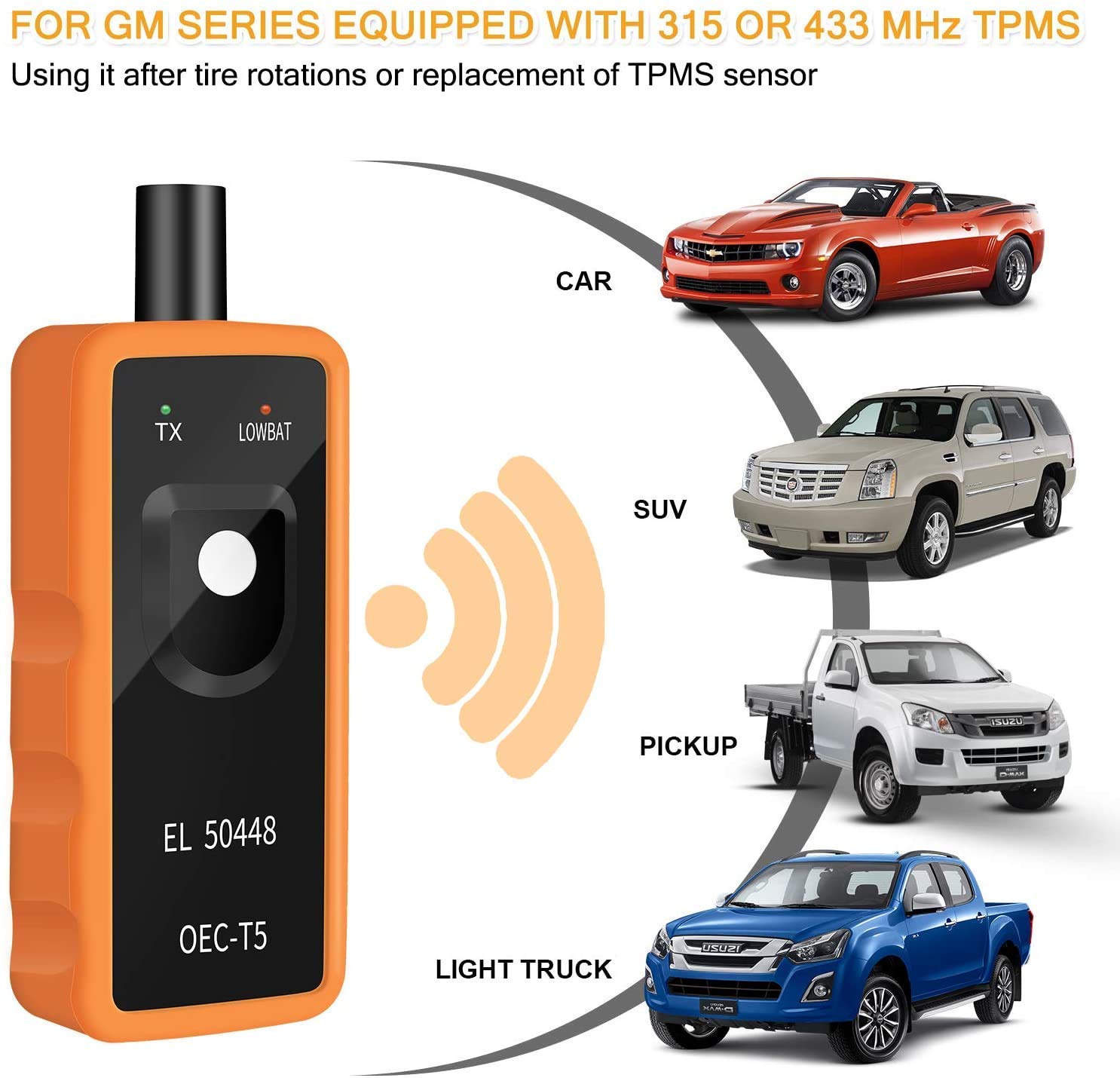
Image 4.1: Illustration showing the LAUNCH EL-50448 OEC-T5 tool being used with various GM vehicle types including cars, SUVs, and pickups, indicating its compatibility for 315 or 433 MHz TPMS systems after tire rotations or sensor replacement.

Image 4.2: A detailed table listing various GM models and years that have been factory tested for compatibility with the TPMS relearn tool, covering vehicles from 2010 to 2013 and beyond.
4.2 TPMS Relearn Procedure
Follow these steps to reprogram your TPMS sensors:
- Prepare Vehicle: Ensure your vehicle is in TPMS Learning Mode. Refer to your vehicle's owner's manual for specific instructions on how to enter this mode.
- Position Tool: Hold the EL-50448 OEC-T5 tool against the sidewall of the tire, near the valve stem.
- Activate Sensor: Depress the operation button on the tool. Continue holding the tool against the tire sidewall until the vehicle's horn bleeps once, indicating successful sensor activation.
- Repeat for All Tires: Move to the next tire in the sequence specified by your vehicle's TPMS relearn procedure (typically Front Left, Front Right, Rear Right, Rear Left) and repeat steps 2 and 3.
The tool can activate individual TPMS sensors within 1-2 minutes per tire.

Image 4.3: A hand holding the EL-50448 OEC-T5 tool against a tire sidewall, near the valve stem, with green signal waves emanating from the tool towards the tire, illustrating the simple and fast one-button operation to activate TPMS sensors.
4.3 Antenna Placement for Efficiency
Correct antenna placement is crucial for effective communication with the TPMS sensor.
- Best Location: Place the end of the antenna on the rubber tire, near the edge of the rim, and on the bottom of the valve stem.
- Invalid Locations: Antennas may not be able to communicate with TPMS at the following locations:
- Near the top of the valve stem.
- At the base of the valve stem.

Image 4.4: Visual guide demonstrating the best and invalid locations for placing the tool's antenna on a tire. The correct placement is shown on the tire sidewall near the rim and valve stem, while incorrect placements are shown at the top and base of the valve stem.
5. Maintenance
To ensure the longevity and proper functioning of your EL-50448 OEC-T5 tool:
- Battery Care: Remove the 9V battery from the device when it is not in use for extended periods (e.g., several weeks or months) to prevent battery leakage and damage to the tool.
- Cleaning: Wipe the tool with a soft, dry cloth. Do not use abrasive cleaners or solvents.
- Storage: Store the tool in a cool, dry place, away from direct sunlight and extreme temperatures.
6. Troubleshooting
Common Issues and Solutions:
- Tool Not Activating Sensor:
- Ensure the vehicle is correctly in TPMS Learning Mode.
- Verify the antenna is in the correct position (on the tire sidewall near the rim and valve stem).
- Check the battery level. If the LOWBAT indicator is on, replace the 9V battery.
- Confirm the vehicle is a compatible GM model (2006-2025, 315/433 MHz TPMS, not a truck).
- Low Battery Indicator (LOWBAT) On:
- Replace the 9V battery immediately. Ensure correct polarity during installation.
- No Response from Vehicle:
- Confirm the vehicle's horn or indicator light system is functioning correctly.
- Ensure you are following the vehicle manufacturer's specific TPMS relearn sequence.
7. Specifications
| Feature | Specification |
|---|---|
| Product Dimensions (L x W x H) | 6.69 x 2.76 x 1.57 inches |
| Item Weight | 4.2 ounces |
| Manufacturer | LAUNCH |
| ASIN | B08PY8K6MC |
| Compatibility | GM Vehicles (2006-2025) with 315/433 MHz TPMS sensors (Cars, SUVs, Pickups) |
| Power Source | 9V Battery (not included) |
8. Warranty Information
Specific warranty details for the LAUNCH EL-50448 OEC-T5 TPMS Relearn Tool are not provided in the available product information. Please refer to the product packaging or contact the manufacturer directly for warranty terms and conditions.
9. Support
For technical assistance or further inquiries regarding the LAUNCH EL-50448 OEC-T5 TPMS Relearn Tool, please contact LAUNCH customer support through their official website or the retailer from whom the product was purchased. Specific contact information is not provided in the available product data.
10. Video Resources
No official product videos from the seller were found in the provided data. For visual guides, please refer to the manufacturer's official website or authorized channels.


