
DJI CRT2DJIMINI2RB
DJI Mini 2 Ultralight and Foldable Drone Quadcopter User Manual
Model: Mini 2
Introduction
This manual provides essential instructions for the safe and effective operation, maintenance, and troubleshooting of your DJI Mini 2 Ultralight and Foldable Drone Quadcopter. Please read this manual thoroughly before using the product.

Image: The DJI Mini 2 drone, showcasing its compact and foldable design.
Safety Guidelines
- Always operate the drone in open areas, away from people, buildings, and obstacles.
- Ensure the drone is fully charged before each flight.
- Adhere to local regulations regarding drone operation, including altitude limits and no-fly zones.
- Do not fly in adverse weather conditions such as strong winds (above Level 5), rain, or snow.
- Maintain visual line of sight with the drone during flight.
Setup
1. Unboxing and Initial Inspection
Carefully remove all components from the packaging. Verify that all items listed in the package contents are present and undamaged.

Image: Contents of the DJI Mini 2 package, showing the drone, remote controller, battery, charging cables, and spare propellers.
2. Charging the Battery
Connect the drone battery and remote controller to a power source using the provided USB cable. The battery indicator lights will show charging status. Ensure both are fully charged before first use.
- Drone Battery: Insert into the drone or charging hub (if available).
- Remote Controller: Connect directly via USB.
3. Installing Propellers
Attach the propellers to the motor shafts. Match the marked propellers to the corresponding motor arms (e.g., silver cap to silver cap, no cap to no cap). Use the provided screwdriver for secure installation.

Image: A close-up view of the DJI Mini 2's propellers and motors, illustrating their attachment points.
4. Installing the DJI Fly App
Download and install the DJI Fly app on your mobile device. The app is compatible with iOS v10.0 or Android v6.0 and above. Refer to the compatibility list in the specifications section for supported devices.
Search for "DJI Fly" in your device's app store or visit the official DJI website.
5. Linking the Remote Controller and Drone
Power on both the drone and the remote controller. Open the DJI Fly app and follow the on-screen instructions to link the devices. This process typically involves pressing a linking button on the drone and confirming in the app.
Operating Instructions
1. Pre-Flight Checklist
- Ensure batteries are fully charged (drone and remote).
- Propellers are securely attached and undamaged.
- Gimbal protector is removed.
- Sufficient storage space on the microSD card (not included).
- GPS signal is strong (indicated in DJI Fly app).
- Flight area is clear of obstacles and people.
2. Taking Off and Landing
Automatic Takeoff: In the DJI Fly app, tap the auto-takeoff icon and confirm. The drone will ascend to a safe height and hover.
Manual Takeoff: Push both control sticks down and inwards simultaneously to start the motors. Slowly push the left stick up to ascend.
Automatic Landing: Tap the auto-landing icon in the app. The drone will descend and land automatically.
Manual Landing: Slowly pull the left stick down to descend. Once landed, push both control sticks down and inwards to stop the motors.
3. Flight Controls
The remote controller uses a standard mode 2 configuration:
- Left Stick: Controls altitude (up/down) and yaw (rotate left/right).
- Right Stick: Controls forward/backward and left/right movement.
- Flight Mode Switch: Located on the remote, allows switching between Normal, Sport, and Cine modes.
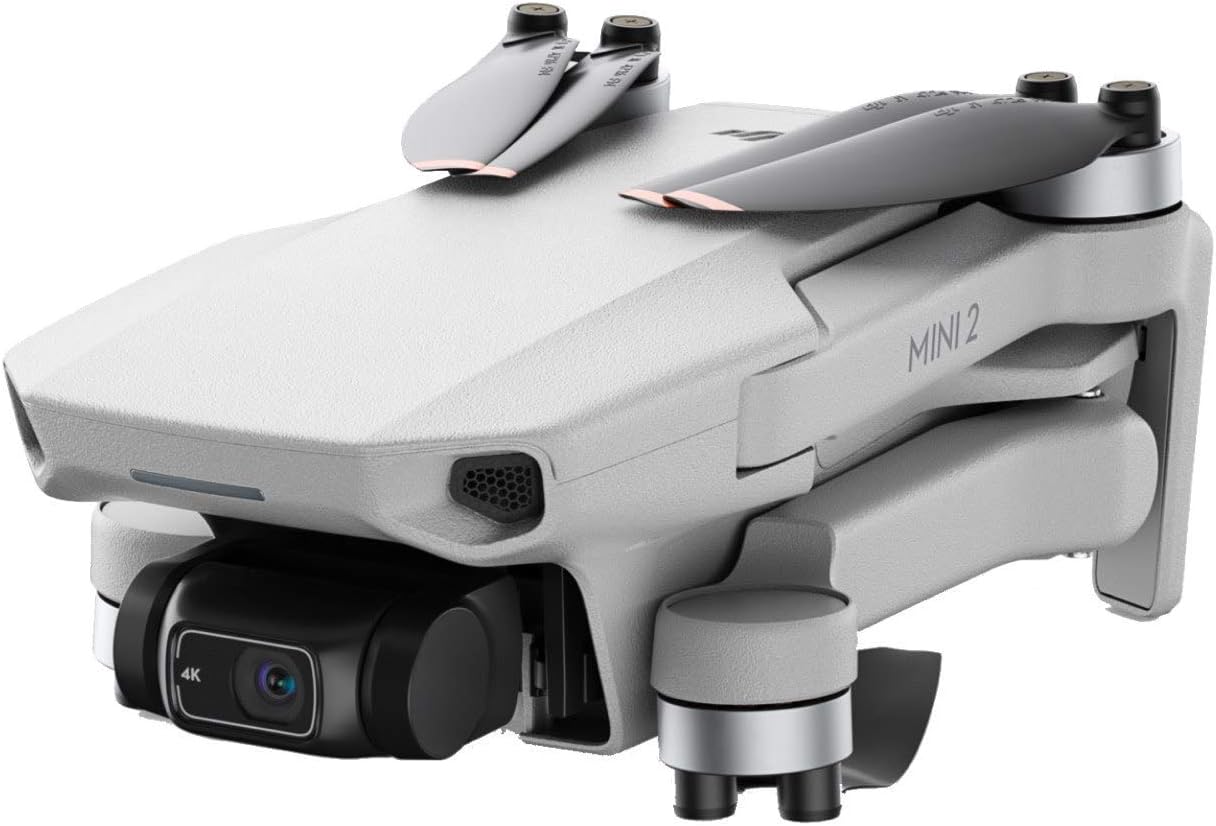
Image: The DJI Mini 2 remote controller, showing its ergonomic design and control sticks.
4. Camera Operation and QuickShots
The DJI Mini 2 features a 4K camera with a 3-axis gimbal for stable footage. Use the DJI Fly app to control camera settings, capture photos (12MP), and record videos (4K/30fps).
QuickShots: Access various intelligent flight modes like Dronie, Helix, Rocket, Circle, and Boomerang through the DJI Fly app. These modes automatically execute complex flight paths and video recordings.

Image: The DJI Mini 2 drone highlighting its 4K camera and 3-axis gimbal for stable video capture.
Maintenance
1. Cleaning
- Wipe the drone body with a soft, dry cloth after each flight.
- Gently clean the camera lens and vision sensors with a lens cleaning cloth.
- Ensure no dust or debris is lodged in the motors or propeller mounts.
2. Propeller Inspection and Replacement
Regularly inspect propellers for cracks, bends, or damage. Replace any damaged propellers immediately using the provided spare propellers and screwdriver.
Always replace propellers in pairs (e.g., both A-type or both B-type) to maintain flight balance.
3. Battery Care
- Store batteries in a cool, dry place.
- Do not overcharge or over-discharge batteries.
- If storing for extended periods, charge batteries to approximately 50-60% capacity.
4. Firmware Updates
Periodically check for firmware updates via the DJI Fly app. Keeping the firmware updated ensures optimal performance and access to new features.
Troubleshooting
| Problem | Possible Cause | Solution |
|---|---|---|
| Drone does not power on | Low battery; Battery not properly inserted | Charge battery; Reinsert battery securely |
| No GPS signal | Flying indoors; Obstructions; Weak satellite signal | Fly outdoors in an open area; Wait for stronger signal |
| Unstable flight | Damaged propellers; Strong winds; Calibration needed | Replace propellers; Avoid flying in strong winds; Calibrate IMU/compass via DJI Fly app |
| Image/Video quality poor | Dirty camera lens; Incorrect camera settings; Gimbal obstruction | Clean lens; Adjust settings in DJI Fly app; Remove gimbal protector |
| Remote controller disconnects | Low remote battery; Interference; Out of range | Charge remote; Move to an area with less interference; Fly within operational range (up to 10km) |
Specifications
- Model: Mini 2
- Weight: Less than 249 g (0.55 lbs)
- Product Dimensions: 5.71"L x 5.51"W x 7.36"H
- Max Flight Time: 31 minutes
- Max Wind Resistance: Level 5 (29-38 km/h)
- Video Transmission System: OcuSync 2.0
- Max Transmission Range: 10 km (FCC)
- Camera: 1/2.3" CMOS, 12 MP Effective Pixels
- Lens: FOV: 83°, 35 mm format equivalent: 24 mm, Aperture: f/2.8
- Video Resolution: 4K: 3840×2160 @ 24/25/30fps; 2.7K: 2720×1530 @ 24/25/30/48/50/60fps; FHD: 1920×1080 @ 24/25/30/48/50/60fps
- Photo Format: JPEG/DNG (RAW)
- Video Format: MP4 (H.264/MPEG-4 AVC)
- Gimbal: 3-axis mechanical gimbal (tilt, roll, pan)
- Operating Frequency: 2.400-2.4835 GHz; 5.725-5.850 GHz
- Operating Temperature: 0° to 40°C (32° to 104°F)
- Supported Mobile Device Size: Max length: 92 mm
- Compatible Mobile Devices: iOS v10.0 or Android v6.0 and above (Refer to DJI Fly app for full list)
- UPC: 649661566052
- Item Model Number: CRT2DJIMINI2RB
Warranty Information
This product is covered by DJI's standard warranty policy. For detailed warranty terms and conditions, please visit the official DJI website or contact DJI customer support. Keep your proof of purchase for warranty claims.
Note: This specific product is listed as "Renewed". Warranty terms for renewed products may differ from new products. Please refer to the seller's specific warranty or return policy for renewed items, which typically includes a 90-day return policy.
Support and Contact
For further assistance, technical support, or service inquiries, please contact DJI customer support through their official website. You can also find FAQs, video tutorials, and community forums on the DJI support page.
- Official DJI Website: www.dji.com
- DJI Support Page: www.dji.com/support
Related documentsCRT2DJIMINI2RB


Ask a question about this manual
Ask about setup, troubleshooting, compatibility, parts, safety, or missing instructions. Manuals+ will review the question and use this page’s manual context to help answer it.