
Introduction
The Adesso NuScan 1600U is a high-performance 1D handheld CCD barcode scanner designed for efficient and reliable data collection. This device is engineered to scan up to 300 times per second and can read barcodes from a distance of up to 20 inches, thanks to its advanced 32-bit microprocessor. Its built-in decoder simplifies the process of programming settings, editing data, and scanning various 1D barcode symbologies. The NuScan 1600U is also built with durability in mind, featuring a robust design that minimizes damage from accidental drops.
Setup
Package Contents
- Adesso NuScan 1600U Barcode Scanner
- USB Cable (attached)
- Quick Start Guide (not included in this manual)
Connecting the Scanner
The NuScan 1600U is a plug-and-play device, requiring no special drivers for most operating systems. Follow these steps to connect your scanner:
- Locate an available USB port on your computer (Windows or Mac).
- Plug the USB cable of the NuScan 1600U into the USB port.
- Your operating system will automatically detect and install the necessary drivers. This process may take a few moments.
- Once installed, the scanner is ready for use. You can test it by opening a text editor (like Notepad or Word) and scanning a barcode. The barcode data should appear in the document.
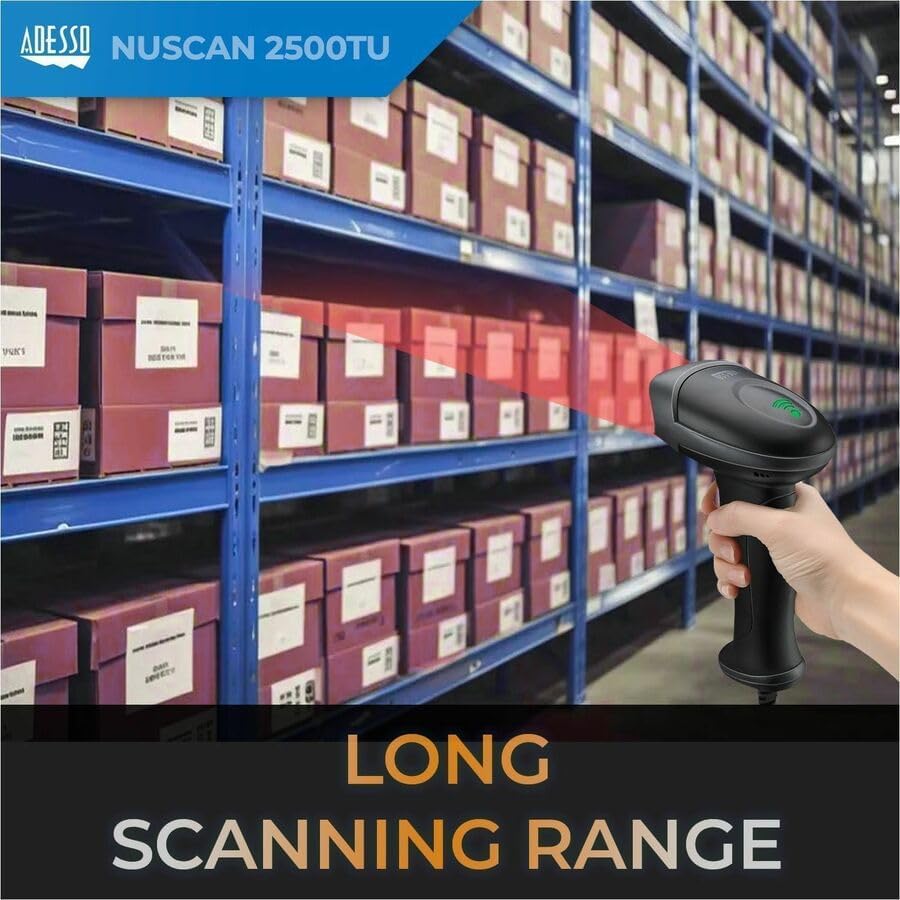
Image: The NuScan 1600U connected to a laptop, demonstrating its USB connectivity and compatibility with both Mac and Windows operating systems.
Operating the NuScan 1600U
Basic Scanning
To scan a barcode, point the scanner's head towards the barcode and press the trigger button. A red laser line will appear, indicating the scanning area. Ensure the laser line crosses the entire barcode for a successful read. A successful scan is typically indicated by an audible beep and/or a visual indicator light on the scanner.

Image: The NuScan 1600U in operation, showing the red laser beam used for scanning barcodes.
Supported Barcode Symbologies
The NuScan 1600U is designed to read a wide range of 1D barcode symbologies, including but not limited to:
- EAN-13
- UPC-A
- UPC-E
- EAN-8
- Code 39
- Code 128
- Interleaved 2 of 5
- Codabar
- Industrial 2 of 5

Image: Visual examples of common 1D barcode types that the NuScan 1600U can read, such as EAN-13 and UPC-A.
Example Barcode Data: 0001234000057, 123456792
Key Features and Performance
- Reliable Data Collection: The built-in decoder ensures accurate reading of most 1D barcodes. Its driver-less operation provides easy compatibility with Windows and Mac operating systems.
- Ergonomic Design: The scanner features an easy-to-hold grip and a conveniently placed thumb-switch, designed for maximum comfort during extended scanning sessions.

Image: Side profile of the scanner, showcasing its ergonomic design for comfortable use.
- Superior Scanning Performance: With a scan rate of 300 scans per second and an innovative high-pixel CCD engine, the NuScan 1600U delivers fast and precise scanning results.
- Drop Protection: Constructed with a durable silicone plastic material and a robust CCD engine, the NuScan 1600U is designed to withstand accidental drops, enhancing its longevity.
- Long Scanning Range: The CCD sensor allows for scanning barcodes from a depth of up to 16 inches, providing flexibility in various scanning environments.
Maintenance
Proper maintenance ensures the longevity and optimal performance of your NuScan 1600U barcode scanner.
Cleaning the Scanner
- Use a soft, lint-free cloth slightly dampened with water or a mild, non-abrasive cleaning solution.
- Gently wipe the exterior of the scanner, including the scanning window.
- Do not use harsh chemicals, abrasive cleaners, or excessive liquid, as these can damage the device.
- Ensure the scanner is unplugged before cleaning.
Storage
- Store the scanner in a cool, dry place away from direct sunlight and extreme temperatures.
- Avoid placing heavy objects on top of the scanner.
Troubleshooting
If you encounter issues with your NuScan 1600U, refer to the table below for common problems and their solutions.
| Problem | Possible Cause | Solution |
|---|---|---|
| Scanner does not emit light or scan. | Not properly connected; USB port issue; Scanner malfunction. |
|
| Barcode not reading or reading incorrectly. | Barcode damaged/poor quality; Incorrect scanning angle; Unsupported barcode type; Dirty scanning window. |
|
| Scanned data appears in the wrong application or not at all. | No active text input field; Application not ready. |
|
Specifications
| Feature | Detail |
|---|---|
| Product Dimensions | 6.85 x 2.81 x 3.62 inches |
| Item Weight | 6.7 ounces |
| Item Model Number | NuScan 1600U |
| Manufacturer | Adesso |
| Compatible Devices | Android, Mac, PC |
| Power Source | Corded Electric (USB powered) |
| Brand | ADESSO |
| Connectivity Technology | USB Cable |
| Scan Rate | 300 scans per second |
| Barcode Symbologies | 1D Barcodes (e.g., EAN-13, UPC-A, UPC-E, EAN-8, Code 39, Code 128, Interleaved 2 of 5, Codabar, Industrial 2 of 5) |
Warranty and Support
Warranty Information
The Adesso NuScan 1600U typically comes with a manufacturer's limited warranty. Please refer to the warranty card included with your product or visit the official Adesso website for detailed warranty terms and conditions. This warranty generally covers defects in materials and workmanship under normal use.
Technical Support
For technical assistance, troubleshooting, or any questions regarding your Adesso NuScan 1600U, please contact Adesso customer support. You can usually find contact information (phone, email, or support portal) on the official Adesso website:
When contacting support, please have your product model number (NuScan 1600U) and a description of the issue ready to expedite the process.