
1. Introduction
The IDEAPLAY Jump Starter is a portable and powerful device designed to jump start vehicles with dead batteries, and also serves as a versatile power bank for charging electronic devices. It features advanced safety protections and a built-in LED flashlight for emergency situations.

Figure 1.1: The IDEAPLAY Jump Starter, showing the main unit, intelligent jumper cable clamps, USB-C fast charging cable, and carrying case.
This jump starter provides 1500A peak current with a 12000mAh capacity, capable of jump starting up to 7.0L Gas or 5.5L Diesel 12V vehicles, including hybrid and electric cars, motorcycles, ATVs, UTVs, RVs, boats, trucks, lawn mowers, and snowmobiles. A full charge supports up to 15 jump starts and maintains standby power for up to 6 months.
Video 1.1: An overview of the IDEAPLAY Jump Starter's features and capabilities.
2. Package Contents
Upon opening the package, ensure all the following items are present:
- 1 x Portable Battery Jump Starter Unit
- 1 x Intelligent Jumper Cable Clamps
- 1 x USB-C Fast Charging Cable
- 1 x Carrying Case
- 1 x User Manual

Figure 2.1: Contents of the IDEAPLAY Jump Starter package, including the main unit, jumper cables, charging cable, and case.
3. Product Specifications
| Feature | Specification |
|---|---|
| Brand | IDEAPLAY |
| Model Number | J10-Camo |
| Peak Output Current | 1500 Amps |
| Battery Capacity | 12000mAh |
| Engine Compatibility | Up to 7.0L Gas / 5.5L Diesel |
| USB-A Output | 2 x 18W Quick Charge |
| USB-C Port | 1 x 30W Two-way (In/Out) |
| Dimensions (D x W x H) | 3.4"D x 7.5"W x 1.4"H |
| Item Weight | 12 ounces (340 Grams) |

Figure 3.1: Detailed view of the jump starter's ports and features, including indication display, outputs, and power button.
4. Initial Setup and Charging
Before first use, fully charge the IDEAPLAY Jump Starter. It is recommended to keep the unit charged above 60% for optimal performance when jump starting a vehicle.
4.1 Charging the Jump Starter
Use the provided USB-C Fast Charging Cable to charge the unit. Connect the USB-C end to the "In (Out)" port on the jump starter and the USB-A end to a compatible USB wall adapter or power source. The digital display will show the charging progress.
Video 4.1: A short preview demonstrating the charging capability of the jump starter for mobile devices.
5. Operating Instructions: Jump Starting a Vehicle
Follow these steps carefully to safely jump start your vehicle:
- Ensure Sufficient Charge: Verify that the jump starter unit has at least 60% charge. The display will show the current battery percentage.
- Connect Jumper Cables to Unit: Insert the blue end of the intelligent jumper cable clamps into the designated port on the jump starter unit.
- Connect Clamps to Battery:
- Connect the red (+) clamp to the positive terminal of your vehicle's battery.
- Connect the black (-) clamp to the negative terminal of your vehicle's battery.
- Start Your Vehicle: Once the indicator light on the intelligent clamps is solid green, start your car engine.
- Remove Clamps: After the vehicle starts, immediately remove the clamps from the car battery, first the black (-) clamp, then the red (+) clamp. Then, disconnect the jumper cables from the jump starter unit.

Figure 5.1: Visual steps for using the jump starter: Insert, Connect, Start.
Video 5.1: Official guide on how to jump start your vehicle using the iDeaPlay J8PLUS.
6. Multifunctionality
6.1 Portable Power Bank
The IDEAPLAY Jump Starter doubles as a 12000mAh portable charger. It features two USB-A 18W Quick Charge ports and one 30W two-way USB-C port, allowing you to charge multiple devices such as phones, tablets, cameras, and Kindles. The two-way USB-C port provides faster charging for the jump starter itself.

Figure 6.1: The jump starter functioning as a power bank, charging a smartphone and a tablet simultaneously.
Video 6.1: A demonstration of the iDeaPlay Jump Starter J8 Plus's power bank capabilities and various ports.
6.2 Ultra-Brightness LED Flashlight
The unit includes a super bright LED flashlight with three modes: Flashlight (continuous light), SOS (strobe), and Strobe (continuous flash). This feature is useful for illuminating dark engine compartments, acting as a camp light, or signaling in emergency situations.

Figure 6.2: The LED flashlight feature, illustrating its continuous light, SOS strobe, and continuous flash modes for various uses.
7. Ultra-Safe Protection
The IDEAPLAY Jump Starter is UL2743 certified and incorporates advanced safety features to protect both the user and the vehicle. The intelligent jumper cables provide visual and audible notifications for incorrect operation.
Key safety protections include:
- Short Circuit Protection
- Spark-Proof Technology
- Over-Current Protection
- Over-Charge Protection
- Over-Load Protection
- Over-Discharge Protection
- High-Temperature Protection
- Reverse Polarity Protection
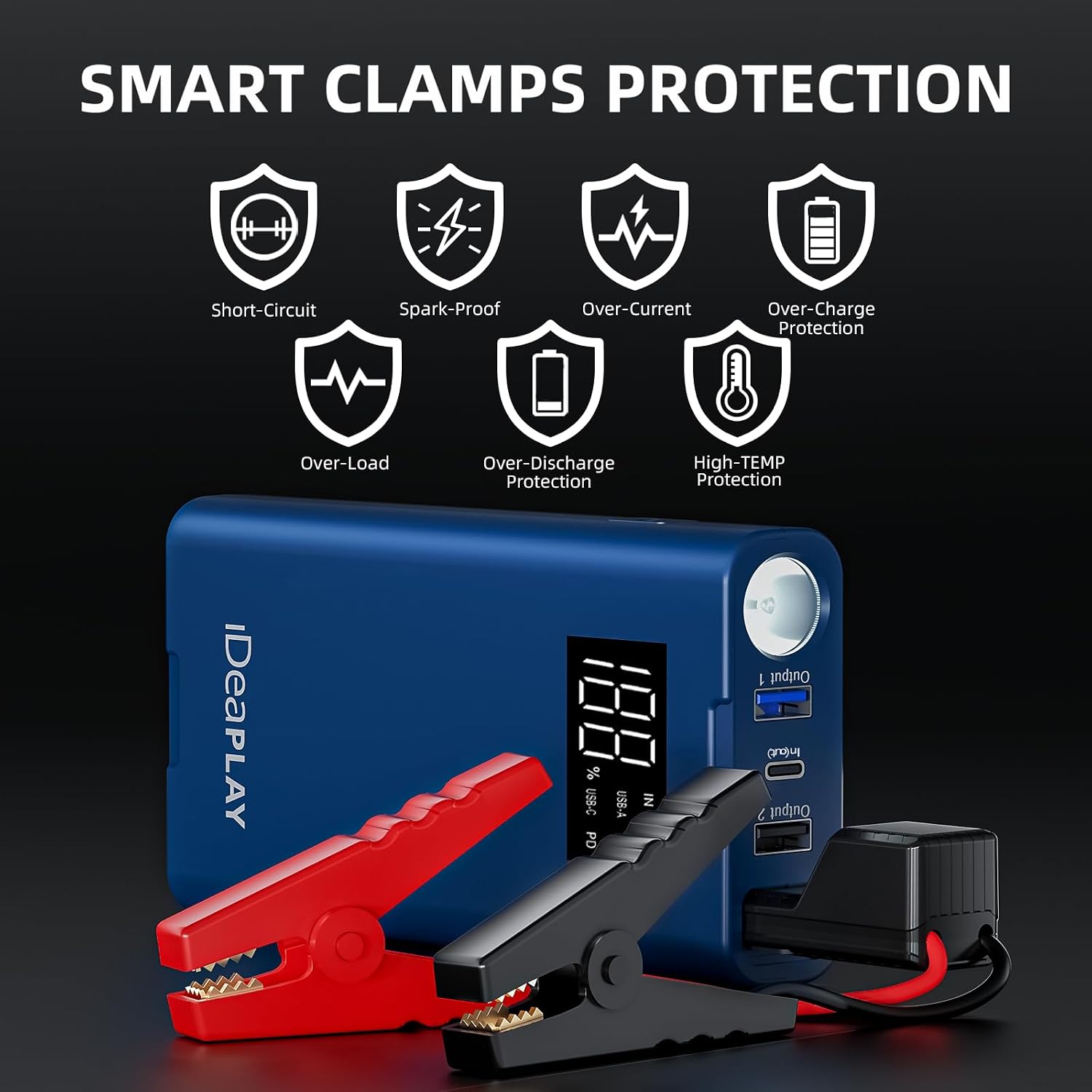
Figure 7.1: Icons representing the various smart clamp protections, ensuring safe operation.
8. Maintenance
To ensure the longevity and readiness of your IDEAPLAY Jump Starter, observe the following maintenance guidelines:
- Regular Charging: Recharge the unit every 3-6 months, even if not used, to maintain battery health.
- Storage: Store the jump starter in its carrying case in a cool, dry place away from direct sunlight and extreme temperatures.
- Cleaning: Use a soft, dry cloth to clean the unit. Do not use harsh chemicals or abrasive materials.
- Cable Inspection: Periodically inspect the jumper cables and clamps for any signs of damage, corrosion, or wear. Replace if necessary.
9. Troubleshooting
If you encounter issues with your IDEAPLAY Jump Starter, refer to the following common problems and solutions:
- Unit Not Turning On: Ensure the power button is pressed firmly. If the battery is completely drained, it may take a few minutes of charging before the display activates.
- Vehicle Not Starting:
- Check if the jump starter has at least 60% charge.
- Verify that the intelligent clamps' indicator light is solid green. If it's red or flashing, re-check the connections to the battery terminals for proper polarity and secure contact.
- Ensure the vehicle's battery terminals are clean and free of corrosion.
- If the vehicle still doesn't start after a few attempts, the battery might be severely damaged or there might be another issue with the vehicle.
- Device Not Charging from USB Ports:
- Ensure the jump starter unit is powered on.
- Check the charging cable and the device being charged for compatibility and proper connection.
10. Warranty and Support
The IDEAPLAY Jump Starter comes with a 2-Year Protection Plan. For any problems with the product or for technical assistance, please reach out to IDEAPLAY customer service. They provide 24/7 service to assist you.
For further support, visit the official IDEAPLAY store or contact their customer service through the details provided in your product packaging.


