1. Important Safety Instructions
Please read all instructions carefully before using the appliance. Keep this manual for future reference.
- This appliance is intended for household use only.
- Do not immerse the appliance, power cord, or plug in water or other liquids.
- Always unplug the appliance from the power outlet before cleaning and when not in use.
- Do not operate any appliance with a damaged cord or plug, or after the appliance malfunctions or has been damaged in any manner.
- Hot surfaces: The heating element surface is subject to residual heat after use. Avoid contact with hot parts.
- Use only TASSIMO T-DISCs in this appliance.
- Children should be supervised to ensure that they do not play with the appliance.
2. Package Contents
Verify that all items are present in the package:
- Bosch Tassimo SUNY TAS3102 Coffee Machine
- Removable Water Tank
- Drip Tray and Cup Stand
- Cleaning T-Disc
- User Manual
3. Setup
- Unpacking: Remove all packaging materials and dispose of them responsibly.
- Placement: Place the machine on a stable, level surface, away from heat sources and direct sunlight.
- Initial Cleaning: Before first use, clean the water tank, drip tray, and cup stand with warm soapy water. Rinse thoroughly and dry.
- Fill Water Tank: Fill the removable water tank with fresh, cold tap water up to the 'MAX' mark. Place it back into the machine.
- Power Connection: Plug the power cord into a grounded electrical outlet.
- First Brew Cycle (Cleaning): Insert the yellow cleaning T-Disc (usually stored in the side of the machine) into the brew head. Place a cup (at least 200ml) on the cup stand. Press the start/stop button to run a cleaning cycle. Discard the water. Repeat this process 2-3 times.
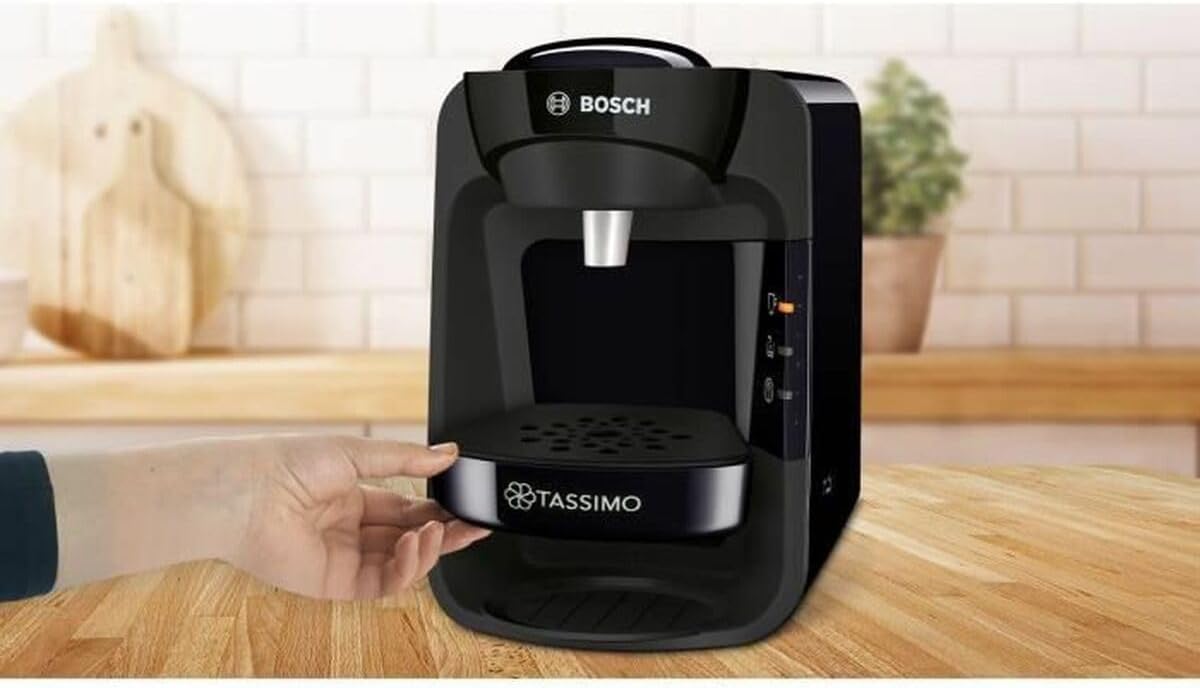
Image: Adjusting the drip tray for different cup sizes. Ensure the drip tray is correctly positioned before brewing.
4. Operating
4.1 Brewing a Beverage
- Fill Water Tank: Ensure the water tank is filled with fresh, cold water.
- Insert T-Disc: Open the brew head by lifting the lever. Insert your desired TASSIMO T-Disc with the barcode facing down. Close the brew head firmly until it clicks.
- Place Cup: Place an appropriate-sized cup on the cup stand. Adjust the cup stand height if necessary.
- Start Brewing: Press the start/stop button. The machine will read the barcode on the T-Disc and automatically prepare the beverage with the correct amount of water, brewing time, and temperature.
- Automatic Stop: The brewing process will stop automatically once the beverage is ready.
- Remove T-Disc: Carefully open the brew head and remove the used T-Disc. Dispose of it properly.
4.2 Manual Adjustment (for some beverages)
For certain beverages, you can manually adjust the volume. After the automatic brewing starts, press and hold the start/stop button to add more water. Release the button when the desired volume is reached. Be careful not to overfill your cup.

Image: The Tassimo SUNY TAS3102 machine preparing a variety of hot drinks. The machine automatically adjusts settings based on the T-Disc barcode.
5. Maintenance
5.1 Daily Cleaning
- Drip Tray and Cup Stand: Empty and clean the drip tray and cup stand daily with warm soapy water.
- Brew Head: Wipe the brew head and barcode scanner window with a damp cloth after each use to remove any coffee residue.
- Water Tank: Rinse the water tank daily and refill with fresh water.
5.2 Descaling
The descaling indicator light will illuminate when descaling is required. Descaling is crucial for maintaining machine performance and beverage quality.
- Use a TASSIMO-approved descaling solution. Follow the instructions provided with the descaling agent.
- Insert the cleaning T-Disc.
- Place a large container (at least 500ml) under the brew head.
- Press and hold the start/stop button for approximately 5 seconds to initiate the descaling cycle.
- The machine will run several cycles. Follow the machine's indicator lights for when to refill the water tank or empty the container.
- After the descaling solution has run through, rinse the machine by running several cleaning cycles with fresh water and the cleaning T-Disc.
6. Troubleshooting
| Problem | Possible Cause | Solution |
|---|---|---|
| Machine does not turn on. | No power supply. | Check if the power cord is securely plugged into the outlet and the machine. |
| No beverage is dispensed. | Water tank empty; T-Disc not inserted correctly; Brew head not closed. | Fill water tank; Reinsert T-Disc correctly; Close brew head firmly. |
| Beverage tastes weak or flow is slow. | Machine needs descaling; Brew head clogged. | Perform a descaling cycle; Clean the brew head and barcode scanner. |
| Water leaks from the machine. | Water tank not seated correctly; Drip tray full. | Ensure water tank is properly inserted; Empty and clean the drip tray. |
7. Specifications
- Model: Bosch Tassimo SUNY TAS3102
- Power: 1300 Watts
- Material: Plastic
- Weight: 2.66 Kilograms
- Compatible Capsules: TASSIMO T-Discs
- Features: INTELLIBREW technology, Automatic beverage flow stop
- Color: Black
8. Warranty and Support
This product comes with a manufacturer's warranty. Please refer to the warranty card included in your product packaging for specific terms and conditions. For technical support, spare parts, or service, please contact Bosch customer service in your region. Contact information can typically be found on the Bosch official website or in the product documentation.


