
Important Safeguards
When using electrical appliances, basic safety precautions should always be followed to reduce the risk of fire, electric shock, and/or injury to persons, including the following:
- Read all instructions.
- Do not touch hot surfaces. Use handles or knobs.
- To protect against electrical hazards, do not immerse cord, plugs, or appliance in water or other liquid.
- Close supervision is necessary when any appliance is used by or near children.
- Unplug from outlet when not in use and before cleaning. Allow to cool before putting on or taking off parts, and before cleaning the appliance.
- Do not operate any appliance with a damaged cord or plug, or after the appliance malfunctions or has been dropped or damaged in any manner.
- Do not use outdoors.
- Do not let cord hang over edge of table or counter, or touch hot surfaces.
- Do not place on or near a hot gas or electric burner, or in a heated oven.
- Always attach plug to appliance first, then plug cord into the wall outlet. To disconnect, turn any control to OFF, then remove plug from wall outlet.
- Do not use appliance for other than intended use.
Product Overview
The Cuisinart Premium Single-Serve Brewer is a versatile and programmable home-brewing unit designed for both personal use and entertaining. It is compatible with any brand of single-cup pod, including Keurig K-Cup pods, and includes a HomeBarista Reusable Filter Cup for ground coffee or tea. This brewer offers various beverage sizes and temperature controls for a customized experience.

Figure 1: Cuisinart Premium Single-Serve Brewer (Robins Egg Blue)
Parts & Features
-
1. Water Reservoir (72-ounce capacity)
The large, removable water reservoir minimizes the need for frequent refills. It features clear 'MIN FILL' and 'MAX FILL' lines for easy monitoring. A charcoal water filter is included to ensure fresh-tasting water for every brew.

Figure 2: Water Reservoir with Fill Lines
-
2. Brew Head & Pod Holder
The brew head accommodates all single-cup pods, including K-Cup pods. It features a simple lift-and-close mechanism for easy pod insertion. The unit also includes a dedicated storage compartment for the HomeBarista Reusable Filter Cup.
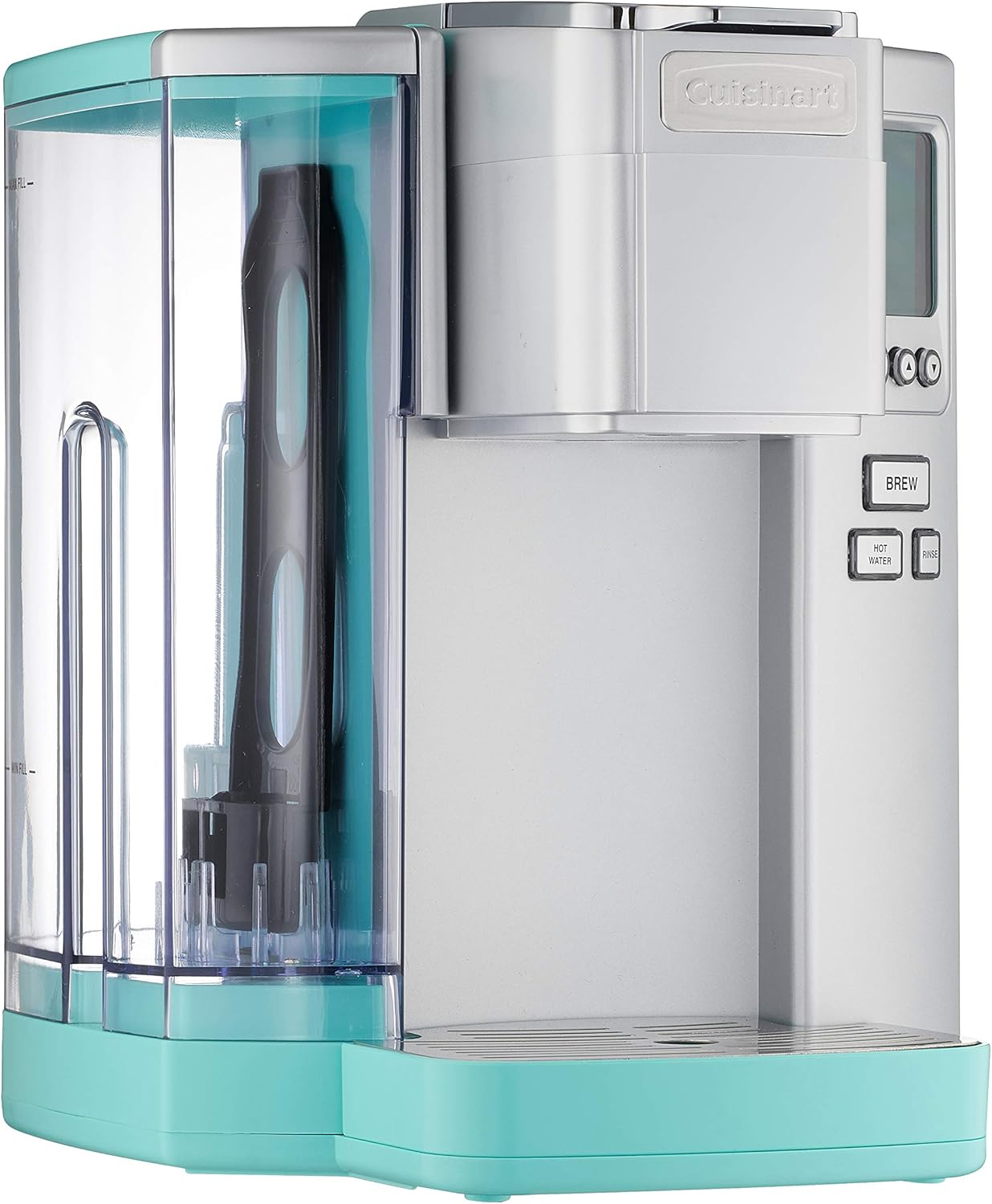
Figure 3: Front View with Brew Head
-
3. Control Panel with Backlit LCD
The control panel features a backlit blue LCD that displays settings such as time, brew temperature, and brew size. Buttons for Menu, Up/Down arrows, Brew, Hot Water, and Rinse are clearly labeled for intuitive operation.

Figure 4: Control Panel
-
4. Removable Drip Tray
The drip tray is removable to accommodate taller travel mugs and for easy cleaning. It collects any drips or overflows, keeping your counter clean.
-
5. HomeBarista Reusable Filter Cup
This reusable filter cup allows you to use your own ground coffee or loose leaf tea, offering flexibility and reducing waste from single-use pods. It stores conveniently within the unit.
Setup
-
1. Initial Cleaning
Before first use, wash the water reservoir, drip tray, and HomeBarista Reusable Filter Cup in warm, soapy water. Rinse thoroughly and dry. Wipe the exterior of the brewer with a clean, damp cloth.
-
2. Water Filter Installation
Insert the charcoal water filter into its holder within the water reservoir. Ensure it is securely placed. Fill the reservoir with fresh, cold water up to the 'MAX FILL' line.
-
3. First Brew Cycle (Rinse)
Place a large mug on the drip tray. Do not insert a coffee pod. Turn on the brewer using the power switch located on the side. Once the unit is ready, press the 'Rinse' button to run a hot water cycle. This cleans the internal components and primes the system. Discard the hot water.
Operating Instructions
Turning On/Off
Locate the power switch on the side of the brewer. Flip the switch to the 'ON' position to power on the unit. The backlit LCD will illuminate. To turn off, flip the switch to the 'OFF' position.
Filling the Water Reservoir
The 72-ounce water reservoir can be filled by lifting its lid or by removing the entire reservoir from the unit. Fill with fresh, cold water up to the 'MAX FILL' line. Ensure the reservoir is properly seated after refilling.
Brewing Coffee with K-Cup Pods
- Ensure the brewer is powered on and the water reservoir is filled.
- Lift the handle of the brew head to open the pod holder.
- Insert a K-Cup pod into the holder.
- Close the brew head handle firmly until it clicks.
- Place a mug on the drip tray.
- Use the Up/Down arrows on the control panel to select your desired brew size (4, 6, 8, 10, or 12 ounces).
- Press the 'Brew' button to start brewing.
Video 1: Demonstrating the brewing process with a K-Cup pod.
Brewing with Ground Coffee (HomeBarista Reusable Filter Cup)
- Open the side compartment to retrieve the HomeBarista Reusable Filter Cup.
- Fill the reusable filter cup with your preferred ground coffee (do not overfill).
- Place the filled reusable filter cup into the pod holder in the brew head.
- Close the brew head handle firmly.
- Place a mug on the drip tray.
- Select your desired brew size using the Up/Down arrows.
- Press the 'Brew' button.
Video 2: Guide on using the HomeBarista Reusable Filter Cup for ground coffee.
Using the Hot Water Dispenser
To dispense hot water for tea, soup, or hot cocoa, ensure no coffee pod is in the brew head. Place your cup on the drip tray and press the 'Hot Water' button. Select your desired water volume using the Up/Down arrows, then press 'Brew'.
Programming Features
Press the 'Menu' button to access programmable settings:
- Clock: Set the current time.
- Auto On/Off: Program the brewer to automatically turn on or off at specific times.
- Brew Temperature: Adjust the water temperature for brewing (e.g., Hot, Extra Hot).
- Brew Size: Set a default brew size.
Video 3: Detailed walkthrough of the programmable features and settings.
Maintenance & Cleaning
Daily Cleaning
- Remove and empty the drip tray after each use. Wash with warm, soapy water.
- Wipe the exterior of the brewer with a damp cloth.
- If using the HomeBarista Reusable Filter Cup, empty and rinse it after each use.
Rinse Function
The 'Rinse' button provides a quick cleaning cycle for the brew chamber. This is particularly useful when switching between different beverage types (e.g., coffee to tea) to prevent flavor transfer. Place an empty mug under the dispenser and press 'Rinse'.
Descaling Procedure
Over time, mineral deposits (scale) can build up in your brewer, affecting performance. The brewer will indicate when descaling is needed. Follow these steps:
- Fill the water reservoir with 16 ounces of white vinegar and 16 ounces of water.
- Place a large mug on the drip tray.
- Press the 'Rinse' button to run a cycle. Repeat until the 'Add Water' indicator illuminates.
- Let the brewer stand for at least 30 minutes to allow the vinegar to work.
- Empty and rinse the water reservoir. Fill with fresh water.
- Run several 'Rinse' cycles with fresh water to remove any remaining vinegar taste.
Water Filter Replacement
The charcoal water filter should be replaced approximately every 2 months or after 60 uses, whichever comes first, to maintain optimal water quality.
Troubleshooting
- Brewer Not Turning On: Ensure the power cord is securely plugged into a grounded outlet and the power switch on the side of the unit is in the 'ON' position.
- 'Add Water' Indicator On: The water reservoir needs to be refilled. Ensure water is filled above the 'MIN FILL' line.
- Slow Brew or No Water Dispensed: This often indicates mineral buildup. Perform a descaling procedure as outlined in the Maintenance section.
- Coffee Grounds in Cup: Ensure the K-Cup pod is properly seated or, if using the HomeBarista filter, that it is not overfilled and its lid is securely closed.
- 'EEO' Error Code: This error typically indicates a pump issue or blockage. Try unplugging the unit for an hour to reset it. If the error persists, contact customer support.
Specifications
- Brand: Cuisinart
- Model Name: JAD-10TBP1
- Product Dimensions: 11.03"D x 9.33"W x 12.13"H
- Water Reservoir Capacity: 72 ounces (approx. 4.5 pounds)
- Beverage Sizes: 4, 6, 8, 10, 12 ounces
- Coffee Input Type: Ground coffee, single-serve pods (K-Cup compatible)
- Special Features: Programmable (Auto On/Off, adjustable temperature), Hot Water Dispenser, Rinse Feature, Backlit Blue LCD, HomeBarista Reusable Filter Cup, Charcoal Water Filter, Removable Drip Tray, BPA Free
- Item Weight: 9.48 pounds
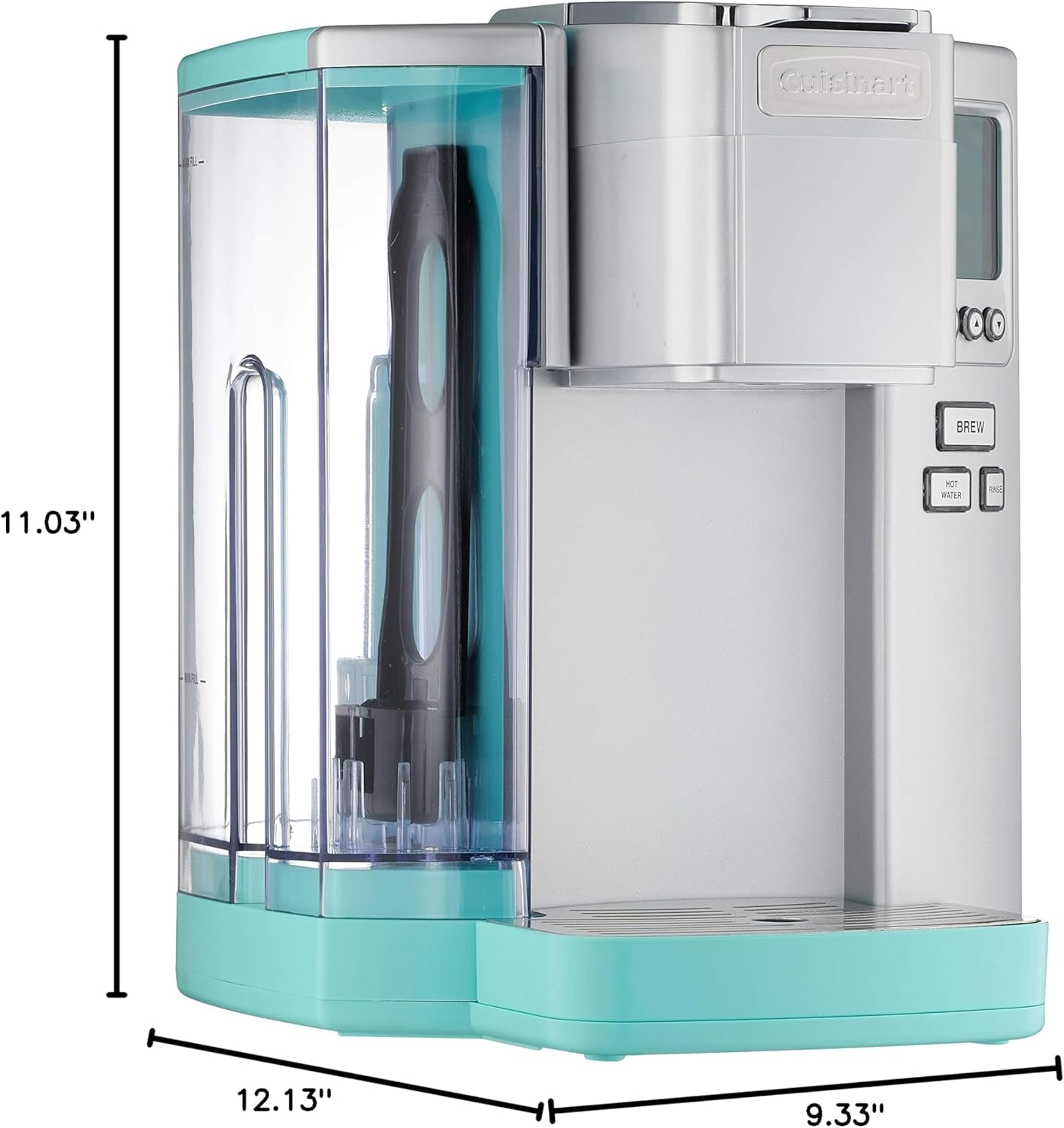
Figure 5: Product Dimensions
Warranty & Support
The Cuisinart Premium Single-Serve Brewer comes with a Limited 3-Year Warranty. For warranty claims, technical support, or service inquiries, please refer to the contact information provided in your product packaging or visit the official Cuisinart website.
For additional resources and product information, you may visit the Cuisinart Store on Amazon.


