
Introduction
Thank you for choosing the hygger LED Glass Aquarium Set. This 19-liter panoramic aquarium features a curved front glass, a hidden filtration system, and multi-mode LED lighting, designed to provide a beautiful and functional habitat for your aquatic pets. This manual provides essential information for the proper setup, operation, and maintenance of your new aquarium.
This set is suitable for both beginners and experienced aquarists. Simply decorate with gravel, plants, and aquarium decorations for shrimp, snails, or betta fish.
Package Contents
Please check the package carefully to ensure all items are present and undamaged.
- 1 x 19-liter LED Glass Aquarium
- 1 x Water Pump (5W)
- 1 x Power Adapter
- 1 x Glass Cover
- 1 x Bag of Filter Media (Bio-cotton, Bio-spheres, Carbon)
- 1 x User Manual
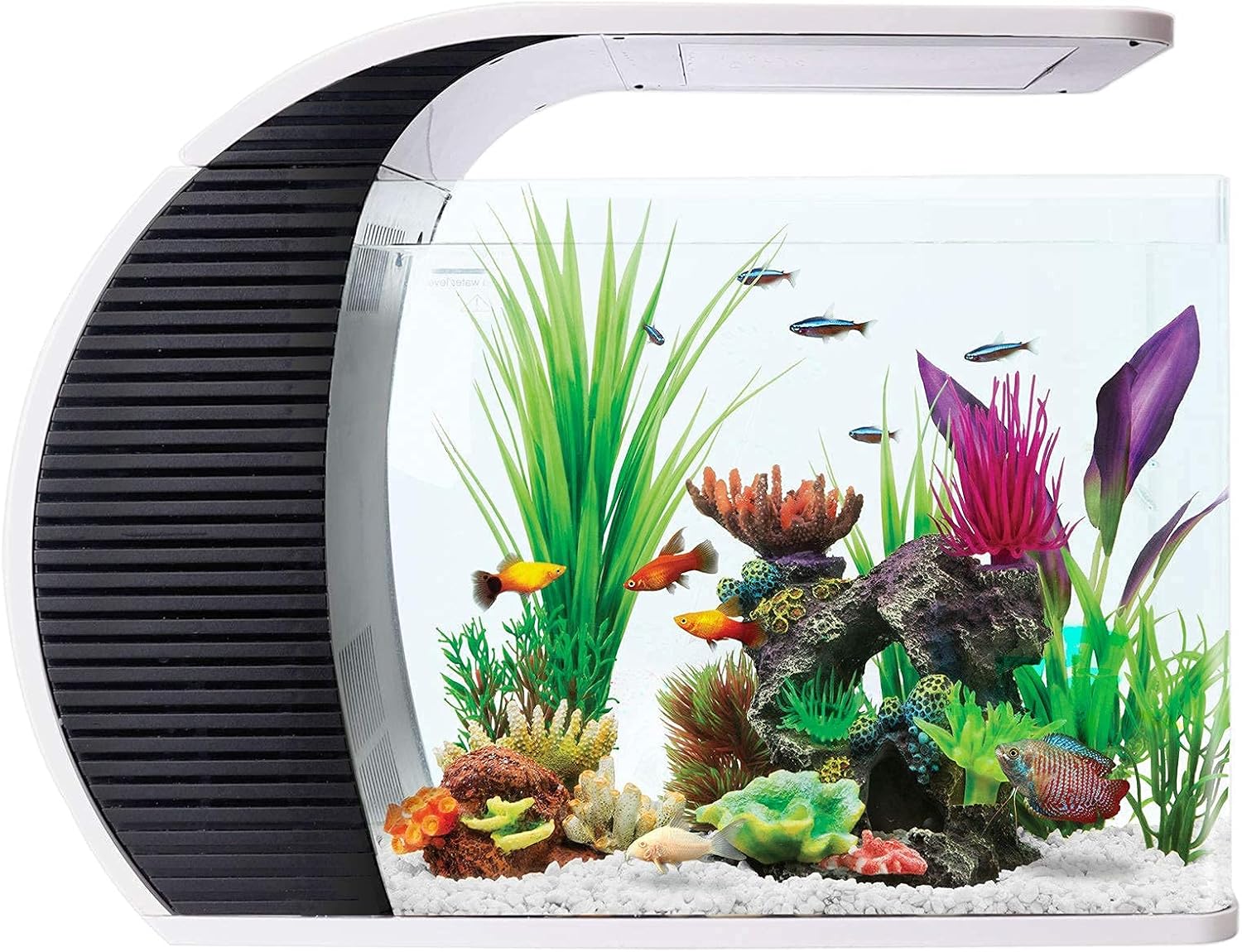
Figure 1: Package Contents. This image illustrates the various components included in your hygger aquarium set, ensuring you have everything needed for setup.
Setup Instructions
- Unpack and Inspect: Carefully remove all components from the packaging. Inspect the aquarium and all accessories for any damage.
- Choose Location: Place the aquarium on a sturdy, level surface away from direct sunlight, heat sources, and drafts. Ensure the location can support the weight of the filled aquarium (approximately 25 kg / 55 lbs when full).
- Install Filter Media: The advanced three-stage filtration system is discreetly placed within the aquarium.
- Open the filter compartment located at the back of the aquarium.
- Place the filter media (bio-cotton, bio-spheres, carbon) into the designated slots within the filter box. Refer to Figure 2 for proper placement.
- Install Water Pump: Insert the 5-watt submersible water pump into the pump box within the filter compartment. Ensure it is fully submerged when the aquarium is filled with water.
- Add Substrate and Decorations: Rinse gravel, plants, and decorations thoroughly before placing them in the aquarium. Arrange them to create an aesthetically pleasing environment.
- Fill with Water: Slowly fill the aquarium with dechlorinated water to the recommended level, ensuring the pump is fully submerged.
- Connect Power: Connect the water pump and LED lighting to the power adapter, then plug the adapter into a suitable electrical outlet.

Figure 2: Hidden Filtration System. This diagram shows the internal layout of the filter compartment, including the water pump and the arrangement of filter media (cotton, bio-balls, carbon).
Operating Instructions
Water Pump Operation
The 5-watt submersible pump provides three-in-one functionality: water circulation, surface agitation for oxygenation, and filtration. Ensure the pump is always fully submerged when operating.
The pump comes with two types of water outlets:
- Rainwater Outlet: Provides a gentle, diffused water flow.
- Duckbill Outlet: Creates a stronger, directional flow.
Choose the outlet that best suits your aquarium's needs and attach it to the pump's output nozzle.

Figure 3: Water Pump Outlets. This image displays the two available water outlets for the pump, allowing customization of water flow within the aquarium.
LED Lighting Operation
The aquarium's LED lighting operates at DC12V/3.2W and offers three distinct lighting modes. Control the lighting by pressing the single button located on the light unit.
- Mode 1 (Daylight): 12 white LEDs for bright, natural illumination during the day.
- Mode 2 (Mixed): 12 white + 6 blue LEDs for a balanced, vibrant look.
- Mode 3 (Moonlight): 6 blue LEDs for a relaxing, nocturnal ambiance.

Figure 4: LED Lighting Modes. This image demonstrates the three selectable lighting modes, from bright daylight to soft moonlight, controlled by a single button.
Maintenance
Regular maintenance is crucial for a healthy aquatic environment. The easy-access cover simplifies feeding and maintenance tasks.
- Water Changes: Perform partial water changes (25-30%) weekly or bi-weekly, depending on your aquarium's inhabitants and bioload. Always use dechlorinated water.
- Filter Media Cleaning/Replacement:
- Rinse the bio-cotton and bio-spheres in old aquarium water (never tap water, as chlorine can kill beneficial bacteria) every 2-4 weeks.
- Replace the carbon filter media every 2-4 weeks, as it loses its effectiveness over time.
- Ensure the filter sponges are clean to maintain optimal water flow and filtration efficiency.
- Pump Cleaning: Periodically clean the water pump impeller and housing to prevent blockages and maintain efficient operation. Disconnect power before cleaning.
- Glass Cleaning: Clean the aquarium glass regularly to remove algae buildup. Use an aquarium-safe glass cleaner or magnetic algae scraper.
- Water Parameter Testing: Regularly test water parameters such as ammonia, nitrite, nitrate, and pH to ensure a stable and healthy environment for your fish.
Troubleshooting
| Problem | Possible Cause | Solution |
|---|---|---|
| Pump not working | No power; clogged impeller; airlock | Check power connection; clean impeller; gently shake pump to release air. |
| Water cloudy | New tank syndrome; overfeeding; insufficient filtration; dirty filter media | Perform partial water change; reduce feeding; clean/replace filter media; ensure proper cycling. |
| LED lights not working | Power disconnected; faulty adapter/light unit | Check power connections; ensure adapter is working; contact support if unit is faulty. |
| Excessive algae growth | Too much light; excess nutrients (overfeeding, infrequent water changes) | Reduce lighting duration; perform water changes; clean glass; reduce feeding. |
Specifications
| Brand: | hygger |
| Model: | HG-977 |
| Material: | Glass |
| Tank Capacity: | 19 Liters (approx. 5 US Gallons) |
| Product Dimensions (L x W x H): | 41.5 cm x 22 cm x 32 cm (16.3 x 8.7 x 12.6 inches) |
| Product Weight: | 5.68 Kilograms (approx. 12.5 lbs) |
| Glass Thickness: | 5 mm |
| Water Pump Power: | 5 Watts |
| LED Lighting Power: | DC12V / 3.2 Watts |
| Voltage/Frequency: | 110-240V 50Hz/60Hz |
| Special Features: | Hidden filtration, 3-mode LED lighting, powerful water pump, curved panoramic glass. |

Figure 5: Product Specifications Overview. This image provides a visual summary of the aquarium's model number, power ratings, capacity, and dimensions.
Warranty and Support
hygger offers a ONE-YEAR FREE WARRANTY for this product. If you have any questions or encounter any issues, please feel free to contact us. Our customer support team is ready to assist you.

Figure 6: Warranty and Support Information. This image highlights the product's one-year warranty and encourages users to contact customer service for assistance.