
1. Introduction
Thank you for choosing the GEARSTONE CS-07 2-in-1 Foldable Treadmill. This manual provides essential information for the safe assembly, operation, and maintenance of your new fitness equipment. Please read this manual thoroughly before use and retain it for future reference.
The GEARSTONE CS-07 is designed for home use, offering both walking and running modes with a powerful 2 HP motor and a speed range of 1-15 km/h. Its foldable design allows for convenient storage, making it ideal for various living spaces.
2. Important Safety Instructions
To reduce the risk of serious injury, read all instructions before using the GEARSTONE CS-07 treadmill. Keep these instructions in a safe place for future reference.
- Always place the treadmill on a level surface.
- Ensure adequate clear space around the treadmill (at least 2 meters behind and 0.6 meters on each side).
- Keep children and pets away from the treadmill during operation.
- Always attach the safety key clip to your clothing before starting the treadmill. The treadmill will stop if the safety key is disengaged.
- Do not operate the treadmill if it has a damaged cord or plug, or if it is not working properly.
- Wear appropriate athletic footwear and clothing.
- Maximum user weight capacity is 120 kg.
- Consult a physician before starting any exercise program.
3. Setup and Assembly
The GEARSTONE CS-07 treadmill comes largely pre-assembled. Follow these steps for final setup:
- Unpacking: Carefully remove the treadmill from its packaging. Retain packaging materials for potential future transport or storage.
- Positioning: Place the treadmill on a flat, stable surface. Ensure there is sufficient space around the unit for safe operation.
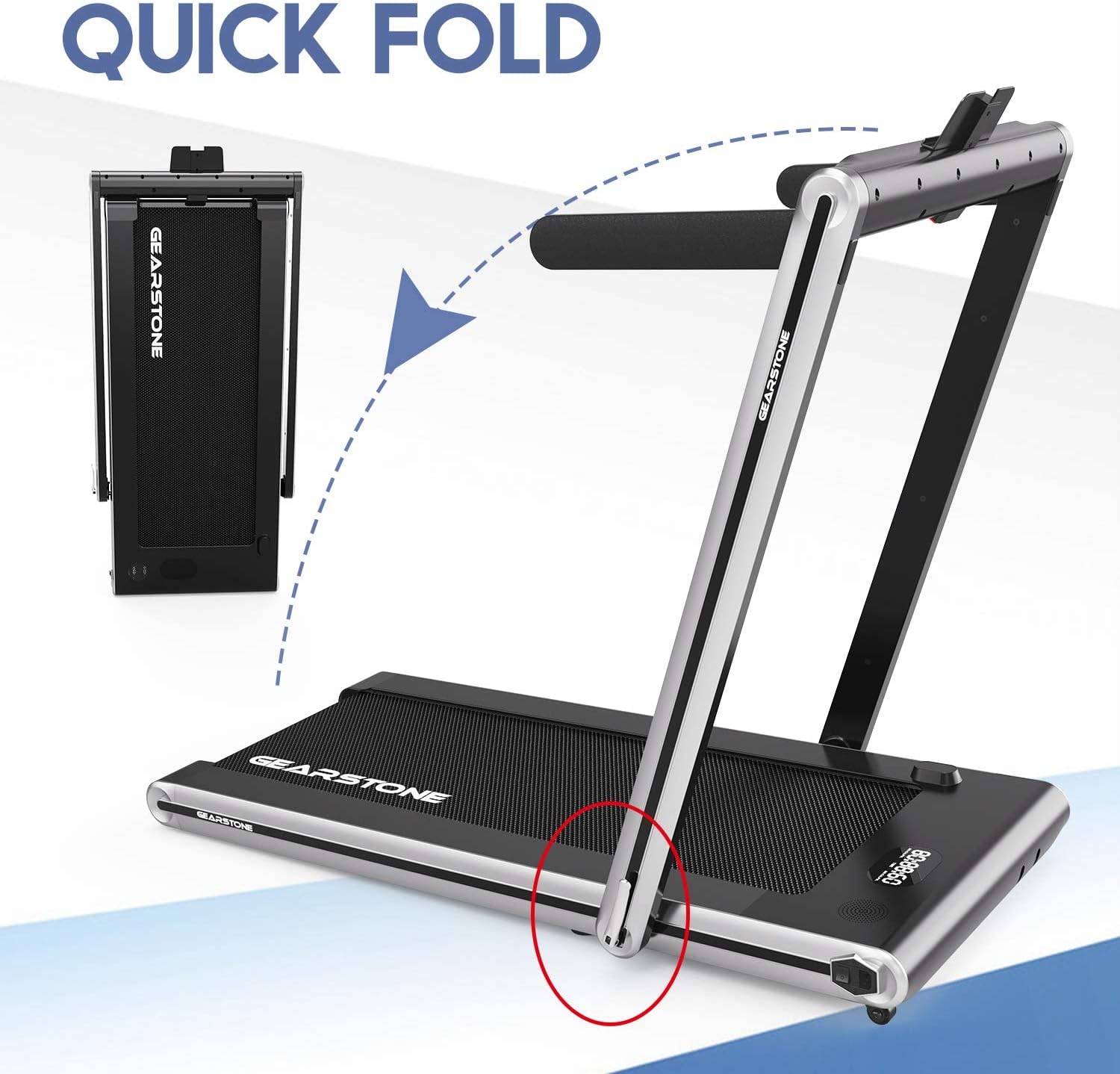
- Unfolding (if applicable): If the treadmill is in its folded state, gently lower the running deck until it locks into position. Raise the handlebar assembly if it is folded down.
- Handlebar Assembly: Secure the handlebar supports and tighten any pre-installed screws as indicated in the diagram.
- Power Connection: Plug the power cord into a grounded electrical outlet.

4. Operating Instructions
4.1 Control Panel Overview
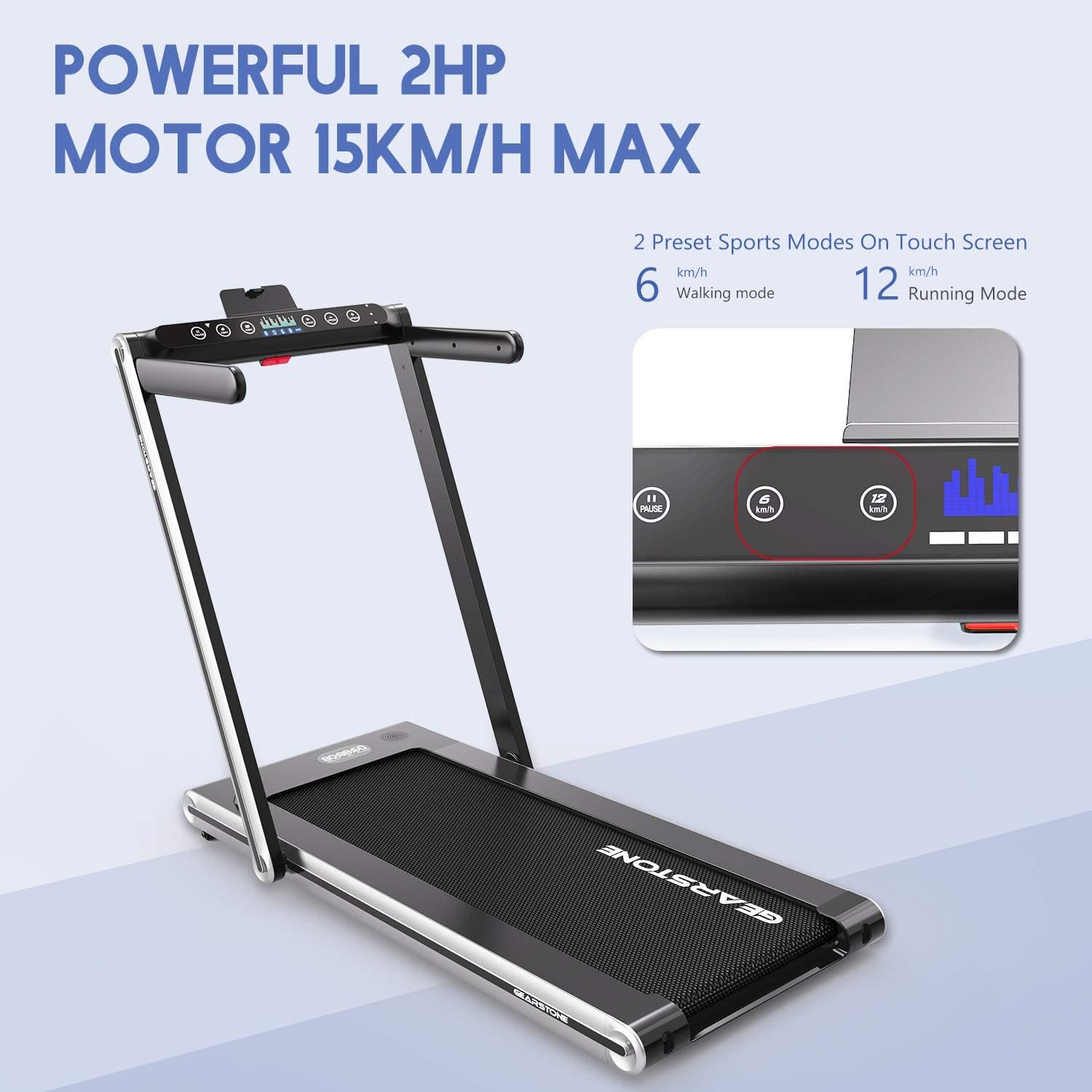
The control panel features a double screen display and touch controls for easy operation.
4.2 Starting an Exercise Session
- Safety Key: Ensure the safety key is properly inserted into the console and the clip is attached to your clothing. The treadmill will not start without the safety key.
- Power On: Press the power button on the control panel. The display will illuminate.
- Select Mode:
- Walking Mode: With the handlebars folded down, the treadmill operates in walking mode (1-4 km/h).
- Running Mode: With the handlebars raised, the treadmill operates in running mode (1-15 km/h).
- Adjust Speed: Use the speed adjustment buttons (usually '+' and '-') to increase or decrease the belt speed. You can also use the preset speed buttons (e.g., 6 km/h for walking, 12 km/h for running) for quick adjustments.
- Begin Exercise: Step onto the running belt and begin your workout.

4.3 Stopping the Treadmill
- Press the 'STOP' button on the control panel.
- Alternatively, pull the safety key from the console to initiate an emergency stop.

4.4 Bluetooth Connectivity
The treadmill features integrated Bluetooth for connecting to compatible devices, allowing for music playback or app integration (if supported by the manufacturer).
- Activate Bluetooth on your smartphone or tablet.
- Search for available devices and select "GEARSTONE CS-07" (or similar name).
- Once paired, you can stream audio through the treadmill's speakers (if equipped) or connect to fitness apps.

5. Maintenance
Regular maintenance ensures the longevity and safe operation of your treadmill.
5.1 Cleaning
- Always unplug the treadmill before cleaning.
- Wipe down the console and exterior surfaces with a damp cloth. Avoid abrasive cleaners or solvents.
- Vacuum underneath the treadmill regularly to prevent dust and debris buildup.
5.2 Belt Lubrication
The running belt requires periodic lubrication to reduce friction and extend its lifespan. Refer to the specific instructions provided with your lubricant or contact customer support for guidance. Typically, lubrication is recommended every 3-6 months depending on usage.
5.3 Belt Adjustment
If the running belt becomes off-center or slips, it may require adjustment. Use the provided Allen wrench to turn the rear roller bolts in small increments (quarter turns) until the belt is centered and tensioned correctly. Refer to the detailed diagrams in the full manual for precise adjustment points.
6. Troubleshooting
| Problem | Possible Cause | Solution |
|---|---|---|
| Treadmill does not start. | Power cord not plugged in; Safety key not inserted; Power switch off. | Check power connection; Ensure safety key is fully inserted; Turn on the power switch. |
| Running belt slips. | Belt tension too loose; Belt requires lubrication. | Adjust belt tension (refer to Section 5.3); Lubricate the running belt (refer to Section 5.2). |
| Unusual noise during operation. | Loose components; Belt friction; Motor issue. | Check and tighten all visible bolts and screws; Lubricate the belt; If noise persists, contact customer support. |
| Error Code E-07. | Safety key not connected. | Ensure the red magnetic safety key is properly connected to the console. |
| Error Code E-05. | Overload or motor protection activated. | Reduce user weight if exceeding 120kg; Allow treadmill to cool down; If persistent, contact customer support. |
7. Product Specifications
- Model: GEARSTONE CS-07
- Motor Power: 2 HP (Horsepower)
- Speed Range: 1-15 km/h
- Preset Modes: 2 (Walking, Running)
- Display Type: LCD, Double Screen
- Control: Touch Control
- Connectivity: Integrated Bluetooth
- Frame Material: Alloy Steel
- Maximum Weight Capacity: 120 kg
- Features: Foldable, Shock Absorption, Wear-Resistant, Non-Slip, Quiet Glide Technology
- Power Source: Electric Cable
- Included Components: Treadmill
- Dimensions (Package): 120 x 80 x 20 cm
- Weight (Package): 21 kg
8. Warranty and Support
GEARSTONE products are manufactured to high-quality standards. For warranty information, technical support, or to purchase replacement parts, please refer to the warranty card included with your product or visit the official GEARSTONE website. Please have your model number (CS-07) and purchase date available when contacting support.
Contact Information: Please refer to your purchase documentation or the manufacturer's website for the most current contact details for customer service.