
Tribesigns F1347
Tribesigns 70.9 Inch Extra Long Console Table User Manual
Model: F1347 | Brand: Tribesigns
1. Introduction
Thank you for choosing the Tribesigns 70.9 Inch Extra Long Console Table. This versatile piece of furniture is designed to enhance your living space, offering functionality as a console table, sofa table, or even a bar height table. Its industrial rustic style, featuring a durable MDF board and a sturdy steel frame, ensures both aesthetic appeal and long-lasting reliability. This manual provides detailed instructions for assembly, operation, maintenance, and troubleshooting to ensure you get the most out of your new table.

Image: The Tribesigns 70.9 Inch Extra Long Console Table, showcasing its rustic brown top and black metal frame.
2. Important Safety Information
Caution: Risk of injury during assembly. Always follow the assembly instructions carefully.
- Read all instructions before assembly and use.
- Keep all small parts and packaging materials away from children and pets.
- Assemble the table on a soft, clean surface to prevent scratches.
- Ensure all screws and bolts are securely tightened before use. Periodically check and re-tighten as needed.
- Do not exceed the maximum weight recommendation of 200 pounds.
- Do not stand or sit on the table.
- Use adjustable feet to prevent wobbling and protect floors.
3. Package Contents
Please verify that all components are present before beginning assembly. If any parts are missing or damaged, please contact customer support.
- Tabletop (MDF Board)
- Leg Frames (Metal)
- Crossbar(s) (Metal)
- Adjustable Leg Pads
- Accessory Kit (Screws, Allen Wrench, etc.)
- Assembly Instructions Manual

Image: Detailed view of the table's construction, highlighting the MDF board, sturdy metal legs, and adjustable leg pads for stability.
4. Assembly Instructions
Assembly is designed to be straightforward and typically takes about 20 minutes. A screwdriver is recommended, and all necessary tools are included in the accessory kit.
- Step 1: Unpack and Identify Parts
Carefully unpack all components and lay them out on a clean, soft surface (e.g., a carpet or blanket) to prevent damage. Refer to the parts list to ensure all pieces are present.
- Step 2: Attach Leg Frames to Tabletop
Align the pre-drilled holes on the tabletop with the corresponding holes on the top of the leg frames. Secure the leg frames to the tabletop using the provided screws. Do not fully tighten screws until all components are loosely assembled.
- Step 3: Install Crossbar(s)
Connect the crossbar(s) between the leg frames at the designated points. This provides additional stability. Insert the screws and tighten them partially.
- Step 4: Fully Tighten All Screws
Once all components are in place, gradually tighten all screws using the provided Allen wrench or a screwdriver. Ensure the table is stable and level as you tighten.
- Step 5: Attach and Adjust Leg Pads
Screw the adjustable leg pads into the bottom of each leg. Adjust them as needed to ensure the table is stable and does not wobble on uneven surfaces. These pads also protect your floor from scratches.

Image: A diagram illustrating the key dimensions of the console table: 70.86 inches long, 13.77 inches deep, and 37.4 inches high.
5. Operating Instructions
The Tribesigns Console Table is designed for versatile use in various indoor settings.
- Placement: This table is ideal for use behind a couch as a sofa table, in an entryway or hallway as a console table, or as a bar height table in a living room or home pub area.
- Weight Capacity: The table has a maximum weight recommendation of 200 pounds. Distribute weight evenly across the tabletop to ensure stability and prevent damage.
- Stability: Utilize the adjustable leg pads to ensure the table is level and stable on any floor surface. This is crucial for safety and preventing wobbling.
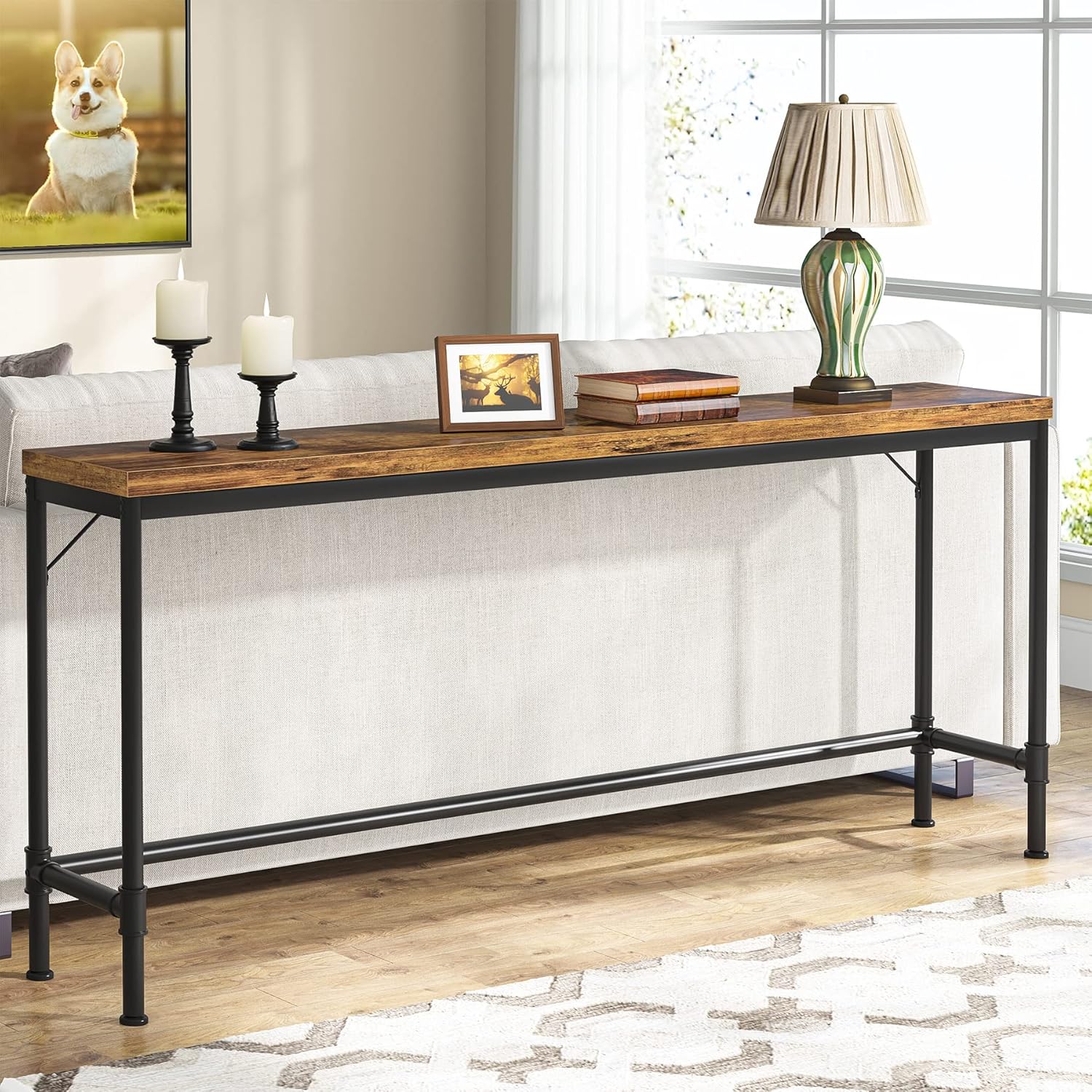
Image: The console table positioned behind a sofa, demonstrating its use as a sofa table.

Image: The console table used with two bar stools, illustrating its function as a bar height table.
6. Maintenance
Proper care will help maintain the appearance and longevity of your Tribesigns Console Table.
- Cleaning: Wipe with a dry cloth. For stubborn marks, a slightly damp cloth followed immediately by a dry cloth can be used. Avoid harsh chemicals or abrasive cleaners.
- Spills: Clean up spills immediately to prevent staining, especially on the rustic brown tabletop.
- Inspection: Periodically check all screws and connections to ensure they remain tight. Re-tighten if necessary to maintain stability.
- Environment: Avoid placing the table in direct sunlight or near heat sources, as this can cause warping or discoloration over time.
7. Troubleshooting
| Problem | Possible Cause | Solution |
|---|---|---|
| Table wobbles after assembly. | Uneven floor surface; screws not fully tightened; adjustable feet not properly set. | Adjust the leg pads until the table is stable. Ensure all screws are fully tightened. |
| Parts are missing from the package. | Packaging error. | Contact Tribesigns customer support with your purchase details for replacement parts. |
| Screws do not align with holes. | Incorrect orientation of parts; manufacturing defect. | Double-check the orientation of the parts according to the assembly diagram. If still misaligned, contact customer support. |
| Tabletop appears scratched or damaged. | Damage during shipping or assembly. | If damaged upon arrival, contact customer support immediately. During assembly, ensure you work on a soft surface. |
8. Specifications
| Feature | Detail |
|---|---|
| Brand | Tribesigns |
| Model Name | Console Table |
| Model Number | F1347 |
| Product Dimensions (D x W x H) | 13.77"D x 70.86"W x 37.4"H |
| Item Weight | 33.06 Pounds |
| Maximum Weight Recommendation | 200 Pounds |
| Color | Rustic Brown (Top), Black (Base) |
| Top Material Type | Engineered Wood (MDF Board) |
| Frame Material Type | Metal |
| Product Care Instructions | Wipe with Dry Cloth |
| Indoor/Outdoor Usage | Indoor |
| Included Components | Accessory Kit, Instructions |
| Tools Recommended For Assembly | Screw Driver (Included) |
9. Warranty Information
This Tribesigns product comes with a Limited Warranty. Please refer to the warranty card included in your package or contact Tribesigns customer support for specific terms and conditions regarding coverage and duration.
10. Customer Support
For any questions, concerns, or assistance with your Tribesigns 70.9 Inch Extra Long Console Table, please do not hesitate to contact our customer support team. We are committed to providing reliable and friendly service.
Contact Information:
- Website: Visit the official Tribesigns website for FAQs and support resources.
- Email: Refer to your purchase documentation for direct email support.
- Phone: Refer to your purchase documentation for direct phone support.
We aim to provide a 24-hour response to all inquiries.
Related documentsF1347


Ask a question about this manual
Ask about setup, troubleshooting, compatibility, parts, safety, or missing instructions. Manuals+ will review the question and use this page’s manual context to help answer it.