1. Introduction
This manual provides essential instructions for the HCDZ Replacement Remote Control, designed for use with Proficient Audio Systems M80 7.1 Channel Surround A/V Receivers. This remote is an infrared (IR) replacement and requires no programming. Simply insert batteries, and it is ready for operation.
2. Setup: Battery Installation
The remote control requires two AAA batteries (not included). Follow these steps to install them correctly:
- Locate the battery compartment on the back of the remote control.
- Slide the battery compartment cover downwards or in the direction indicated by an arrow to open it.
- Insert two new AAA batteries, ensuring the positive (+) and negative (-) terminals align with the markings inside the compartment.
- Replace the battery compartment cover by sliding it back into position until it clicks securely.
Important Battery Information:
- Do not mix new batteries with old ones.
- Do not mix different types of batteries.
- If the remote control will not be used for an extended period, remove the batteries to prevent leakage and corrosion.
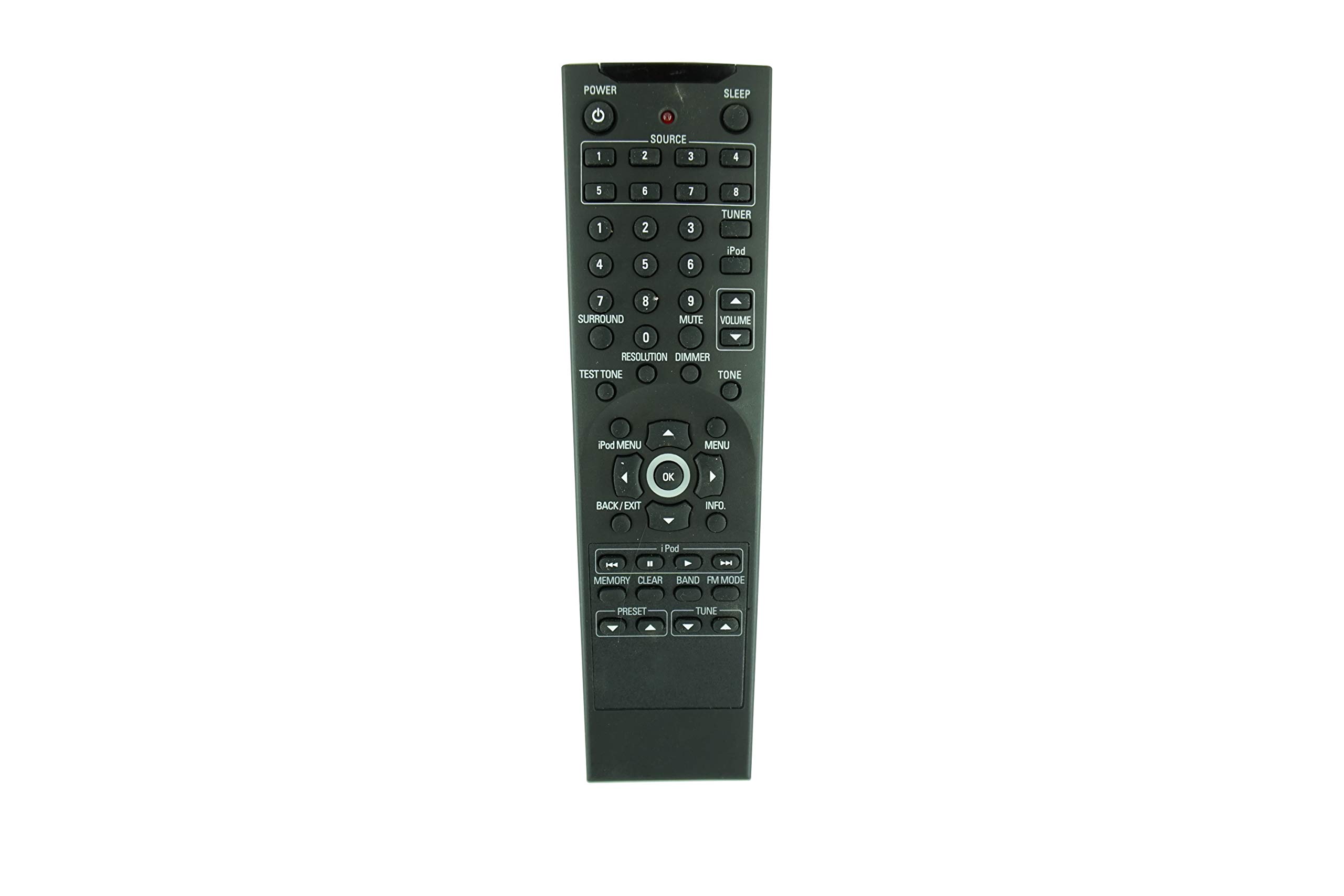
Figure 2.1: Back view of the remote control with the battery cover in place.

Figure 2.2: Back view of the remote control with the battery cover removed, revealing the battery compartment.
3. Operating Instructions
This HCDZ replacement remote control is designed for immediate use with your Proficient Audio Systems M80 7.1 Channel Surround A/V Receiver without any programming. Once batteries are installed, it functions as the original remote.
- Point and Operate: Aim the remote control directly at the infrared sensor on your Proficient Audio Systems M80 receiver.
- Button Functions: All buttons on the remote correspond to their respective functions on the original remote for the M80 receiver. Refer to your M80 receiver's manual for specific button functionalities.

Figure 3.1: Front view of the remote control, showing the button layout.
4. Maintenance and Care
Proper care will extend the life of your remote control:
- Cleaning: Wipe the remote control with a soft, dry cloth. Do not use liquid cleaners or abrasive materials.
- Environment: Do not expose the remote to extreme temperatures, direct sunlight, or high humidity.
- Infrared Sensor: Ensure the remote's infrared sensor (located at the top) is not obstructed and is not exposed to direct sunlight or strong lighting, as this may interfere with its operation.
- Dropping: Avoid dropping the remote control, as this can damage internal components.
5. Troubleshooting
If you experience issues with your remote control, try the following solutions:
| Problem | Possible Solution |
|---|---|
| Remote control is not working. |
|
| Some buttons are unresponsive. |
|
6. Specifications
| Feature | Detail |
|---|---|
| Brand | HCDZ |
| Compatibility | Proficient Audio Systems M80 7.1 Channel Surround A/V Receiver |
| Connectivity Technology | Infrared (IR) |
| Batteries Required | 2 x AAA (not included) |
| Programming | Not required; works out of the box |
| Max Number of Supported Devices | 1 (the M80 Receiver) |
| ASIN | B08PFD4T13 |
7. Warranty and Support
As a replacement remote control, specific warranty details may vary. Please refer to the retailer or the HCDZ brand for information regarding purchase warranty and customer support. For operational issues not covered in this manual, ensure your Proficient Audio Systems M80 receiver is functioning correctly with its original or another compatible remote.


