
duxtop BT-200TI
Duxtop BT-200TI Induction Cooktop User Manual
Model: BT-200TI / BT-200T1/8600BI
1. Introduction
Thank you for purchasing the Duxtop BT-200TI Induction Cooktop. This manual provides essential information for the safe and efficient operation, maintenance, and troubleshooting of your new appliance. Please read this manual thoroughly before using the cooktop and retain it for future reference.
The Duxtop induction cooktop is designed for both built-in and portable countertop use, offering a versatile and energy-efficient cooking solution. It features precise temperature and power control, a convenient timer, and multiple safety features to enhance your cooking experience.
2. Important Safety Information
WARNING: To avoid electric shock, fire, and injury, please read all instructions carefully before using the appliance.
- Always place the cooktop on a dry, level, and stable surface.
- Do not immerse the cooktop or its electrical cord in water or other liquids.
- Ensure the power outlet matches the voltage and frequency specified on the cooktop's rating label.
- Keep the cooktop away from heat sources, flammable materials, and direct sunlight.
- Do not operate the cooktop if the cord or plug is damaged, or if the appliance malfunctions or has been damaged in any way. Contact customer service for repair.
- Use only induction-compatible cookware. Non-magnetic cookware will not heat.
- The cooktop surface remains hot after use. DO NOT TOUCH until it has cooled down completely.
- Keep children and pets away from the cooktop during operation and while it is cooling.
- Do not place metallic objects such as knives, forks, spoons, or lids on the cooktop surface, as they can become hot.
- Ensure proper ventilation around the cooktop. Do not block air vents.
- This appliance is for household use only. Do not use outdoors.

Figure 2.1: Top view of the Duxtop Induction Cooktop, highlighting the warning about hot surfaces after use.
3. Product Overview
The Duxtop BT-200TI Induction Cooktop is a powerful and efficient cooking appliance. It features a sleek glass ceramic surface and intuitive sensor touch controls.
3.1 Key Features
- 1800W High Power: Provides rapid heating for quick cooking.
- 15 Power Levels: Adjustable from 200W to 1800W for precise heat control.
- 15 Temperature Settings: Ranging from 140°F to 460°F for various cooking needs.
- 170-Minute Timer: Allows for precise cooking duration settings.
- Safety Lock: Prevents accidental changes to settings and child operation.
- Overheat Protection: Automatically shuts off if the temperature exceeds safe limits.
- Automatic Shut-off: Enhances safety by turning off when not in use or no compatible cookware is detected.
- High Energy Efficiency: Operates at 83% energy efficiency, reducing cooking time and energy consumption.
- Easy to Clean: Smooth glass ceramic surface wipes clean easily.
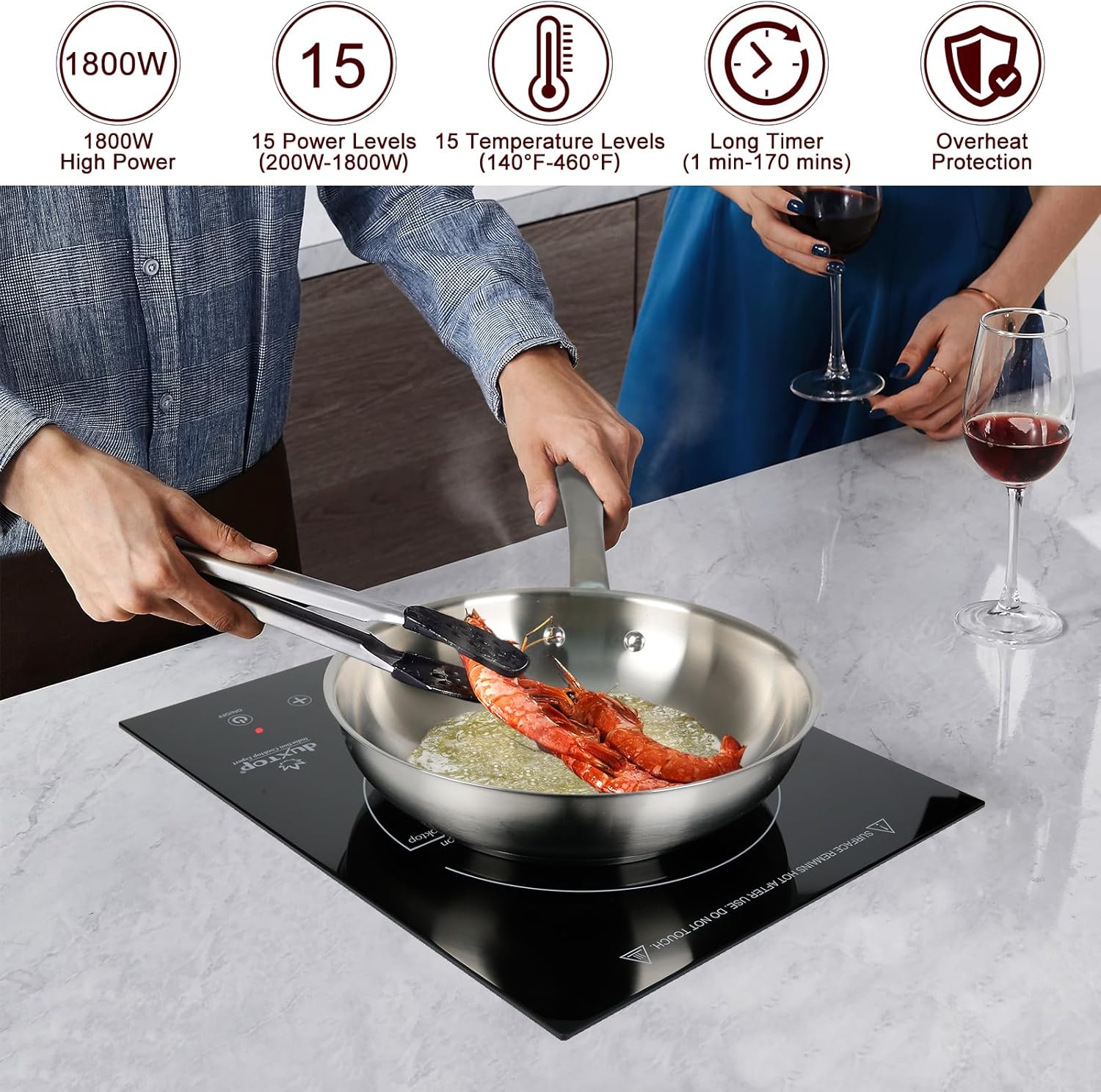
Figure 3.1: Overview of the Duxtop Induction Cooktop's main features.
3.2 Control Panel
The cooktop features a sensor touch control panel with an integrated LED screen. The controls are highly responsive and easy to operate.
- ON/OFF Button: Powers the unit on or off.
- FUNCTION Button: Toggles between Power Mode and Temperature Mode.
- LOCK Button: Activates/deactivates the safety lock.
- +/- Buttons: Adjust power levels, temperature settings, or timer duration.

Figure 3.2: Detailed view of the sensor touch control panel.
4. Setup
4.1 Placement
The Duxtop induction cooktop is designed for both built-in and portable countertop use. Ensure the surface is flat, stable, and heat-resistant.
- For countertop use, place the cooktop on a stable, flat surface, ensuring adequate clearance around the unit for ventilation.
- For built-in installation, refer to the dimensions provided in Figure 4.1. Ensure the cutout in your countertop matches these specifications for a secure fit.

Figure 4.1: Built-in installation dimensions (11.89 in D x 14.65 in W x 3.15 in H).
4.2 Power Connection
Plug the cooktop into a standard 120V, 15 Amp electrical outlet. Do not use extension cords or power strips, as they may not provide sufficient power and could pose a safety risk.
5. Operating Instructions
5.1 Compatible Cookware
Induction cooktops require cookware made of magnetic materials. To test if your cookware is compatible, hold a magnet to the bottom. If the magnet sticks, the cookware is compatible. Compatible materials include cast iron, magnetic stainless steel, and enamel on steel. The diameter of the cookware bottom should be at least 5 inches.

Figure 5.1: Testing cookware for induction compatibility using a magnet.
5.2 Basic Operation
- Place compatible cookware with food on the center of the cooktop's cooking zone.
- Plug the power cord into a standard electrical outlet. The unit will beep once, and the ON/OFF indicator light will flash.
- Press the ON/OFF button to turn on the cooktop. The fan will start, and the LED display will show "ON".
- Press the FUNCTION button to select either Power Mode or Temperature Mode.
- Use the +/- buttons to adjust the power level (200W-1800W) or temperature setting (140°F-460°F).
- To turn off the cooktop, press the ON/OFF button again. The fan may continue to run for a short period to cool the unit.

Figure 5.2: Understanding Power Mode and Temperature Mode.
5.3 Timer Function
The cooktop features a 170-minute timer. To set the timer:
- Once the cooktop is operating in either Power or Temperature Mode, press the TIMER button (often integrated with the FUNCTION button or a separate icon).
- Use the +/- buttons to set the desired cooking time. The time can be set in 1-minute increments.
- The cooktop will automatically shut off once the timer counts down to zero.
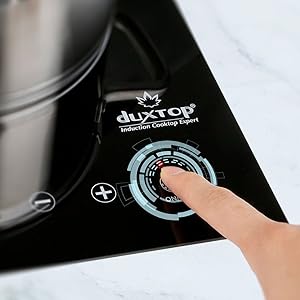
Figure 5.3: Setting the 170-minute timer.
5.4 Safety Lock
The safety lock feature prevents accidental changes to settings and is useful for child safety.
- To activate the safety lock, press the LOCK button. The lock indicator light will illuminate. All other buttons will be unresponsive.
- To deactivate the safety lock, press and hold the LOCK button for a few seconds until the indicator light turns off.
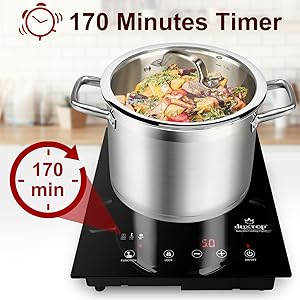
Figure 5.4: Safety features including Child Lock.
6. Maintenance and Cleaning
Proper maintenance ensures the longevity and optimal performance of your Duxtop Induction Cooktop.
6.1 Cleaning the Cooktop
- Always unplug the cooktop and allow it to cool completely before cleaning.
- The glass ceramic surface is easy to clean. Wipe with a damp cloth and a mild detergent.
- For stubborn stains, use a non-abrasive cleaner specifically designed for glass cooktops.
- Do not use abrasive pads, harsh chemicals, or steel wool, as these can scratch the surface.
- Wipe the exterior housing with a soft, damp cloth. Do not allow water to enter the internal components.
6.2 Storage
When not in use for extended periods, store the cooktop in a dry place, away from direct sunlight and extreme temperatures. Ensure it is clean and dry before storage.
7. Troubleshooting
If you encounter issues with your Duxtop Induction Cooktop, refer to the following table for common problems and solutions.
| Problem | Possible Cause | Solution |
|---|---|---|
| Cooktop does not turn on. | No power, loose plug, circuit breaker tripped. | Check power cord connection, ensure outlet is functional, reset circuit breaker. |
| "Pot" error message displayed. | Incompatible cookware, no cookware on surface, cookware not centered. | Use induction-compatible cookware, place cookware on the cooking zone, center the cookware. |
| Cooktop shuts off during operation. | Overheat protection activated, timer expired, no cookware detected. | Allow unit to cool, check timer settings, ensure cookware is present and compatible. |
| Fan continues to run after turning off. | Normal cooling process. | This is normal. The fan will stop automatically once the unit has cooled down. |
| Unusual noise during operation. | Normal fan noise, buzzing from cookware. | A slight buzzing sound is normal with some induction-compatible cookware. Ensure the fan vents are not blocked. |
8. Specifications
| Feature | Detail |
|---|---|
| Model Number | BT-200TI |
| Power Source | 120V, 60Hz |
| Power Consumption | 1800W |
| Power Levels | 15 (200W - 1800W) |
| Temperature Range | 140°F - 460°F (15 settings) |
| Timer | 1 to 170 minutes |
| Product Dimensions | 11.89"D x 14.65"W x 3.15"H |
| Item Weight | 6.8 pounds |
| Material | Stainless Steel, Glass Ceramic |
| Color | Black |
9. Warranty and Support
Duxtop products are manufactured under strict quality standards. For information regarding warranty coverage, product registration, or technical support, please visit the official Duxtop website or contact their customer service department.
For further assistance, please contact Duxtop Customer Service:
- Website: www.duxtop.com
- Email: support@duxtop.com
- Phone: Refer to the Duxtop website for current contact numbers.
Please have your model number (BT-200TI) and purchase information ready when contacting support.
Related documentsBT-200TI


Ask a question about this manual
Ask about setup, troubleshooting, compatibility, parts, safety, or missing instructions. Manuals+ will review the question and use this page’s manual context to help answer it.