
1. Introduction
Thank you for choosing the DEXTER Industrial Wet/Dry Vacuum Cleaner. This appliance is designed for regular use in various environments, capable of vacuuming water, dust, sawdust, ash, and general debris. To ensure safe and efficient operation, please read this manual thoroughly before first use and retain it for future reference.
This manual provides essential information on assembly, operation, maintenance, and troubleshooting for your DEXTER vacuum cleaner.
2. Safety Instructions
Always observe basic safety precautions when using electrical appliances to reduce the risk of fire, electric shock, and personal injury.
- Read all instructions before operating the appliance.
- Do not leave the appliance unattended when plugged in. Unplug from outlet when not in use and before servicing.
- To reduce the risk of electric shock, do not expose to rain or use on wet surfaces. Store indoors.
- Do not allow to be used as a toy. Close attention is necessary when used by or near children.
- Use only as described in this manual. Use only manufacturer's recommended attachments.
- Do not use with damaged cord or plug. If appliance is not working as it should, has been dropped, damaged, left outdoors, or dropped into water, return it to a service center.
- Do not pull or carry by cord, use cord as a handle, close a door on cord, or pull cord around sharp edges or corners. Do not run appliance over cord. Keep cord away from heated surfaces.
- Do not unplug by pulling on cord. To unplug, grasp the plug, not the cord.
- Do not handle plug or appliance with wet hands.
- Do not put any object into openings. Do not use with any opening blocked; keep free of dust, lint, hair, and anything that may reduce air flow.
- Keep hair, loose clothing, fingers, and all parts of body away from openings and moving parts.
- Do not pick up anything that is burning or smoking, such as cigarettes, matches, or hot ashes.
- Use extra care when cleaning on stairs.
- Do not use to pick up flammable or combustible liquids, such as gasoline, or use in areas where they may be present.
- Do not use without filters in place.
- Turn off all controls before unplugging.
3. Package Contents
Carefully unpack your DEXTER Industrial Wet/Dry Vacuum Cleaner and ensure all components are present and undamaged. If any parts are missing or damaged, please contact customer support.

Image: The DEXTER Industrial Wet/Dry Vacuum Cleaner with its complete set of accessories, including the hose, extension tubes, various nozzles, and filters.
- DEXTER Industrial Wet/Dry Vacuum Cleaner Unit
- 4 Metal Wheels
- ACCY 35 mm System Hose
- Hose Extension (1.8 m x 3 sections)
- Round Brush (250 mm)
- Floor Nozzle/Scraper
- Crevice Tool
- Foam Filter (for wet vacuuming)
- Fabric Bag (for dry vacuuming)
- Paper Dust Bag (for dry vacuuming)
- Power Cable (4 m)
4. Setup
Follow these steps to assemble your vacuum cleaner before first use.
4.1 Attaching the Wheels
- Turn the vacuum cleaner tank upside down.
- Insert the four metal wheels into the designated slots on the base of the tank until they click securely into place.
4.2 Installing the Filter
The type of filter required depends on whether you are performing wet or dry vacuuming.
- For Dry Vacuuming: Install the paper dust bag or the fabric bag over the filter cage inside the tank. Ensure it covers the cage completely and is securely fastened.
- For Wet Vacuuming: Remove any paper or fabric dust bags. Install the foam filter over the filter cage. Ensure it is properly seated to prevent water from entering the motor.
4.3 Assembling the Hose and Accessories
- Attach the flexible hose to the suction inlet on the front of the vacuum cleaner tank. Ensure it is firmly twisted or pushed into place.
- Connect the desired extension tubes to the end of the flexible hose. You can use one, two, or all three sections depending on the required reach.
- Attach the appropriate nozzle (floor nozzle, round brush, or crevice tool) to the end of the extension tube.

Image: The DEXTER Industrial Wet/Dry Vacuum Cleaner shown fully assembled with the hose, extension tubes, and floor nozzle ready for use.
5. Operating Instructions
Before operating, ensure the vacuum cleaner is correctly assembled and the appropriate filter is installed for your task.
5.1 Power Connection
Plug the 4-meter power cable into a suitable 220V electrical outlet. Ensure the outlet is grounded.
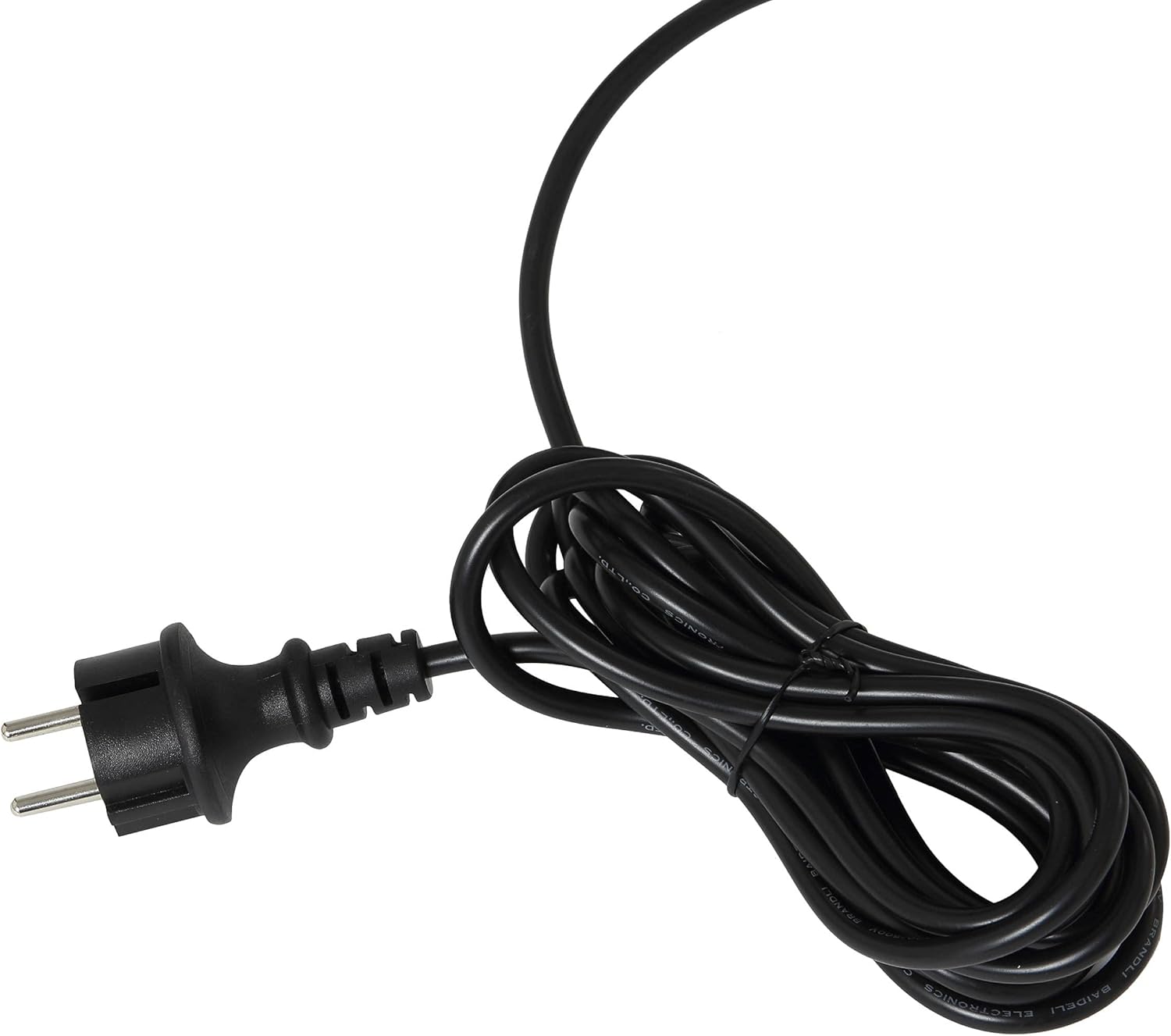
Image: The power cable with an EEA-type plug, ready to be connected to a power source.
5.2 Dry Vacuuming
- Ensure the paper dust bag or fabric bag is correctly installed.
- Select the appropriate nozzle for the surface you are cleaning. The floor nozzle is suitable for large areas, while the crevice tool is for tight spaces, and the round brush for delicate surfaces or upholstery.
- Turn on the vacuum cleaner using the power switch.
- Move the nozzle over the dry debris to be vacuumed.
- When finished, turn off the vacuum cleaner and unplug it.

Image: The DEXTER vacuum cleaner in a workshop setting, demonstrating its use for dry vacuuming sawdust from the floor.

Image: A hand using the round brush attachment to clean upholstery, highlighting the versatility of the included accessories.
5.3 Wet Vacuuming
- Ensure the foam filter is correctly installed and any dust bags are removed.
- Attach the floor nozzle or crevice tool.
- Turn on the vacuum cleaner.
- Move the nozzle over the liquid spill. The vacuum cleaner will automatically shut off when the tank reaches its maximum capacity.
- When finished or when the tank is full, turn off the vacuum cleaner and unplug it.
5.4 Blower Function
The DEXTER Industrial Wet/Dry Vacuum Cleaner also features a blower function for clearing debris from hard-to-reach areas.
- Locate the blower port on the vacuum cleaner (usually opposite the suction inlet).
- Attach the flexible hose to the blower port.
- Turn on the vacuum cleaner. Air will now be expelled from the hose, allowing you to blow away dust and debris.
- When finished, turn off the vacuum cleaner and unplug it.
6. Maintenance
Regular maintenance ensures the longevity and optimal performance of your vacuum cleaner.
6.1 Emptying the Tank
After each use, especially after wet vacuuming, empty the tank.
- Unplug the vacuum cleaner from the power outlet.
- Release the latches securing the motor head to the tank.
- Carefully lift the motor head off the tank.
- Dispose of the collected debris or liquid appropriately.
- Clean the inside of the tank with a damp cloth if necessary and allow it to dry completely before reassembling.
6.2 Filter Cleaning and Replacement
- Paper Dust Bag: Replace when full or when suction power decreases significantly.
- Fabric Bag: Shake out accumulated dust. If heavily soiled, it can be gently hand-washed and air-dried completely before reuse.
- Foam Filter: After wet vacuuming, rinse the foam filter under running water until clean. Squeeze out excess water and allow it to air dry completely before storing or reusing.
6.3 Hose and Accessory Care
Inspect the hose and accessories regularly for blockages or damage. Clear any blockages promptly. Clean accessories with a damp cloth as needed.

Image: The flexible hose, an essential component for both vacuuming and blowing functions, shown coiled.
6.4 Storage
Store the vacuum cleaner and its accessories in a clean, dry place, away from direct sunlight and extreme temperatures.
7. Troubleshooting
If you encounter issues with your DEXTER Industrial Wet/Dry Vacuum Cleaner, refer to the following table for common problems and solutions.
| Problem | Possible Cause | Solution |
|---|---|---|
| Vacuum cleaner does not turn on. | No power supply. Power switch is off. | Check power cord connection and wall outlet. Ensure power switch is in the 'ON' position. |
| Low suction power. | Hose or nozzle blocked. Filter is dirty or clogged. Dust bag is full. Tank lid not properly sealed. | Check and clear any blockages in the hose or nozzle. Clean or replace the filter. Empty or replace the dust bag. Ensure the motor head is securely latched onto the tank. |
| Water leaks during wet vacuuming. | Foam filter not installed or damaged. Tank is overfilled. | Ensure foam filter is correctly installed and undamaged. Replace if necessary. Empty the tank. The vacuum has an automatic shut-off when full. |
| Motor stops during wet vacuuming. | Tank is full. | Empty the tank. This is a safety feature to prevent overfilling. |
8. Specifications
Detailed technical specifications for the DEXTER Industrial Wet/Dry Vacuum Cleaner.
| Feature | Specification |
|---|---|
| Brand | DEXTER |
| Model Number | 3276000237679 |
| Power/Wattage | 1400 W |
| Voltage | 220 V |
| Tank Capacity | 20 Liters |
| Product Dimensions | 48 x 48 x 55 cm |
| Weight | 6.86 kg |
| Hose Length | 1.8 m |
| Power Cable Length | 4 m |
| Depression | 15 kPa |
| Air Displacement | 30 dm³/s |
| Noise Level | 80 dB (A) |
| Filter Type | Paper bag, Foam filter |
| Special Features | Blower function |
9. Warranty Information
The DEXTER Industrial Wet/Dry Vacuum Cleaner is covered by a 2-year warranty from the date of purchase. This warranty covers manufacturing defects and material faults under normal use conditions.
Please retain your proof of purchase for any warranty claims. For warranty service, contact the retailer or the manufacturer's customer support.
The warranty does not cover damage resulting from misuse, neglect, unauthorized modifications, or normal wear and tear.
10. Support and Contact
For further assistance, technical support, or to inquire about spare parts, please visit the official DEXTER website or contact your local retailer.
You can also visit the DEXTER Store on Amazon for more product information and support resources: DEXTER Store