
1. Introduction
Thank you for purchasing the HBX 1/18 4WD RTR RC Off-Road Buggy. This manual provides essential information for the safe operation, setup, maintenance, and troubleshooting of your RC vehicle. Please read this manual thoroughly before operating the product to ensure optimal performance and longevity.
2. Safety Precautions
- Always operate the RC car in open areas away from people, pets, and obstacles.
- Avoid operating near water bodies unless specifically designed for waterproof use, and ensure proper drying after use in wet conditions.
- Keep fingers, hair, and loose clothing away from moving parts.
- Do not touch the motor immediately after use, as it may be hot.
- Ensure batteries are charged correctly and never leave charging batteries unattended.
- Store the RC car and its components in a cool, dry place when not in use.
3. Package Contents
Verify that all items are present in your package:
- RC Car x 1
- 2.4G Remote Control x 1
- 7.4V / 850mAh Lithium Polymer Battery x 2
- USB Charger x 1
- R Clips x 4
- Instruction Manual x 1
- Screwdriver x 1
- DIY Sticker Set x 1

Image: All components included in the HBX 1/18 4WD RTR RC Off-Road Buggy package.
4. Setup
4.1 Battery Charging
- Connect the provided USB charger to a suitable USB power source.
- Connect the 7.4V / 850mAh Lithium Polymer battery to the USB charger.
- Allow the battery to charge fully. The indicator light on the charger will change (e.g., from red to green) when charging is complete.
- Each battery provides approximately 20 minutes of operation, for a total of 40 minutes with both included batteries.

Image: High discharge batteries and USB charger.
4.2 Battery Installation (Vehicle)
- Ensure the RC car is powered off.
- Locate the battery compartment on the chassis.
- Insert a fully charged 7.4V / 850mAh Lithium Polymer battery into the compartment.
- Secure the battery cover.
4.3 Remote Control Battery Installation
- Open the battery compartment on the remote control.
- Insert the required batteries (not specified in JSON, typically AA) according to polarity markings.
- Close the battery compartment.
4.4 Pairing the Remote Control
- Turn on the RC car.
- Turn on the remote control.
- The remote control and car should automatically pair. An indicator light on both devices will confirm successful pairing.
5. Operating Instructions
5.1 Basic Controls
- Throttle Trigger: Pull to move forward, push to brake/reverse.
- Steering Wheel: Turn left to steer left, turn right to steer right.
5.2 Speed Modes
The RC car features two speed modes: low speed and high speed. This allows for a wide range of users, from children to advanced hobbyists. Refer to your remote control for the speed mode switch.
5.3 All-Terrain Performance
This RC buggy is designed for various terrains, including sand, grass, 45° slopes, rocks, and marble surfaces. Its independent suspension system and large TPR rubber tires provide excellent shock resistance and grip.
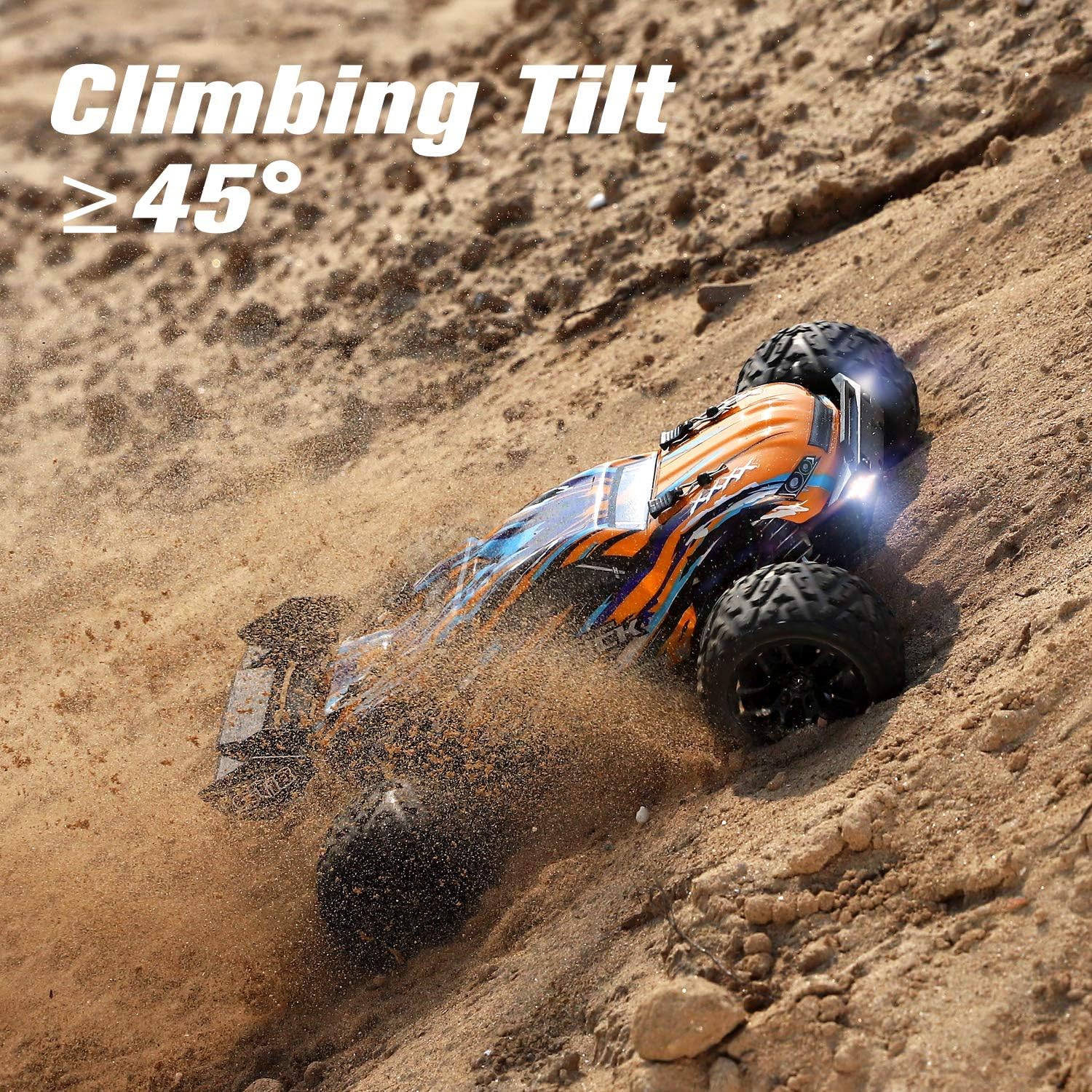
Image: The RC car demonstrating its climbing capability on a sandy incline.

Image: The RC car reaching its maximum speed of 40 km/h on sand.

Image: The RC car's versatility across various terrains, including wet conditions.
6. Maintenance
6.1 Cleaning
Although the RC car features a waterproof system (IPX4), it is recommended to clean and dry the car thoroughly after use, especially after running in wet or muddy conditions, to ensure long-term performance.
6.2 Component Checks
- Regularly inspect tires for wear and tear.
- Check the shock absorbers and suspension system for any damage or loose connections.
- Ensure all screws and fasteners are tight.
- Keep the motor and electronic speed controller (ESC) free from dirt and debris.
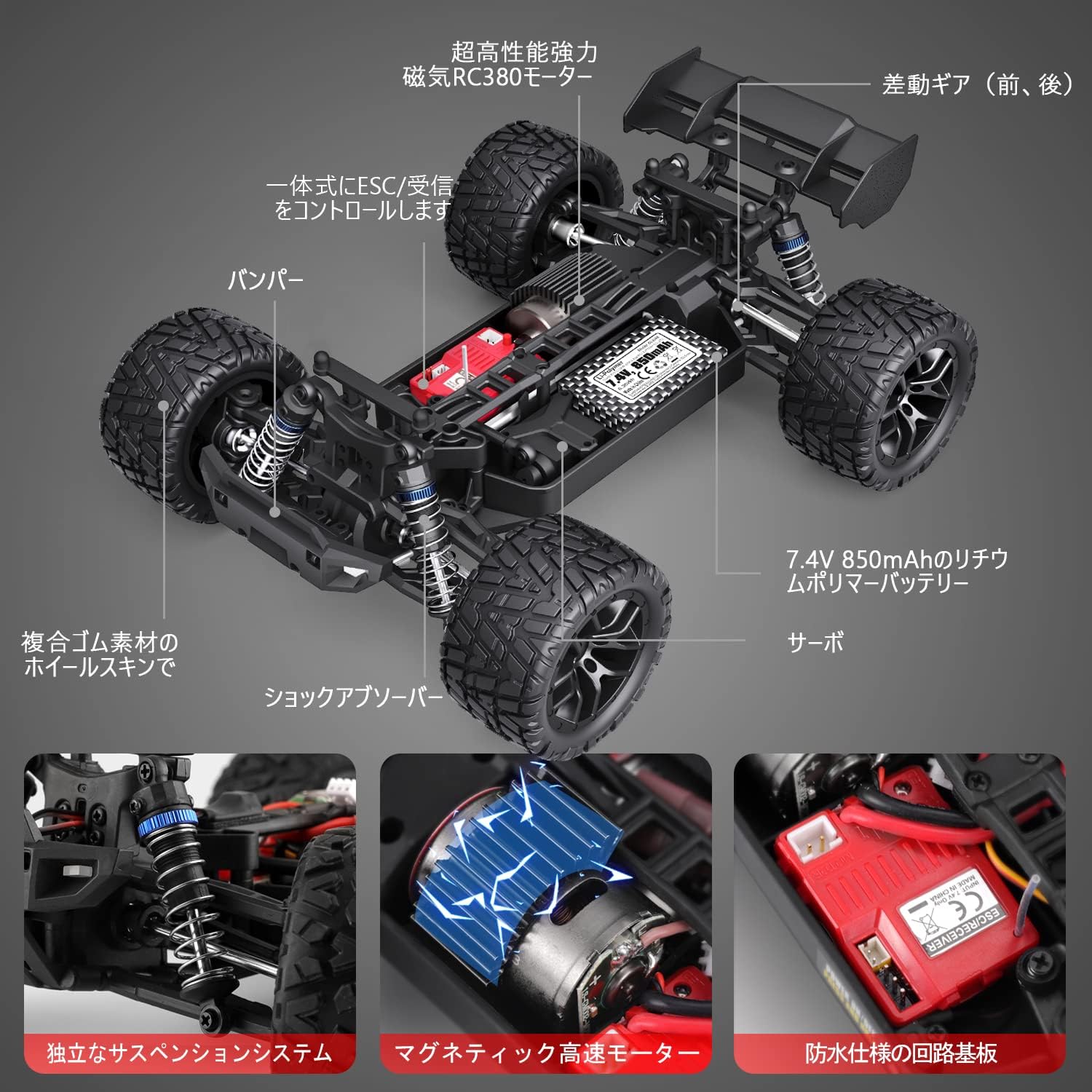
Image: Internal structure and key components of the RC car.
7. Troubleshooting
If you encounter any issues, please refer to the following common problems and solutions:
| Problem | Possible Cause | Solution |
|---|---|---|
| Car does not respond to remote. | Low battery in car or remote; not paired; power switch off. | Charge batteries; re-pair remote; ensure power switches are on. |
| Reduced speed or power. | Low battery; motor overheating; debris in drivetrain. | Charge battery; allow motor to cool; clean drivetrain. |
| Steering issues. | Damaged servo; loose steering components. | Inspect and replace servo if necessary; tighten steering linkages. |
| Car stops unexpectedly. | Overheat protection activated; low battery. | Allow car to cool down; charge battery. |
8. Specifications
| Feature | Detail |
|---|---|
| Brand | HAIBOXING |
| Model | 18858GM |
| Scale | 1:18 |
| Drive System | 4WD |
| Motor | RC380 Brushed Motor |
| Max Speed | 40 km/h |
| Remote Control Frequency | 2.4 GHz |
| Control Range | 60-80 meters |
| Battery | 7.4V / 850mAh Lithium Polymer (x2 included) |
| Operating Time | Approx. 20 minutes per battery |
| Waterproof Rating | IPX4 (Water-resistant electronics) |
| Material Type | TPR, Rubber |
| UPC | 751433167616 |
9. Warranty and Support
This product comes with a warranty card. If you have any questions or encounter problems, please contact customer service. You can typically reach support by navigating to your order history and selecting 'Contact Seller' for your RC car purchase. Please ensure you read the instruction manual carefully before use to enjoy the full operating experience.