
1. Introduction
This manual provides detailed instructions for the installation, operation, and maintenance of your reiga 65-inch DC Motor Smart Ceiling Fan. This fan features Wi-Fi connectivity, Alexa and app control, a remote control, 6 speed settings, and a timer function. Please read this manual thoroughly before installation and use to ensure safe and efficient operation.
2. Safety Information
Always follow basic safety precautions when installing and operating this appliance to reduce the risk of fire, electric shock, and personal injury.
- Ensure the power is turned off at the circuit breaker before installation or servicing.
- All wiring must be in accordance with national and local electrical codes.
- The mounting structure must be capable of supporting the fan's weight (approximately 18.91 pounds).
- Do not operate the fan with damaged wiring or if it is not properly installed.
- Keep hands and objects clear of the fan blades during operation.
3. Package Contents
Verify that all components are present before beginning installation:
- DC Motor Fan Body
- Fan Blades (3)
- Downrod (short and long options)
- Mounting Bracket
- Canopy
- Remote Control with Wall Mount
- Hardware Pack (screws, washers, wire nuts)
- Instruction Manual
4. Setup and Installation
Follow these steps for proper installation. Professional installation is recommended if you are unfamiliar with electrical wiring.
4.1 Attaching Fan Blades
Secure the fan blades to the motor housing using the provided screws. Ensure all screws are tightened firmly.

Image: A person attaching a fan blade to the motor housing with screws. The motor is brown and the blade is a dark wood color.
4.2 Wiring and Mounting
Mount the hanging bracket to the ceiling junction box. Connect the fan's electrical wires to your household wiring according to the wiring diagram in the full manual. Carefully tuck the wires and the receiver into the junction box before securing the canopy.
Video: An installation guide demonstrating the steps to assemble and wire the ceiling fan, including attaching blades, connecting wires, and mounting the fan to the ceiling.
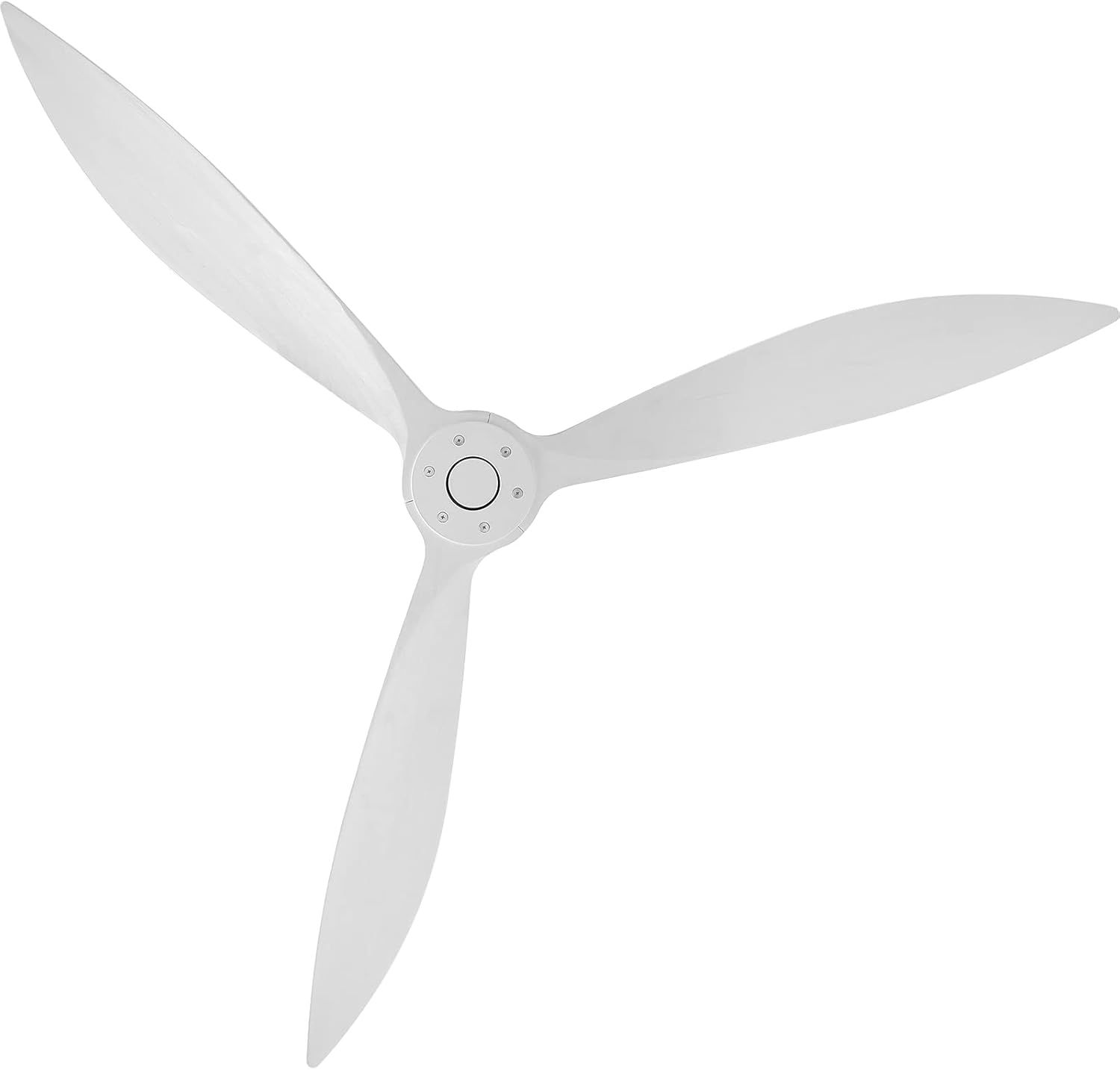
Image: A top-down view of the reiga 65-inch smart ceiling fan, showcasing its three sleek white blades and central motor housing.

Image: A diagram illustrating the dimensions of the reiga 65-inch ceiling fan, including blade span and downrod length options.
5. Operating Instructions
Your reiga smart ceiling fan offers multiple control options for convenience.
5.1 Remote Control
The included remote control allows you to adjust fan speed, set a timer, and reverse the blade direction.
- Power Button: Turns the fan on or off.
- Speed Control: Select from 6 fan speeds (1-6).
- Timer Function: Set the fan to turn off after 1, 3, or 6 hours.
- Reverse Function: Changes the direction of blade rotation for summer (downward airflow) or winter (upward airflow) use.
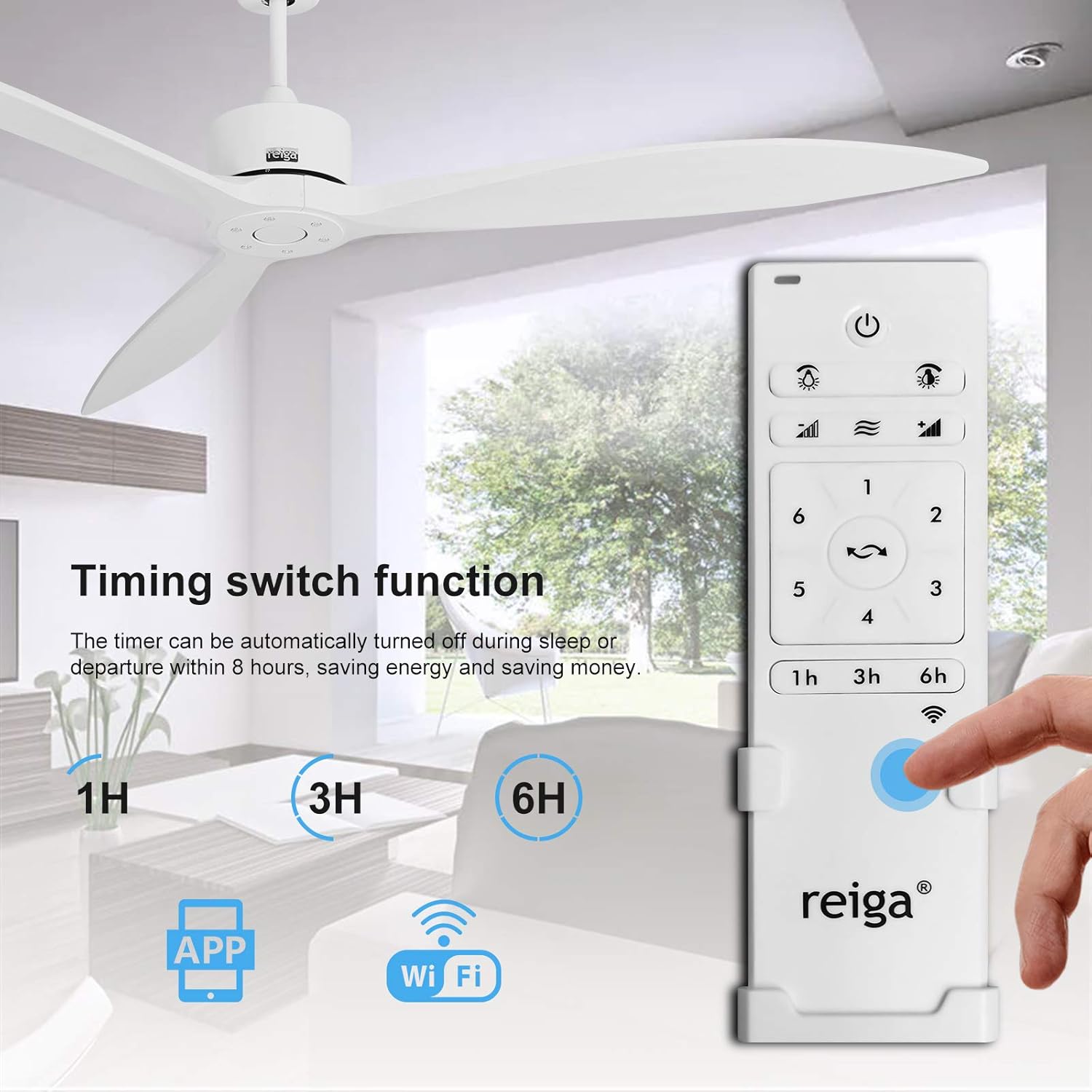
Image: A hand holding the white reiga remote control, showing buttons for power, 6 speeds, timer settings (1H, 3H, 6H), and a reverse function button. A ceiling fan is visible in the background.
5.2 Smart Control (Wi-Fi, App, Alexa)
Connect your fan to your home Wi-Fi network to enable control via the dedicated mobile app or voice commands through Alexa.
- App Control: Download the 'Smart Life' app (or specified reiga app) from your device's app store. Follow the in-app instructions to pair your fan.
- Alexa Voice Control: Once connected to the app, enable the corresponding skill in your Alexa app to control the fan with voice commands (e.g., "Alexa, turn on the ceiling fan").

Image: A person speaking to an Alexa device, with a speech bubble indicating a command like "Alexa, turn on the ceiling fan."

Image: A smartphone screen showing the 'Smart Life' app interface, used for controlling smart home devices including the ceiling fan.
5.3 Reversible Function
The fan's reversible function allows for year-round comfort and energy savings.
- Summer Mode: Blades rotate counter-clockwise, pushing cool air downwards.
- Winter Mode: Blades rotate clockwise, drawing cool air up and circulating warm air downwards.

Image: A visual representation of the ceiling fan's reversible function, showing downward airflow for summer and upward airflow for winter, helping to optimize room temperature.
6. Maintenance
Regular maintenance ensures the longevity and optimal performance of your ceiling fan.
- Cleaning: Use a soft, damp cloth to clean the fan blades and motor housing. Do not use abrasive cleaners or solvents.
- Tighten Screws: Periodically check and tighten all screws on the fan blades and mounting hardware to prevent wobbling and noise.
- No Lubrication Needed: The DC motor is permanently lubricated and does not require oiling.
7. Troubleshooting
If you encounter issues, refer to the following common problems and solutions:
| Problem | Possible Cause | Solution |
|---|---|---|
| Fan does not start | No power to fan; loose wire connections; remote not paired | Check circuit breaker; ensure all wires are securely connected; re-pair remote control. |
| Fan wobbles | Loose blade screws; unbalanced blades; loose mounting bracket | Tighten all blade screws; use balancing kit (not included) if necessary; ensure mounting bracket is secure. |
| Remote control not working | Dead batteries; remote not paired; interference | Replace batteries; re-pair remote with fan; ensure no obstructions between remote and fan. |
| Noise during operation | Loose screws; motor hum; fan not level | Check and tighten all screws; ensure fan is mounted level; some motor hum is normal for DC motors. |
8. Specifications
- Brand: reiga
- Model: B08PBL4JZZ
- Color: White
- Product Dimensions: 65"D x 65"W x 16.5"H
- Electric Fan Design: Ceiling Fan
- Special Feature: Remote Control, Wi-Fi, Alexa, App Control, Timer, Reversible
- Wattage: 30 watts
- Voltage: 24 Volts
- Switch Type: Remote, App, Voice
- Indoor/Outdoor Usage: Indoor
- Control Method: App, Remote, Voice
- Number of Power Levels: 6
- Item Weight: 18.91 pounds
- Mounting Type: Ceiling Mount, Downrod
- Material: Alloy Steel, Copper
9. Warranty and Support
For warranty information or technical support, please refer to the warranty card included with your product or contact reiga customer service directly. Contact details can typically be found on the manufacturer's official website or on the product packaging.