
1. Introduction
The VSN Modulation Pedal is a compact digital effects pedal designed for electric guitar. It features 11 distinct modulation effects, offering a wide range of tonal possibilities. Built with a 32-bit high-performance DSP chip, this pedal delivers quality tones in a durable aluminum-alloy stomp box. Its true bypass design ensures that your instrument's signal remains unaltered when the effect is disengaged.
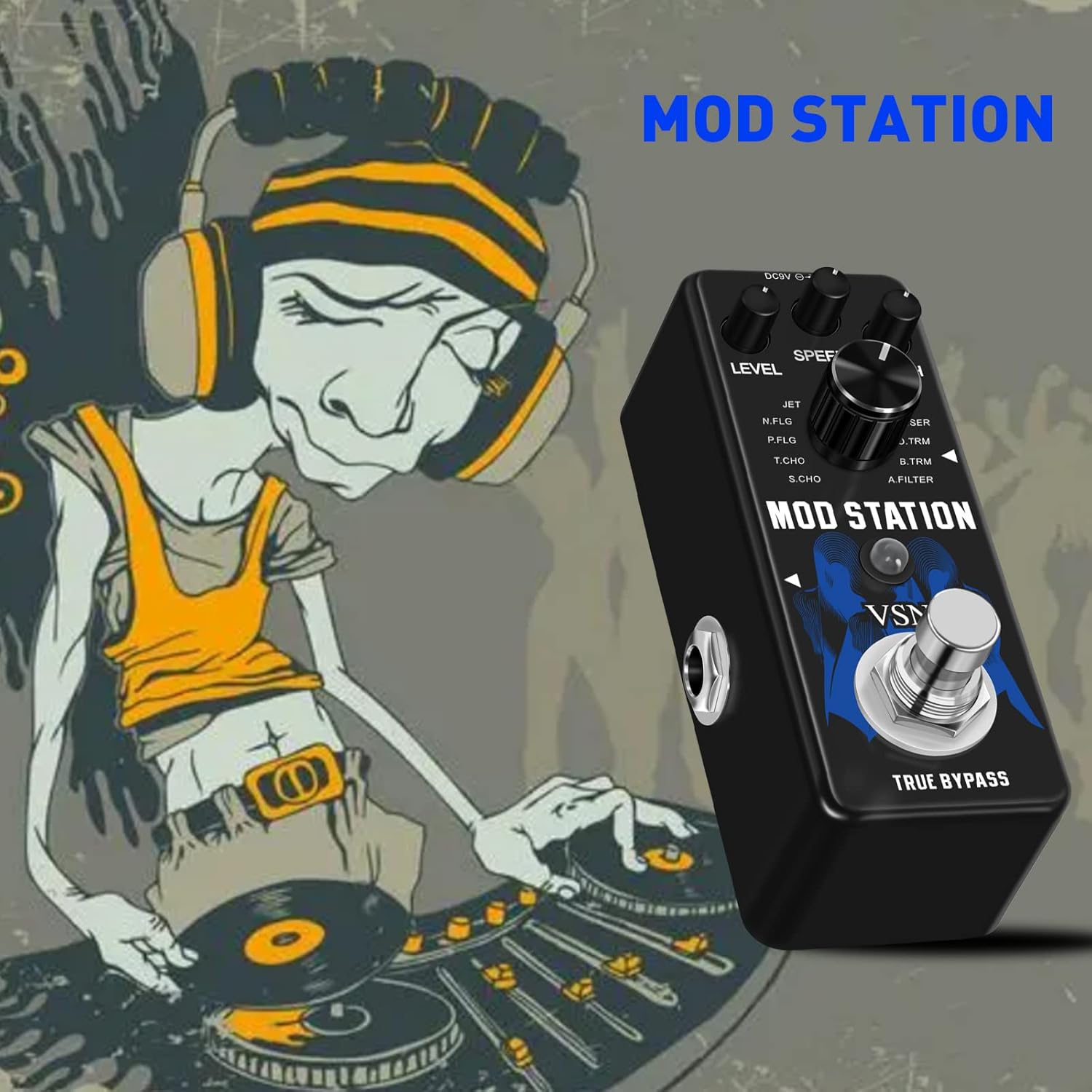
Image 1: VSN Modulation Pedal overview, highlighting its 'MOD STATION' branding.

Image 2: Internal view of the pedal, showcasing the high-quality chip responsible for its digital effects.
2. Setup
Follow these steps to properly set up your VSN Modulation Pedal:
- Power Connection: Connect a standard DC 9V power adapter (negative in the center) to the pedal's power input jack. The power adapter is not included with the pedal. Ensure the adapter provides at least 140mA of current.
- Input Connection: Connect your electric guitar or the output of a preceding effect pedal to the 1/4" monaural input jack on the right side of the VSN Modulation Pedal.
- Output Connection: Connect the 1/4" monaural output jack on the left side of the VSN Modulation Pedal to your amplifier's input or the input of the next effect pedal in your chain.
- Activation: Press the footswitch to engage or disengage the effect. The LED indicator will illuminate when the effect is active.

Image 3: Detail of the 9V DC power input jack, indicating central negative polarity.
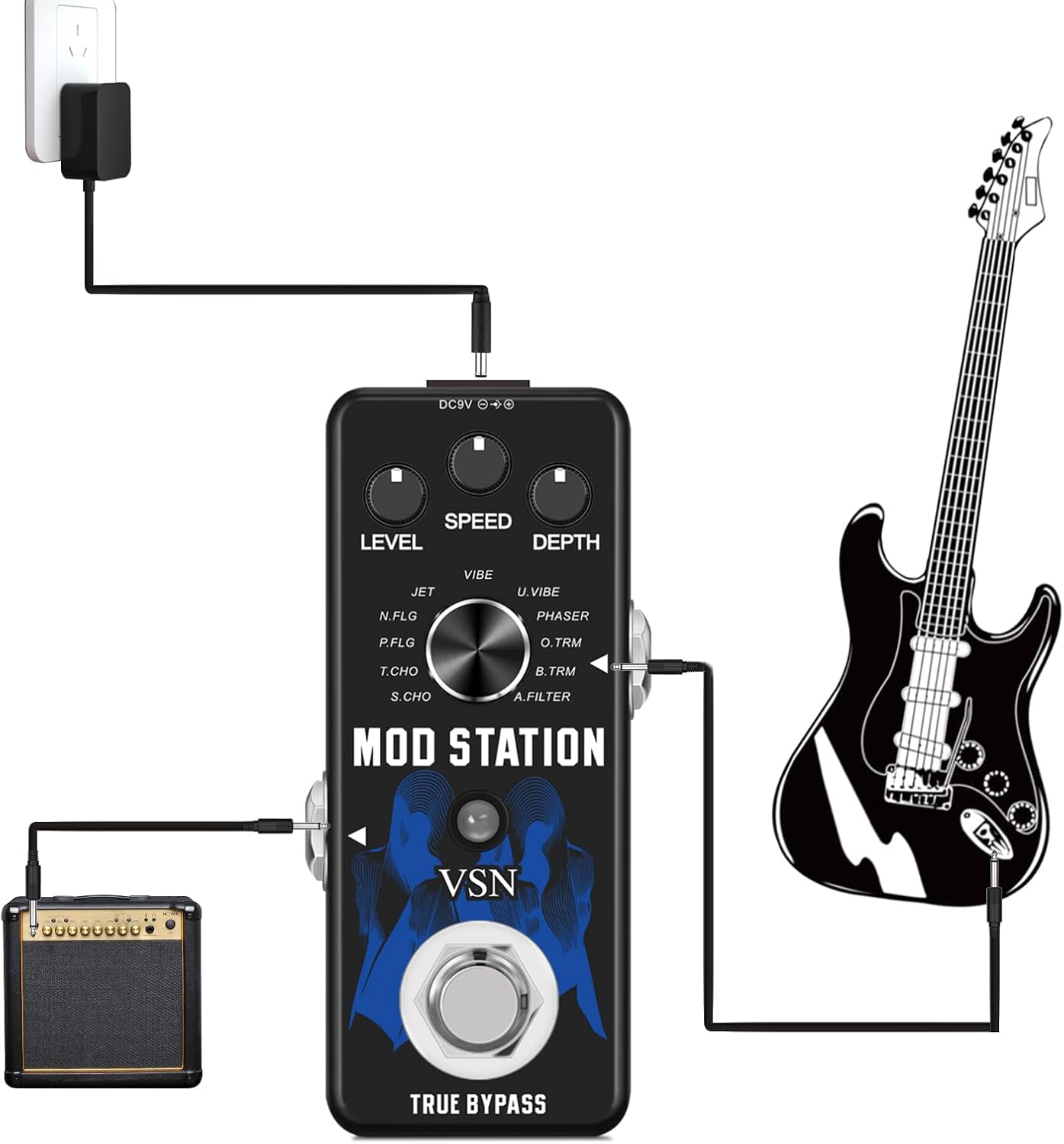
Image 4: Connection diagram illustrating how to integrate the pedal into a guitar setup.
3. Operating the Pedal
The VSN Modulation Pedal features three control knobs and a central selector knob to dial in your desired effect and parameters.
Controls:
- LEVEL Knob: Adjusts the overall output volume or intensity of the effect.
- DEPTH Knob: Controls the intensity or depth of the selected modulation effect.
- SPEED Knob: Adjusts the rate or speed of the selected modulation effect.
- MODE Selector Knob: This central knob allows you to choose between the 11 available modulation effects.
Modulation Modes:
The pedal offers the following 11 modulation effects:
- S.CHORUS (Stereo Chorus)
- T.CHORUS (Tremolo Chorus)
- P.FLANGER (Positive Flanger)
- N.FLANGER (Negative Flanger)
- JET (Jet Flanger)
- VIBRATO
- U.VIBRATO (Unlatch Vibrato)
- PHASER
- O.TREMOLO (Optical Tremolo)
- B.TREMOLO (Bias Tremolo)
- A.FILTER (Auto Filter)

Image 5: Detailed view of the pedal's controls, including LEVEL, SPEED, DEPTH, and the 11-mode selector knob.
4. Maintenance
To ensure the longevity and proper functioning of your VSN Modulation Pedal, please observe the following:
- Cleaning: Use a soft, dry cloth to clean the pedal's exterior. Avoid using abrasive cleaners or solvents.
- Storage: Store the pedal in a dry environment, away from extreme temperatures and direct sunlight.
- Disassembly: Do not attempt to disassemble the pedal yourself. Unauthorized disassembly may void any potential support or warranty.
- Future Reference: Keep this manual for future reference regarding operation and specifications.
5. Troubleshooting
If you encounter any issues with your VSN Modulation Pedal, consider the following basic troubleshooting steps:
- No Power: Ensure the DC 9V power adapter is correctly connected and functioning. Verify it is a central negative power supply.
- No Sound: Check all cable connections (input, output, power). Ensure your guitar and amplifier are working correctly. Confirm the pedal is engaged (LED illuminated).
- Unexpected Sound/Noise: Check for loose connections. Ensure the power supply meets the specified voltage and current requirements. Test with different cables or in a different power outlet.
- Effect Not Working: Try rotating the MODE selector knob to ensure it is properly seated on a specific effect. Adjust LEVEL, DEPTH, and SPEED knobs to hear the effect.
If problems persist after attempting these steps, please contact VSN Music customer support for further assistance.
6. Specifications
| Brand | VSN |
| Model Number | B08PBKVJY7 |
| Input | 1/4" Monaural Jack |
| Output | 1/4" Monaural Jack |
| Power Supply | DC 9V (Negative in the center) |
| Working Current | 140mA |
| Dimensions (L x W x H) | 95mm x 45mm x 48mm (3.74" x 1.77" x 1.89") |
| Weight | 250g (0.55 lbs) |
| Material | Full Metal (Zinc Alloy) |
| Signal Format | Digital |
| Bypass | True Bypass |

Image 6: Physical dimensions of the VSN Modulation Pedal, highlighting its compact size.
7. Warranty and Support
VSN Music is committed to providing quality products. While specific warranty details are not provided in this manual, if you receive an unsatisfactory product or encounter any issues, please contact VSN Music customer support for assistance. They will help you find a solution.
For support inquiries, please refer to the contact information provided at the point of purchase or on the official VSN Music website.