
Bracketron BT1-695-2
Bracketron TripGrip Window and Vent Mount Instruction Manual
Model: BT1-695-2
Introduction
The Bracketron TripGrip Window and Vent Mount is designed to securely hold your smartphone or GPS device in your vehicle. This manual provides detailed instructions for installation, operation, and maintenance to ensure optimal performance and longevity of your device.

Image: Bracketron TripGrip Window and Vent Mount.
What's Included
Verify that all components are present in the package:
- TripGrip Mount (phone holder with gooseneck and suction cup base)
- Vent Mount Adapter
- Instruction Manual
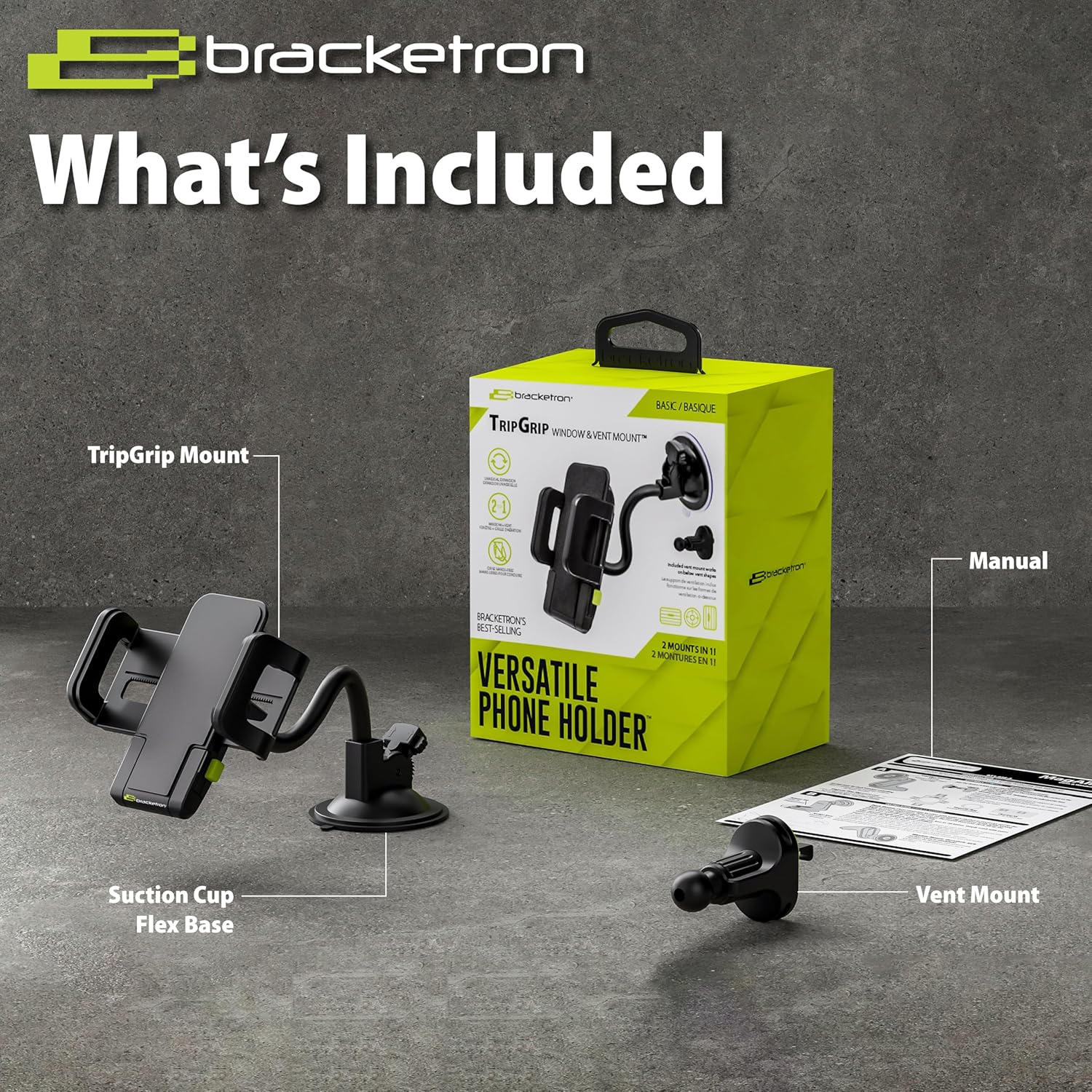
Image: Package contents including the TripGrip mount, vent mount, and manual.
Setup Instructions
1. Window/Windshield Mount Installation
- Clean the Surface: Ensure the windshield or window surface is clean and dry.
- Position the Mount: Place the suction cup base firmly against the desired smooth, flat surface.
- Engage Suction: Press the lever on the suction cup base down to create a strong vacuum seal. The Temperbond Technology provides ultra-sticky suction for extreme temperature resistance.
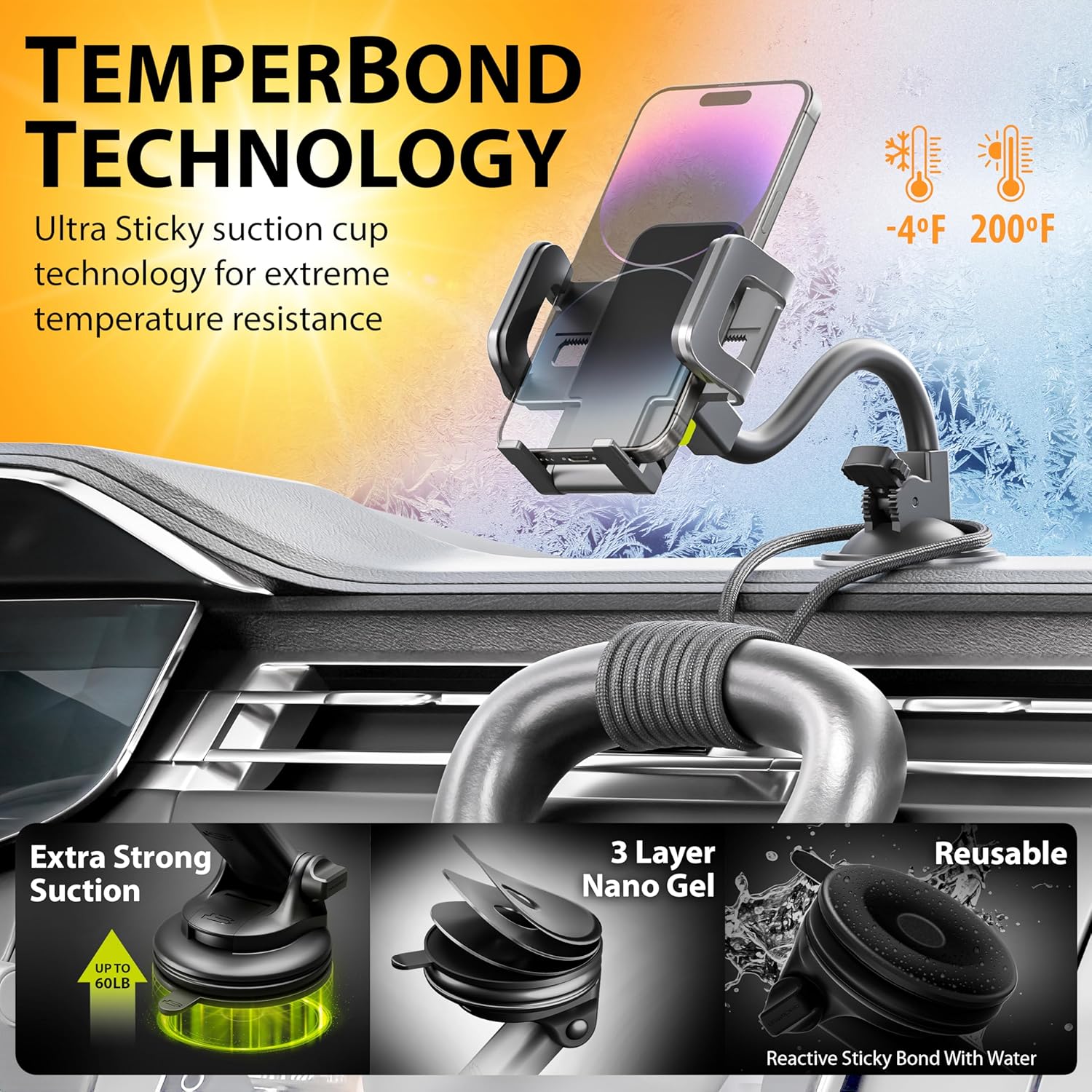
Image: Suction cup base with lever for engaging suction.
- Adjust Gooseneck: Bend the flexible gooseneck arm to achieve the desired viewing angle. The 9.5-inch flexible gooseneck allows for easy adjustment.
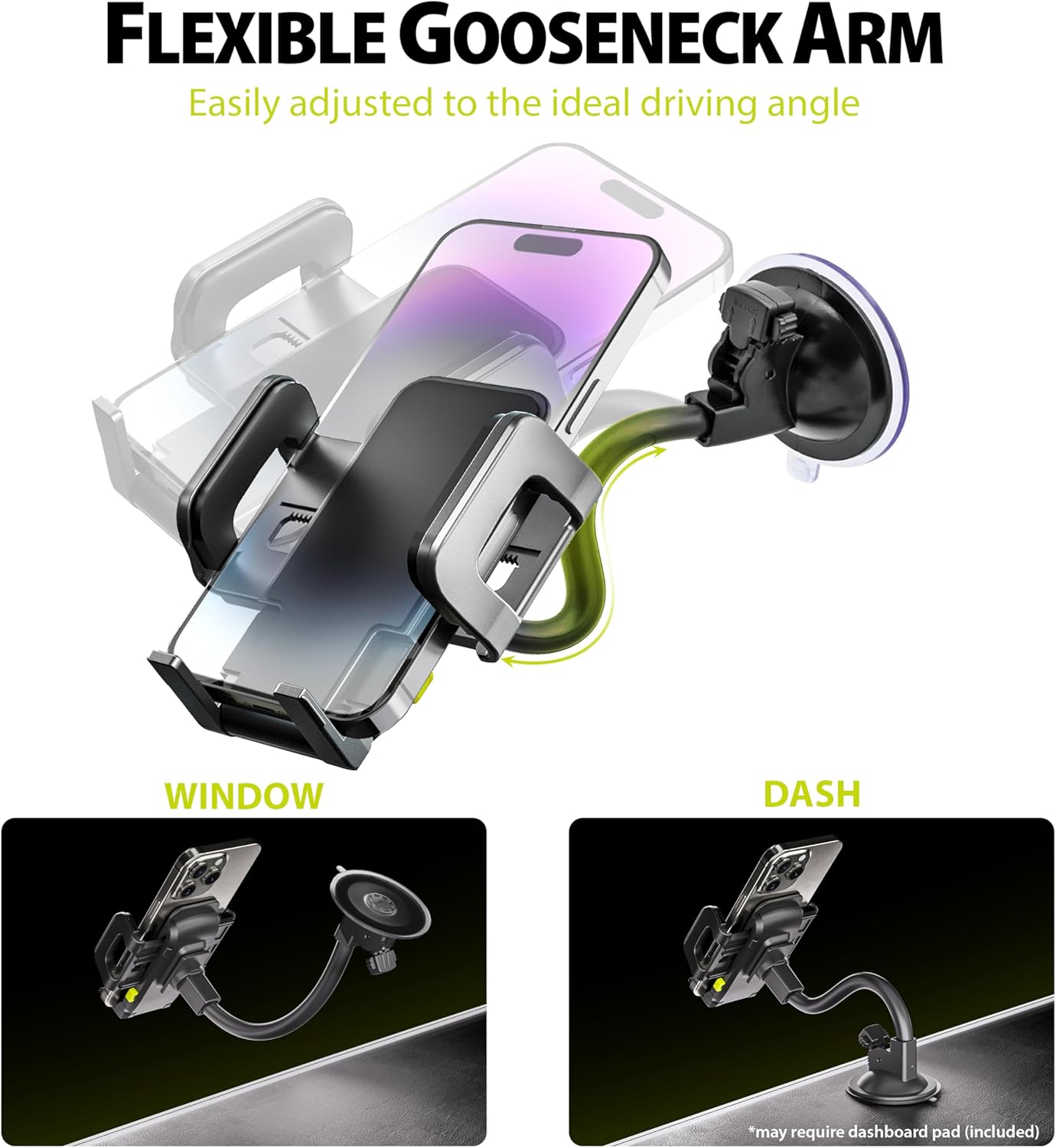
Image: Flexible gooseneck arm for angle adjustment.
2. Vent Mount Installation
- Attach Vent Adapter: Slide the TripGrip mount onto the vent adapter until it clicks securely into place.
- Insert into Vent: Carefully insert the vent clip into a horizontal, vertical, or circular air vent slat.
- Secure the Clip: Use the locking mechanism on the vent clip to firmly secure it to the vent slat, preventing movement. This hook design ensures unshakeable stability.

Image: Vent mount adapter showing the locking mechanism.
Operating Instructions
1. Inserting Your Device
- Expand Arms: Press the release button (if present) or manually pull apart the adjustable arms of the TripGrip mount. The mount can hold devices up to 5 inches in its grip.

Image: Wide adjustable arms of the TripGrip mount.
- Place Device: Carefully place your smartphone or GPS device into the mount. The arms will automatically close or can be gently pressed to secure the device. The extra deep grip accommodates devices up to 1 inch thick, with or without a case.

Image: Extra deep grip of the mount, suitable for various phone cases.
- Utilize Folding Legs: For additional support, extend the folding legs located at the bottom of the mount.
2. Adjusting Viewing Angle
- The mount features 360-degree rotation, allowing for both portrait and landscape viewing orientations. Adjust the phone holder to your preferred angle.
- The flexible gooseneck (for window/windshield mount) can be bent to fine-tune the viewing position. The nonskid padding ensures your device is not scratched.
Maintenance
- Suction Cup Cleaning: If the suction cup loses its grip due to dirt or dust, detach it from the surface. Wash the suction cup with warm, soapy water and allow it to air-dry completely before re-attaching. Do not use abrasive cleaners.
- General Cleaning: Wipe the mount with a soft, damp cloth. Avoid harsh chemicals that may damage the material.
Troubleshooting
| Problem | Possible Cause | Solution |
|---|---|---|
| Mount not sticking to surface (Window/Windshield) | Dirty surface or suction cup; air trapped under suction cup; unsuitable surface. | Clean the mounting surface and the suction cup with warm, soapy water and air-dry. Ensure the lever is fully engaged after placement. Avoid porous or heavily textured surfaces. |
| Phone holder detaches from arm (Vent Mount) | Insecure attachment to the vent adapter; excessive vibration; locking mechanism not fully engaged. | Ensure the phone holder is fully slid onto the vent adapter and the locking mechanism is engaged. Verify the vent clip is securely fastened to the vent slat. |
| Phone not held securely | Arms not fully closed; device too large or small for the grip. | Ensure the adjustable arms are firmly gripping the device. Verify your device fits within the mount's specified dimensions (up to 5 inches in grip). Extend folding legs for added support. |
| Suction cup base breaks or becomes loose | Excessive force or twisting applied to the suction cup while attached. | Avoid putting undue pressure or twisting the suction cup once it is secured. Always release the suction lever before attempting to reposition or remove the mount. |
Specifications
- Model Number: BT1-695-2
- Product Dimensions: 11 x 3.5 x 4.5 inches
- Item Weight: 6.4 ounces
- Color: Black
- Compatible Devices: Smartphones (up to 5 inches in grip)
- Mounting Type: Windshield, Window, Vent
- Special Features: Tilt Head, Flexible Gooseneck, 360-degree Rotation, Temperbond Suction Technology
Warranty and Support
For warranty information or technical support, please refer to the manufacturer's official website or contact their customer service department. Keep your purchase receipt for warranty claims.
Manufacturer: Bracketron
Related documentsBT1-695-2


Ask a question about this manual
Ask about setup, troubleshooting, compatibility, parts, safety, or missing instructions. Manuals+ will review the question and use this page’s manual context to help answer it.