
Introduction
This manual provides detailed instructions for the safe and effective operation, maintenance, and troubleshooting of your VONROC 20V Cordless Rotary Hammer, Model RH501DC. Please read this manual thoroughly before first use and keep it for future reference.
The VONROC RH501DC is a versatile 3-in-1 tool designed for rotary hammer drilling, standard drilling, and screwdriving. It is suitable for various tasks in your home, garage, or workshop. The included accessories allow for immediate use upon acquiring a compatible 20V battery and charger (not included with this model).
Safety Instructions
Always follow general power tool safety guidelines to prevent electric shock, fire, and serious injury. Keep your work area clean and well-lit. Do not operate power tools in explosive atmospheres, such as in the presence of flammable liquids, gases, or dust. Always wear appropriate personal protective equipment, including eye protection, hearing protection, and gloves.
- Work Area Safety: Keep children and bystanders away while operating a power tool.
- Electrical Safety: Avoid body contact with earthed or grounded surfaces. Do not expose power tools to rain or wet conditions.
- Personal Safety: Stay alert, watch what you are doing, and use common sense. Do not use a power tool while you are tired or under the influence of drugs, alcohol, or medication.
- Power Tool Use and Care: Do not force the power tool. Use the correct power tool for your application. Disconnect the battery pack from the power tool before making any adjustments, changing accessories, or storing power tools.
Product Overview
Familiarize yourself with the components of your VONROC 20V Cordless Rotary Hammer.

Image: The VONROC 20V Cordless Rotary Hammer (Model RH501DC) without battery, showcasing its ergonomic design and SDS-plus chuck.
Key Features:
- 3-in-1 Functionality: Rotary hammer, drill, and screwdriver modes.
- SDS-plus Chuck: For quick and easy accessory changes.
- Pneumatic Impact Mechanism: Delivers 1.3 Joule impact force for efficient drilling in masonry.
- Cordless Design: Provides portability and freedom of movement (requires 20V VPower battery, sold separately).
Setup
Battery Installation (Battery and charger sold separately):
- Ensure the tool is switched off.
- Align the battery pack with the battery port on the tool.
- Slide the battery pack into the tool until it clicks securely into place.
- To remove, press the battery release button and slide the battery out.
Accessory Installation (SDS-plus bits):
- Clean the shank of the SDS-plus drill bit or accessory.
- Pull back the chuck collar and insert the bit into the chuck.
- Rotate the bit slightly until it slides fully into the chuck.
- Release the chuck collar. Pull on the bit to ensure it is securely locked. A slight axial movement is normal for SDS-plus systems.

Image: Assortment of SDS-plus concrete drill bits, HSS drill bits, and screwdriver bits included with the rotary hammer.
Operating Instructions
Selecting Operating Mode:
The tool features a mode selector switch to choose between three functions:
- Drill Mode (Rotation Only): For drilling in wood, metal, plastics, and for screwdriving.
- Hammer Drill Mode (Rotation with Impact): For drilling in masonry, concrete, and stone.
- Screwdriver Mode (Rotation Only, with clutch if available): For driving and removing screws. (Note: This tool is primarily a hammer drill, screwdriving function is basic rotation).
Rotate the mode selector to the desired symbol. Ensure the selector is fully engaged in the chosen position before starting the tool.
General Operation:
- Secure your workpiece if necessary.
- Select the appropriate drill bit or accessory for the material and task.
- Hold the tool firmly with both hands.
- Position the bit on the desired drilling or screwdriving point.
- Press the trigger switch to start the tool. The speed is variable depending on trigger pressure.
- Apply steady, even pressure. Do not force the tool.
- Release the trigger to stop the tool.

Image: A user demonstrating hammer drilling into a brick wall, highlighting the tool's application in masonry.
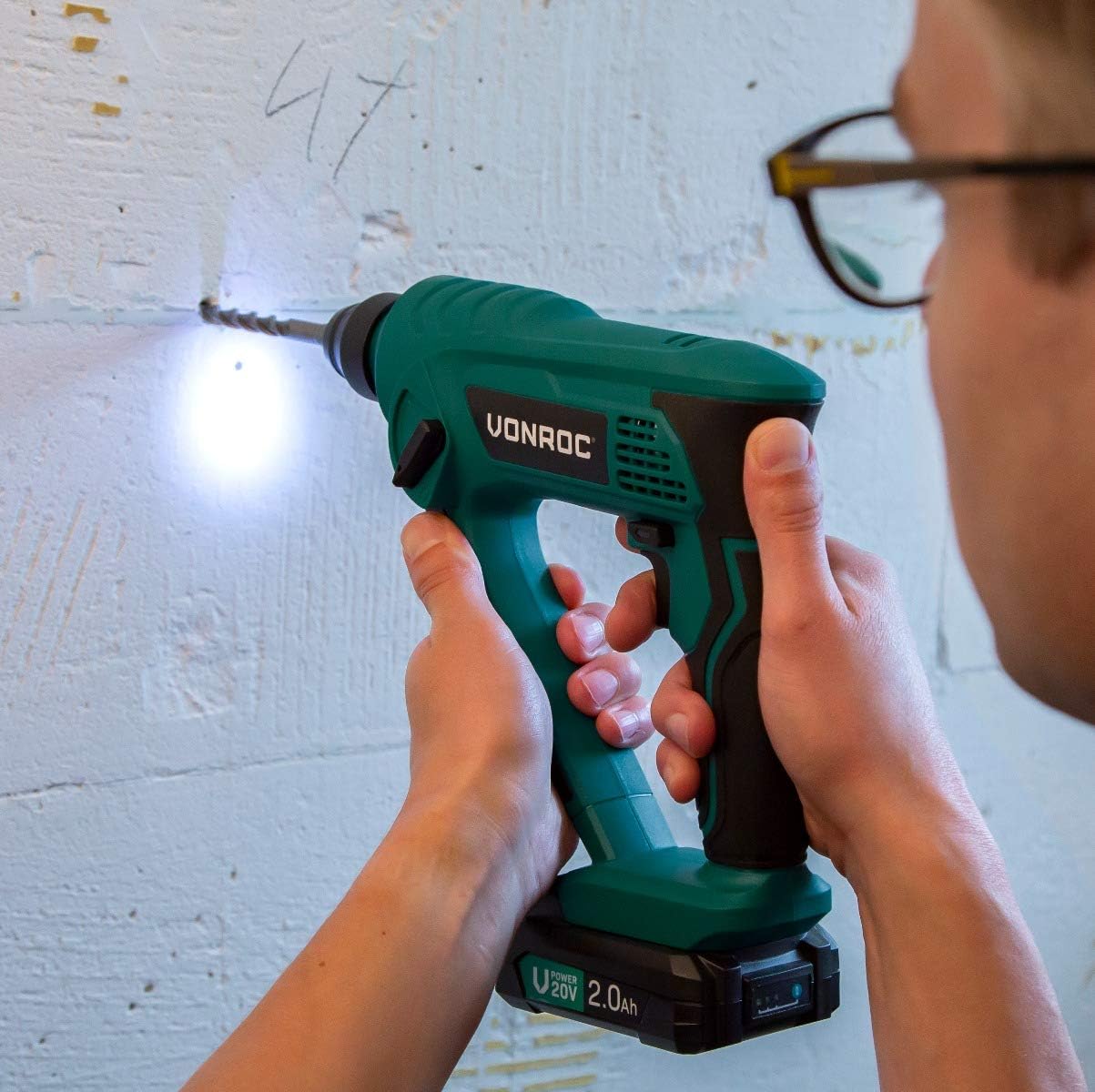
Image: A user demonstrating drilling into a concrete wall, showing the integrated LED light illuminating the work area.
Maintenance
Regular maintenance ensures optimal performance and extends the lifespan of your tool.
- Cleaning: Keep the ventilation openings clean and free from dust. Use a soft, damp cloth to clean the tool casing. Do not use harsh chemicals or abrasive cleaners.
- Lubrication: The SDS-plus chuck should be lightly greased periodically to ensure smooth operation and prevent wear.
- Storage: Store the tool in a dry, secure place, out of reach of children. Remove the battery pack before storage.
- Accessory Care: Keep drill bits and screwdriver bits clean and sharp for best results.
Troubleshooting
| Problem | Possible Cause | Solution |
|---|---|---|
| Tool does not start. | Battery not charged or improperly installed. | Ensure battery is fully charged and correctly inserted. |
| Reduced drilling performance. | Worn or dull drill bit. Incorrect mode selected. | Replace drill bit. Select appropriate mode (e.g., hammer drill for masonry). |
| Bit not locking into chuck. | Chuck collar not pulled back sufficiently. Debris in chuck. | Pull chuck collar back fully. Clean chuck and bit shank. |
| Tool overheats. | Overloading the tool. Blocked ventilation. | Reduce load. Allow tool to cool. Clean ventilation slots. |
Specifications
| Brand | VONROC |
| Model Number | RH501DC |
| Product Dimensions (L x W x H) | 23 x 20 x 8 cm |
| Weight | 1.86 kg |
| Color | Black, Green |
| Material | Metal |
| Power Source | Battery Powered (20V VPower platform) |
| Voltage | 20 Volts |
| Max Power | 30 Watt |
| No-Load Speed | Up to 1300 rpm |
| Impact Energy | 1.3 Joule |
| Chuck Type | SDS-plus |
| Max Chuck Size | 10 mm |
| Special Features | Cordless, 3-in-1 Functionality (Rotary Hammer, Drill, Screwdriver) |
| Included Components | 3 SDS-plus concrete drill bits, 3 HSS drill bits, 4 screwdriver bits, 1 bit holder, 1 drill bit extension, 1 storage box, 1 storage bag |
Warranty and Support
For warranty information, technical support, or service inquiries, please refer to the warranty card included with your product or visit the official VONROC website. Keep your proof of purchase for warranty claims.
Manufacturer: VONROC
Website: www.vonroc.com
