
1. Product Overview
The Barebones Railroad Lantern is a modern take on a classic design, combining vintage aesthetics with contemporary LED technology. This versatile lantern is perfect for various settings, from outdoor adventures and camping to enhancing your home or backyard ambiance. It features a durable steel frame, seeded glass globe, and an adjustable LED Edison-style bulb, providing a warm, customizable glow. The integrated rechargeable battery ensures long-lasting illumination, making it a reliable light source wherever you need it.
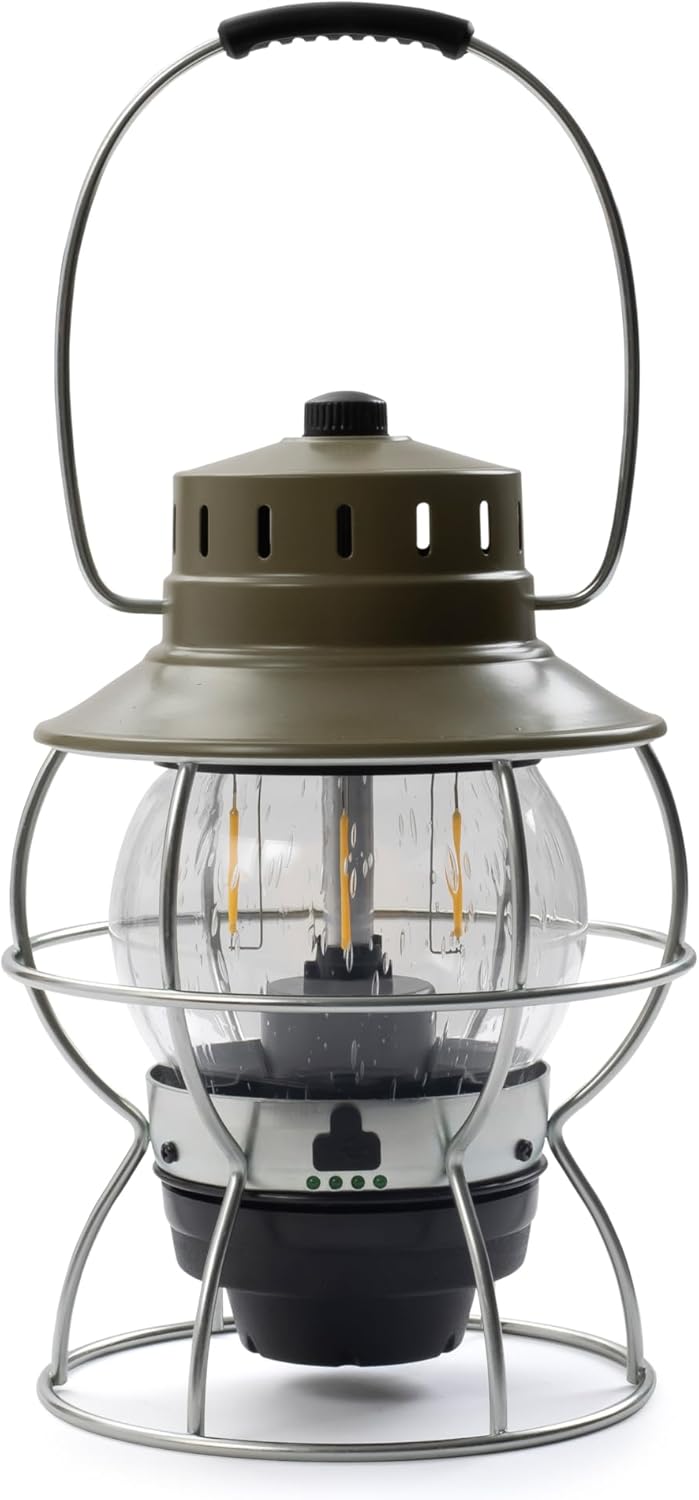
Figure 1: Barebones Railroad Lantern (Olive Drab)
2. Setup and First Use
2.1 Unboxing and Inspection
- Carefully remove the lantern from its packaging.
- Inspect the lantern for any signs of damage.
- Ensure all components are present: Lantern unit, USB-C charging cable.
2.2 Charging the Battery
Before first use, fully charge the lantern's internal Lithium-Ion battery. The lantern can be powered by its internal battery or directly via USB.
- Locate the USB-C charging port on the base of the lantern.
- Connect the provided USB-C cable to the lantern and a compatible USB power source (e.g., wall adapter, power bank, computer USB port).
- The battery indicator lights on the base will illuminate to show charging progress. All lights will be solid when fully charged.
- A full charge can take approximately 4-6 hours depending on the power source.

Figure 2: Lantern Base with Charging Port
3. Operating Instructions
3.1 Power On/Off and Brightness Adjustment
The lantern features a power switch and smooth dimmer knob located on the side of the base.
- To turn the lantern ON, rotate the knob clockwise until you hear a click and the light illuminates.
- Continue rotating the knob clockwise to increase brightness.
- Rotate the knob counter-clockwise to decrease brightness.
- To turn the lantern OFF, continue rotating the knob counter-clockwise until you hear a click and the light extinguishes.
3.2 Battery Life and Usage
The lantern's battery life varies depending on the brightness setting:
- Low Setting (20 lumens): Up to 100+ hours of continuous light.
- High Setting (100 lumens): Approximately 3.5 hours of continuous light.
The lantern is designed for portability and features a sturdy carry handle, making it easy to transport and hang.
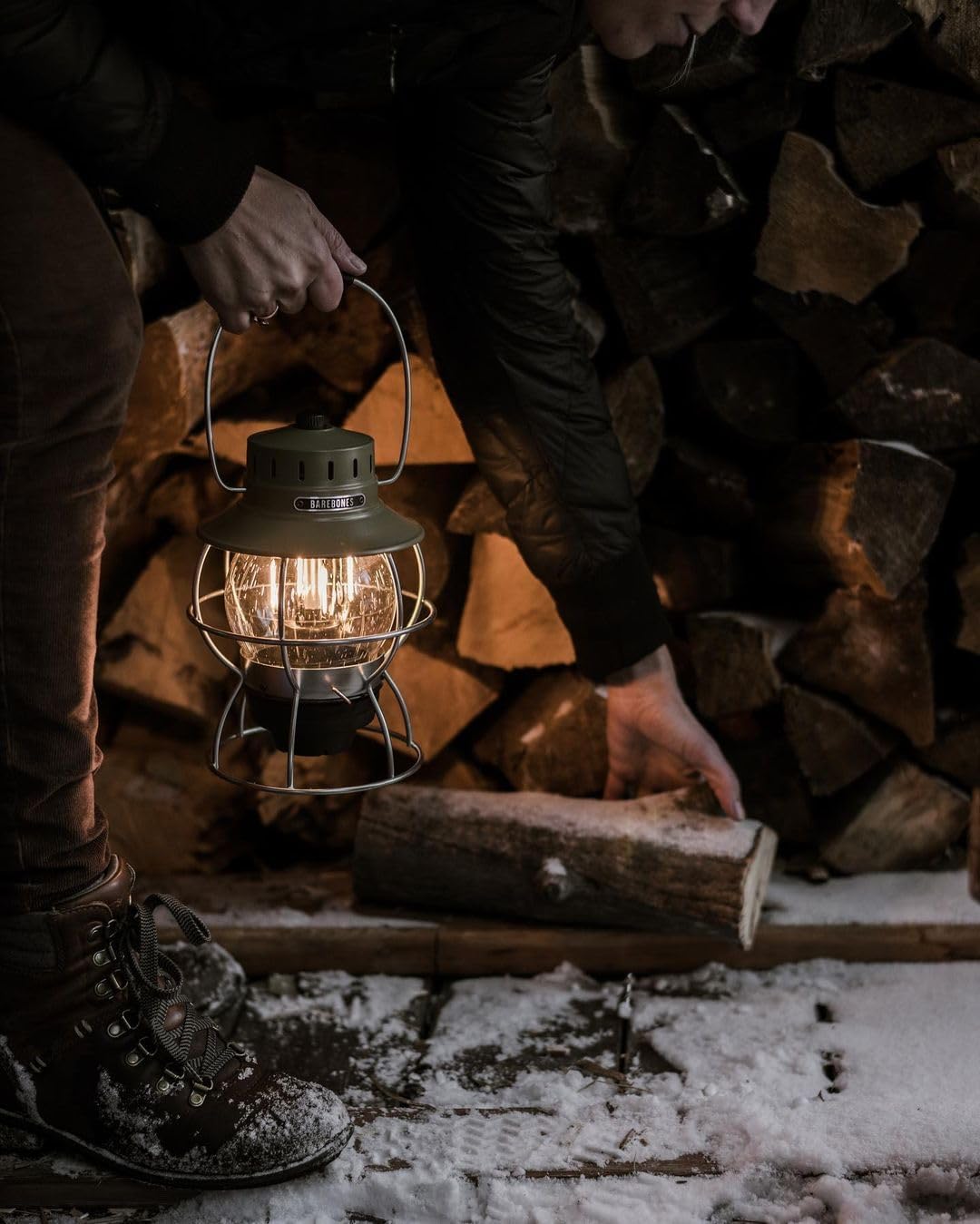
Figure 3: Lantern in use, demonstrating portability

Figure 4: Lantern providing ambient light
4. Maintenance
4.1 Cleaning
To maintain the appearance and functionality of your lantern:
- Wipe the exterior with a soft, damp cloth.
- Avoid using abrasive cleaners or solvents, as they may damage the finish.
- For the seeded glass globe, use a glass cleaner if necessary, ensuring it does not come into contact with electrical components.
4.2 Battery Care
To prolong the life of your Lithium-Ion battery:
- Charge the battery fully before long-term storage.
- Recharge the battery every 3-6 months, even if not in use, to prevent deep discharge.
- Avoid exposing the lantern to extreme temperatures.
4.3 Bulb and Glass Replacement
The LED Edison-style bulb and seeded glass globe are designed to be replaceable. Refer to the Barebones Living website or contact customer support for replacement parts and detailed instructions.
5. Troubleshooting
If you encounter issues with your Barebones Railroad Lantern, try the following solutions:
| Problem | Possible Cause | Solution |
|---|---|---|
| Lantern does not turn on. | Battery is depleted. | Charge the lantern fully using the USB-C cable. |
| Light is dim or flickers. | Low battery or dimmer setting. | Recharge the battery. Rotate the dimmer knob clockwise to increase brightness. |
| Lantern not charging. | Faulty cable or power source. | Try a different USB-C cable or power adapter. Ensure the cable is securely connected. |
| Glass globe is loose or damaged. | Impact or wear. | Carefully re-seat the globe. If damaged, order a replacement from Barebones Living. |
If the problem persists after trying these solutions, please contact Barebones Living customer support.
6. Specifications
| Feature | Detail |
|---|---|
| Model Number | LIV-281 |
| Product Dimensions | 6.5"L x 6.5"W x 9.5"H |
| Item Weight | 2.2 pounds (1 Kilogram) |
| Material | Copper, Glass, Metal |
| Finish Type | Polished |
| Light Source Type | Light Emitting Diode (LED) |
| Brightness | 20 - 100 lumens (adjustable) |
| Wattage | 3.2 Watts |
| Voltage | 3.7 Volts |
| Battery Type | 1 Lithium Ion (rechargeable, replaceable) |
| Battery Life | Up to 100+ hours (low), 3.5 hours (high) |
| Charging Port | USB-C |
| Water Resistance Level | Not Water Resistant |
| Mounting Type | Tabletop Mount |
7. Warranty and Support
7.1 Warranty Information
Barebones Living products are designed for durability and quality. For specific warranty details regarding your Railroad Lantern, please refer to the warranty information provided with your purchase or visit the official Barebones Living website. Keep your proof of purchase for any warranty claims.
7.2 Customer Support
If you have any questions, require technical assistance, or need to order replacement parts, please contact Barebones Living customer support through their official website or the contact information provided in your product packaging. When contacting support, please have your model number (LIV-281) and purchase details ready.

