
1. Introduction
Welcome to the WOLILIWO 7-Inch Video Intercom System user manual. This guide provides detailed instructions for the installation, operation, and maintenance of your new video doorbell system. Designed for enhanced home security and convenience, this system allows you to see, hear, and speak to visitors from the comfort of your home, and even remotely unlock your door.
2. Product Overview
2.1. Components
Your WOLILIWO Video Intercom System includes the following components:
- Outdoor Unit (Doorbell Camera)
- Indoor Monitors (x2)
- Power Adapters (x2)
- Hanging Plates (x2)
- Screw Pack for mounting
- Test Cable
- Connection Wires
- User Manual

Figure 2.1: All components included in the WOLILIWO Video Intercom System package.
2.2. Key Features
- Wired Video Intercom System: Provides secure visual and audio communication with visitors.
- Rainproof and Night Vision Outdoor Unit: IP65 waterproof design with 1200TVL pinhole camera, anti-oxidation aluminum alloy panel, and IR LED illumination for clear night vision.
- Compatible with Electrical Lock and Indoor Unlock: Allows connection to a 12V electrical lock for convenient remote unlocking from the indoor monitor.
- Handsfree Dual-way Intercom: Enables two-way communication with visitors. The monitor activates upon doorbell press, showing the image and allowing conversation.
- Monitoring Feature: Press the monitoring button on the indoor unit to view and hear the outside situation at any time.
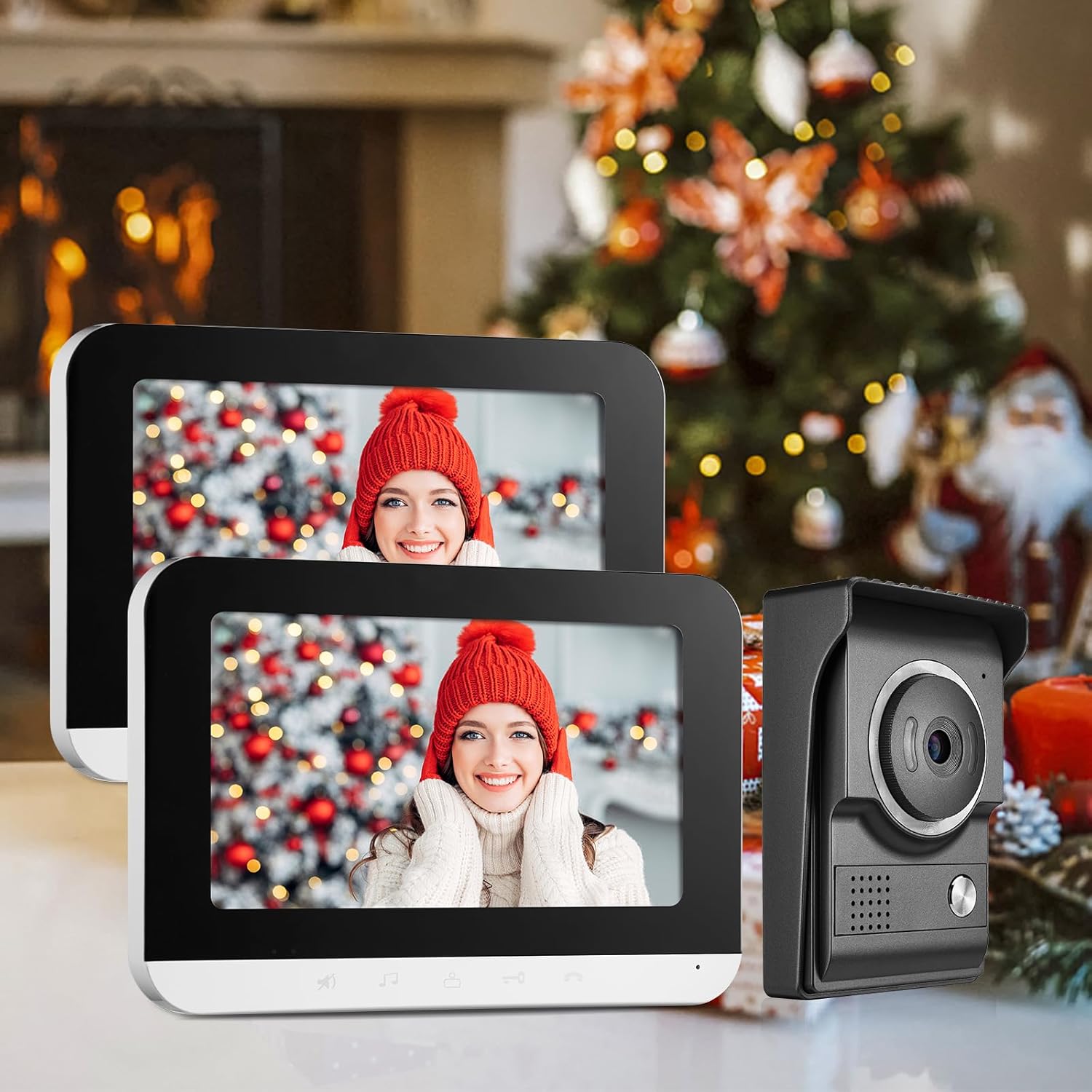
Figure 2.2: The indoor monitor displaying a visitor at the door, demonstrating the visual intercom feature.
3. Setup and Installation
3.1. Outdoor Unit (Doorbell Camera)
The outdoor unit (Model: MSA) is designed for durability and clear imaging. It features a weatherproof box, microphone, camera with night vision, call button, and speaker.

Figure 3.1: Outdoor unit diagram with labeled components and dimensions.
3.2. Indoor Monitor
The indoor monitor (Model: V70MG) provides the interface for communication and control. It includes a microphone, loudspeaker, LED light indicators, and buttons for ring cancel, ring tone/volume adjustment, intercom, unlock, and monitor functions.

Figure 3.2: Indoor monitor diagram with labeled components and dimensions.
3.3. Wiring Diagram
Proper wiring is crucial for the system's functionality. Ensure all connections are secure and follow the provided diagram for connecting the outdoor unit, electronic lock (optional), and indoor monitors.

Figure 3.3: System wiring diagram.
3.4. Wiring Extension Cables
This video demonstrates the correct procedure for wiring extension cables, ensuring proper connection between components. Please use RVV4 core wire if the indoor unit is linked to the outdoor unit, and RVV5 core wire if the indoor unit is linked to another indoor unit. Ensure the function of both ends of the terminal wires is consistent and attach insulating tape to the junction.
Video 3.4: Method for wiring extension cables.
3.5. UTP Cable Connection
Learn how to connect the system using a UTP cable for reliable data transmission. This video provides a step-by-step guide for proper UTP cable integration.
Video 3.5: How to connect the system with a UTP cable.
4. Operating Instructions
4.1. Basic Operation
- Answering a Call: When a visitor presses the doorbell, the indoor monitor will activate and display the outdoor view. Press the 'Answer' button to begin two-way communication. Press it again to end the call. If no one answers, the monitor will turn off automatically after 60 seconds.
- Monitoring: To view the outdoor area at any time, press the 'Monitor' button on the indoor unit.
- Unlocking: If an electrical lock is connected, press the 'Unlock' button on the monitor to remotely open the door for your guest.
- Changing Ringtone: Long press the 'Ring Tone' button to cycle through available ringtones.
- Mute Function: Press the 'Mute' button to silence the ringtone.

Figure 4.1: Indoor monitor showing the live view from the outdoor unit.
4.2. Intercom Functionality
This video demonstrates the various functions of the monitor, including the unlock feature, two-way intercom, and the effectiveness of the infrared night vision.
Video 4.2: Monitor, Unlock, Intercom, and IR Night Vision Effect demonstration.
5. Maintenance
5.1. Cleaning
To ensure optimal performance and longevity, regularly clean the outdoor unit and indoor monitors. Use a soft, damp cloth to wipe surfaces. Avoid abrasive cleaners or solvents that could damage the finish or electronic components.
5.2. Weather Protection
The outdoor unit is designed with an IP65 waterproof rating, ensuring stable operation in various weather conditions including rain, clouds, cold, and snow. While robust, avoid direct high-pressure water jets or prolonged submersion.

Figure 5.1: Outdoor unit's weather resistance in various environmental conditions.
6. Troubleshooting
6.1. Common Issues and Solutions
| Problem | Possible Cause | Solution |
|---|---|---|
| No video on indoor monitor | Loose wiring; Power issue; Camera malfunction. | Check all wiring connections; Ensure power adapters are plugged in; Contact customer support if issue persists. |
| No audio during intercom | Loose audio wiring; Mute function activated; Speaker/microphone malfunction. | Verify audio wire connections; Deactivate mute function; Test speaker/microphone. |
| Door unlock not working | Incorrect wiring to electric lock; Electric lock malfunction; Power supply issue to lock. | Review electric lock wiring diagram; Test electric lock independently; Ensure adequate power supply. |
| Poor night vision quality | IR LEDs obstructed or faulty; Low light conditions. | Clear any obstructions from the outdoor unit's IR LEDs; Ensure sufficient ambient light if possible; Contact support if IR LEDs are faulty. |
| Monitor does not turn on | No power; Faulty power adapter; Internal issue. | Check power outlet and adapter connection; Try a different power outlet; Contact customer support. |
7. Specifications
7.1. Technical Details
- Compatible Devices: Smartphone (for remote features, if applicable)
- Power Source: Wired (12 Volts)
- Connectivity Technology: Wired
- Controller Type: Buttons on monitor
- Mounting Type: Wall Mount
- Video Capture Resolution: 720p
- Color: 7in-1 Camera & 2 Monitor
- Number of Channels: 2
- Viewing Angle: 120 Degrees
- Material: Aluminium
- International Protection Rating: IP65 (Outdoor Unit)
- Special Feature: Night Vision
- Product Dimensions: 10.55 x 7.17 x 4.69 inches
- Item Weight: 3.54 pounds
- UPC: 194998862099
8. Warranty and Support
8.1. Customer Care
WOLILIWO is committed to 100% customer satisfaction. If you have any queries about our products or require assistance with installation, please do not hesitate to contact us. We aim to respond within 12 hours to address your concerns.
8.2. Protection Plans
Additional protection plans are available for purchase to extend coverage beyond the standard warranty. These plans offer peace of mind for your investment:
- 2-Year Protection Plan
- 3-Year Protection Plan
- Complete Protect: One plan covers all eligible past and future purchases (monthly billing)