
1. Introduction
The Godox AD300Pro is a compact and powerful 300W 2.4G TTL Flash Strobe Monolight designed for professional photographers. It offers advanced features such as High-Speed Sync (HSS) up to 1/8000s, a fast recycle time of 0.01-1.8 seconds, and the capability for 300 full power flashes on a single charge. The unit also includes a 12W bi-color modeling LED with adjustable brightness and color temperature for enhanced creative control.
This manual provides essential information for the safe and effective use of your AD300Pro. Please read it thoroughly before operation.

Figure 1: Godox AD300Pro Monolight and included accessories.
2. Key Features
- 300Ws Power Output: Provides strong illumination for various photographic needs.
- Fast Recycle Time: Achieves 0.01-1.8s recycle for rapid shooting.
- High-Speed Sync (HSS): Supports shutter speeds up to 1/8000s for creative control over ambient light.
- Stable Color Temperature: Maintains 5600K ±100K across the entire power range in color temperature mode.
- Bi-Color Modeling LED: 12W LED with adjustable brightness (1-10 levels) and color temperature (3000-6000K ±500K).
- TTL Auto Flash Compatibility: Compatible with Canon E-TTL II, Nikon I-TTL, Sony, FUJIFILM, Olympus, and Panasonic TTL systems.
- Wireless Control: Built-in 2.4G X system for remote triggering and power control.
- Compact and Lightweight: Weighs 2.75lb with dimensions of 7.5×3.9×3.5in for easy portability.
- Interchangeable Mounts: Features a Godox mount and includes a Bowens mount adapter ring for wide accessory compatibility.

Figure 2: Overview of Godox AD300Pro features, highlighting its compact design and capabilities.
3. Setup
3.1 Battery Installation and Charging
The AD300Pro uses a rechargeable lithium battery (WB300P). It is also back-compatible with AD200Pro batteries (WB29).
- To install the battery, align it with the battery compartment on the rear of the flash unit and slide it in until it clicks securely into place.
- To charge the battery, remove it from the flash unit and connect it to the provided charger. The charger will indicate when the battery is fully charged.

Figure 3: The AD300Pro with its high-capacity lithium battery pack installed.
3.2 Mounting the Flash
The AD300Pro comes with an AD-E2 bracket, allowing you to adjust the flash angle steplessly. This bracket can be mounted onto a light stand.
3.3 Attaching Light Modifiers
The AD300Pro features a native Godox mount for lighter and more portable accessories. It also includes a Bowens mount adapter ring for compatibility with a wider range of Bowens-mount modifiers. Adapter rings for other brands (e.g., Profoto, Elinchrom, Broncolor) can be purchased separately.
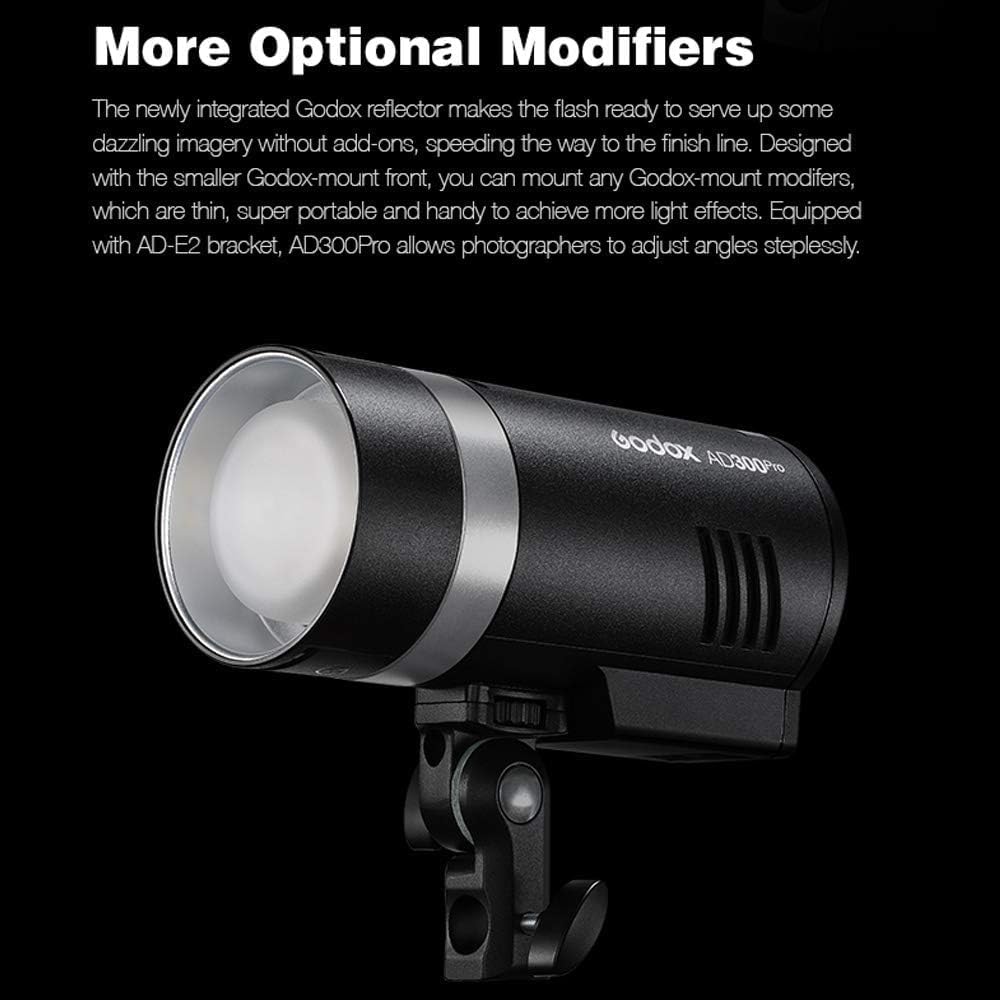
Figure 4: The AD300Pro with a Godox-mount reflector attached.

Figure 5: Various Godox-mount modifiers such as softboxes, snoots, and reflectors.
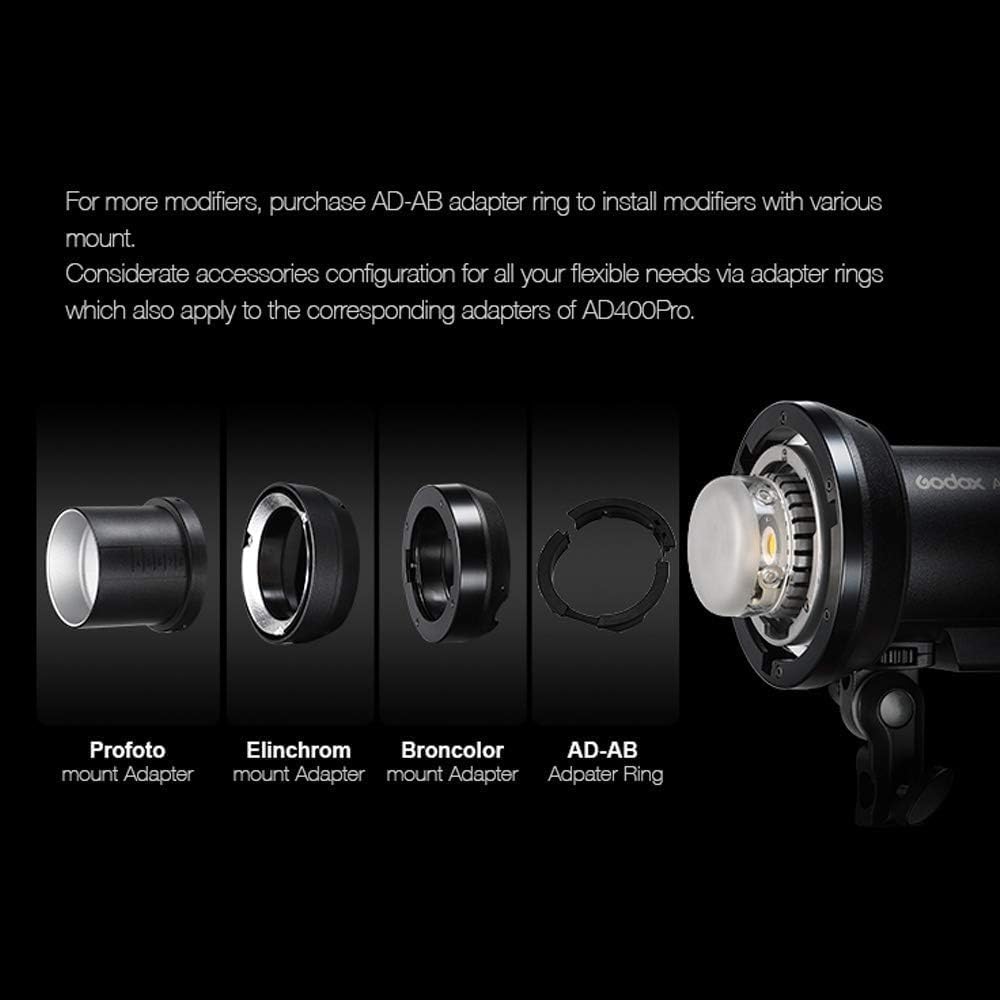
Figure 6: The AD300Pro demonstrating compatibility with various mount adapters (Profoto, Elinchrom, Broncolor, AD-AB).
4. Operating Instructions
4.1 Powering On/Off and Display
Press and hold the power button to turn the unit on or off. The LCD panel displays the status of all remote strobes, allowing for easy control of your lighting setup.

Figure 7: The intuitive control panel of the Godox AD300Pro for easy adjustments.
4.2 Adjusting Flash Power
The AD300Pro offers a 9-stop power adjustment range, from full power (1/1) down to 1/256, in 1/10th stop increments. Use the control dial on the unit or a compatible wireless trigger to adjust the power output.
4.3 Modeling Lamp Settings
The 12W bi-color modeling LED can be adjusted from 3000K to 6000K (±500K) and has 1 to 10 levels of brightness. This allows for pre-visualization of lighting and can be used as a continuous light source for short-form video.
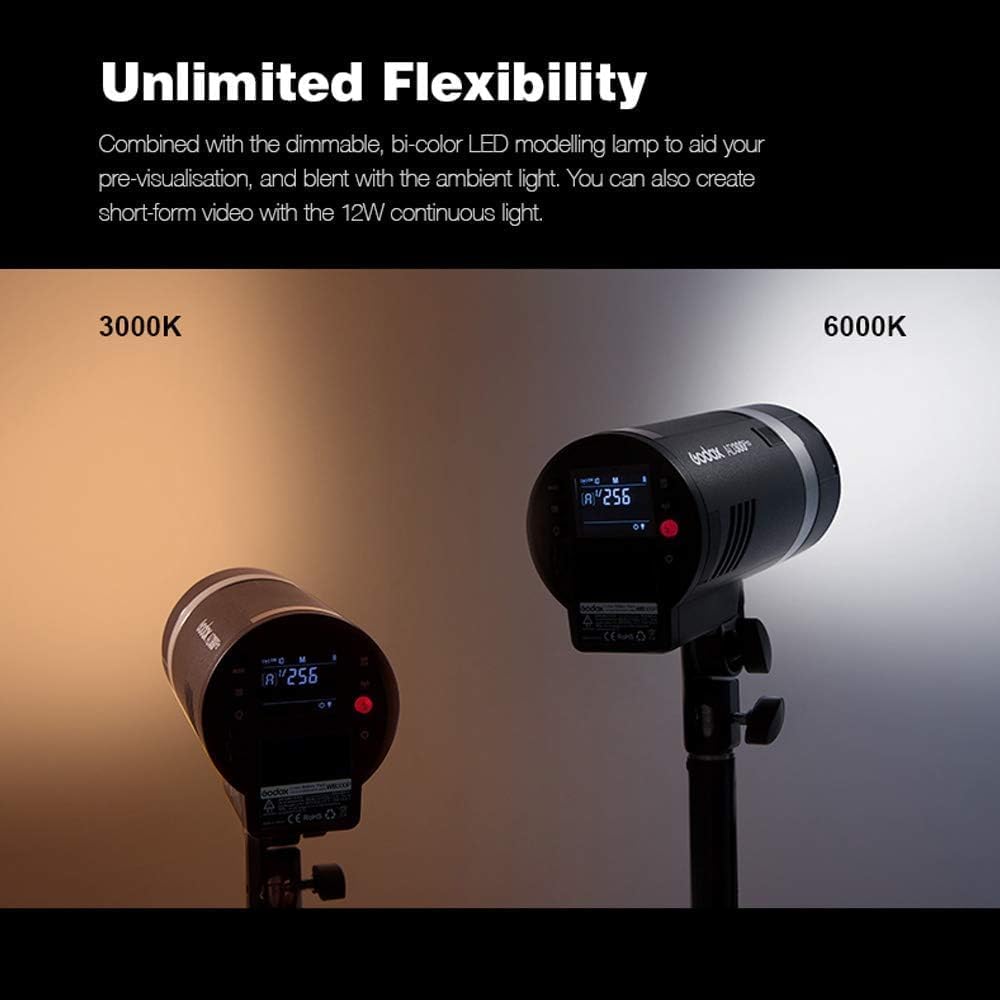
Figure 8: The AD300Pro's bi-color modeling light can be adjusted from 3000K to 6000K.
4.4 Wireless Triggering
The AD300Pro supports both Godox Xpro and X2T triggers for wireless control. These triggers allow for reliable channel triggering, group mode selectivity, and HSS functionality.
5. Maintenance
5.1 Cleaning
Regularly clean the flash unit with a soft, dry cloth. Avoid using harsh chemicals or abrasive materials that could damage the surface or internal components.
5.2 Battery Care
Store batteries in a cool, dry place. Avoid extreme temperatures. If storing for extended periods, charge the battery to approximately 50% capacity every few months to prolong its lifespan.
5.3 Storage
When not in use, store the AD300Pro in its protective case in a dry environment, away from direct sunlight and moisture.
6. Troubleshooting
- Flash not firing: Check battery level, ensure the unit is powered on, and verify wireless trigger settings (channel, group).
- Inconsistent flash output: Ensure battery is fully charged and check for proper connection of light modifiers.
- Modeling lamp not working: Verify brightness and color temperature settings.
7. Specifications
| Feature | Detail |
|---|---|
| Product Dimensions | 3.5 x 3.9 x 7.5 inches |
| Item Weight | 5.57 pounds |
| Item Model Number | AD300Pro |
| Batteries | 1 A batteries required (WB300P) |
| Flash Sync Speed | 1/8000s |
| Camera Flash | Slave |
| Battery Life | 300 Full Power Pops (approx. 3 hours continuous modeling light) |
| Compatible Mountings | Canon E-TTL II, Nikon i-TTL Autoflash, Sony, FUJIFILM, Olympus and Panasonic |
| Manufacturer | GODOX |
8. Warranty and Support
For warranty information and technical support, please refer to the documentation included with your product or visit the official GODOX website. Keep your purchase receipt as proof of purchase for warranty claims.