1. Introduction and Overview
Thank you for purchasing the Panasonic Oven Toaster Bistro NT-D700-K. This appliance is designed to provide versatile cooking options, from perfectly toasted bread to various oven dishes, with ease and precision. Please read this manual thoroughly before use to ensure safe and optimal operation.
Key Features:
- Far and Near Triple Heater & Intelligent Control: Optimizes toasting based on internal temperature and ambient environment, offering 7200 programs for consistent results.
- Versatile Toasting: Achieves crispy exteriors and fluffy, hot interiors for both thick-cut and frozen bread.
- Rich Automatic Menus: Includes options for arranged toast, French bread reheating, and slow-baked sweet potatoes.
- 8-Stage Temperature Control Oven Cooking: Allows precise temperature adjustment from 120°C to 260°C for various oven dishes without preheating.
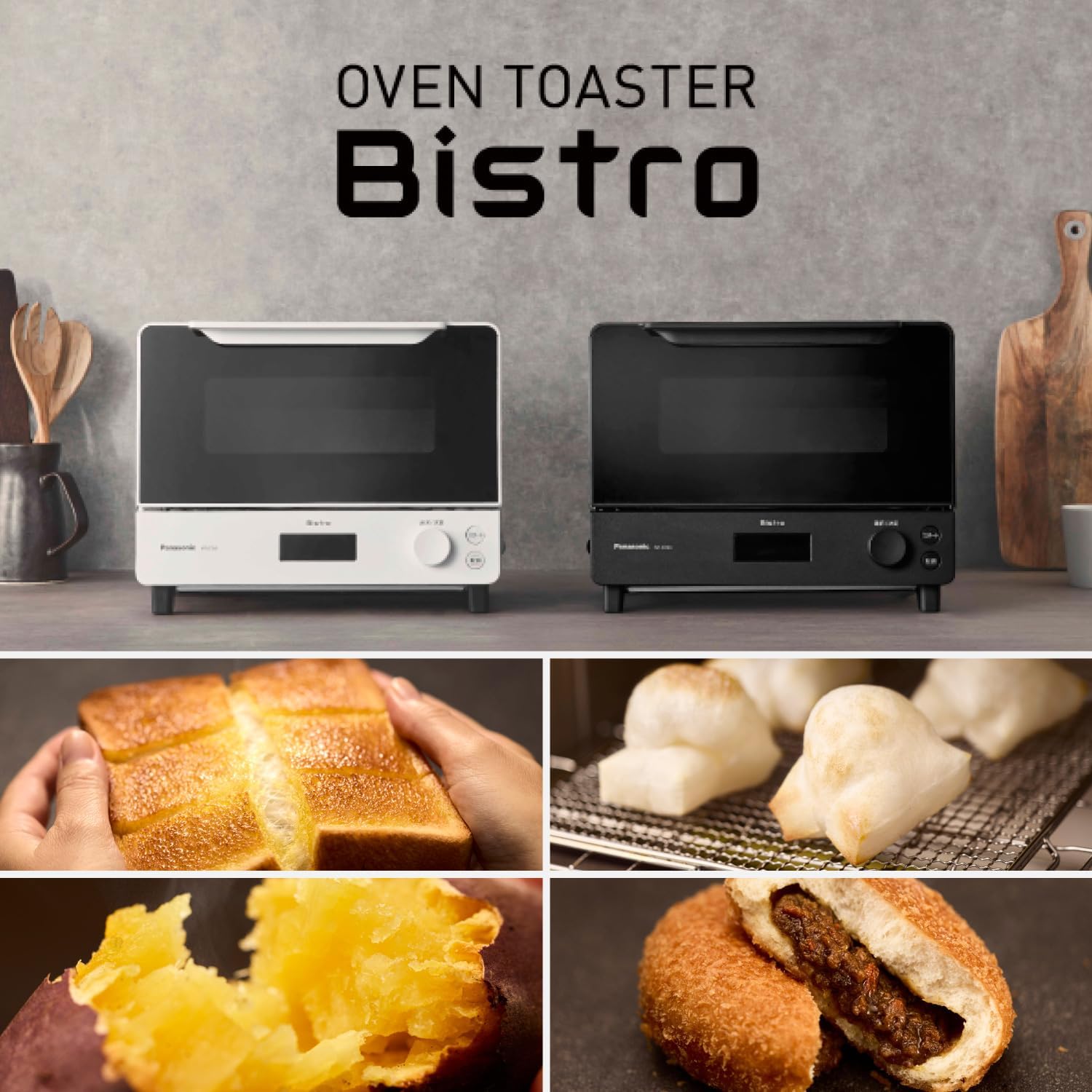
The Panasonic Oven Toaster Bistro NT-D700-K, available in black and white finishes.
2. Setup
Unpacking and Placement:
- Carefully remove the oven toaster from its packaging. Retain packaging for future transport or storage.
- Place the unit on a stable, flat, heat-resistant surface. Ensure adequate clearance (at least 10 cm) from walls and other appliances for proper ventilation.
- Do not place the unit near water sources or heat-sensitive materials.
Initial Cleaning:
Before first use, wipe the interior and exterior of the unit with a damp cloth. Wash the baking tray and mochi grill net with mild detergent and warm water, then dry thoroughly.
Power Connection:
Plug the power cord into a grounded electrical outlet. Ensure the voltage matches the specifications of the appliance.
Included Accessories:
- Baking Tray
- Mochi Grill Net
3. Operating Instructions
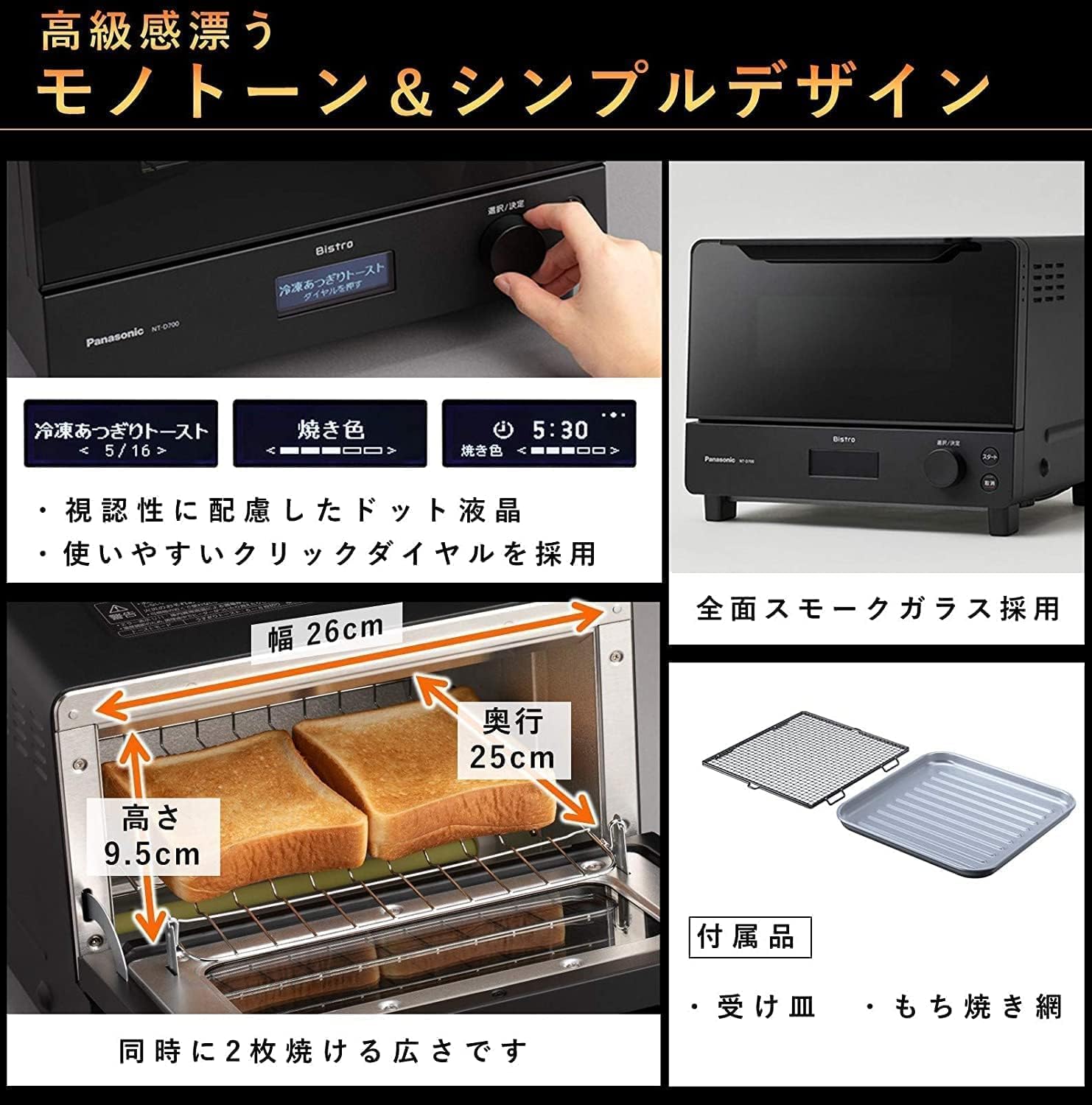
The Panasonic Oven Toaster Bistro NT-D700-K features an intuitive control panel with a dot liquid crystal display and a click dial for easy operation.

The control panel with dot liquid crystal display and click dial, showing internal dimensions (Width: 26cm, Depth: 25cm, Height: 9.5cm).
3.1 Basic Toasting (Intelligent Control)
The oven toaster utilizes a 'Far and Near Triple Heater' system combined with intelligent control to deliver optimal toasting results. It automatically adjusts heating based on the bread's condition and the oven's internal environment.

Diagram illustrating the Far and Near Triple Heater system, heating the toast simultaneously from inside and out for a crispy exterior and fluffy interior.
To toast bread:
- Place up to two slices of bread on the grill rack.
- Select the desired toast setting using the dial. The intelligent control will automatically determine the optimal cooking time and temperature.
- Press the start button. The unit will beep when toasting is complete.

A slice of perfectly toasted bread with melting butter, demonstrating the ideal result from the oven toaster.
3.2 Automatic Menus
The Bistro oven toaster offers 15 automatic menus for various food items, including specialized options for different types of toast and baked goods.

An overview of the 15 automatic menu options available on the Panasonic Oven Toaster Bistro.
- Thick-Cut Toast: Automatically adjusts for thick-cut or frozen bread, ensuring a crispy exterior and fluffy interior.
- Baked Sweet Potato: Recreates the taste of specialty baked sweet potatoes with a moist and tender texture.
- Arranged Toast: Suitable for toast with toppings, such as egg toast.
- Mochi: Automatically bakes mochi (rice cakes) up to 6 pieces.
- Croissant: Reheats croissants to a perfect crispness.

A close-up view of a baked sweet potato, showcasing its soft and sweet interior, achieved with the dedicated menu.

Several pieces of mochi (rice cakes) baking on the grill net, demonstrating the appliance's ability to cook multiple items simultaneously.
3.3 Oven Cooking (Manual Mode)
The oven toaster offers an 8-stage temperature control for manual oven cooking, ranging from 120°C to 260°C. This allows for a wide variety of dishes without the need for preheating.
A collage of diverse dishes prepared using the oven cooking function, including gratin, grilled vegetables, Dutch baby pancakes, and berry clafoutis.
To use manual oven cooking:
- Place your food on the baking tray or in an oven-safe dish.
- Use the dial to select the desired temperature (120°C to 260°C).
- Set the cooking time.
- Press the start button.
4. Maintenance
Regular cleaning and maintenance will ensure the longevity and optimal performance of your Panasonic Oven Toaster Bistro NT-D700-K.
4.1 Daily Cleaning:
- Always unplug the appliance and allow it to cool completely before cleaning.
- Wipe the interior and exterior surfaces with a soft, damp cloth. For stubborn stains, use a small amount of mild detergent.
- Clean the baking tray and mochi grill net after each use. They can be washed with warm, soapy water and dried thoroughly.
4.2 Deep Cleaning:
- For accumulated grease or food residue inside the oven, use a non-abrasive oven cleaner designed for toaster ovens, following the product instructions.
- Do not immerse the main unit in water or any other liquid.
- Avoid using abrasive sponges, metal scrubbers, or harsh chemical cleaners, as these can damage the surfaces.
5. Troubleshooting
If you encounter any issues with your oven toaster, please refer to the following common problems and solutions before contacting customer support.
| Problem | Possible Cause | Solution |
|---|---|---|
| Unit does not turn on | Power cord not properly plugged in; Power outage; Circuit breaker tripped. | Ensure power cord is securely plugged in; Check household power supply; Reset circuit breaker. |
| Food not cooking evenly | Food placed too close to heating elements; Uneven food distribution; Grill rack not positioned correctly. | Adjust food position; Ensure food is spread evenly; Verify grill rack is in the correct slot. |
| Smoke or unusual odor during operation | Food residue on heating elements or interior; First use (normal for initial burn-off). | Unplug and clean the interior thoroughly once cooled; If it's the first use, this should subside after a few minutes. If persistent, contact support. |
| Display not working | Power issue; Unit malfunction. | Check power connection; Unplug and plug back in after a few minutes. If issue persists, contact support. |
6. Specifications
| Specification | Detail |
|---|---|
| Manufacturer | Panasonic |
| Model Number | NT-D700-K |
| Color | Black |
| Main Unit Dimensions (W x D x H) | 34.1 x 32.8 x 26.9 cm |
| Internal Dimensions (W x D x H) | 26.0 x 25.0 x 9.5 cm |
| Capacity | 6.18 Liters |
| Power Source | AC (Battery-free operation) |
| Other Functions | Automatic cooking menus, 8-stage temperature control |
| Package Weight | 5.57 kg |
7. Warranty and Support
Manufacturer's Warranty:
This Panasonic Oven Toaster Bistro NT-D700-K comes with a manufacturer's warranty period of 12 months from the date of purchase. Please retain your proof of purchase for warranty claims.
Customer Support and Repair Inquiries:
For any inquiries regarding repairs or technical support for Panasonic products, please contact the Panasonic Repair Consultation Desk:
- Telephone: 0120-878-554
- Reception Hours: 9:00 AM to 7:00 PM (JST)
- Special Hours (Sundays, Public Holidays, Year-End/New Year): 9:00 AM to 5:30 PM (JST)
You can also search for "Panasonic Repair" online for more information and service options.


