
Introduction
This manual provides detailed instructions for the Armitron Sport Men's Digital Chronograph Resin Strap Watch, Model 40/8284BGN. Designed for durability and functionality, this watch features a digital display with multiple functions including chronograph, lap time, alarm, dual time, military time, and backlight. It is water resistant up to 330 feet (100M).
Key Features
- Military green resin case with black top ring.
- LCD display showing time, seconds, day, and date.
- Functions include: chronograph, lap time, alarm, dual time, military time, and backlight.
- Military green resin strap with a secure buckle closure.
- Water resistance up to 330 feet (100M).

Figure 1: Front view of the Armitron Sport Digital Chronograph Watch, highlighting its digital display and robust design.
Watch Components
Familiarize yourself with the watch's buttons and display elements:
- MODE Button (Bottom Left): Used to cycle through different modes (Time, Chronograph, Alarm, Dual Time).
- RESET Button (Top Left): Used to reset the chronograph, adjust settings, or stop the alarm.
- ST/STP Button (Top Right): Used to start/stop the chronograph or select settings.
- EL Button (Bottom Right): Activates the backlight for illumination in low-light conditions.
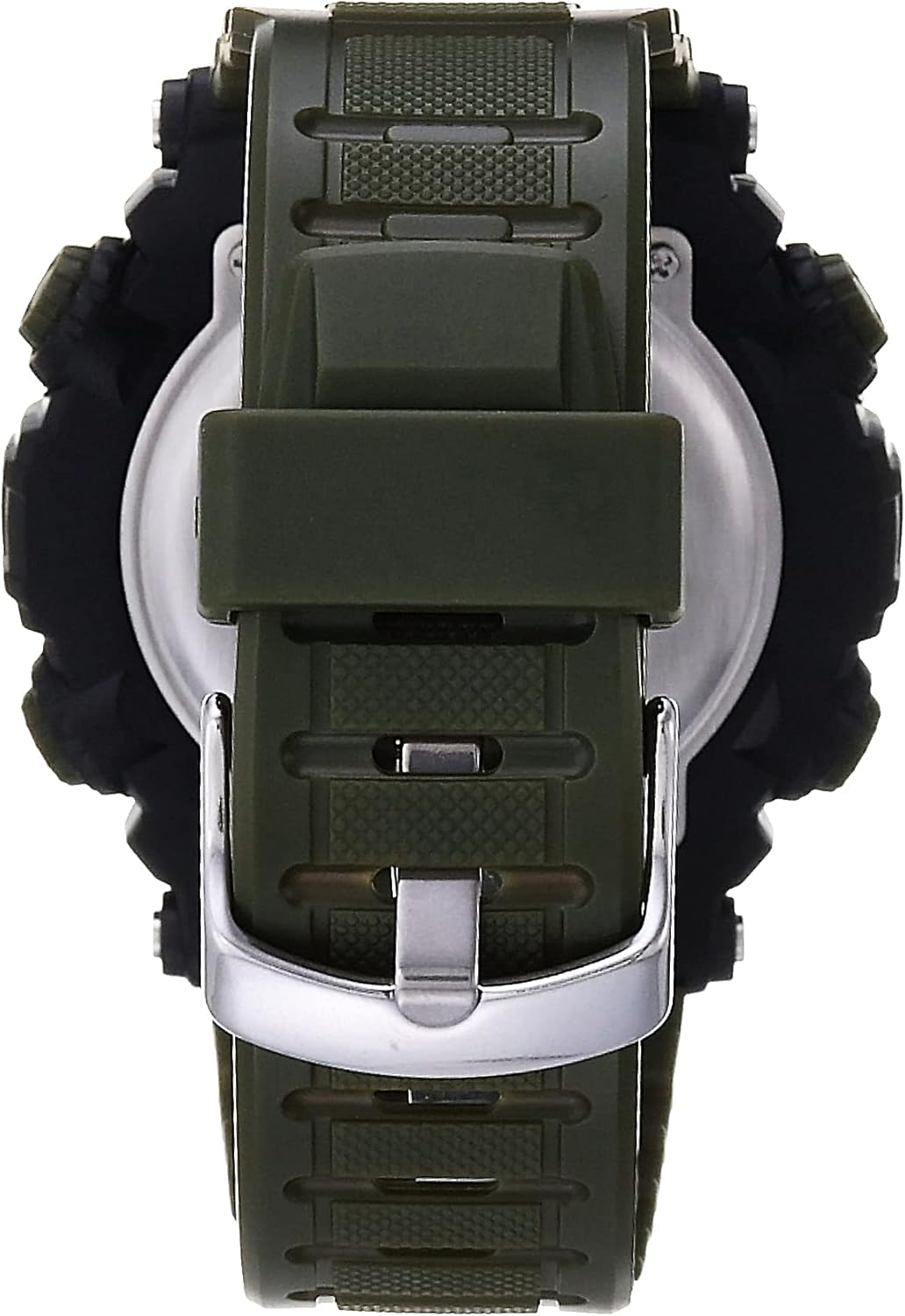
Figure 2: Side view of the watch, illustrating the placement of the control buttons.
Setup Instructions
Setting Time and Date:
- From the normal time display, press the MODE button repeatedly until the time setting mode is indicated (usually by flashing digits).
- Press the RESET button to select the digit or setting you wish to adjust (e.g., seconds, hour, minute, month, date, day of week).
- Use the ST/STP button to increase the selected value. Hold to rapidly advance.
- Once all settings are correct, press the MODE button to exit the setting mode and return to the normal time display.
12/24 Hour Format:
While in the time setting mode, pressing the ST/STP button when the hour digits are flashing will toggle between 12-hour (AM/PM) and 24-hour (military) time formats.
Operating Instructions
Using the Chronograph:
- Press the MODE button until "CHRONO" or "STW" (Stopwatch) appears on the display.
- Press ST/STP to start the chronograph.
- Press ST/STP again to stop the chronograph.
- Press RESET to clear the chronograph to zero.
- To record lap times, press RESET while the chronograph is running. The lap time will display briefly, and the chronograph will continue running in the background. Press ST/STP to stop, then RESET to clear.
Setting the Alarm:
- Press the MODE button until "ALARM" is displayed.
- Press RESET to select the hour or minute digits to adjust.
- Use ST/STP to set the desired alarm time.
- Press MODE to confirm and exit.
- To activate/deactivate the alarm, press ST/STP while in the ALARM mode. An alarm icon will appear/disappear.
Dual Time Function:
The dual time function allows you to track a second time zone. Press the MODE button until "DUAL TIME" is displayed. Use the RESET and ST/STP buttons to set the second time zone, similar to setting the main time.

Figure 3: The watch displayed on a wrist, demonstrating its size and fit.
Maintenance
Cleaning:
Wipe the watch regularly with a soft, damp cloth. Avoid using harsh chemicals, solvents, or abrasive cleaners, as these can damage the resin case and strap. If the watch comes into contact with saltwater, rinse it thoroughly with fresh water and dry it with a soft cloth.
Water Resistance:
This watch is water resistant to 330 feet (100M). This means it is suitable for showering, swimming, and snorkeling. However, it is not recommended for diving or high-impact water sports. Do not operate the buttons while the watch is submerged in water, as this can compromise the water resistance seal.
Battery Replacement:
The watch uses 1 Product Specific battery (included). When the display dims or functions become erratic, the battery may need replacement. It is recommended to have the battery replaced by a qualified watch technician to ensure the water resistance seal is properly maintained.
Troubleshooting
| Problem | Possible Cause | Solution |
|---|---|---|
| Display is blank or dim. | Low battery. | Replace battery (professional service recommended). |
| Buttons are unresponsive. | Watch may be in a locked mode or internal issue. | Try pressing all buttons to see if any function. If not, a reset may be needed (consult professional). |
| Water inside the watch. | Seal compromised or buttons pressed underwater. | Immediately take to a watch repair specialist to prevent further damage. |
| Time/Date incorrect. | Needs to be reset or adjusted. | Follow "Setting Time and Date" instructions. |
Specifications
- Model Number: 40/8284BGN
- Case Material: Resin
- Strap Material: Resin
- Display Type: Digital LCD
- Water Resistance: 330 feet (100M)
- Power Source: 1 Product Specific battery (included)
- Package Dimensions: 3.98 x 3.43 x 2.76 inches
- Item Weight: 2 ounces
- Manufacturer: Armitron Sport
- Country of Origin: China
Warranty and Support
For warranty information, product support, or service inquiries, please refer to the official Armitron website or contact their customer service department. Keep your proof of purchase for warranty claims.
You can visit the official Armitron store for more information: Armitron Store on Amazon.


