
1. Introduction
This manual provides detailed instructions for the installation, operation, and maintenance of your PINEWORLD S2-T Bluetooth Smart Door Lock. Please read this manual thoroughly before installation and use to ensure proper function and safety. Keep this manual for future reference.
2. Safety Information
- Do not attempt to disassemble or repair the lock yourself. Contact qualified personnel for service.
- Use only specified batteries (4x AAA, not included). Do not mix old and new batteries or different types of batteries.
- Ensure the lock is installed correctly according to the instructions to prevent malfunction.
- Keep mechanical keys in a safe place outside the property.
- Protect your passwords and fingerprints from unauthorized access.
3. Product Overview
The PINEWORLD S2-T Smart Door Lock integrates multiple unlocking methods and smart features for enhanced security and convenience.

Figure 3.1: Lock Components
This diagram illustrates the main components of the PINEWORLD S2-T Smart Door Lock. Key features include the USB emergency charging port, traditional keyhole, fingerprint collector for biometric access, an LCD keypad for password entry, and the battery cover requiring 4x AAA batteries (not included).
4. Features
- Multiple Unlocking Methods: Fingerprint, TUYA Bluetooth App, Password, and Mechanical Keys.
- Fast Fingerprint Recognition: 360-degree fingerprint reading for unlocking within 0.3 seconds.
- High Security: Semiconductor fingerprint recognition, virtual password function, and high-strength aluminum alloy construction.
- Emergency Power: USB charging port for emergency power supply.
- TUYA Bluetooth App Control: User management, password management, message management, security alarm, and built-in doorbell.
- Easy Installation: Designed for easy replacement of existing knobs without wiring or drilling.
- User Capacity: Supports administrator and up to 100 user settings.
5. Specifications
| Feature | Specification |
|---|---|
| Brand | PINEWORLD |
| Model | S2-T |
| Material | Aluminium |
| Colour | Silver |
| Finish Type | Polished |
| Lock Type | Electronic Lock, Key Lock |
| Special Features | Keyless |
| Power Source | 4x AAA Batteries (not included) |
| Operating Temperature | -25°C to 55°C |
| Door Thickness Compatibility | 1-3/8'' to 2-1/8'' (35mm - 55mm) |
| Adjustable Latch | 2-3/8'' (60mm) to 2-1/8'' (70mm) |
| Recommended Uses | Residential, Commercial (Indoor Use) |
6. Setup and Installation
The PINEWORLD S2-T lock is designed for straightforward installation, replacing most standard single-cylinder American door latch locks without requiring complex wiring or drilling.
6.1 Door Preparation
Ensure your door meets the following specifications:
- Door Thickness: Between 1-3/8'' to 2-1/8'' (35mm - 55mm).
- Adjustable Latch: Compatible with backsets of 2-3/8'' (60mm) or 2-1/8'' (70mm).
- Applicable for both left and right-handed doors.

Figure 6.1: Door Measurement Guide
This image provides a visual guide for measuring your door's thickness and the latch backset to ensure compatibility with the PINEWORLD S2-T lock. The door thickness should be between 35mm and 55mm, and the latch can be adjusted for 60mm or 70mm backsets.
6.2 Battery Installation
The lock requires 4x AAA batteries (not included). Open the battery cover as shown in the product overview and insert the batteries, ensuring correct polarity. Close the cover securely.
6.3 Initial Setup
Follow the instructions provided with the lock's packaging for physical installation. Once installed, refer to the operating instructions for initial programming of fingerprints and passwords.
7. Operating Instructions
The PINEWORLD S2-T offers multiple convenient ways to unlock your door.
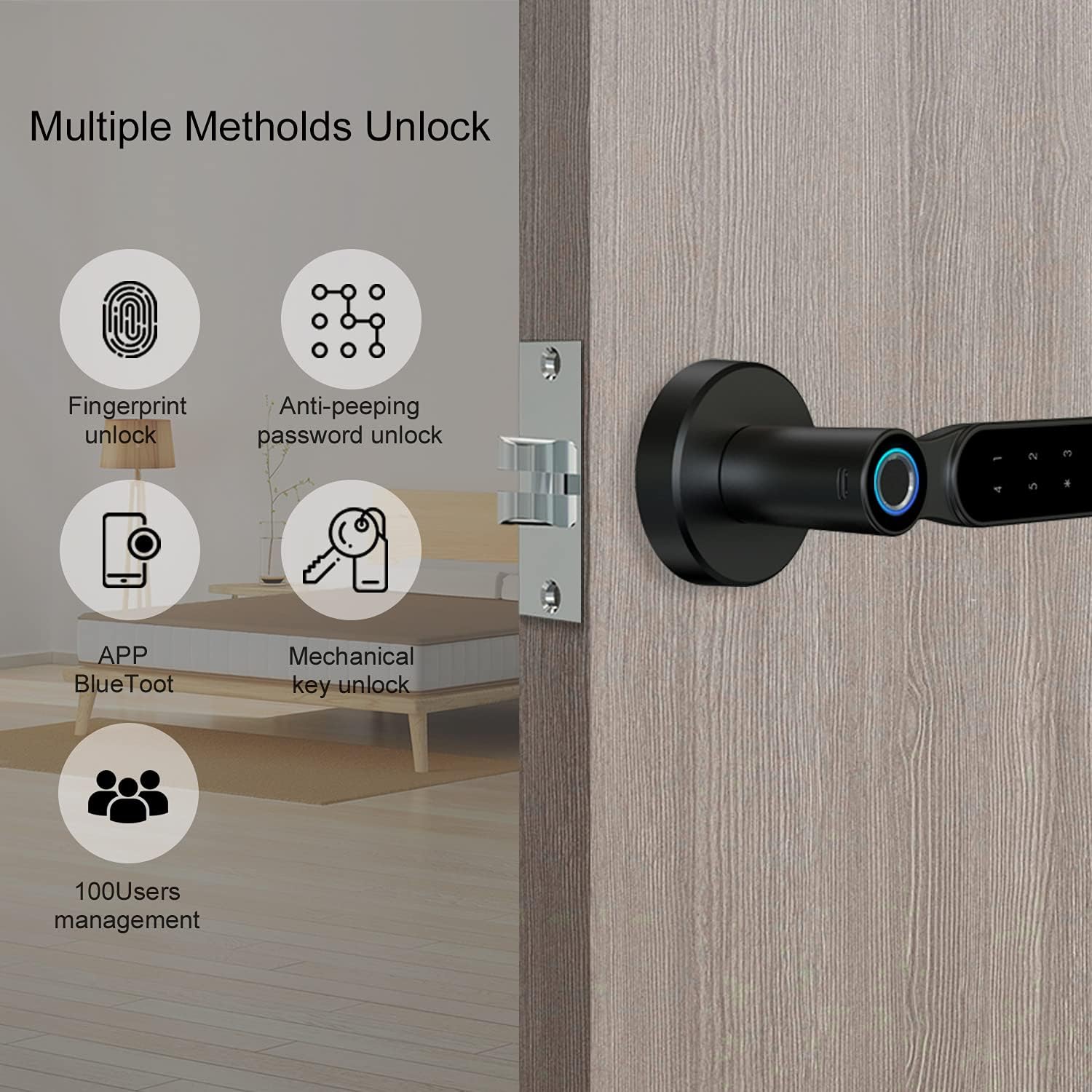
Figure 7.1: Multiple Unlocking Methods
This image highlights the four primary methods for unlocking the PINEWORLD S2-T Smart Door Lock: fingerprint recognition, anti-peeping password entry, control via the TUYA Bluetooth app, and traditional mechanical keys. The system also supports management for up to 100 users.
7.1 Fingerprint Unlocking
- Enroll Fingerprint: Access the lock's programming menu (refer to the quick start guide for specific steps). Follow the prompts to register your fingerprint by placing your finger on the fingerprint collector multiple times from different angles.
- Unlock: Place your registered finger on the fingerprint collector. The lock will unlock within 0.3 seconds if the fingerprint is recognized.
7.2 Password Unlocking
- Set Password: In the programming menu, set your desired password.
- Virtual Password Function: To enhance security, you can enter random digits before and after your actual password. For example, if your password is
123456, you can enter012345678. The lock will recognize the embedded correct sequence.

Figure 7.2: Virtual Password Feature
This image illustrates the virtual password function, a security feature that allows users to input random digits before and after their actual password. This method helps prevent others from guessing your password by observing your finger movements on the keypad.
7.3 TUYA Bluetooth App Control
- Download App: Download the TUYA Smart app from your smartphone's app store.
- Pair Lock: Follow the in-app instructions to pair your PINEWORLD S2-T lock via Bluetooth.
- App Functions: Use the app for user management (add/delete users), password management (generate temporary passwords), view message logs, activate security alarms, and utilize the built-in doorbell function.
7.4 Mechanical Key Unlocking
In case of electronic failure or depleted batteries, the lock can be opened using the provided mechanical keys. Insert the key into the keyhole and turn to unlock.
7.5 Emergency USB Charging
If the batteries are completely drained, connect a power bank to the emergency USB charging port on the lock's exterior to temporarily power the lock and gain entry using a fingerprint or password.
8. Maintenance
- Battery Replacement: Replace all four AAA batteries when the low battery indicator appears or if the lock becomes unresponsive. Always use new, high-quality batteries.
- Cleaning: Wipe the lock's surface with a soft, dry cloth. Avoid using abrasive cleaners or solvents that could damage the finish or electronic components.
- Fingerprint Sensor: Keep the fingerprint sensor clean and dry for optimal performance.
9. Troubleshooting
- Lock not responding: Check battery levels. Replace batteries if necessary. Use the emergency USB charging port or mechanical key for immediate access.
- Fingerprint not recognized: Ensure your finger is clean and dry. Re-register your fingerprint if issues persist.
- Password not working: Double-check the entered password. Ensure you are pressing '#' after the sequence. Try the virtual password method if applicable.
- App connectivity issues: Ensure Bluetooth is enabled on your smartphone and the lock is within range. Restart the app or re-pair the lock if needed.
- Lock is stuck: Do not force the handle. Use the mechanical key to unlock. If the issue persists, contact customer support.
10. Warranty and Support
PINEWORLD offers a 30-day free return and exchange policy and a one-year warranty service for the S2-T Smart Door Lock. For technical support, warranty claims, or any inquiries, please contact PINEWORLD customer service through the retailer where the product was purchased or visit the official PINEWORLD website for contact information.
11. Applicable Locations
The PINEWORLD S2-T Smart Door Lock is suitable for various indoor environments, providing secure and convenient access.

Figure 11.1: Versatile Application
This image demonstrates the PINEWORLD S2-T Smart Door Lock's suitability for various indoor settings, including residential homes (kitchens, bedrooms) and office environments, highlighting its adaptability for different personal and commercial spaces.


