
1. Introduction
Thank you for choosing the Greadio Retro Bluetooth Speaker and FM Radio. This device combines vintage design with modern audio technology, offering versatile playback options including Bluetooth, FM radio, TF card, and AUX input. This manual provides essential information for safe and optimal use of your speaker.
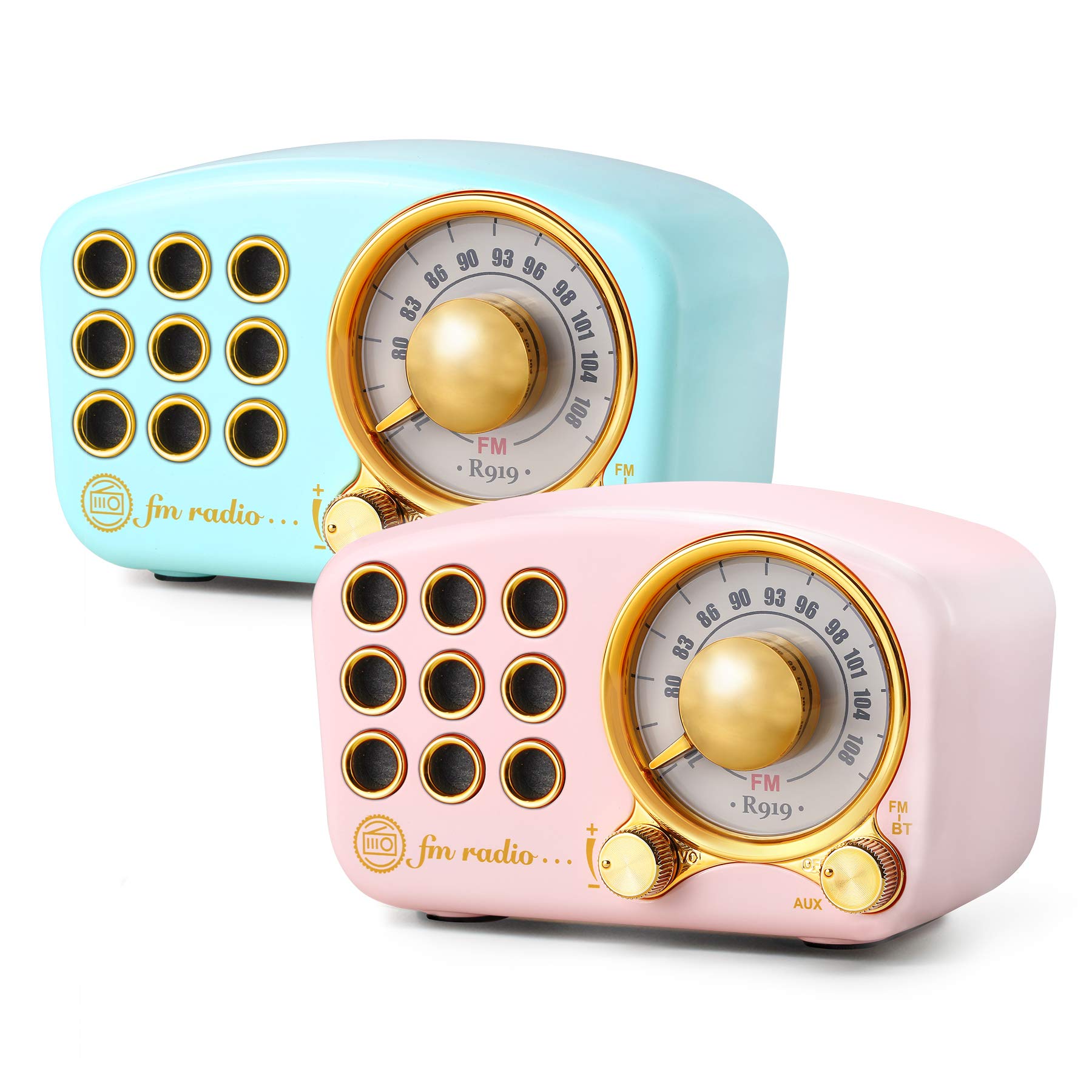
Image: The Greadio Retro Bluetooth Speaker, showcasing its compact size and retro design.
2. Package Contents
Please check the package for the following items:
- Greadio Retro Bluetooth Speaker (Main Unit)
- AUX Cord
- User Manual (This Document)
3. Device Layout
Familiarize yourself with the buttons and ports on your speaker.

Image: Front panel of the speaker, highlighting the tuning dial, mode switch, and control buttons.
Note: Specific button functions are detailed in the "Operating Instructions" section.
4. Setup
4.1 Charging the Speaker
The speaker is equipped with a built-in 1100mAh rechargeable battery. Before first use, fully charge the speaker.
- Connect the provided charging cable (not explicitly listed as included, but implied for rechargeable battery) to the speaker's charging port.
- Connect the other end of the charging cable to a USB power adapter (not included) or a computer's USB port.
- The charging indicator light will illuminate. It will turn off or change color once charging is complete.
A full charge typically provides up to 9 hours of playback time, depending on volume and usage.
4.2 Powering On/Off
- To power on: Rotate the volume knob clockwise or press and hold the power button (refer to device layout for exact control).
- To power off: Rotate the volume knob counter-clockwise until it clicks, or press and hold the power button.
5. Operating Instructions
5.1 Bluetooth Mode
The speaker uses Bluetooth 4.2 for wireless connection.
- Power on the speaker. It will automatically enter Bluetooth pairing mode, indicated by a flashing LED light.
- On your mobile device (smartphone, tablet, etc.), enable Bluetooth and search for available devices.
- Select "Greadio Speaker" (or similar name) from the list of devices.
- Once connected, the LED indicator will stop flashing and remain solid. You can now play audio from your device through the speaker.

Image: Speaker connected via Bluetooth to a smartphone, demonstrating wireless audio playback.
5.2 FM Radio Mode
Enjoy FM radio broadcasts with the built-in tuner.
- Power on the speaker.
- Switch the mode selector to "FM" (or press the Mode button until FM is selected).
- Use the tuning dial to scan for radio stations. Rotate the dial slowly to find clear signals.
- Adjust the volume using the volume knob.
Tip: For better FM reception, extend the antenna if available, or reposition the speaker.
5.3 TF Card Playback
Play MP3 audio files directly from a TF (MicroSD) card.
- Insert a TF card (up to 32GB, formatted to FAT32) with MP3 files into the TF card slot.
- Power on the speaker. The speaker should automatically switch to TF card mode or you may need to select it using the Mode button.
- Playback will begin automatically. Use the control buttons (e.g., Play/Pause, Next/Previous) to manage playback.
5.4 AUX Input Mode
Connect external audio devices using the provided AUX cord.
- Connect one end of the AUX cord to the speaker's AUX input port.
- Connect the other end of the AUX cord to the headphone jack or audio output of your external device (e.g., MP3 player, computer).
- Switch the speaker's mode selector to "AUX" (or press the Mode button until AUX is selected).
- Play audio from your external device. Adjust volume on both the speaker and the external device.
6. Maintenance
- Cleaning: Use a soft, dry cloth to clean the speaker's surface. Do not use abrasive cleaners, alcohol, or solvents.
- Storage: Store the speaker in a cool, dry place away from direct sunlight and extreme temperatures.
- Battery Care: To prolong battery life, avoid fully discharging the battery frequently. Charge the speaker regularly, even if not in use for extended periods.
- Water Exposure: This speaker is not waterproof. Avoid exposure to water or high humidity.
7. Troubleshooting
| Problem | Possible Cause | Solution |
|---|---|---|
| Speaker does not power on. | Battery is depleted. | Charge the speaker fully. |
| No sound. | Volume is too low; incorrect mode selected; device not connected properly. | Increase volume; ensure correct mode (Bluetooth, FM, TF, AUX) is selected; re-pair Bluetooth or re-connect AUX cable. |
| Bluetooth connection fails. | Speaker is too far from device; speaker not in pairing mode; interference. | Ensure speaker is within 10 meters of device; restart speaker and device; try pairing again. |
| Poor FM radio reception. | Weak signal; environmental interference. | Reposition the speaker; extend the antenna if applicable. |
8. Specifications
- Model Number: 5acc8bb8-96b8-41bc-9445-b84cbdcaadb7
- Brand: Greadio
- Dimensions (L x W x H): 4.4" x 2.7" x 2"
- Connectivity: Bluetooth 4.2, Auxiliary (AUX)
- Special Feature: Rechargeable
- Tuner Technology: FM
- Power Source: Battery Powered (Built-in 1100mAh rechargeable battery)
- Radio Bands Supported: FM
- Audio Output: 5-watt amplifier
- Playback Time: Up to 9 hours (varies with volume and usage)
- Included Components: AUX Cord
9. Warranty and Support
The Greadio Retro Bluetooth Speaker comes with a 1-year money-back warranty. Greadio also provides lifetime customer service for this product (excluding wear and tear).
For technical support, warranty claims, or any inquiries, please contact Greadio customer service through the retailer's platform or the official Greadio website.

