Victron Energy Blue Smart IP22 24V 16A Battery Charger Instruction Manual
Model: BPC241648102
Introduction
This manual provides essential information for the safe and efficient operation of your Victron Energy Blue Smart IP22 24V 16A Battery Charger. This professional battery charger is designed for a wide range of vehicles and devices, including cars, motorcycles, ATVs, RVs, boats, and yachts, and is compatible with various battery types, including Lithium and Deep Cycle batteries. It features advanced adaptive battery management and Bluetooth connectivity for monitoring and control via the VictronConnect app.
Important Safety Information
Read all instructions carefully before using the charger.
Always disconnect the AC supply before making or breaking connections to the battery.
Ensure adequate ventilation during charging to prevent accumulation of explosive gases.
Keep flames and sparks away from the battery.
The battery terminal not connected to the chassis must be connected first. The other connection must be made to the chassis, away from the battery and fuel line.
Lithium-ion batteries should only be charged at least 18 inches above the floor.
This charger is designed for indoor use.
Do not expose the charger to rain or excessive moisture.
Do not operate the charger if it has received a sharp blow, been dropped, or otherwise damaged.
Do not disassemble the charger. Refer servicing to qualified personnel.
Product Overview
The Victron Energy Blue Smart IP22 Charger is a professional battery charger with built-in Bluetooth, allowing for wireless monitoring and control. It features a microprocessor-controlled adaptive battery management system for optimized charging.
Key Features
Adaptive Battery Management: Automatically optimizes the charging process based on battery usage.
High Efficiency: Up to 94% efficiency, generating less heat compared to industry standards.
Overheating Protection: Output current reduces as temperature increases up to 50°C.
Li-ion Battery Charging: Charges Li-ion batteries with a simple bulk - absorption - float algorithm.
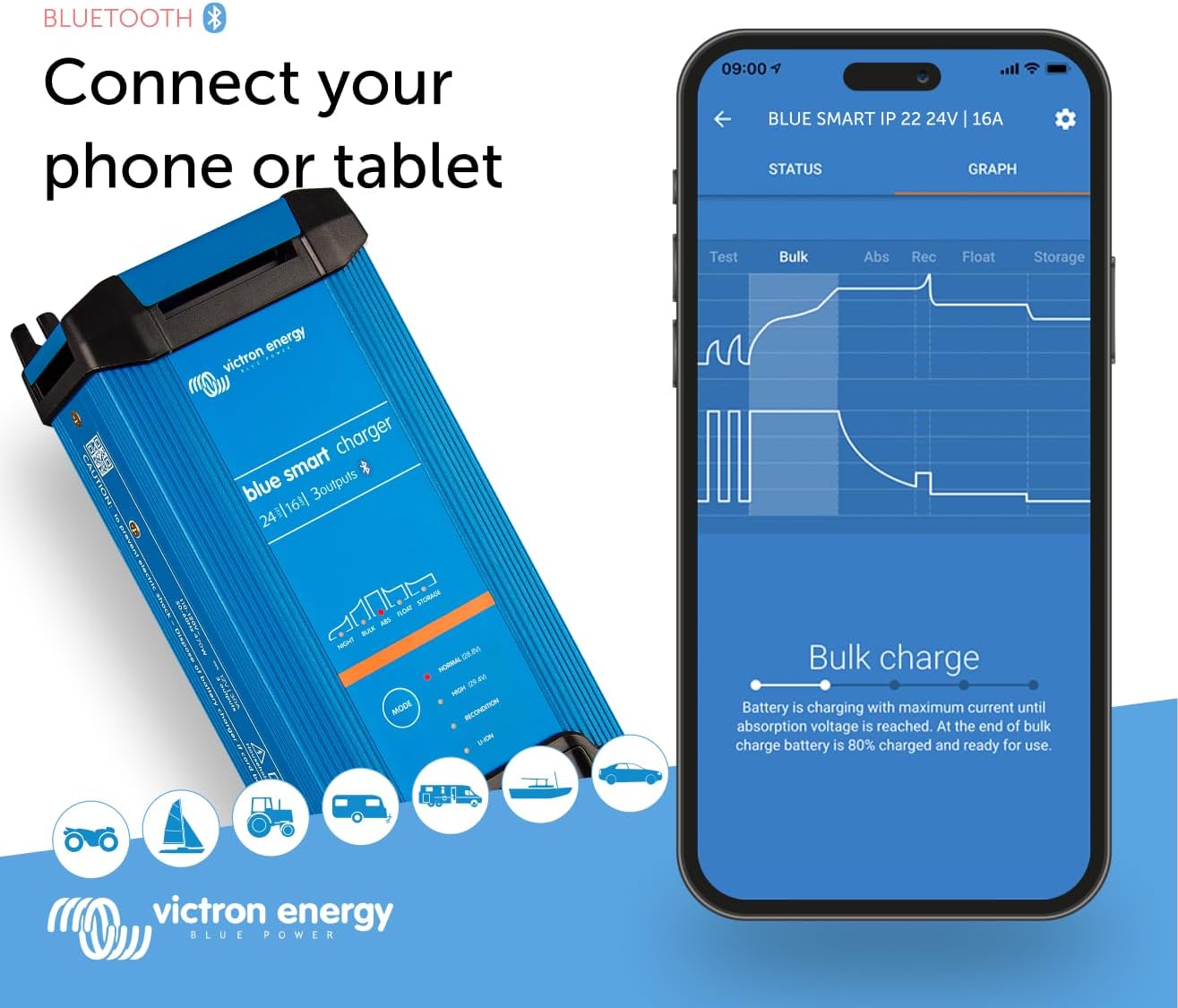
Bluetooth Connectivity: Monitor voltage, current, and change settings via the VictronConnect app.
Fully Discharged Battery Recovery: Function for lead-acid and lithium batteries.
Compact Size: Designed for easy installation in various environments.
Components
The charger unit includes the main charging device, AC input cable, and DC output cables with various connection options.
Figure 1: Victron Energy Blue Smart IP22 Charger with AC cable.
Figure 2: Charger highlighting overheating protection, showing output current reduction at 50°C.
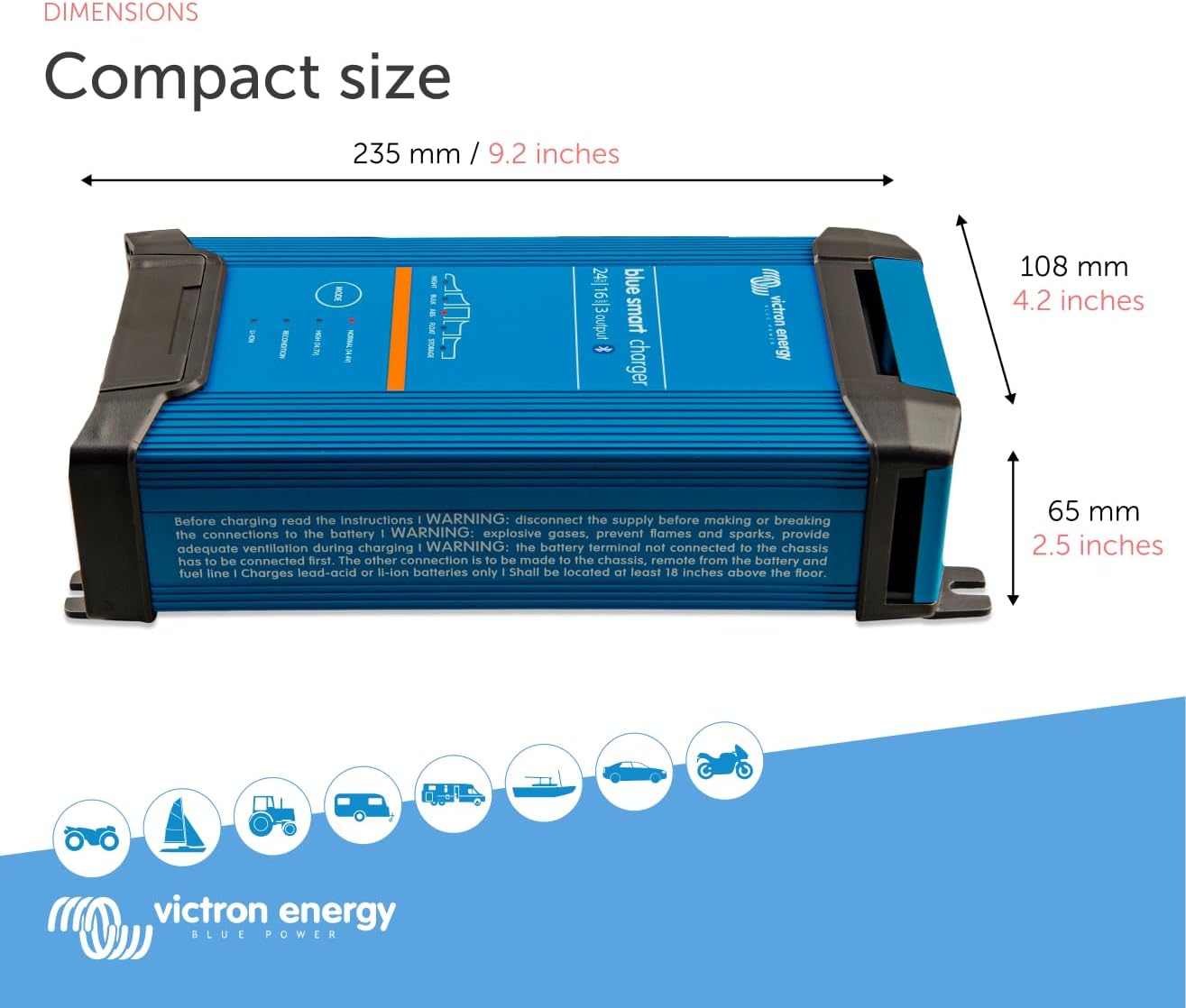
Figure 3: Dimensions of the Blue Smart IP22 Charger (235mm / 9.2 inches length, 108mm / 4.2 inches width, 65mm / 2.5 inches height).
Setup
Before connecting the charger, ensure the battery type and voltage match the charger's capabilities. The charger comes with both alligator clips and dedicated ring terminal connectors for flexible installation.
Connecting to the Battery
Ensure the charger is disconnected from the AC power supply.
Connect the positive (+) charger cable (red) to the positive (+) battery terminal.
Connect the negative (-) charger cable (black) to the negative (-) battery terminal.
For permanent installations, use the provided ring terminal connectors. For temporary connections, use the alligator clips.
Once connected, plug the AC power cord into a suitable wall outlet.
Video 1: Demonstrates how to connect a Victron Blue IP22 Smart Charger to a battery.
Video 2: Provides an overview of the Victron Energy Blue Smart IP65 Charger, including connection points.
Operating the Charger
The Blue Smart IP22 charger offers various charging modes and can be controlled directly via the mode button on the unit or through the VictronConnect app.
Charging Modes
The charger utilizes a multi-step charging algorithm to optimize battery health and lifespan.
Figure 4: Overview of Blue Smart IP22 features and charging modes.
Normal (28.8V): Recommended for most lead-acid batteries.
High (29.4V): Recommended only for specific flooded lead batteries. Use with care.
Recondition: Helps repair under-charged or sulfated lead-acid batteries.
Li-ion: Charges 25.6V LiFePO4 batteries, can even recharge from 0V in case of BMS low voltage protection.
Bulk: Battery charging with maximum current until absorption voltage is reached.
Absorption: Battery charging with a set voltage/timer, depending on charge mode.
Float: Charging with lowered voltage, keeping batteries full while passing through power to DC loads.
Storage: Keeps charged batteries healthy by reducing the charge voltage to limit tail current, corrosion, and gassing.
Night Mode: Output current drops to 50% max, making the charger silent.
Power Supply Mode: Powers DC loads without a battery.
Using the VictronConnect App
The VictronConnect app allows you to configure, monitor, and update your charger via Bluetooth.
Download the VictronConnect app from your device's app store.
Open the app and connect to your Blue Smart IP22 charger via Bluetooth.
The app displays real-time status, voltage, and current.
Navigate through the "Status," "Graph," and "History" tabs to view detailed charging data and past cycles.
Access "Settings" to customize charge presets, current limits, and advanced battery settings (e.g., absorption voltage, float voltage, low temperature cut-off).
Video 3: Demonstrates the VictronConnect App for monitoring charger performance.
Video 4: Explains the history and settings for Blue Smart Chargers within VictronConnect.
Maintenance
The Victron Energy Blue Smart IP22 charger is designed for minimal maintenance.
Keep the charger clean and free from dust and debris.
Regularly inspect cables and connections for any signs of wear or damage.
Ensure proper ventilation around the charger during operation.
For optimal battery health, ensure the correct charging profile is selected for your battery type.
Troubleshooting
If you encounter issues with your charger, refer to the following common troubleshooting steps:
Charger not turning on: Check the AC power connection and ensure the outlet is functional. Verify the charger's internal fuse (if accessible and user-serviceable).
Battery not charging: Ensure the DC connections to the battery are secure and correctly polarized (+ to +,- to -). Confirm the battery is not deeply discharged beyond recovery limits for the selected mode.
App connectivity issues: Ensure Bluetooth is enabled on your mobile device and the charger is within range. Restart the app or your device if necessary.
Overheating: Ensure the charger has adequate ventilation and is not covered. The charger will automatically reduce output current if it gets too hot.
For persistent issues, consult the full product manual available on the Victron Energy website or contact customer support.
Specifications
Feature
Value
Brand
Victron Energy
Model Name
Victron Energy Blue Smart IP22 24-Volt 16 amp 120VAC, 3 Output Battery Charger NEMA 5-15, Bluetooth
Part Number
BPC241648102
Output Voltage
24 Volts (DC)
Size
24V 16A, 3 Output
Item Weight
1.3 Kilograms
Product Dimensions (LxWxH)
9.7" x 4.3" x 2.6"
Material
Plastic
Included Components
Victron Energy Blue Smart IP22 24-Volt 16 amp 120VAC, 3 Output Battery Charger NEMA 5-15, Bluetooth
Warranty and Support
The Victron Energy Blue Smart IP22 charger comes with a manufacturer's warranty. For detailed warranty information, please refer to the documentation included with your product or visit the official Victron Energy website.
For technical support, troubleshooting assistance, or service inquiries, please contact Victron Energy customer support directly.
Victron Energy Gel and AGM Batteries Technical Datasheet Detailed technical specifications, characteristics, and charging guidelines for Victron Energy's Gel and AGM Deep Cycle and Long Life batteries. Covers VRLA technology, discharge performance, temperature effects, cycle life, and advanced charging methods like 4-step adaptive charging.
Victron Energy Blue Smart IP22 Charger 120V User Manual Comprehensive user manual for the Victron Energy Blue Smart IP22 Charger 120V, covering safety instructions, operation, features, technical specifications, and warranty information. This document provides detailed guidance for optimal use and maintenance of the battery charger.
Victron Energy MultiPlus Quick Installation Guide Concise installation guide for the Victron Energy MultiPlus 12V, 24V, and 48V 3000VA 16A 230Vac inverter/charger, detailing included and not-included components and step-by-step connection diagrams.