
1. Introduction
This manual provides essential information for the safe and efficient operation of your POWER X CHANGER UX-1K Step-Up Voltage and Frequency Converter. This device is a double conversion power converter designed to produce a stable pure sine wave voltage and frequency output. It protects your equipment from various power issues, including sags, surges, brownouts, and line noise. The common neutral topology ensures an internal connection from AC input neutral to AC output neutral, eliminating the need for an isolation transformer and reducing interference for communication or video systems.
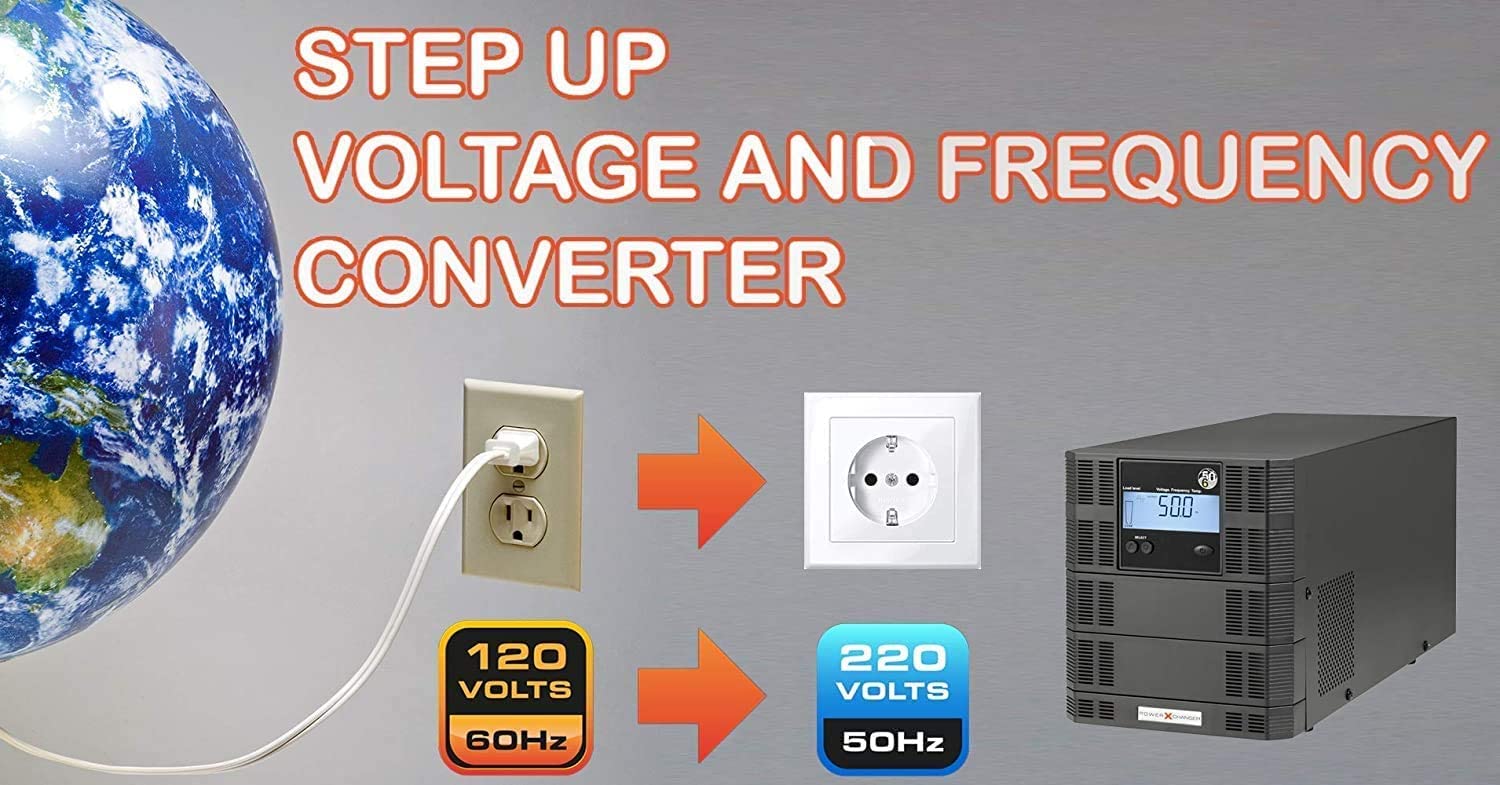
Figure 1: Conceptual diagram of the voltage and frequency conversion process.
2. Safety Information
Please read and understand all safety instructions before operating the converter. Failure to follow these instructions may result in electric shock, fire, or serious injury.
- Indoor Use Only: Install the converter in a temperature and humidity-controlled indoor area, free from conductive contaminants.
- Ventilation: Ensure adequate ventilation around the unit to prevent overheating. Do not block ventilation openings.
- Grounding: Always connect the converter to a properly grounded electrical outlet.
- Overload Protection: Do not exceed the maximum output current of 4.2 Amps (1000VA/900W model). Overloading can damage the unit and connected devices.
- Liquid Exposure: Keep the converter away from liquids. Do not operate with wet hands.
- Servicing: Refer all servicing to qualified service personnel. Do not attempt to open or repair the unit yourself.
3. Product Overview
The POWER X CHANGER UX-1K is a compact and robust step-up voltage and frequency converter. It features an intuitive LCD display and control buttons for easy configuration.
3.1 Front Panel

Figure 2: Front view of the UX-1K converter.
The front panel includes an LCD display that shows load level, output voltage, frequency, and temperature. Below the display are 'SELECT' buttons (up and down arrows) and a 'Main Control Button' (power button) for navigating menus and making selections.

Figure 3: Close-up of the LCD display and control buttons.
3.2 Rear Panel

Figure 4: Rear view of the UX-1K converter.
The rear panel features the 120V 60Hz input power cord, a circuit breaker for protection, and universal 220V 50Hz output outlets that accept various plug types.
4. Setup
Follow these steps to set up your POWER X CHANGER UX-1K converter:
- Placement: Place the converter on a stable, flat surface in a well-ventilated area. Ensure there is sufficient space around the unit for airflow.
- Input Connection: Connect the integrated 120V 60Hz input power cord from the converter to a standard 120Vac, 60Hz wall outlet.
- Output Connection: Plug your 220V 50Hz device(s) into the universal output outlets on the rear panel of the converter. Ensure the total power consumption of your connected devices does not exceed 900W (1000VA).
- Power On: Press the Main Control Button on the front panel to power on the converter. The LCD display will illuminate.
5. Operating Instructions
The UX-1K converter allows you to select the desired output voltage and frequency to match your equipment's requirements.
5.1 Changing Output Voltage and Frequency
To adjust the output voltage and frequency, use the 'SELECT' (up/down) buttons and the 'Main Control Button' on the front panel.
- Enter Configuration Mode: Press and hold both the 'SELECT' up and down buttons simultaneously until the display changes to the frequency selection screen.
- Adjust Frequency: Use the 'SELECT' up or down buttons to toggle between 50Hz and 60Hz. Holding the button longer will adjust the value more rapidly.
- Confirm Frequency: Once the desired frequency is displayed, press both 'SELECT' buttons simultaneously again to move to the voltage selection screen.
- Adjust Voltage: Use the 'SELECT' up or down buttons to cycle through available output voltages (e.g., 200V, 220V, 230V, 240V). Similar to frequency, holding the button longer will adjust the value more rapidly.
- Confirm Voltage: Press both 'SELECT' buttons simultaneously to confirm your voltage selection and exit the configuration mode. The converter will now operate at the selected output settings.
For a visual guide on how to change the voltage and frequency settings, please refer to the official video below:
Video 1: Tutorial on how to change the output voltage and frequency on the UX Series PowerXchanger.
5.2 Practical Application Example
The POWER X CHANGER UX-1K can power various devices requiring specific voltage and frequency. For instance, it can be used to operate European-made coffee machines that require 230V/50Hz power from a 120V/60Hz input source.
Video 2: Demonstration of using the voltage converter to run a European-made coffee machine.
6. Maintenance
Regular maintenance ensures the longevity and optimal performance of your converter.
- Cleaning: Keep the unit clean and free of dust. Use a soft, dry cloth for cleaning. Do not use liquid cleaners or aerosols.
- Ventilation: Periodically check that the ventilation openings are not obstructed.
- Storage: If storing the unit for an extended period, ensure it is powered off, disconnected from the power source, and stored in a cool, dry place.
7. Troubleshooting
This section addresses common issues you might encounter with your converter.
- No Power: Check the input power connection and ensure the wall outlet is functioning. Verify the circuit breaker on the rear panel is not tripped.
- Overload Alarm: If an overload alarm sounds, immediately disconnect some of the connected devices. The unit will automatically restart after an overload shutdown. Ensure the total load does not exceed the converter's capacity.
- Thermal Alarm: If a thermal alarm sounds, the unit may be overheating. Disconnect devices, power off the unit, and allow it to cool down in a well-ventilated area. Check for blocked ventilation.
- Incorrect Output: If the output voltage or frequency is incorrect, refer to Section 5.1 to reconfigure the settings.
8. Specifications
Detailed technical specifications for the POWER X CHANGER UX-1K 1000VA/900W converter:
| Feature | Specification |
|---|---|
| Model | UX-1K |
| Capacity | 1000VA/900W |
| Input Voltage Range | 100Vac - 285Vac |
| Input Frequency | 50Hz/60Hz Automatic |
| Output Voltage | 200V-220V-230V-240V (Selectable) |
| Output Frequency | 50Hz/60Hz (Selectable) |
| Output Waveform | Pure Sine Wave |
| Maximum Output Current | 4.2 Amps |
| Efficiency | Up to 90% |
| Product Dimensions (D x W x H) | 15"D x 8"W x 7"H |
| Item Weight | 14 Pounds |
| Operating Temperature | 0°C to 40°C (32°F to 104°F) |
| Safety Markings | CE, BSMI, ISO9001 |
For a visual representation of the unit's dimensions, please see the image below:

Figure 5: Dimensions of the UX-1K converter.
A comprehensive specifications table is also available:

Figure 6: Detailed specifications table.
9. Warranty and Support
For warranty information and technical support, please refer to the documentation included with your product or visit the official POWER X CHANGER website. Contact information for customer service can typically be found on the product packaging or the manufacturer's website.
