
1. Introduction
Thank you for choosing the PixelMan PMG3A Backup Camera. This camera is designed to enhance your driving safety by providing a clear, wide-angle view of the area behind your vehicle. It features a durable metal housing, advanced sensor technology for superior image quality, and a waterproof design for reliable performance in various conditions.
The PMG3A is compatible with devices that have standard RCA interfaces. It is not designed for direct connection to dash cams, mirror cams, or original car camera ports without an appropriate adapter. The camera supports NTSC video format only.

Image: The PixelMan PMG3A Backup Camera, a compact and durable camera unit.
2. Setup and Installation
Proper installation is crucial for optimal performance of your PixelMan PMG3A Backup Camera. Please follow these steps carefully.
2.1 Package Contents
Before beginning installation, ensure all components are present:
- PixelMan PMG3A Backup Camera
- Power Adapter Cable
- RCA Video Cable (approximately 26.3 ft / 8 meters)
- Angle Adjustment Gaskets
- Mounting Hardware (screws, double-sided tape, cable ties)
- Instruction Manual
2.2 Mounting the Camera
The PMG3A features a mini round design for discreet installation. A small hole (diameter 6mm) is required for mounting the camera's threaded rod.
- Choose a suitable mounting location on your vehicle, typically near the license plate or on the rear bumper, ensuring a clear view. The recommended installation area is 1.3 x 1.4 inches.
- Drill a 6mm diameter hole at the chosen location.
- Insert the camera's threaded rod through the hole.
- Use the provided angle adjustment gaskets and double-sided tape to secure the camera and set the desired viewing angle. Gaskets are included to adjust the camera's view angle downwards or upwards.
- Fasten the screw from the inside to secure the camera firmly to the car mounting surface.
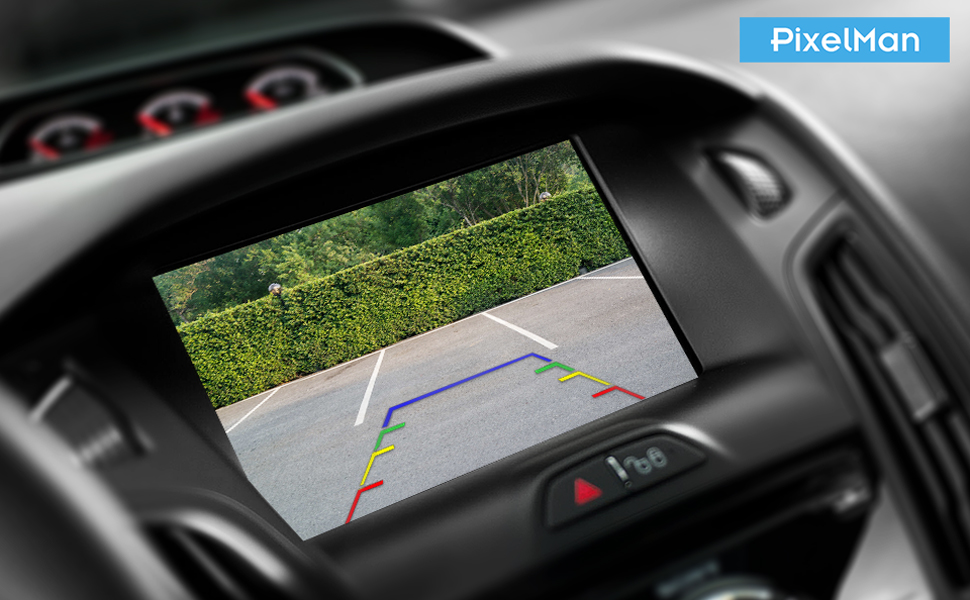
Image: Diagram illustrating the convenient installation process, showing the camera, screw, car mounting surface, angle adjustment gasket, and double-sided tape.
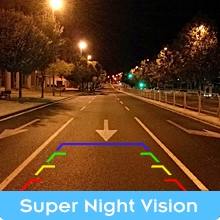
Image: Illustration showing various angle adjustment gaskets to customize the camera's viewing angle.
2.3 Wiring Connections
The camera uses a 4Pin-to-RCA connector system. The total length of the cable from the camera to the connector is approximately 30.8 ft (9.4 meters), utilizing double-shielded cable for stable signal transmission.
- Connect the camera's power adapter cable to the vehicle's reversing lamp (12V+ for positive, GND- for negative). Ensure the trigger wire is connected properly.
- Connect the RCA video cable from the camera to your car's display unit, ensuring your display has an RCA input. If your vehicle's screen does not have an RCA input, a separate RCA adapter converter may be required.
- Route all cables carefully, avoiding over-pulling or bending, which can affect stability and performance. Use cable ties to secure wiring.

Image: Diagram illustrating the connection mode, showing the power adapter, RCA wire, reversing lamp connection, and the RCA input on a car display. It also highlights that the camera cannot be connected to dash cams or mirror cams directly.
2.4 Important Compatibility Notes
- This camera is designed for 12V vehicle systems only. Do not use with 24V or higher voltage.
- The camera outputs NTSC video format. It is incompatible with PAL systems.
- This product is a backup camera only and does not include a screen or display unit.
- Direct connection to dash cams, mirror cams, or GPS units is not supported.
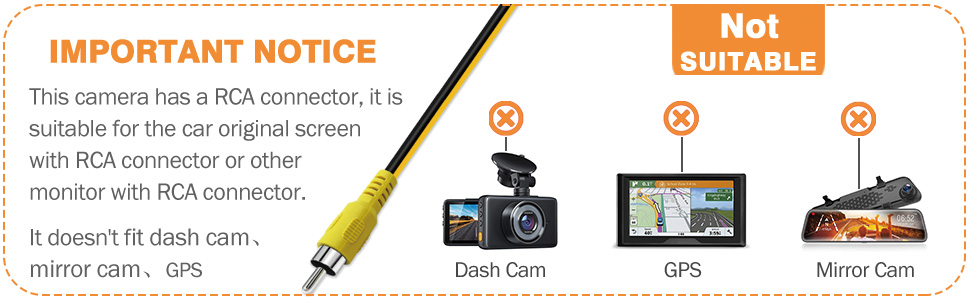
Image: An important notice graphic indicating that the camera is suitable for car screens with RCA connectors but not for dash cams, GPS devices, or mirror cams.
3. Operating Instructions
Once installed, the PixelMan PMG3A Backup Camera operates automatically when your vehicle is in reverse gear, provided it is correctly wired to the reversing lamp circuit.
3.1 Image Quality and Viewing Angle
The PMG3A utilizes a Japanese 1/2.7-inch rearview-specific sensor and a high-transmittance fisheye lens to deliver vivid, sharp images with enhanced brightness and color saturation. It provides a 170-degree wide-angle view, minimizing blind spots.
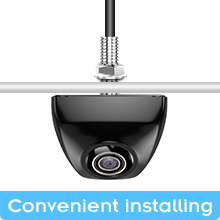
Image: Diagram comparing an ordinary 1/4 inch chip with the 1/2.7 inch photosensitive chip, highlighting improved brightness, color saturation, and clarity.
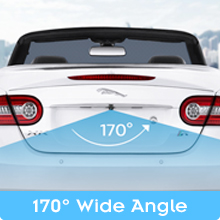
Image: A car with an overlay demonstrating the 170-degree wide-angle view provided by the backup camera.
3.2 Night Vision
The camera offers superior night vision capabilities, providing clear images even in low-light or total darkness conditions.
3.3 Automatic Adjustment
The camera features automatic adjustment to balance image quality across different lighting environments.
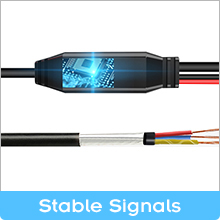
Image: Graphic showing sliders for brightness, contrast, and saturation, indicating automatic adjustment to balance image quality in varying light conditions.
3.4 Display Mode (Guideline Control)
Some camera models offer a feature to toggle parking guidelines by cutting a specific wire loop (often green). Refer to the specific wiring instructions provided with your camera for details on this function. If your head unit has customizable guidelines, you may prefer to use those instead.
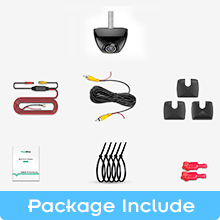
Image: Graphic showing scissors near a wire loop, indicating a feature that can be activated by cutting the wire.
4. Maintenance
The PixelMan PMG3A Backup Camera is designed for durability and requires minimal maintenance.
4.1 Waterproof Design
The camera features a solid alloy housing and is fully sealed with Nano waterproof glue, achieving an IP69 waterproof rating. This design prevents water ingress and ensures lifetime waterproof performance in all weather conditions and temperatures.
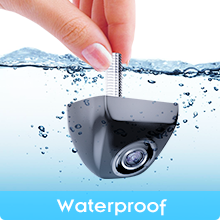
Image: Illustration showing the camera submerged in water and a close-up of the waterproof Nano glue sealing inside the metal housing, emphasizing its IP69 lifetime waterproof rating.
4.2 Cleaning
To maintain clear image quality, periodically clean the camera lens with a soft, damp cloth. Avoid using abrasive cleaners or solvents that could damage the lens or housing.
5. Troubleshooting
If you encounter issues with your PixelMan PMG3A Backup Camera, refer to the following common problems and solutions:
- Black Screen, Streaks, or Flashing: If the screen displays a black image, streaks, or flashes, it may indicate an unstable current from the reversing lamp. A 12V DC power adapter filter rectifier is required to stabilize the power supply.
- No Signal:
- Check all cable connections, ensuring they are secure and correctly plugged into the RCA input of your display unit and the vehicle's power source.
- Verify that the camera is receiving power when the vehicle is in reverse.
- Confirm your display unit is set to the correct video input channel.
- Image Upside Down or Mirrored: If the image orientation is incorrect, check if your display unit has settings to flip or mirror the image. Some cameras have a wire loop (e.g., green wire) that can be cut to change the display mode; consult your specific wiring diagram. Note that some users have reported issues with this feature.
- Poor Image Quality (Blurry, Dark, or Distorted):
- Ensure the camera lens is clean and free from dirt or obstructions.
- Verify that the camera is securely mounted and not vibrating.
- Check the display unit's settings for brightness, contrast, and color.
- Confirm that the camera is compatible with your display's resolution. The maximum output pixel of the camera is 1920 x 1080p, but the display effect is related to the screen resolution.
- Cable Length Issues: If the included cable is too short for your vehicle, an extension cable may be necessary. Ensure any extension cables are compatible with the camera's 4-pin or RCA connectors.
6. Specifications
| Feature | Specification |
|---|---|
| Brand | Pixelman |
| Model Number | PMG3A |
| Product Dimensions | 7.78"L x 4.72"W x 3.54"H |
| Item Weight | 300 Grams |
| Compatible Devices | Car screen with RCA interface |
| Installation Type | Surface Mount |
| Voltage | 12 Volts |
| Optical Sensor Technology | CMOS |
| Optical Sensor Size | 1/2.7 inch |
| Lens Type | Fisheye, Wide Angle |
| Real Angle of View | 170 Degrees |
| Field Of View | 170 Degrees |
| Connector Type | RCA |
| Video Capture Resolution | 720p (Max output 1920x1080p) |
| Display Technology | LED (referring to compatible display units) |
| Waterproof Rating | IP69 |
7. Warranty and Support
PixelMan is committed to providing high-quality products. Each PMG3A backup camera undergoes continuous working tests for 24 hours to ensure reliability.
For any questions, technical assistance, or support regarding your PixelMan PMG3A Backup Camera, please contact PixelMan customer service through the retailer where you purchased the product. Please have your product model number (PMG3A) and purchase details ready when contacting support.