
1. Introduction
Thank you for purchasing the ORIA Motion Sensor Light. This battery-powered LED night light is designed to provide convenient, automatic illumination in various areas of your home. Please read this manual carefully before installation and use to ensure proper operation and longevity of your device.
2. Package Contents
- 3 x ORIA Motion Sensor Night Light
- 6 x Screws
- 1 x Double-sided Adhesive Tape
- 1 x User Manual
3. Specifications
| Model | OUS-HY-UF75Y |
| Power Source | 3 x AAA Batteries (not included) |
| Voltage | 4.5 Volts |
| Wattage | 0.2 Watts |
| Light Source Type | LED |
| Lumen | 20lm |
| Special Feature | Motion Sensor |
| Lifespan | 20,000 hours |
| Material | Acrylonitrile Butadiene Styrene (ABS) |
| Product Dimensions | 1.04 x 2.75 x 3 inches |
| Item Weight | 5.9 ounces (per unit) |
4. Safety Information
- Do not mix old and new batteries.
- Do not mix alkaline, standard (carbon-zinc), or rechargeable (nickel-cadmium) batteries.
- Ensure batteries are inserted with correct polarity (+ and -).
- Remove batteries if the light will not be used for an extended period.
- This device is for indoor use only.
- Do not expose to water or excessive moisture.
- Keep out of reach of children.
5. Setup
5.1 Battery Installation
- Gently twist the back cover of the light counter-clockwise to open the battery compartment.
- Insert 3 AAA batteries (not included) into the compartment, ensuring correct polarity.
- Replace the back cover by aligning the marks and twisting clockwise until secure.
5.2 Mounting Options
The ORIA Motion Sensor Light offers two installation methods:

Image: Demonstrates the two installation methods: using screws for a permanent fixture or double-sided adhesive tape for a temporary, non-damaging mount.
Option 1: Screw Mounting
- Choose a desired location for the light.
- Mark the positions for the two screw holes on the mounting surface.
- Drill pilot holes if necessary.
- Secure the light to the surface using the provided screws.
Option 2: Adhesive Tape Mounting
- Clean and dry the desired mounting surface thoroughly.
- Peel off one side of the double-sided adhesive tape and apply it firmly to the back of the light.
- Peel off the other side of the tape and press the light firmly onto the mounting surface for at least 30 seconds.
- Allow 24 hours for the adhesive to fully cure before applying significant pressure.
6. Operating Instructions
The ORIA Motion Sensor Light features three operating modes: ON, OFF, and AUTO.

Image: Illustrates the light's behavior: off during daylight, activating upon motion detection, and automatically turning off after 30 seconds of no motion.
6.1 Mode Selection
Locate the switch on the side of the light to select your desired mode:
- ON: The light will remain continuously on, regardless of ambient light or motion.
- OFF: The light will remain off.
- AUTO (Motion Sensor Mode): The light will automatically turn on when motion is detected in a dark environment. It will turn off approximately 30 seconds after motion ceases.
6.2 Motion Sensor Functionality
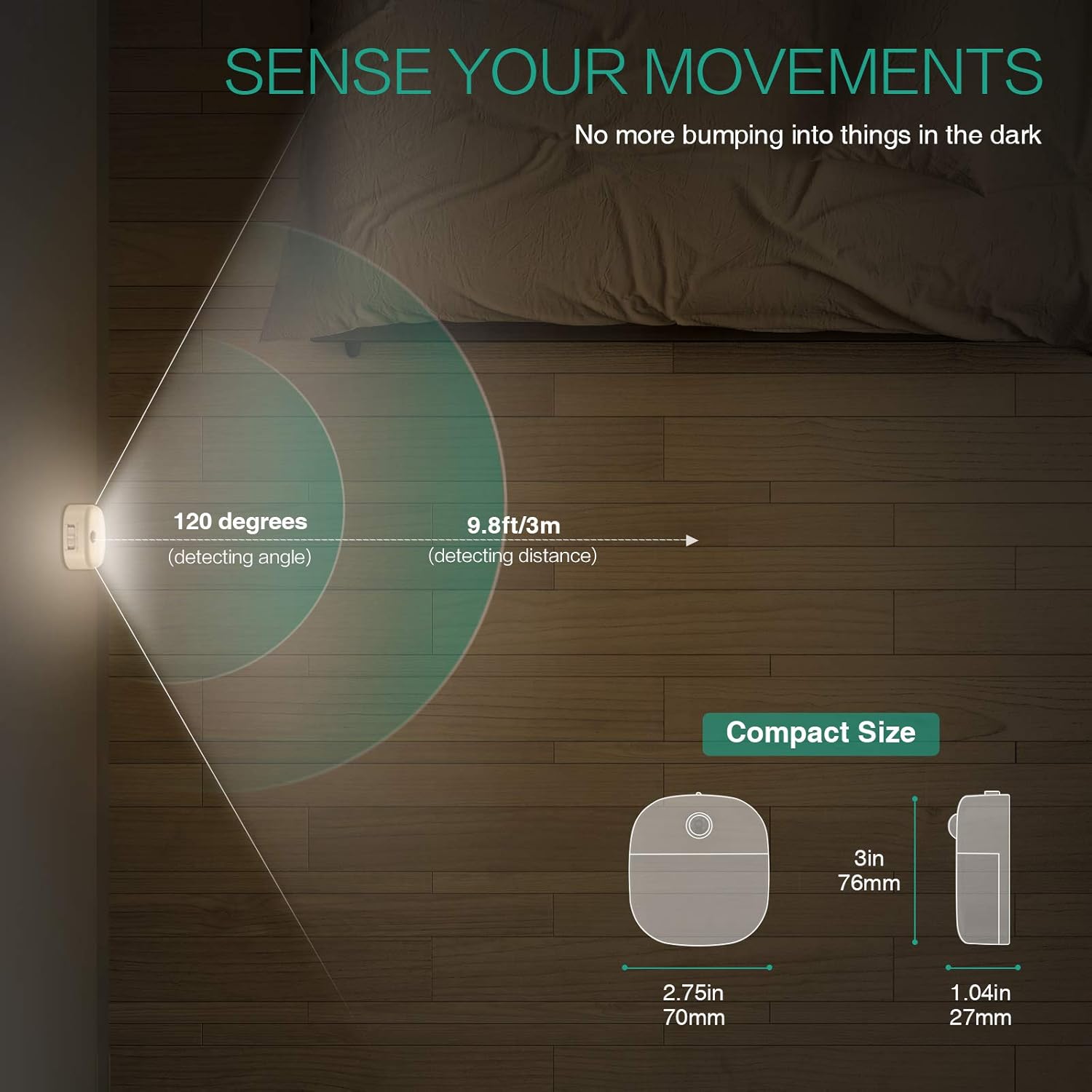
Image: A motion sensor light mounted on a wall, illuminating a staircase as a person ascends, demonstrating its practical application.
- Detection Angle: 120 degrees
- Detection Distance: Up to 9.8 ft (3 meters)
- The sensor is designed to activate only in low-light conditions to conserve battery life.
- Avoid placing the light in direct sunlight or near heat sources, as this may affect sensor performance.
Video: An official product video demonstrating the ORIA Motion Sensor Light's features, including its gentle illumination and motion detection capabilities in various settings like bookshelves and desks.
7. Maintenance
- Cleaning: Wipe the light with a soft, dry cloth. Do not use abrasive cleaners or immerse in water.
- Battery Replacement: When the light dims or fails to activate, replace all 3 AAA batteries with new ones. Ensure correct polarity.
- Sensor Care: Keep the motion sensor lens clean and unobstructed for optimal performance.
8. Troubleshooting
| Problem | Possible Cause | Solution |
|---|---|---|
| Light does not turn on. |
|
|
| Light stays on continuously (in AUTO mode). |
|
|
| Motion sensor is not sensitive. |
|
|
9. Warranty and Support
ORIA products are designed for reliability and performance. For warranty information or technical support, please refer to the contact details provided with your purchase or visit the official ORIA website.
Please retain this manual for future reference.