
1. Introduction
This manual provides detailed instructions for the proper setup, operation, and maintenance of your Retevis RA25 GMRS Mobile Radio. The RA25 is a versatile 20W long-range GMRS mobile transceiver, featuring 22 GMRS channels, 8 repeater channels, emergency alarm, and FM radio functionality. Its compact design and integrated microphone make it suitable for various applications, including farm operations, overlanding, and use as a base station.
2. What's in the Box
Upon unboxing your Retevis RA25, please ensure all the following components are present:
- 1 x RA25 GMRS Mobile radio
- 1 x Microphone & Microphone Hanger
- 1 x Mobile Bracket Fuse Non-slip mat
- 1 x One Pack of Screws
- User Manual

Image: All components included with the Retevis RA25 GMRS Mobile Radio, neatly laid out.
3. Key Features
- GMRS Mobile Radio: Features 22 GMRS channels and 8 repeater channels, compatible with other GMRS radios.
- Dual Band Receiving: Supports simultaneous reception on two different frequency bands.
- Tone Settings: CTCSS/DCS, DTMF, 2Tone, and 5Tone settings are configurable for each channel.
- Long Range Communication: High power GMRS transceiver and GMRS repeater compatibility ensure extended communication range.
- Compact and Portable Design: Mini mobile car radio with complete installation accessories, easy to install in various vehicle dashboards.
- Clear Sound: Features compander function and 0-9 levels of squelch for clear audio in noisy environments.
- FM Radio: Allows switching to FM channels for information and entertainment when not communicating.
- Convenient Power Connection: Can be connected to car power supply (mobile use) or external power supply (12-13.8V) for base station use.
- Handheld Speaker Mic: Equipped with Fun key and number keys for quick function settings, and a side PTT button for easy calls.
- Emergency Alarm: Quickly notify others in emergency situations.
- VOX Function: Voice-operated transmit for hands-free operation.
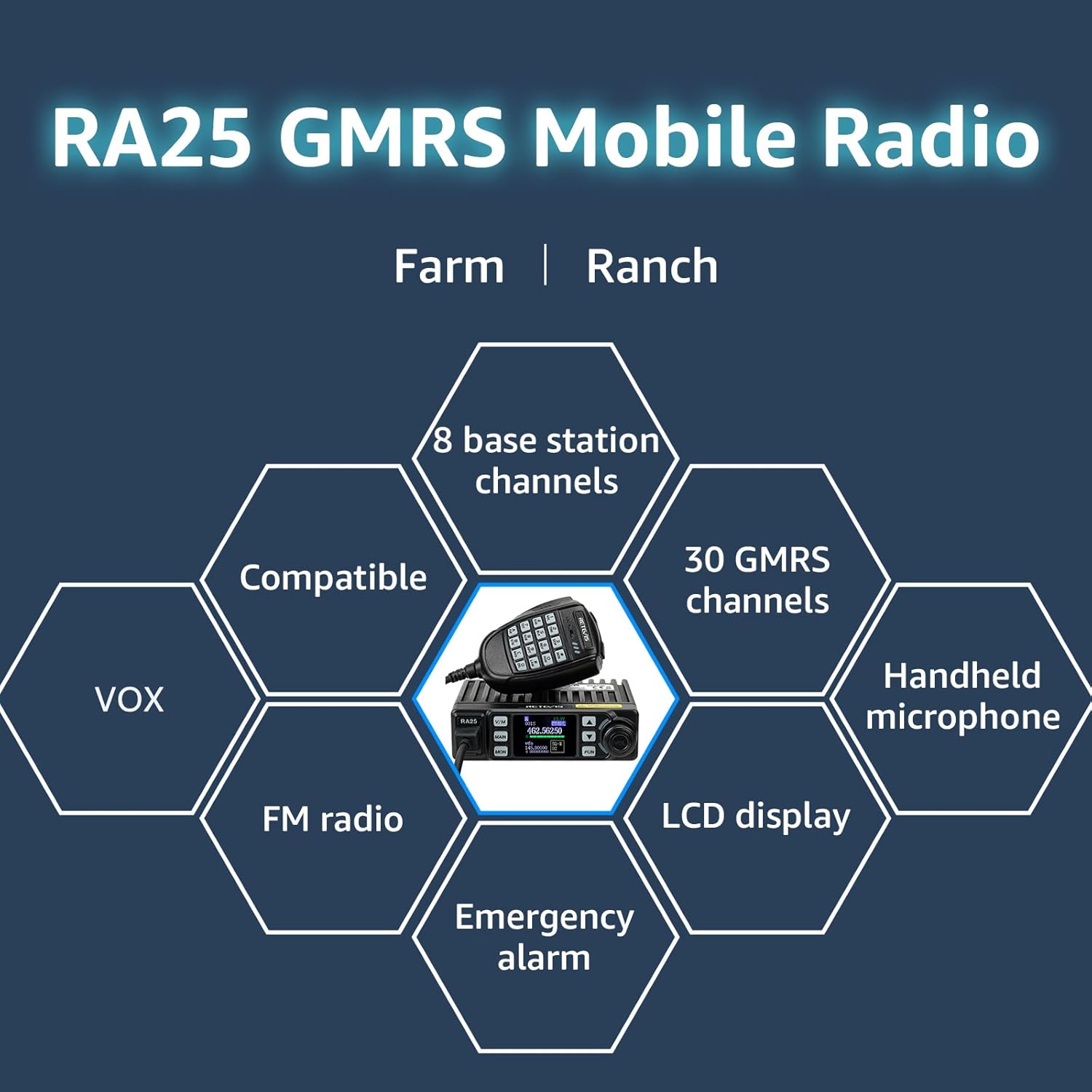
Image: Visual representation of the Retevis RA25's core functionalities.
4. Setup Guide
4.1 Initial Inspection
Before setup, verify all components are present as listed in the "What's in the Box" section. Inspect the radio and accessories for any visible damage.
4.2 Mounting the Radio
Use the provided mobile bracket and screws to securely mount the RA25 radio in your desired location, such as a vehicle dashboard or a stable surface for base station use. Ensure adequate ventilation around the heat sink fins.

Image: The Retevis RA25 radio unit and its microphone, ready for installation.
4.3 Power Connection
Connect the power cable to the radio's power input port. For mobile use, plug the cigarette lighter adapter into your vehicle's 12V power outlet. For base station use, connect the power cable to a stable 12-13.8V DC power supply.

Image: The radio's power cable with a cigarette lighter plug for mobile power.
4.4 Antenna Connection
Connect a suitable GMRS antenna to the PL-259 connector on the rear of the radio. Ensure the connection is secure to prevent signal loss and potential damage.
4.5 Microphone Connection
Plug the handheld speaker microphone into the RJ connector port on the front of the RA25 radio. The microphone provides full control over radio functions.
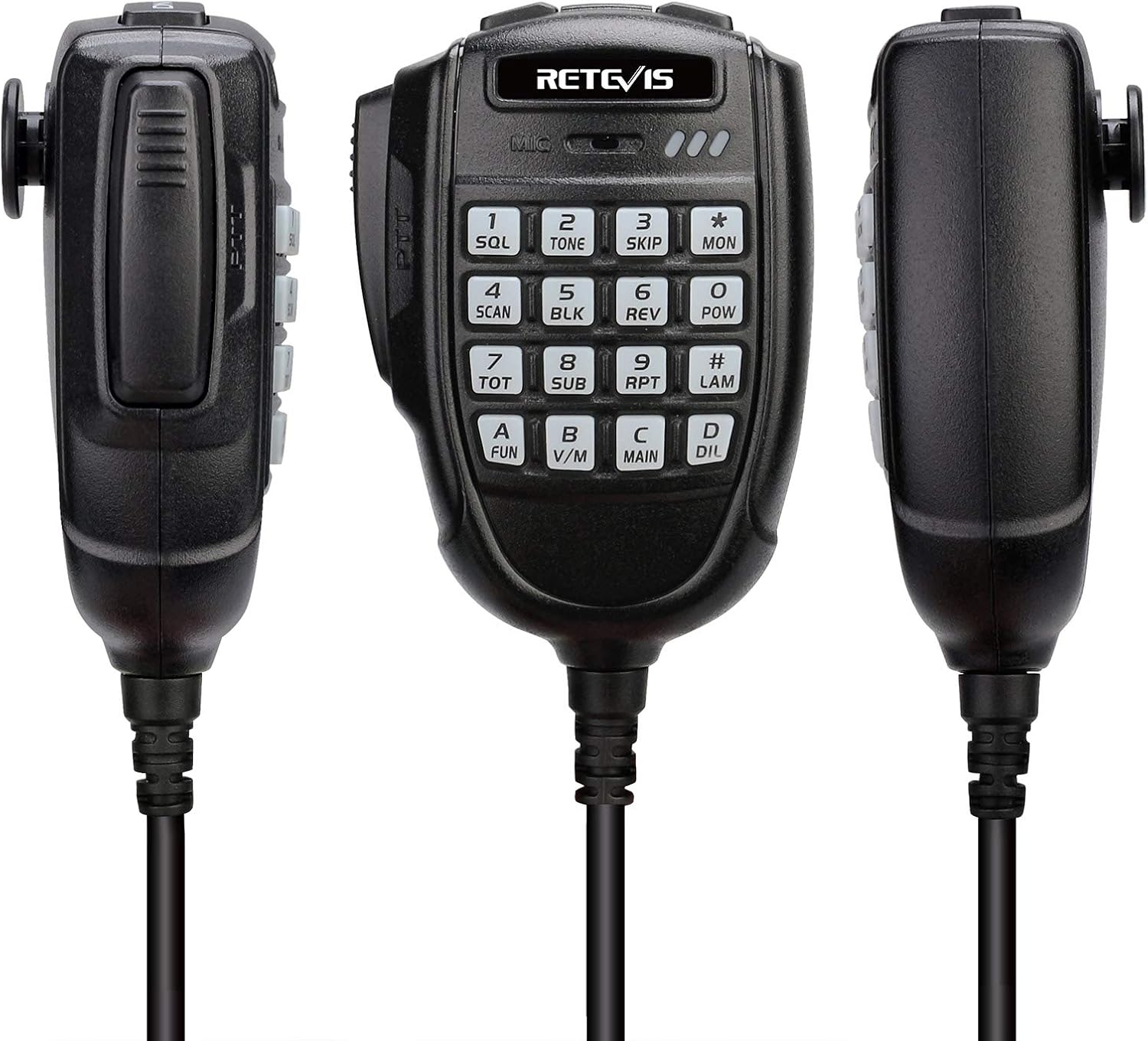
Image: Detailed views of the handheld speaker microphone.
4.6 Programming (Optional)
While basic operations can be performed directly on the radio and microphone, advanced programming (e.g., custom frequencies, tone settings) may require a programming cable connected to the microphone port and compatible software. Refer to the programming software's guide for detailed instructions.
4.7 Setup Overview Video
Video: An overview of the Retevis RA25 Mobile Car Radio, demonstrating its physical features and basic setup. (Source: Retevis Direct)
5. Operating Instructions
5.1 Powering On/Off
To power on the radio, rotate the volume knob clockwise. To power off, rotate it counter-clockwise until it clicks.
5.2 Channel/Frequency Selection
Use the V/M button to switch between VFO (Variable Frequency Oscillator) mode for direct frequency input and Memory mode for pre-programmed channels. Use the up/down arrow buttons on the radio or the microphone keypad to select channels or adjust frequencies. The 1.44-inch TFT display shows current frequency, voltage, and other settings.

Image: The radio's display showing various operational parameters.
5.3 Transmitting and Receiving
To transmit, press and hold the PTT (Push-To-Talk) button on the side of the microphone. Release the PTT button to receive. Ensure you are on an appropriate channel and have a clear signal.
5.4 Squelch Adjustment
The squelch function suppresses weak signals or background noise. Adjust the squelch level (0-9) to optimize reception clarity, especially in noisy environments. Higher squelch levels require stronger signals to open the receiver.

Image: The radio's speaker and squelch functionality for clear audio.
5.5 FM Radio Function
The RA25 includes an FM radio. Switch to FM mode to listen to broadcast radio stations. This is useful when communication is not required.
5.6 Emergency Alarm
To activate the emergency alarm, hold the MAIN key while the radio is in standby. Release it when the LCD displays "ALARM".
5.7 Operating Demonstration Video
Video: A detailed guide on how to operate the Retevis RA25 GMRS mobile radio, covering various settings and functions. (Source: Retevis Direct)
6. Maintenance
To ensure the longevity and optimal performance of your Retevis RA25 GMRS Mobile Radio, follow these maintenance guidelines:
- Cleaning: Regularly wipe the radio and microphone with a soft, dry cloth. Avoid using harsh chemicals or abrasive cleaners.
- Connections: Periodically check all cable connections (power, antenna, microphone) to ensure they are secure and free from corrosion.
- Storage: When not in use for extended periods, store the radio in a cool, dry place away from direct sunlight and extreme temperatures.
- Heat Dissipation: Ensure the heat sink fins on the radio are not obstructed to allow for proper heat dissipation during operation.
7. Troubleshooting
If you encounter issues with your Retevis RA25, refer to the following common troubleshooting steps:
- No Power: Check the power cable connection, ensure the power source (vehicle 12V or external supply) is active, and inspect the inline fuse on the power cable.
- No Reception/Transmission: Verify the antenna is securely connected. Ensure you are on the correct channel and within range of other radios. Check squelch settings.
- Poor Audio Quality: Adjust squelch levels. Check microphone connection. Ensure the compander function is set appropriately.
- Buttons Unresponsive: Check if the keypad lock function is active. Power cycle the radio.
- Display Issues: Power cycle the radio. Ensure power supply is stable.
For persistent issues not resolved by these steps, please refer to the warranty and support information provided in this manual.
8. Specifications
| Attribute | Value |
|---|---|
| Brand | Retevis |
| Model Number | RA25 |
| Item Weight | 15.8 ounces |
| Product Dimensions | 4.88 x 3.98 x 1.42 inches |
| Country of Origin | China |
| Display Type | LCD |
| Color | Black |
| Number of Channels | 30 |
| Frequency Range | GMRS: TX: 462.5500-467.7250MHz RX:462.5500-462.7250MHz, FM:86.7-108MHz |
| Talking Range Maximum | 4 Kilometers |
| Voltage | 13.8 Volts |
| Water Resistance Level | Not Water Resistant |
9. Warranty and Support
Retevis provides a 2-year warranty for the radio body and a 1-year warranty for accessories. Additionally, there is a 30-day no-reason return policy. Beyond the warranty period, maintenance services are still offered, with buyers responsible for associated costs.
For any support inquiries or warranty claims, please contact Retevis directly on Amazon. They commit to replying within 12 hours.


