
Introduction
Thank you for choosing the Cirbic Talking Scales. This digital body weight scale is designed for ease of use, featuring a clear, loud voice announcement of your weight and a large, backlit display. It is particularly beneficial for individuals with visual impairments or the elderly. Please read this manual thoroughly before use to ensure proper operation and maintenance.
Safety Information
- Always place the scale on a hard, flat, and stable surface for accurate readings. Avoid carpets or uneven floors.
- Do not use the scale on wet or slippery surfaces to prevent falls.
- Do not immerse the scale in water or use harsh chemical cleaners.
- This scale is for personal use only and not intended for commercial or medical diagnostic purposes.
- Keep out of reach of children.
- If the scale malfunctions, do not attempt to repair it yourself. Contact customer support.
Package Contents
- Cirbic Talking Scales (Black)
- User Manual
Note: 2x AAA batteries are required and not included.
Setup
1. Battery Installation
Locate the battery compartment on the underside of the scale. Open the cover and insert two (2) AAA batteries, ensuring correct polarity (+/-). Close the battery compartment cover securely.
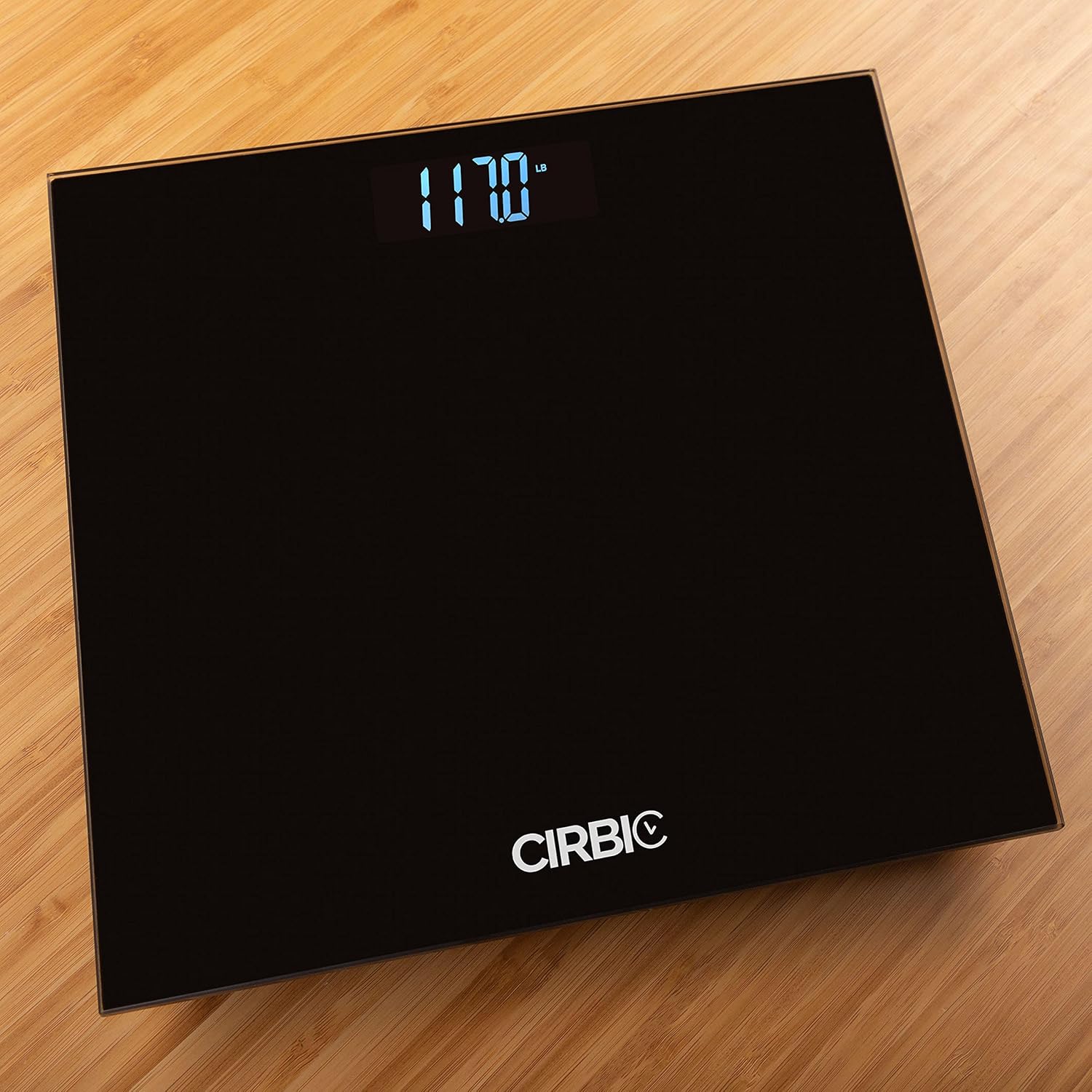
Image: The bottom of the scale with four circular feet, a speaker grille, a battery compartment, and a small switch labeled 'KG/LB'.
2. Unit Selection (Pounds/Kilograms)
On the underside of the scale, next to the battery compartment, you will find a small switch labeled 'KG/LB'. Slide this switch to select your preferred unit of measurement (pounds or kilograms).
3. Initial Calibration
Before first use or after moving the scale, it is recommended to calibrate it. Gently tap the center of the scale with your foot to turn it on. Wait for the display to show '0.0' and then turn off automatically. The scale is now calibrated and ready for use.
Operating Instructions
1. Taking a Measurement
- Place the scale on a hard, flat surface.
- Step onto the scale with bare feet, standing still and centered.
- The scale will automatically turn on, display your weight, and announce it clearly in a North American male accent.
- Step off the scale. The display will remain on for a few seconds before automatically turning off.

Image: The top surface of the black scale showing a digital display with '117.0 lb' illuminated in blue. The Cirbic logo is visible at the bottom.
2. Voice Announcement Feature
The scale is equipped with a loud and clear voice announcement feature, stating your weight in your selected unit. This is ideal for users who may have difficulty reading the display.
3. Backlit Display
The large LCD display features a bright backlight, ensuring your weight is easily visible even in low-light conditions.
Video: A demonstration of the Cirbic Talking Scales in use, showing a person stepping on the scale and the weight being announced and displayed. This video highlights the clear voice and large numbers for visually impaired users.
Maintenance
Cleaning
Wipe the scale with a slightly damp cloth. Do not use abrasive cleaners or immerse the scale in water. Keep the scale dry.
Storage
Store the scale in a cool, dry place. Avoid extreme temperatures and direct sunlight.
Battery Replacement
If the display shows 'Lo' or the voice announcement becomes unclear, it's time to replace the batteries. Follow the battery installation steps in the 'Setup' section.
Troubleshooting
- No Display/Voice: Check battery installation and replace if necessary. Ensure the scale is on a flat surface.
- Inaccurate Readings: Ensure the scale is on a hard, flat, and stable surface. Perform initial calibration (step on, wait for '0.0', step off). Avoid moving the scale between measurements.
- 'Lo' on Display: Batteries are low and need to be replaced.
- 'Err' on Display: Indicates an overload (weight exceeds 397 lbs / 180 kg) or an error during measurement. Step off the scale and try again.
Specifications
| Brand | Cirbic |
| Model | B08NWFTVG6 |
| Color | Black |
| Dimensions | 11" x 11" (approx.) |
| Weight Range | 6.6 lbs to 397 lbs (3 kg to 180 kg) |
| Material | Durable 6mm thick tempered glass |
| Power Source | 2x AAA Batteries (not included) |
| Display Type | Backlit LCD |
| Special Features | Voice Announcement, Large Numbers, Auto On/Off |

Image: A side view of the black scale, highlighting its thin profile and the green tint of the tempered glass edge.
Warranty
This Cirbic Talking Scale comes with a 1-year limited warranty from the date of purchase. This warranty covers manufacturing defects under normal use. It does not cover damage caused by misuse, accidents, unauthorized modifications, or failure to follow the instructions in this manual. Please retain your proof of purchase for warranty claims.
Support
For technical support, warranty claims, or any questions regarding your Cirbic Talking Scales, please contact our customer service team. Refer to the contact information provided with your product packaging or visit the official Cirbic website for assistance.