1. Introduction and Overview
The Hagibis Portable TV Dock (Model SWC01) is a compact and lightweight docking station designed to replace the official Nintendo Switch dock. It allows users to connect their Nintendo Switch, Nintendo Switch OLED, MacBook Pro Air, and other compatible USB-C devices to an external display (TV, monitor, projector) via HDMI, while also providing a USB 3.0 port for peripherals and a Power Delivery (PD) charging port. Its small size makes it ideal for travel and portable use.
2. Product Features
- Compact and Portable Design: Weighing only 72g (2.5oz), this dock is significantly smaller and lighter than the official Nintendo Switch dock, making it easy to carry in a pocket or travel bag.
- High Resolution Output: Supports video resolution up to 4K (3840*2160P/30HZ) for compatible devices. Note: The Nintendo Switch itself supports a maximum output of 1080P.
- Multi-functional Ports: Equipped with a 4K HDMI port for video output, a USB 3.0 port for data transfer (up to 5Gbps), and a 100W Power Delivery (PD) charging port, allowing simultaneous expansion and charging.
- Plug and Play: No additional drivers are required for operation.
- Color Options: Available in various colors to match your device.
3. Package Contents
The Hagibis Portable TV Dock package typically includes:
- Hagibis Portable TV Dock (Model SWC01)
- User Manual
- Product Warranty Card
Note: HDMI cables and external power adapters are generally not included and must be purchased separately.

Image: Hagibis Switch Dock packaging showing the product, user guide, and warranty card.
4. Setup Instructions
Follow these steps to set up your Hagibis Portable TV Dock:
- Connect Power: Plug a compatible USB-C Power Delivery (PD) charger (recommended 39W or higher, such as the original Switch charger) into the PD port on the Hagibis dock.
- Connect to Display: Connect one end of an HDMI cable (not included) to the HDMI port on the Hagibis dock and the other end to an HDMI input on your TV, monitor, or projector.
- Connect Device: Plug the integrated USB-C cable from the Hagibis dock into the USB-C port of your Nintendo Switch (or other compatible device).
- Select Input: Switch your display to the correct HDMI input source.
Important Note:
- An external power source is required for the Nintendo Switch to enter TV mode or for Samsung DEX mode.
- Ensure the power adapter used is 39W or greater for optimal performance with the Nintendo Switch.
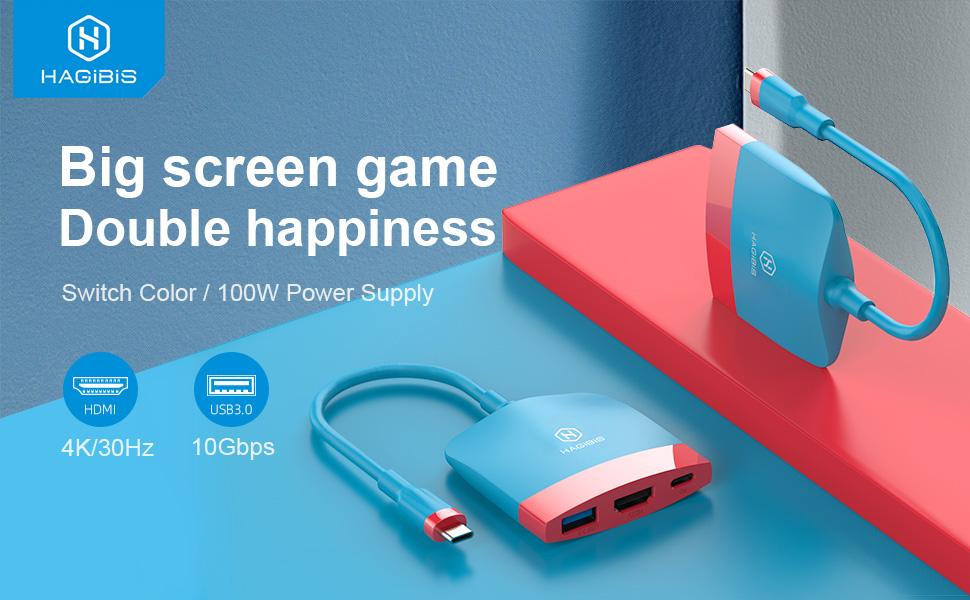
Image: Hagibis Switch Dock with USB 3.0, HDMI, and Power Delivery ports.
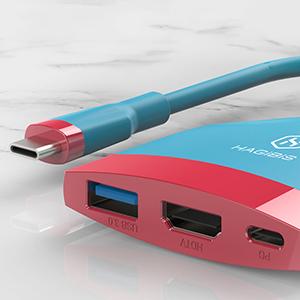
Image: Hagibis Switch Dock connected to a Nintendo Switch and TV in multiplayer mode.
Video: Demonstrates connecting the Hagibis TV docking station to a Nintendo Switch and TV.
5. Operating Instructions
Once connected, your device should automatically switch to display mode on the external screen. For Nintendo Switch, this will activate TV mode.
- TV Mode: The Nintendo Switch screen will turn off, and the game will be displayed on the connected TV or monitor. You can then use your Joy-Cons or other compatible controllers to play.
- Charging: The Power Delivery port will charge your connected device while it is in use.
- USB 3.0 Port: Use the USB 3.0 port to connect external peripherals such as wired controllers, USB drives, or other accessories.
- Samsung DEX Mode: For compatible Samsung phones, the dock can enable Samsung DEX mode, providing a desktop-like experience on the external display.
Video: Shows the Switch 2 Dock for Nintendo Switch in TV Mode, demonstrating its functionality.
Video: Overview of the Hagibis Switch Dock for Nintendo Switch & Switch OLED, highlighting its features and use.
6. Compatibility
The Hagibis Portable TV Dock is compatible with a wide range of devices that support USB-C video output and Power Delivery. This includes, but is not limited to:
- Gaming Consoles: Nintendo Switch, Nintendo Switch OLED
- Laptops: MacBook 12-inch, MacBook Pro, MacBook Air, MateBook series, Honor MagicBook, Xiaomi Pro/Air, HP Spectre/Pavilion/EliteBook, ASUS G3/G5/G7/U306/U4100UN/ROG, Dell G3/G5/G7/5000/7000/XPS/Inspiron, Lenovo IdeaPad/Yoga/ThinkPad, Samsung NoteBook/GalaxyBook, Google ChromeBook, Razer Blade Stealth, Microsoft Surface Laptop/Pro/Book.
- Smartphones: Huawei P40/P30/P20/Mate series, Samsung S20/S10/S9/S8/Note series, Honor Note/V20, Microsoft 950XL, OPPO R17 Pro, LG FGF700/V300L, OnePlus 7 Pro/7T/7T Pro, Smartisan R1/Pro 2S, BlackShark 2, ZTE Axon 9/Axon 9 Pro.
- Tablets: Apple 11/12.9 inch iPad Pro 2018/2020, Huawei MatePad Pro/M6 10.8.
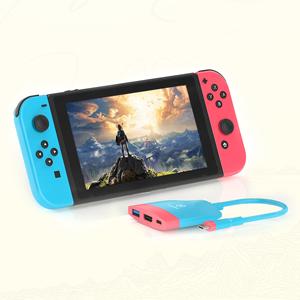
Image: Compatibility chart for Hagibis Switch Dock with various computers, phones, and tablets.
7. Troubleshooting
If you encounter issues while using the Hagibis Portable TV Dock, consider the following:
- No Display Output: Ensure all cables (power, HDMI, USB-C to device) are securely connected. Verify that your external display is set to the correct HDMI input.
- Power Requirements: Confirm that an external power source is connected to the dock's PD port. For Nintendo Switch, a charger with an output of 39W or greater is recommended. Using an underpowered charger may prevent TV mode from activating.
- Intermittent Connection: If the display signal is unstable or intermittent, try unplugging and re-plugging all cables, including the power adapter, HDMI cable, and the USB-C connection to your device.
- Audio Issues (Android Devices): Some Android devices may experience incorrect audio output when connected via this adapter. This is often a device-specific compatibility issue rather than a defect with the dock.
- Device Compatibility: Ensure your device supports video output over its USB-C port. Not all USB-C ports support this functionality.
8. Specifications
- Model Number: SWC01
- Product Dimensions: 2.44 x 2.44 x 0.55 inches
- Item Weight: 2.47 ounces
- Hardware Interface: HDMI, USB 3.0, USB Type C (Power Delivery)
- Special Features: Fast Charging, Fast Data Transfer, Lightweight, Plug and Play, Portable
- Manufacturer: Shanghai Xinxie Industrial Co., Ltd.
- Date First Available: November 19, 2020
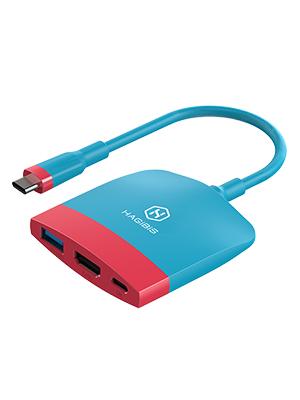
Image: Hagibis Switch Dock dimensions and specifications.
9. Warranty and Support
Your Hagibis Portable TV Dock comes with a product warranty. Please refer to the included Warranty Card in your package for details regarding warranty coverage, terms, and conditions.
For technical assistance, troubleshooting, or warranty claims, please contact Hagibis customer support through the retailer where the product was purchased or visit the official Hagibis website for support information.


