1. Introduction
This manual provides instructions for the UGREEN USB C to 3.5mm Audio Adapter. This adapter allows you to connect USB-C enabled devices to audio equipment with a 3.5mm auxiliary input, such as headphones, car stereos, and speakers. It features an advanced DAC chip for high-fidelity audio transmission and a durable design.
2. Safety Information
- Do not expose the adapter to extreme temperatures or humidity.
- Avoid dropping or subjecting the adapter to strong impacts.
- Keep out of reach of children.
- Do not attempt to disassemble or modify the adapter.
3. Package Contents
- 1 x UGREEN USB C to 3.5mm Audio Adapter (Model 20192)
4. Product Overview
The UGREEN USB C to 3.5mm Audio Adapter is designed for seamless audio connectivity. It features a USB-C connector on one end and a 3.5mm audio jack on the other, encased in durable aluminum alloy and a braided cable for enhanced longevity.
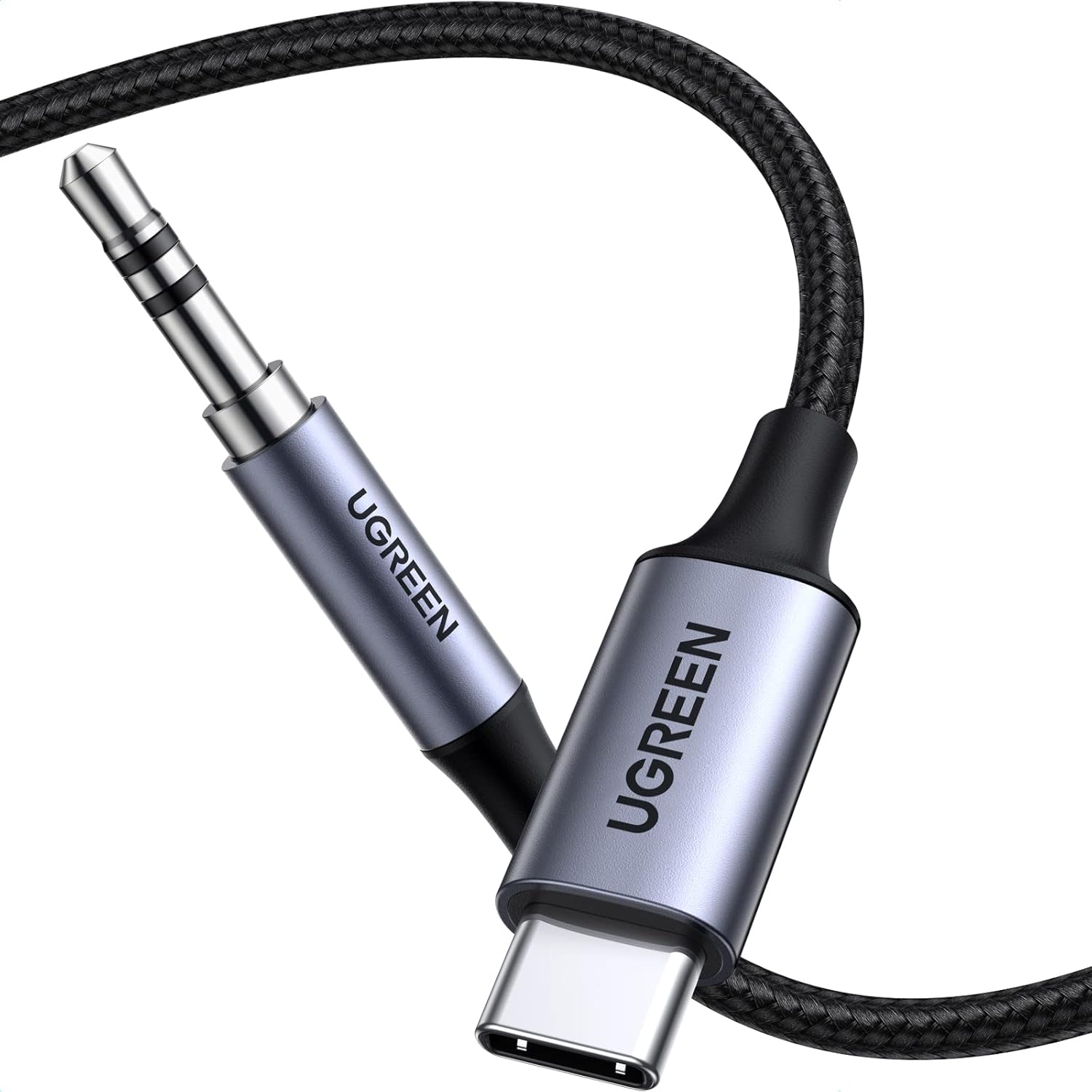
Image: The UGREEN USB C to 3.5mm Audio Adapter, showcasing its USB-C and 3.5mm connectors.

Image: Diagram illustrating the multi-shielding layers of the cable, including nylon braided, aluminum foil, TPE jacket, copper shielding, and braid for stable transmission.

Image: Visual representation of the adapter's robust and durable features, including an aluminum alloy case, 30,000+ bending lifespan, and strain relief design.
5. Setup
The UGREEN USB C to 3.5mm Audio Adapter is designed for plug-and-play functionality, requiring no drivers or additional software installation.
- Connect to USB-C Device: Insert the USB-C connector of the adapter into the USB-C port of your smartphone, tablet, laptop, or other compatible device.
- Connect to Audio Device: Insert the 3.5mm audio jack into the auxiliary input of your headphones, car stereo, or speaker.

Image: A smartphone connected to a car's AUX input using the UGREEN USB C to 3.5mm Audio Adapter, enabling music and navigation audio.

Image: A person enjoying music with headphones connected to a smartphone via the UGREEN USB C to 3.5mm Audio Adapter.
6. Operating Instructions
Once connected, your audio will automatically be routed through the adapter to your connected audio device. Adjust volume and playback directly from your USB-C device.
- Audio Playback: Start playing audio on your USB-C device. The sound will be transmitted to the connected 3.5mm audio device.
- Volume Control: Use the volume controls on your USB-C device or the connected audio device (if available) to adjust the sound level.
- Note: This adapter only supports audio transmission. It does not support charging or data transfer.
Video: Demonstrates the UGREEN USB C to Aux Cable for iPhone 15, highlighting its features and ease of use for audio playback.
Video: Showcases the UGREEN USB C Aux Cord as a companion for car audio systems, demonstrating connection and music playback.
7. Compatibility
This adapter is compatible with a wide range of USB-C devices and 3.5mm audio devices. Please refer to the list below for common compatible devices:

Image: A chart detailing the wide compatibility of the UGREEN USB C to 3.5mm Audio Adapter with various smartphones, tablets, gaming consoles, and audio output devices.
- USB-C Devices: iPhone 15/16/17 series (Pro Max/Pro/Plus/Air), Samsung Galaxy S20/S21/S22/S23/S24/S25 series (Ultra/Plus), Google Pixel 6/7/8/9/10 series (Pro/Pro XL/Pro Fold), iPad mini/Pro/Air (2024 models), iMac, MacBook Pro/Air, PS5, Switch 2.
- 3.5mm Audio Devices: Headphones, Speakers, Car Stereos, Soundbars.
- Note: Does not support AirPods Max. Only supports audio transmission for USB-C input devices to 3.5mm output devices.
8. Maintenance
- Clean the adapter with a soft, dry cloth.
- Avoid using harsh chemicals or abrasive cleaners.
- Store the adapter in a cool, dry place when not in use.
9. Troubleshooting
- No Sound:
- Ensure both the USB-C connector and the 3.5mm jack are fully inserted into their respective ports.
- Check the volume levels on both your USB-C device and the connected audio device.
- Verify that your USB-C device supports audio output via its USB-C port.
- Test with different headphones or speakers to rule out issues with the audio output device.
- Distorted Sound:
- Ensure the connections are secure.
- Lower the volume on your USB-C device or the audio device.
- Test with different audio files or streaming services.
- Adapter Not Recognized:
- Restart your USB-C device.
- Try connecting the adapter to a different USB-C port if available.
10. Specifications
| Feature | Specification |
|---|---|
| Brand | UGREEN |
| Model Number | 20192 |
| Connector Type | USB Type C, 3.5mm |
| Cable Type | USB C to 3.5mm Audio Adapter |
| Special Feature | Braided |
| Color | Grey |
| Connector Gender | Male-to-Male |
| Data Transfer Rate | 48 KHz |
| Frequency | 96 KHz |
| Item Weight | 0.705 ounces (20 Grams) |
| Product Dimensions | 78.74 x 0.47 x 0.2 inches |
| Outer Material | Fabric |
11. Warranty and Support
UGREEN products are designed to meet high-quality standards. For warranty information and customer support, please refer to the official UGREEN website or contact their customer service directly. Keep your purchase receipt for warranty claims.


