
1. Product Overview
The YOUSHARES MV7 Shock Mount is specifically engineered to enhance the audio quality of your Shure MV7 USB Podcast Microphone by effectively isolating it from unwanted vibrations and mechanical noise. This accessory is crucial for achieving clear, professional-grade recordings by minimizing disturbances such as desk bumps, floor tapping, and boom arm adjustments.
Key Features:
- Professional Vibration Reduction: Designed to isolate the MV7 microphone from buzzing noise and vibrations, including those from desk movements or handling the boom arm.
- Boom Arm Compatibility: Features a double-size thread design (3/8" and 5/8") for direct compatibility with most standard boom arms, eliminating the need for additional adapters.
- Compact and Streamlined Design: Lighter and smaller than many alternatives, offering a sleek aesthetic for any recording setup.
- Exquisite Design Details: Includes a rubber mat between the metal bolt and microphone attachment to prevent scratches and ensure a secure fit.

Image: A visual comparison illustrating the compact design of the YOUSHARES MV7 Shock Mount.
2. Package Contents
- 1 x YOUSHARES MV7 Shock Mount
Note: The Shure MV7 Microphone and Microphone Stand are not included and must be purchased separately.
3. Setup Instructions
Follow these steps to properly set up your YOUSHARES MV7 Shock Mount:
- Attach the Clamp to Your Desk: Secure the desk clamp component of your boom arm to a sturdy surface. Ensure the desk thickness is compatible (up to 2.25 inches or 5.7 cm). Tighten the clamp securely to prevent movement.

Image: The desk clamp component of a microphone boom arm.
- Insert the Boom Arm: Once the clamp is secure, insert the base of the boom arm into the designated slot on the clamp. Tighten the knob on the clamp to firmly hold the boom arm in place.
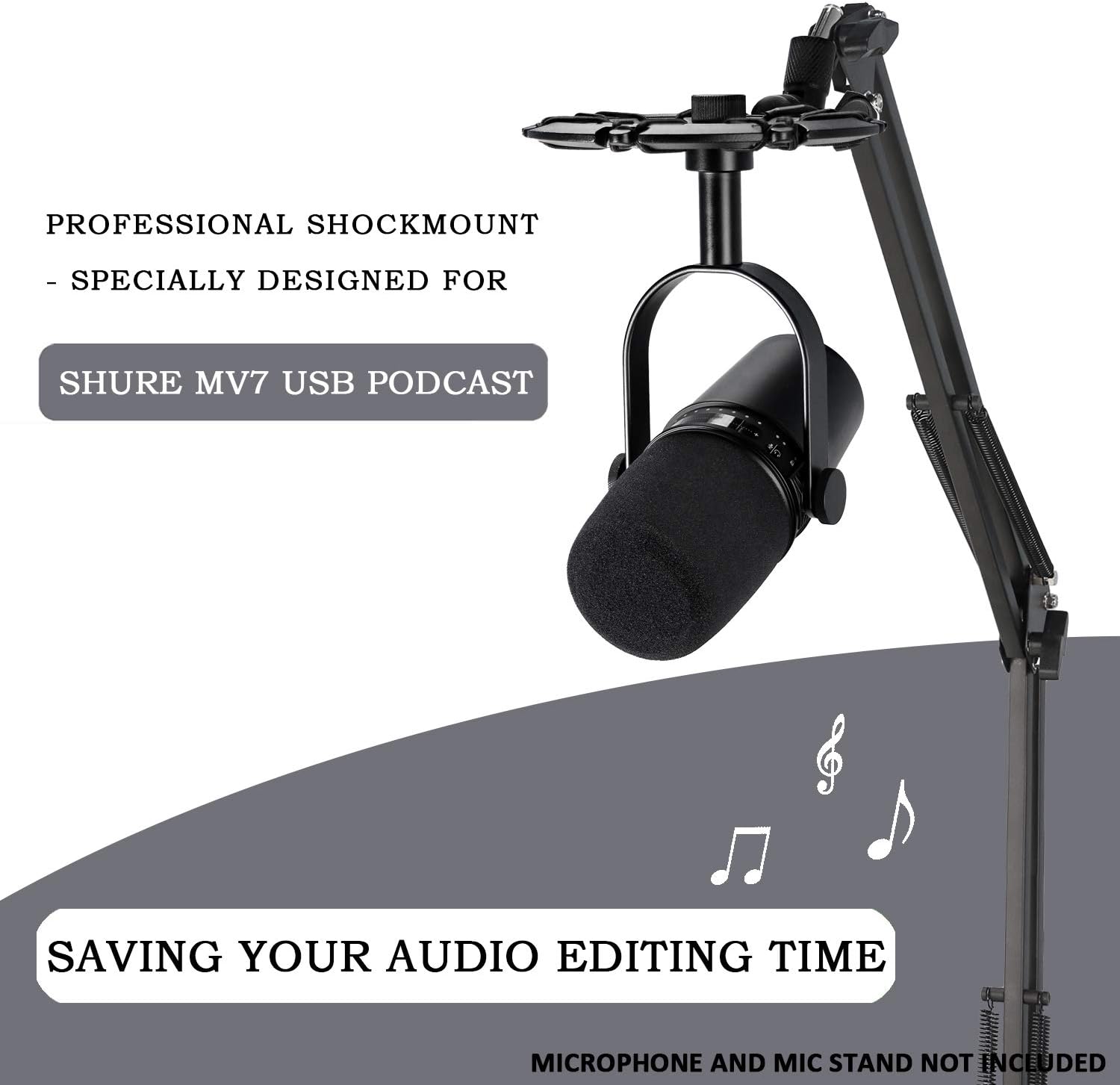
Image: A microphone boom arm securely attached to a desk clamp.
- Attach the Shock Mount: Screw the YOUSHARES MV7 Shock Mount onto the threaded end of the boom arm. The shock mount features both 3/8" and 5/8" threads for universal compatibility. Ensure it is hand-tightened for a secure connection.

Image: Close-up of the YOUSHARES MV7 Shock Mount showing its dual-thread design for boom arm attachment.
- Mount the Shure MV7 Microphone: Carefully place your Shure MV7 microphone into the shock mount. The elastic rope suspension system will cradle the microphone, absorbing vibrations.

Image: A Shure MV7 microphone installed in the YOUSHARES shock mount, attached to a boom arm.
Video: Demonstrates the assembly and adjustment of the YOUSHARES shock mount with a microphone.
4. Operating Instructions
The YOUSHARES MV7 Shock Mount is designed for ease of adjustment, allowing you to position your microphone optimally for recording.
- Adjusting Boom Arm Angle: The boom arm features multiple joints that can be loosened and tightened to adjust the microphone's height and reach. Loosen the adjustment knobs at the joints to reposition the arm, then tighten them firmly to secure the desired angle.

Image: Illustration demonstrating the 180-degree rotation capability of the shock mount for flexible microphone positioning.
- Adjusting Microphone Angle: The shock mount itself can be rotated and tilted to fine-tune the microphone's direction. Loosen the knob on the shock mount's base, adjust the microphone to face the sound source directly, and then re-tighten the knob.
5. Maintenance
To ensure the longevity and optimal performance of your YOUSHARES MV7 Shock Mount, consider the following maintenance tips:
- Regular Cleaning: Wipe down the metal components with a soft, dry cloth to remove dust and debris.
- Inspect Elastic Ropes: Periodically check the elastic ropes within the shock mount for any signs of wear or damage. While durable, extreme tension or sharp objects can compromise their integrity.
- Tighten Connections: Ensure all knobs and screws are adequately tightened before each use to maintain stability and prevent accidental microphone drops.
6. Troubleshooting
If you encounter issues with your YOUSHARES MV7 Shock Mount, refer to the following common solutions:
- Excessive Vibration Noise:
- Ensure the desk clamp is securely fastened to a stable surface.
- Verify that the boom arm and shock mount connections are tight.
- Check if the microphone is properly seated within the elastic ropes of the shock mount.
- Consider the surface your desk is on; sometimes vibrations can travel through the floor.
- Boom Arm Sagging/Not Holding Position:
- Tighten all adjustment knobs on the boom arm's joints.
- Confirm that the microphone's weight does not exceed the boom arm's capacity (the MV7 Shock Mount itself is 200g, and the MV7 mic is 598g, totaling 798g, well within typical boom arm limits).
- Difficulty Attaching to Boom Arm:
- Ensure you are using the correct thread size (3/8" or 5/8"). The shock mount is designed to accommodate both.
- Avoid cross-threading by carefully aligning the threads before tightening.
7. Specifications
| Feature | Detail |
|---|---|
| Brand | YOUSHARES |
| Model Number | MV7 |
| Material | Aluminum Alloy |
| Item Weight | 200 Grams (0.44 lbs) |
| Product Size | 5.5 x 7.5 x 1.2 inches (14 x 19 x 3 cm) |
| Microphone Stand Thread Size | 3/8 inch, 5/8 inch |
| Maximum Weight Recommendation | 2.04 Pounds (925g) - Shock mount + MV7 Mic |
| Color | Black (Shure MV7 Shock Mount variant) |
8. Warranty and Support
This product is sold by HeartOrigin Direct and fulfilled by Amazon. Standard return policies apply, typically allowing returns within 30 days of receipt for a refund or replacement. For specific warranty details or further support, please contact the seller, HeartOrigin Direct, directly through your Amazon order history.
For additional information or to explore other YOUSHARES products, visit the YOUSHARES Store on Amazon.