
1. Product Overview
This manual provides instructions for the safe and efficient use of your Mobility Lab ML310473 30000mAh Power Bank. Please read this manual carefully before using the product.
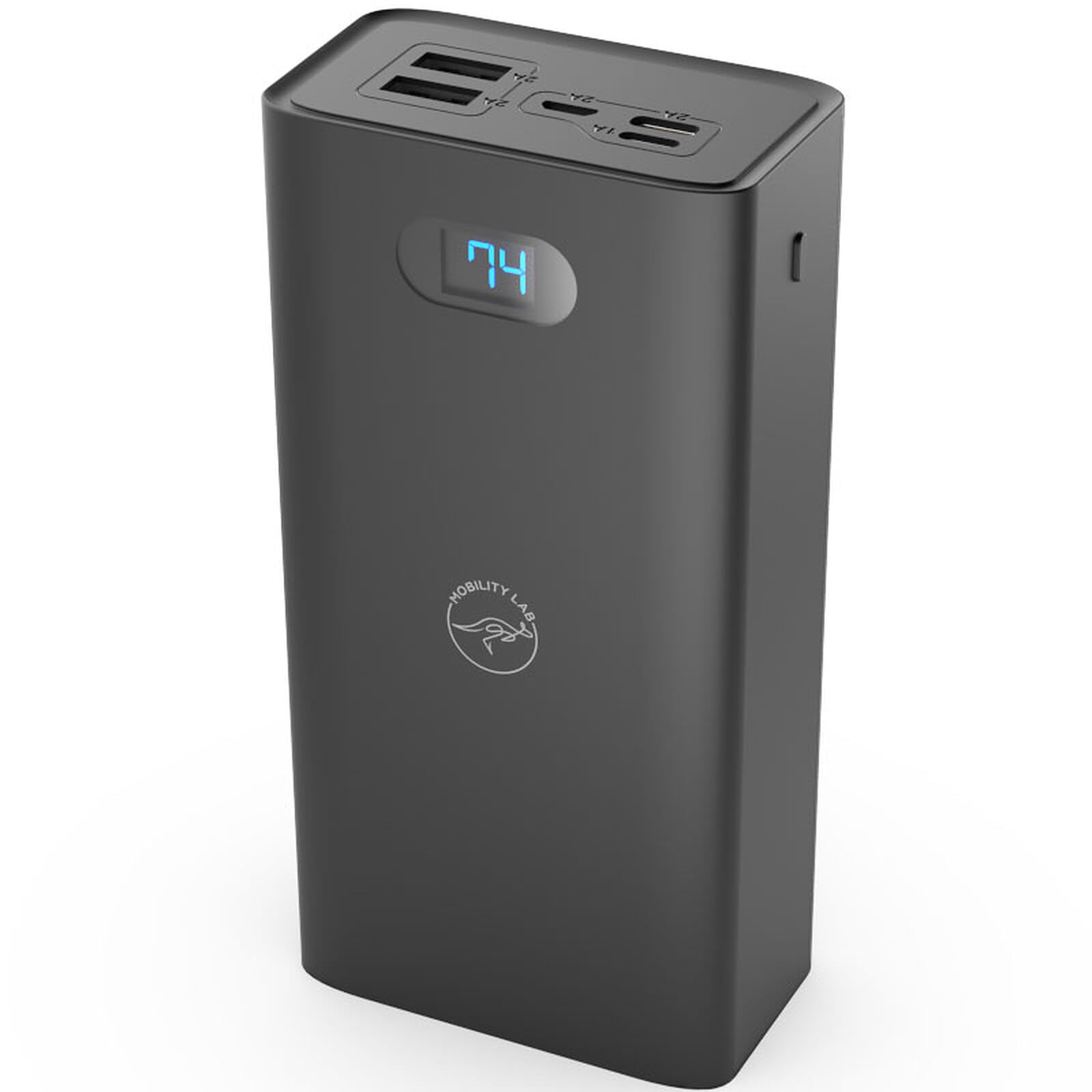
Image of the Mobility Lab ML310473 30000mAh Power Bank, showcasing its compact design and port layout.
Key Features:
- Fast Charging: Two USB ports, each delivering 2A, allow for rapid charging of smartphones and other portable devices.
- High Capacity: The 30,000 mAh battery can charge a modern smartphone approximately 9 times or a tablet 4.5 times.
- LED Display: An integrated LED screen indicates the remaining battery level, ensuring you are aware of the power bank's charge status.
- Smart Technology: Equipped with advanced technology, the power bank adapts to the connected device for optimized charging.
- Recharge Options: The power bank can be recharged via Lightning, Micro USB, or USB-C ports. A full recharge takes approximately 18 hours.
2. Setup
Initial Charging:
- Before first use, fully charge the power bank.
- Connect a compatible charging cable (Lightning, Micro USB, or USB-C) to one of the power bank's input ports.
- Connect the other end of the cable to a suitable power source (e.g., wall adapter, computer USB port).
- The LED display will show the charging progress. A full charge takes approximately 18 hours.
Checking Battery Level:
Press the power button once to activate the LED display, which will show the current battery level. Ensure the power bank has sufficient charge for optimal performance.
3. Operating Instructions
Charging Your Devices:
- Connect your device's charging cable to one of the power bank's USB output ports.
- Connect the other end of the cable to your smartphone, tablet, or other compatible device.
- The power bank will automatically begin charging your device. The LED display will show the power bank's remaining charge.
- To stop charging, simply disconnect your device from the power bank.
Charging Multiple Devices:
You can charge up to two devices simultaneously using the two USB output ports. The power bank will distribute power as needed.
Compatibility:
This power bank is compatible with most smartphones and tablets that charge via USB.
4. Maintenance
Cleaning:
- Wipe the power bank with a soft, dry cloth.
- Do not use harsh chemicals, abrasive materials, or solvents to clean the device.
Storage:
- Store the power bank in a cool, dry place away from direct sunlight and extreme temperatures.
- For long-term storage, ensure the power bank is partially charged (around 50%) to preserve battery health.
- Avoid dropping or subjecting the power bank to strong impacts.
5. Troubleshooting
Power Bank Not Charging:
- Ensure the charging cable is securely connected to both the power bank's input port and the power source.
- Verify that the power source is active and providing power.
- Try using a different charging cable or power adapter.
Device Not Charging from Power Bank:
- Ensure the power bank has sufficient charge, as indicated by the LED display.
- Verify that the charging cable is securely connected to both the power bank's output port and your device.
- Try connecting your device to a different USB output port on the power bank.
- Try using a different charging cable for your device.
Slow Charging:
- Ensure you are using a high-quality charging cable. Low-quality cables can reduce charging speed.
- Some devices may charge slower if multiple devices are connected simultaneously, as the power output is shared.
6. Specifications
- Brand: Mobility Lab
- Model: ML310473
- Battery Capacity: 30000 mAh
- Input Connector Type: Micro USB, USB Type C, Lightning
- Output Ports: 2 x USB-A (each 2A)
- Special Feature: Fast Charging, LED Battery Indicator
- Recommended Use: Smartphone, Tablet, Mobile Phone
- Power Source: Cable Electric
- Item Weight: 600 Grams
- Compatible Devices: Smartphone, Tablet
7. Warranty Information
This Mobility Lab product comes with a 2-year warranty from the date of purchase. Please retain your proof of purchase for warranty claims.
The warranty covers manufacturing defects under normal use. It does not cover damage caused by:
- Misuse or abuse of the product.
- Accidents, drops, or impacts.
- Unauthorized modifications or repairs.
- Exposure to extreme temperatures, liquids, or corrosive environments.
For warranty service, please contact Mobility Lab customer support with your purchase details.
8. Support
For further assistance, technical support, or to view other Mobility Lab products, please visit the official Mobility Lab website or contact their customer service.
You can find more information and support at the Mobility Lab store: Mobility Lab Official Store
