
Introduction
This manual provides essential information for the safe and effective use of your Garmin Tacx Boost Trainer Bundle. Please read all instructions carefully before setup and operation. The Tacx Boost Trainer is designed to provide a realistic and engaging indoor cycling experience, allowing you to maintain your training regimen regardless of weather conditions.
Important Safety Information: Always ensure your bicycle is securely mounted to the trainer. Keep hands and clothing clear of moving parts. Use in a well-ventilated area. Consult a physician before beginning any new exercise program.
What's in the Box
Verify that all components are present before beginning assembly:
- Tacx Boost Trainer Unit
- Front Wheel Support
- Speed Sensor
- Documentation
- 30 Days Tacx Premium Software Voucher (if applicable to bundle)

Image: The complete Garmin Tacx Boost Trainer Bundle, including the main trainer unit, front wheel support, and the Garmin speed sensor.
Setup and Assembly
Follow these steps to assemble your Tacx Boost Trainer and prepare it for use:
- Unfold the Trainer: Carefully unfold the trainer legs until they lock into place, ensuring a stable base.
- Install the Resistance Unit: Attach the magnetic resistance unit to the trainer frame. Ensure the two plastic tabs align and click securely into the designated slots. Note: Some users have reported this step can be challenging; ensure proper alignment before applying force.
- Adjust for Wheel Size: The resistance unit has multiple slots for different wheel sizes. Select the appropriate slot for your bike's wheel (e.g., 700c, 29 inches).
- Mount Your Bicycle:
- Remove your bike's rear wheel quick release skewer and replace it with the special quick release skewer provided with the trainer.
- Place the bike's rear axle into the trainer's clamps.
- Tighten the clamps securely to hold the bike firmly in place. The bike should be level and stable.
- Position Front Wheel Support: Place the front wheel support under your bike's front wheel to level the bike and prevent steering.
- Attach Resistance Lever: Mount the resistance control lever to your handlebar and route the cable to the resistance unit.
- Install Speed Sensor: Attach the included speed sensor to your bike's rear wheel hub according to the sensor's instructions. This sensor is crucial for tracking speed and distance with compatible apps.

Image: The Tacx Boost Trainer with the front wheel support in position, ready for a bicycle.

Image: An overhead view of the Tacx Boost Trainer, showing the placement of the front wheel support and the cable for the resistance lever.
Operating the Tacx Boost Trainer
Once your bike is securely mounted, you can begin your indoor cycling session:
- Resistance Control: Use the handlebar-mounted lever to manually adjust the resistance. The Tacx Boost offers 10 resistance levels, allowing for varied workout intensities up to 1050 watts.
- Realistic Ride Feel: The trainer features a 1.65 kg (3.64 lbs) flywheel, providing a smooth and realistic road feel during your ride.
- Speed Sensor Connectivity: The included speed sensor allows you to track your speed and distance. Pair the sensor with your favorite cycling apps (e.g., Tacx Training app, TrainerRoad) on a tablet, phone, or laptop for a more interactive training experience. Ensure Bluetooth or ANT+ is enabled on your device for pairing.
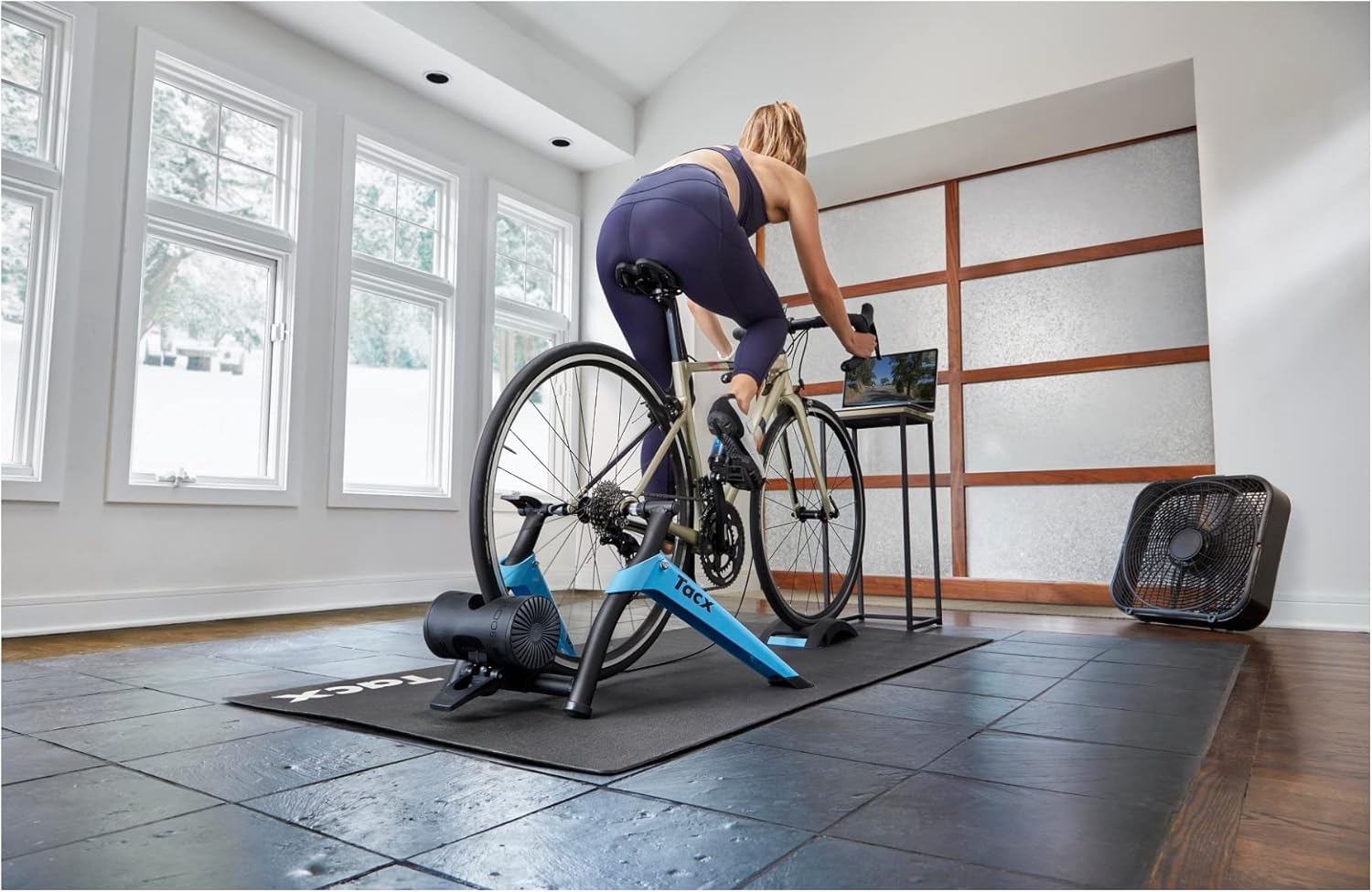
Image: A cyclist actively using the Garmin Tacx Boost Trainer with a road bike, demonstrating the product in use during an indoor training session.
Maintenance
Proper maintenance ensures the longevity and optimal performance of your Tacx Boost Trainer:
- Cleaning: Wipe down the trainer regularly with a damp cloth to remove sweat and dust. Avoid using abrasive cleaners or solvents.
- Storage: When not in use, the trainer can be folded for compact storage. Store in a dry, cool place away from direct sunlight.
- Inspection: Periodically check all bolts and connections to ensure they are tight and secure. Inspect the resistance unit and roller for any signs of wear.
Troubleshooting
If you encounter issues with your Tacx Boost Trainer, refer to the following common problems and solutions:
| Problem | Possible Cause / Solution |
|---|---|
| Difficulty installing resistance unit / rear wheel | Ensure the plastic tabs on the resistance unit are correctly aligned with the slots on the frame. For rear wheel mounting, verify the quick release skewer is properly seated and tightened. Refer to the assembly steps for correct alignment based on your wheel size. |
| Speed sensor not connecting to app |
|
| Trainer is noisy |
|
| No resistance or inconsistent resistance |
|
For further assistance, please refer to the official Garmin support resources or the full user manual PDF available online.
Specifications
| Feature | Detail |
|---|---|
| Brand | Garmin |
| Model Name | Garmin Tacx Boost |
| Model Number | 010-02419-02 |
| Style | Tacx Boost Bundle |
| Color | Black/Blue |
| Material | Aluminum (Frame) |
| Resistance Mechanism | Magnetic |
| Number of Resistance Settings | 10 |
| Max Power Output | Up to 1050 watts |
| Flywheel Weight | 1.65 kg (3.64 lbs) |
| Compatible Wheel Size | Up to 29 Inches |
| Item Weight | 10.7 Kilograms |
| Dimensions (LxWxH) | 18.9 x 9.84 x 26.38 inches |
| UPC | 753759267711 |
Warranty Information
The Garmin Tacx Boost Trainer Bundle comes with a 1-year limited warranty from the date of purchase. This warranty covers defects in materials and workmanship under normal use. For full warranty terms and conditions, please refer to the documentation included with your product or visit the official Garmin website.
Support and Resources
For additional support, frequently asked questions, or to download the complete user manual, please visit the official Garmin support website:
You can also find the user manual in PDF format here: Garmin Tacx Boost User Manual (PDF)


