Important Safety Instructions
Please read this instruction manual carefully before using the MAXXMEE Digital Hot Air Oven. Keep this manual for future reference. Failure to follow these instructions may result in electric shock, fire, or serious injury.
- Always ensure the appliance is unplugged from the power outlet before cleaning, maintenance, or if not in use.
- Do not immerse the appliance, cord, or plug in water or any other liquid.
- This appliance is not intended for use by persons (including children) with reduced physical, sensory, or mental capabilities, or lack of experience and knowledge, unless they have been given supervision or instruction concerning use of the appliance by a person responsible for their safety.
- Children should be supervised to ensure that they do not play with the appliance.
- Do not operate any appliance with a damaged cord or plug, or after the appliance malfunctions or has been damaged in any manner.
- Place the appliance on a stable, heat-resistant surface, away from walls and other appliances to allow for proper ventilation.
- Do not cover the air inlet or outlet vents while the appliance is in operation.
- The exterior surfaces of the appliance may become hot during use. Use oven mitts when handling hot surfaces or accessories.
- Do not place anything on top of the appliance while it is in use.
- Only use accessories recommended by the manufacturer.
- Do not use the appliance for purposes other than its intended use.
Product Overview
Included Components
The MAXXMEE Digital Hot Air Oven comes with the following accessories:
- Frying Basket
- Rotisserie Spit
- Grill Rack
- Baking Tray
- Drip Tray

Image: The MAXXMEE Digital Hot Air Oven displayed with its complete set of accessories, including the frying basket, rotisserie spit, grill rack, baking tray, and drip tray.
Control Panel and Display
The appliance features a digital control panel for easy operation, allowing precise temperature and time adjustments. It includes various preset functions for different cooking needs.

Image: A detailed view of the oven's digital control panel, highlighting the display for time and temperature, along with the main control knob and function buttons.

Image: A visual representation of the different cooking function icons available on the oven's display, such as air frying, grilling, dehydrating, baking, warming, and fermenting.
Initial Setup
- Unpacking: Carefully remove the appliance and all accessories from the packaging. Remove any protective films or stickers.
- Cleaning Before First Use: Wipe the exterior of the oven with a damp cloth. Wash all removable accessories (frying basket, rotisserie, grill rack, baking tray, drip tray) with warm soapy water, rinse thoroughly, and dry completely.
- Placement: Place the oven on a stable, level, and heat-resistant surface. Ensure there is adequate space (at least 10 cm) around all sides of the oven for proper air circulation. Do not place it near flammable materials or under cabinets.
- Power Connection: Plug the power cord into a grounded electrical outlet.
Operating Instructions
Basic Operation
- Power On/Off: Press the power button to turn the oven on or off. The digital display will illuminate.
- Selecting Functions: Use the control knob or dedicated function buttons to cycle through the available cooking modes (e.g., Air Fry, Roast, Bake, Dehydrate).
- Adjusting Temperature and Time: Once a function is selected, use the control knob to adjust the cooking temperature and time. Press the knob to switch between temperature and time adjustment modes.
- Start/Pause: Press the Start/Stop button to begin or pause the cooking process.
Cooking Functions
The MAXXMEE Digital Hot Air Oven offers versatile cooking options:
- Air Frying: Ideal for crispy results with little to no oil. Use the frying basket for items like fries, chicken wings, or vegetables.
- Grilling/Roasting: Perfect for meats, poultry, and larger items. The rotisserie spit can be used for whole chickens.
- Baking: Suitable for pizzas, bread, cakes, and casseroles. Use the baking tray or grill rack as needed.
- Dehydrating: Low-temperature cooking for drying fruits, vegetables, or making jerky.
- Keep Warm: Maintains food at a serving temperature after cooking.
- Fermenting: Provides a controlled low-temperature environment for fermentation processes.

Image: French fries being air-fried in the oven, demonstrating the air circulation for even crisping.

Image: A whole chicken rotating on the rotisserie spit inside the oven, illustrating the roasting function.

Image: A pizza baking inside the oven, showcasing the baking capability.
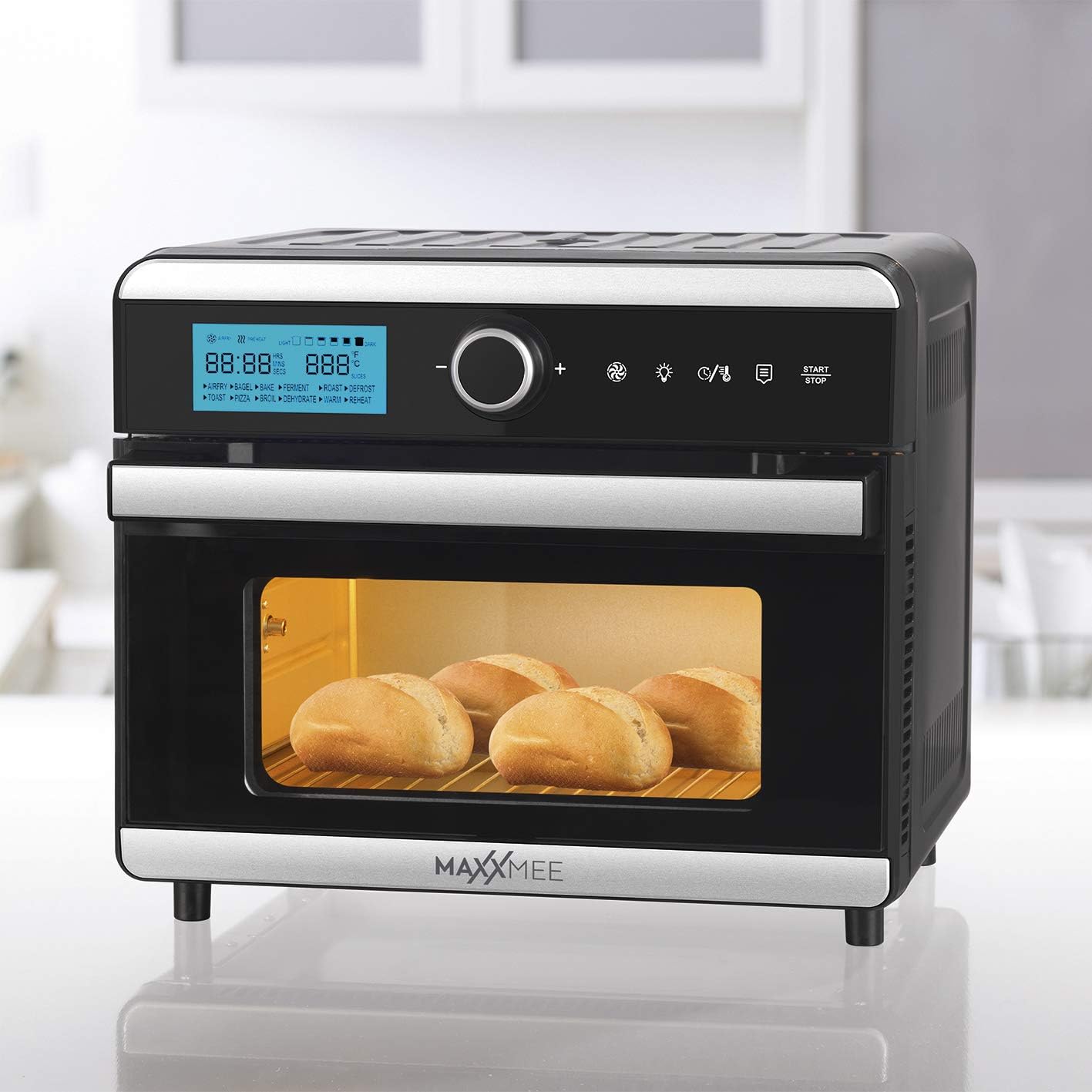
Image: Bread rolls baking inside the oven, demonstrating its use for bread.

Image: A casserole dish inside the oven, illustrating its use for baking larger dishes.

Image: Sliced oranges dehydrating on a rack within the oven.
Using the Timer and Keep Warm Function
The oven features a timer function for precise cooking durations and an automatic shut-off. The 4-hour keep warm function can be activated to maintain food temperature after cooking is complete.
Using the Included Accessories
- Frying Basket: Insert into the oven for air frying smaller items like fries, nuggets, or vegetables. Ensure it is securely placed on the designated rack level.
- Rotisserie Spit: For roasting whole chickens or larger cuts of meat. Secure the food onto the spit and insert it into the rotisserie sockets inside the oven. Activate the rotisserie function on the control panel.
- Grill Rack: Use for grilling, baking, or to support other cookware. Can be placed at different height levels.
- Baking Tray: Ideal for baking cookies, pastries, or heating up food. Place it on the grill rack.
- Drip Tray: Always place the drip tray at the very bottom of the oven to catch any oil, crumbs, or food drippings, making cleanup easier.
Care and Cleaning
Regular cleaning ensures optimal performance and extends the life of your appliance.
- Always Unplug: Before cleaning, always unplug the oven from the power outlet and allow it to cool down completely.
- Exterior Cleaning: Wipe the exterior with a soft, damp cloth. Do not use abrasive cleaners or scouring pads.
- Interior Cleaning: Wipe the interior walls with a damp cloth and mild detergent. For stubborn stains, a non-abrasive sponge can be used. Ensure the interior is dry before next use.
- Accessories: Wash the frying basket, rotisserie spit, grill rack, baking tray, and drip tray in warm soapy water. Rinse thoroughly and dry completely. These accessories may also be dishwasher safe (check manufacturer's guidelines if available).
- Do Not Immerse: Never immerse the main unit of the oven in water or any other liquid.
Troubleshooting Guide
| Problem | Possible Cause | Solution |
|---|---|---|
| Appliance does not turn on. | Not plugged in; power outlet malfunction; power button not pressed. | Ensure the power cord is securely plugged into a working outlet. Press the power button firmly. Check the circuit breaker. |
| Food is not cooking evenly. | Overcrowding the oven; incorrect temperature/time settings; food not rotated. | Do not overcrowd the oven; cook in smaller batches if necessary. Adjust temperature and time according to recipe. For best results, turn or shake food halfway through cooking. |
| Excessive smoke coming from the oven. | Food residue or grease buildup; fatty foods cooking at high temperatures. | Unplug the oven and let it cool. Clean the interior and accessories thoroughly, especially the drip tray. Reduce cooking temperature for very fatty foods. |
| Rotisserie spit is not rotating. | Spit not properly installed; food too heavy or unbalanced; rotisserie function not activated. | Ensure the rotisserie spit is correctly inserted into the drive sockets. Balance the food on the spit. Activate the rotisserie function on the control panel. |
Technical Specifications
| Brand: | MAXXMEE |
| Model: | Digital Hot Air Oven 18L |
| Color: | Black and Steel |
| Capacity: | 18 Litres |
| Power: | 1550 Watts |
| Material: | Stainless Steel |
| Control Type: | Digital Control |
| Special Features: | Timer, Keep Warm, Frying Basket, Rotisserie |
| Included Components: | Frying Basket, Rotisserie Spit, Grill Rack, Baking Tray, Drip Tray, Air Frying Functionality |
| Dimensions (Package): | 47.5 x 47 x 45.9 cm |
| Item Weight: | 12.1 Kilograms |
Warranty and Customer Support
For warranty information, service, or support, please refer to the warranty card included with your purchase or contact MAXXMEE customer service directly. Keep your proof of purchase for any warranty claims.
You can typically find contact information on the manufacturer's official website or through your retailer.


