
1. Introduction
Thank you for choosing the Xtorm Power Bank 20W Fuel Series 4 (FS402). This manual provides essential information for the safe and efficient use of your power bank. Please read these instructions carefully before use and retain them for future reference.
The Xtorm FS402 is a high-capacity portable charger designed to provide fast and reliable power to your mobile devices, including smartphones and tablets, on the go.
2. Product Overview
The Xtorm Power Bank FS402 features a robust design and multiple charging ports to keep your devices powered throughout the day.

Image 2.1: Top-down view of the Xtorm Power Bank FS402, showcasing its textured surface and port layout.
Key Features:
- High Capacity: 20,000 mAh battery for multiple device charges.
- Fast Charging: 20W USB-C Power Delivery (PD) and 18W USB-A Quick Charge (QC) 3.0 outputs.
- Multiple Ports: Two USB-A output ports and one USB-C input/output port.
- Safety Features: Automatic shut-off to prevent overcharging and overheating.
- Compact Design: Portable and travel-friendly dimensions.

Image 2.2: The Xtorm Power Bank FS402 highlighting its universal compatibility with various devices via USB-A and USB-C ports.
3. Setup
Initial Charging of the Power Bank:
- Connect the provided USB-C cable to the USB-C port on the power bank.
- Connect the other end of the USB-C cable to a compatible USB wall charger (not included). For fastest charging, use a 20W Power Delivery charger.
- The LED indicators on the power bank will illuminate to show the charging status. Allow the power bank to fully charge before its first use.
4. Operating Instructions
Charging Your Devices:
The Xtorm Power Bank FS402 allows you to charge up to three devices simultaneously.
- Connect your device's charging cable to one of the USB-A output ports or the USB-C input/output port on the power bank.
- Connect the other end of the cable to your device.
- The power bank will automatically begin charging your device. If not, press the power button once to initiate charging.
- The LED indicators will show the remaining battery level of the power bank.
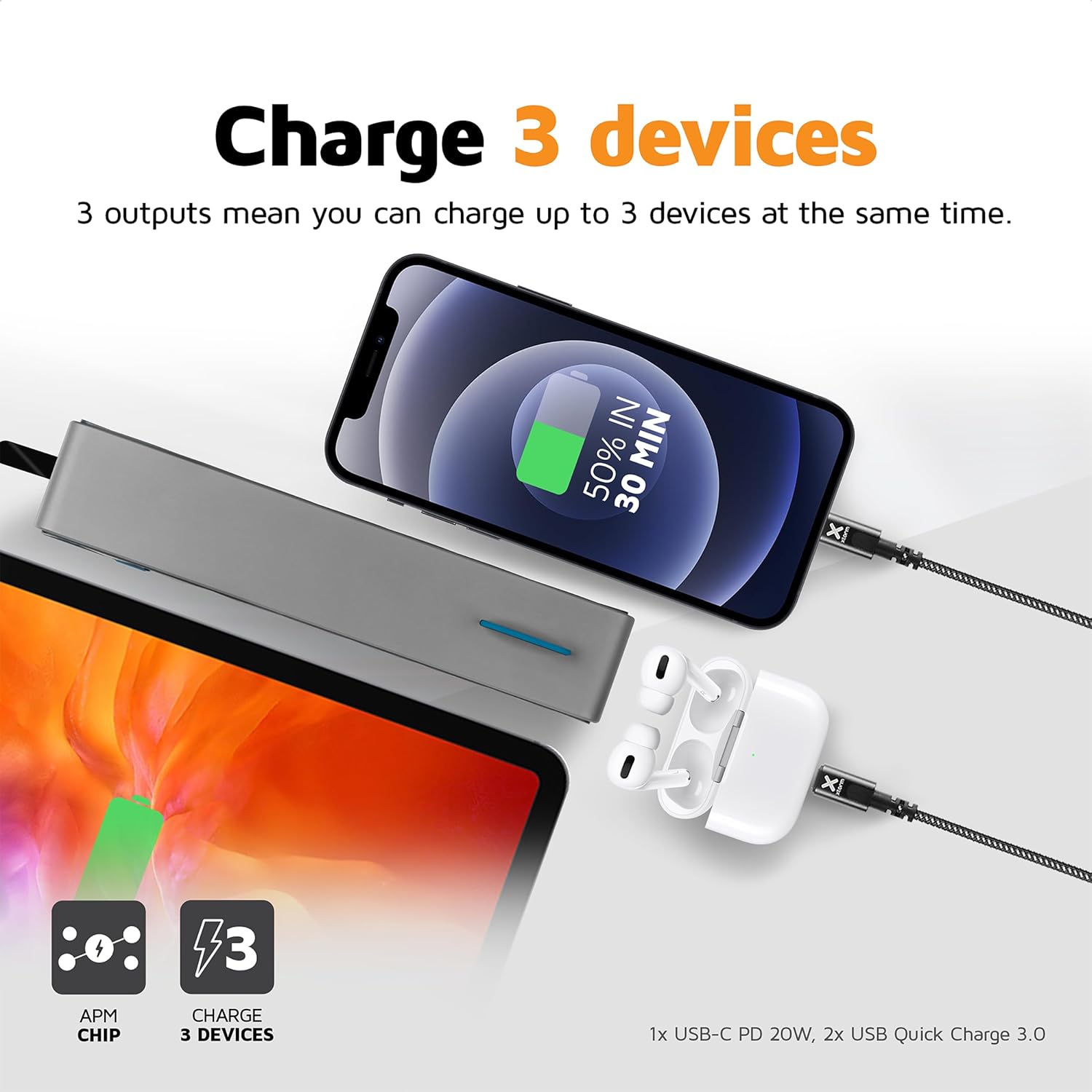
Image 4.1: The Xtorm Power Bank FS402 demonstrating its ability to charge three devices concurrently using its USB-C and two USB-A ports.
Fast Charging Capabilities:
The power bank supports Power Delivery (PD) via the USB-C port and Quick Charge (QC) 3.0 via the USB-A ports, enabling rapid charging for compatible devices.
- USB-C PD (20W): Ideal for fast charging modern smartphones and tablets.
- USB-A QC 3.0 (18W): Provides quick charging for a wide range of Android devices.

Image 4.2: Visual representation of the Xtorm Power Bank FS402's 20W fast charging capability, showing a device reaching 50% charge in 30 minutes.
5. Safety Information
Your safety is paramount. The Xtorm Power Bank FS402 incorporates several safety features to ensure reliable operation.
- Do not expose the power bank to extreme temperatures, direct sunlight, or fire.
- Avoid dropping or subjecting the power bank to strong impacts.
- Do not attempt to disassemble, repair, or modify the device.
- Keep out of reach of children.
- Dispose of the power bank responsibly according to local regulations.
Integrated Safety Features:
- Short-circuit Protection: Prevents damage from electrical shorts.
- Overcharge Protection: Automatically stops charging when the battery is full.
- Temperature Control: Monitors and regulates internal temperature to prevent overheating.
- A-Class Batteries: Utilizes high-quality lithium-polymer cells for enhanced safety and performance.

Image 5.1: Diagram illustrating the Xtorm Power Bank FS402's internal safety mechanisms, including control chip, A-Class batteries, temperature control chip, short-circuit protection, and battery temperature sensor.
6. Maintenance
- Clean the power bank with a soft, dry cloth. Do not use abrasive cleaners or solvents.
- Store the power bank in a cool, dry place away from direct sunlight and moisture.
- If storing for extended periods, charge the power bank to approximately 50% every three months to maintain battery health.
7. Troubleshooting
Common Issues and Solutions:
- Power bank not charging: Ensure the charging cable is securely connected to both the power bank and the wall charger. Try a different cable or wall charger.
- Device not charging from power bank: Ensure the power bank has sufficient charge. Press the power button to activate charging. Try a different cable or port.
- Slow charging: Verify that your device and cable support fast charging. Ensure you are using the correct port (USB-C for PD, USB-A for QC).
- LED indicators not working: The power bank might be fully discharged or require a reset. Try charging it for a few hours.
8. Specifications
| Specification | Value |
|---|---|
| Model Name | FS402 |
| Brand | Xtorm |
| Battery Capacity | 20,000 mAh |
| Battery Composition | Lithium-polymer |
| USB-C Output/Input | 20W Power Delivery (PD) |
| USB-A Output (x2) | 18W Quick Charge (QC) 3.0 |
| Connector Type | USB Type C, USB Type A |
| Recommended Use | Smartphone, Tablet |
| Item Weight | 376 Grams |
| Color | Grey |

Image 8.1: The Xtorm Power Bank FS402 showcasing its compact dimensions (136mm x 71mm x 26mm) and travel-friendly features, including its weight of 379 grams.
9. Warranty and Support
The Xtorm Power Bank 20W Fuel Series 4 (FS402) comes with a 2-year warranty from the date of purchase, covering manufacturing defects.

Image 9.1: The Xtorm Power Bank FS402 highlighting its design and the included 2-year warranty.
For warranty claims, technical support, or any questions regarding your product, please contact Xtorm customer service through their official website or your retailer's support channels. Please have your proof of purchase and product model number (FS402) ready.


