1. Introduction
Thank you for choosing the Crosley S200A-WA Active Powered Bluetooth Stereo Speakers. These speakers are designed to deliver rich, immersive stereo sound with versatile connectivity options, including Bluetooth, optical, USB, and auxiliary inputs. This manual provides detailed instructions for setup, operation, maintenance, and troubleshooting to ensure optimal performance and longevity of your speakers.
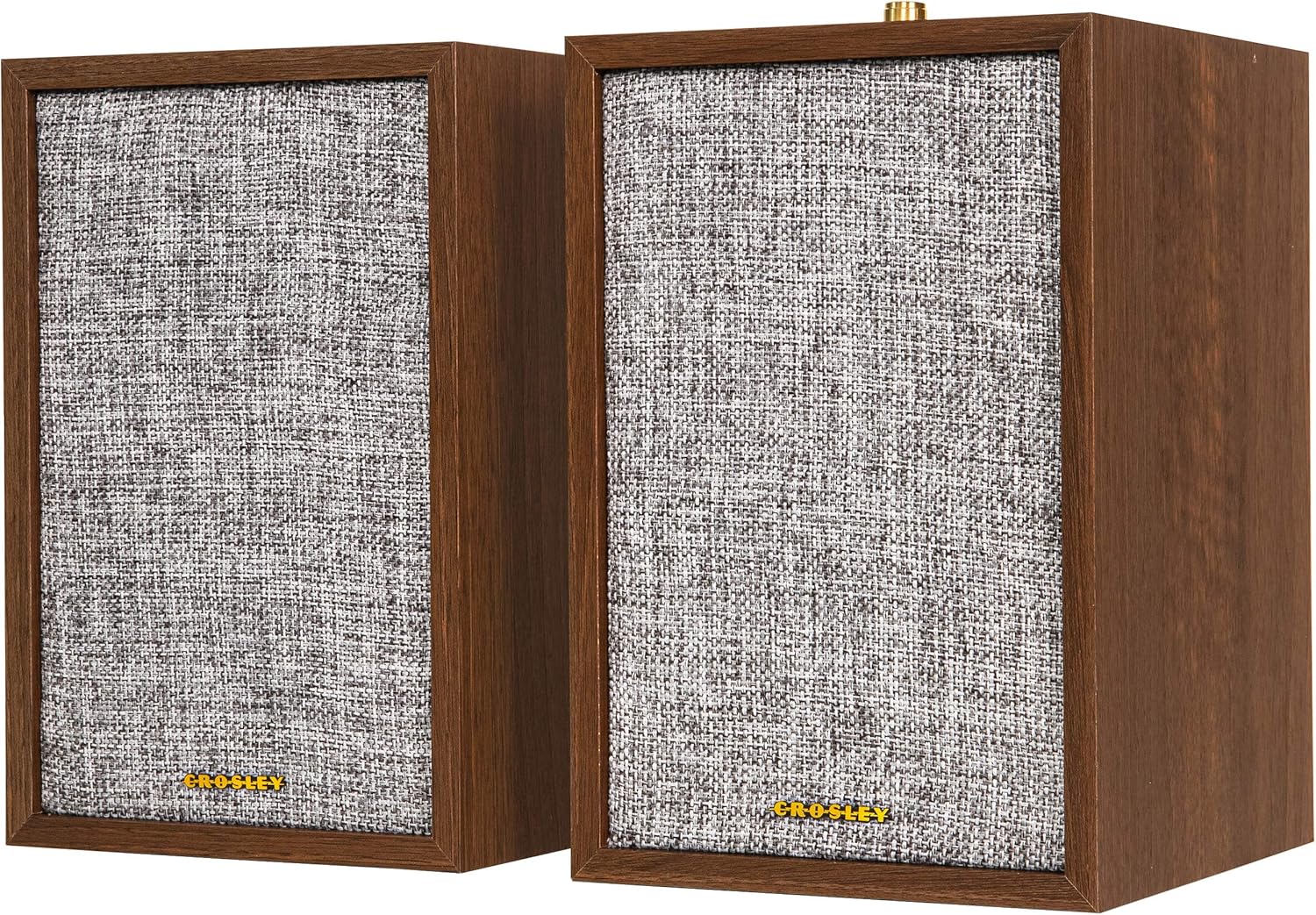
Image 1.1: Front and side view of the Crosley S200A-WA speakers in Walnut finish. These speakers feature a classic design with a fabric grille and a wooden cabinet.
2. Important Safety Instructions
- Read these instructions thoroughly before operating the product.
- Keep these instructions for future reference.
- Heed all warnings on the product and in the operating instructions.
- Follow all instructions for use and maintenance.
- Do not use this apparatus near water or moisture.
- Clean only with a dry cloth.
- Do not block any ventilation openings. Install in accordance with the manufacturer's instructions.
- Do not install near any heat sources such as radiators, heat registers, stoves, or other apparatus (including amplifiers) that produce heat.
- Protect the power cord from being walked on or pinched, particularly at plugs, convenience receptacles, and the point where they exit from the apparatus.
- Only use attachments/accessories specified by the manufacturer.
- Unplug this apparatus during lightning storms or when unused for long periods of time.
- Refer all servicing to qualified service personnel. Servicing is required when the apparatus has been damaged in any way, such as power-supply cord or plug is damaged, liquid has been spilled or objects have fallen into the apparatus, the apparatus has been exposed to rain or moisture, does not operate normally, or has been dropped.
3. Package Contents
Verify that all items listed below are included in your package:
- Main Speaker (1)
- Passive Speaker (1)
- Power Adapter (1)
- RCA Cable (1)

Image 3.1: Front view of the two Crosley S200A-WA speakers. Both speakers feature a 4-inch woofer and a 1-inch soft dome tweeter behind a protective fabric grille.
4. Setup Guide
4.1 Speaker Placement
For optimal sound quality, place the speakers on a stable, flat surface. Position them at an equal distance from your listening position, forming an equilateral triangle for the best stereo imaging. Avoid placing them in enclosed spaces or directly against walls, which can affect bass response.
4.2 Connecting the Speakers
- Identify the Main Speaker (with controls and input ports) and the Passive Speaker.
- Connect the speaker wire from the Main Speaker's SPEAKER OUT terminals to the Passive Speaker's SPEAKER IN terminals. Ensure correct polarity (positive to positive, negative to negative).
4.3 Connecting Audio Sources
The Crosley S200A-WA speakers offer multiple input options:
- Optical Input: For digital audio from TVs, game consoles, or other optical-enabled devices.
- USB Input: For direct audio connection from compatible devices.
- Auxiliary Inputs (AUX IN 1 & AUX IN 2): For analog audio from devices like turntables (with a built-in pre-amp or external pre-amp), CD players, or smartphones using an RCA or 3.5mm to RCA cable.
- Bluetooth: For wireless audio streaming from Bluetooth-enabled devices.

Image 4.1: Rear panel of the main Crosley S200A-WA speaker, showing the Optical, USB, Aux 1 (RCA), Aux 2 (3.5mm), Speaker Out, and DC Power In ports. The passive speaker has only speaker input terminals.
4.4 Power Connection
- Connect the provided power adapter to the DC IN port on the Main Speaker.
- Plug the power adapter into a suitable wall outlet.
5. Operating Instructions
5.1 Controls Overview

Image 5.1: Top panel of the main Crosley S200A-WA speaker, featuring power, mode selection, playback controls (play/pause, skip tracks), and a volume knob.
- Power Button: Press to turn the speakers on or off.
- Mode Button: Press to cycle through input modes (Bluetooth, Optical, USB, AUX 1, AUX 2).
- Playback Controls: (Play/Pause, Skip Forward, Skip Backward) Function primarily in Bluetooth mode.
- Volume Knob: Rotate clockwise to increase volume, counter-clockwise to decrease.
5.2 Bluetooth Pairing
- Turn on the speakers using the Power Button.
- Press the Mode Button until the Bluetooth indicator light flashes, indicating pairing mode.
- On your Bluetooth-enabled device (smartphone, tablet, etc.), go to Bluetooth settings and search for available devices.
- Select "Crosley S200A" from the list.
- Once connected, the Bluetooth indicator light will become solid. You can now stream audio wirelessly.
5.3 Using Auxiliary Input
- Connect your audio device to either AUX IN 1 (RCA) or AUX IN 2 (3.5mm) on the Main Speaker using the appropriate cable.
- Press the Mode Button until the corresponding AUX indicator light is active.
- Play audio from your connected device.
5.4 Using Optical Input
- Connect an optical cable from your audio source to the OPTICAL IN port on the Main Speaker.
- Press the Mode Button until the OPTICAL indicator light is active.
- Ensure your audio source is set to output audio via its optical port.
5.5 Using USB Input
- Connect a USB cable from your audio source to the USB port on the Main Speaker.
- Press the Mode Button until the USB indicator light is active.
- Play audio from your connected device.
5.6 Volume Control
Adjust the master volume using the Volume Knob on the Main Speaker. You may also need to adjust the volume on your connected audio source for optimal sound levels.
6. Maintenance and Care
- Cleaning: Wipe the speaker cabinets with a soft, dry cloth. Do not use liquid cleaners or abrasive chemicals.
- Dust: Regularly dust the speaker grilles and surfaces to prevent buildup.
- Placement: Avoid exposing the speakers to direct sunlight, extreme temperatures, or high humidity.
- Ventilation: Ensure adequate airflow around the speakers to prevent overheating.
- Handling: Handle the speakers with care to avoid physical damage to the drivers or cabinet.
7. Troubleshooting Guide
If you encounter issues with your speakers, refer to the table below for common problems and solutions.
| Problem | Possible Cause | Solution |
|---|---|---|
| No power | Power adapter not connected; Outlet not working; Speakers not turned on. | Ensure power adapter is securely connected to speakers and a working outlet. Press the Power Button. |
| No sound | Incorrect input mode selected; Volume too low; Audio cable loose or faulty; Passive speaker not connected. | Press Mode Button to select correct input. Increase volume. Check audio cable connections. Ensure passive speaker is connected to main speaker. |
| Bluetooth not connecting | Speakers not in pairing mode; Device too far; Previous device still connected. | Ensure speakers are in Bluetooth pairing mode (flashing light). Move device closer. Disconnect from previously paired device. |
| Distorted sound | Volume too high; Faulty audio source or cable. | Reduce volume on speakers and/or audio source. Test with a different audio source or cable. |
8. Technical Specifications
| Feature | Specification |
|---|---|
| Model Name | S200A-WA |
| Speaker Type | Bookshelf, Active Powered Stereo |
| Woofer Diameter | 4 Inches |
| Tweeter Diameter | 1 Inch |
| Speaker Maximum Output Power | 50 Watts (25W RMS per speaker) |
| Frequency Response | 60Hz-18KHz |
| Connectivity Technology | Bluetooth, Auxiliary (RCA, 3.5mm), Optical, USB |
| Wireless Communication Technology | Bluetooth |
| Bluetooth Range | 10 Meters (approx. 33 feet) |
| Input Voltage | 120 Volts |
| Product Dimensions (each speaker) | 7"D x 6"W x 9.65"H |
| Item Weight (total) | 8 Pounds |
| Color | Walnut |
9. Warranty Information
Crosley products are designed and manufactured to the highest quality standards. This product is covered by a limited warranty against defects in materials and workmanship. For specific warranty terms and conditions, please refer to the warranty card included with your product or visit the official Crosley website.
10. Customer Support
If you require further assistance or have questions not covered in this manual, please contact Crosley customer support. You can find contact information and additional resources on the official Crosley website: