Introduction
This manual provides comprehensive instructions for the Flash Furniture X40 Ergonomic Gaming Chair. It details the chair's features, including a fully reclining back, adjustable arms, a convenient slide-out footrest, and a massaging lumbar pillow. This guide covers assembly, operational adjustments, maintenance, and specifications to ensure optimal comfort and functionality for gaming, office, or general use.
Safety Information
Warning:
- Do not use with certain liquids.
- Be cautious when adjusting and reclining the chair to avoid injury.
- Ensure all components are securely fastened before use.
- Do not exceed the maximum weight recommendation of 280 pounds.
Product Overview
Key Features
- Ergonomic Design: Elevated racing chair design for comfort during extended use.
- Thick Cushioned Seats: Supports users up to 280 pounds with 4.5" thick padded seat.
- Reclining Back: Adjustable back reclines from 95° to 175° for various positions.
- Adjustable Arms: Arms move in conjunction with the reclining back for continuous support.
- Massaging Lumbar Pillow: Removable lumbar pillow with vibrating massage function via 3 ft. USB plug.
- Slide-Out Footrest: Convenient footrest that slides out and flips up for leg elevation.
- 360-Degree Swivel: Full range of motion for easy maneuverability.
- Durable Base: 5-star nylon base with sporty casters for quiet movement.
- Versatile Use: Suitable for gaming, office, dorm rooms, or home offices.
Visual Guide

Figure 1: Front-side view of the Flash Furniture X40 Gaming Chair in Black/Gray.

Figure 2: The X40 Gaming Chair positioned in a typical gaming or office environment.

Figure 3: Detailed dimensions of the X40 Gaming Chair, showing height, width, and depth ranges.

Figure 4: Direct front view of the X40 Gaming Chair, highlighting its ergonomic shape.

Figure 5: Side profile of the X40 Gaming Chair, showing the armrest design.
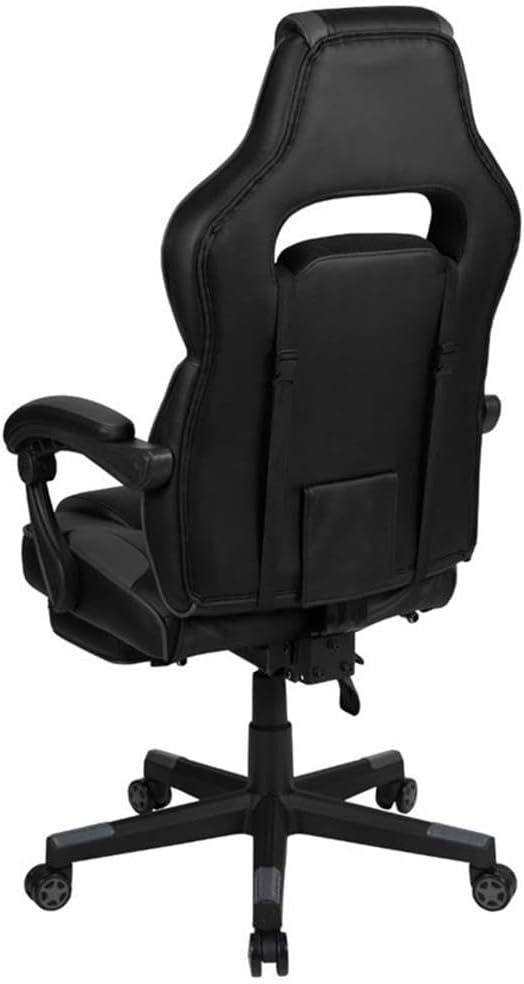
Figure 6: Rear view of the X40 Gaming Chair, showing the backrest and headrest design.

Figure 7: The X40 Gaming Chair in a reclined position with the footrest extended.
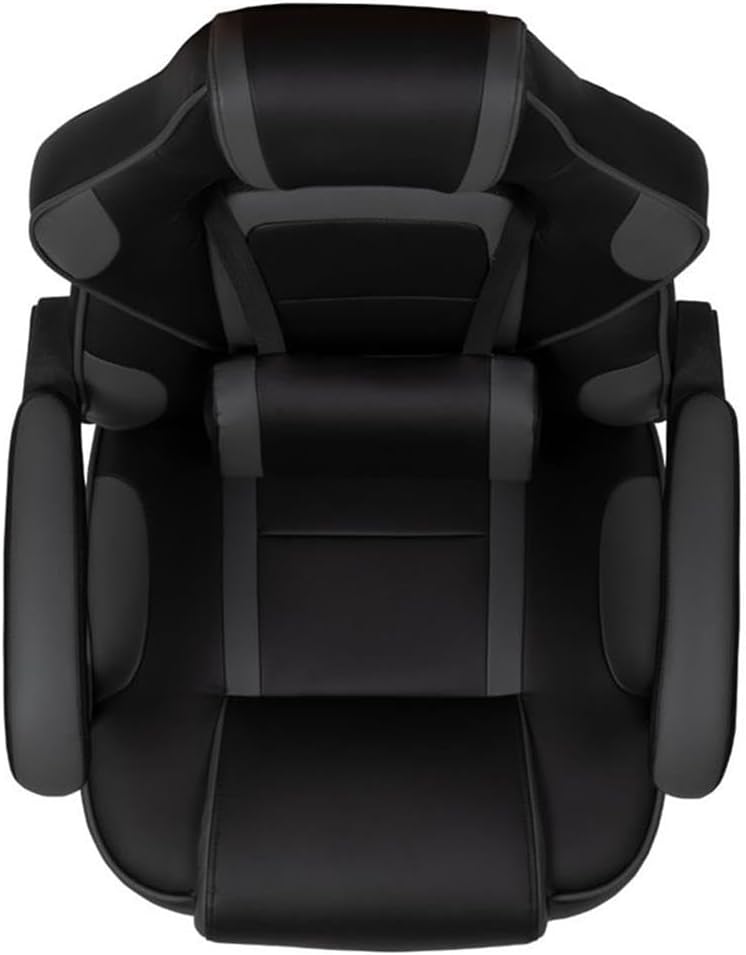
Figure 8: Top-down view of the X40 Gaming Chair, showing the seat and back contours.

Figure 9: Underside view of the chair's 5-star base and casters.

Figure 10: The X40 Gaming Chair with its footrest extended, ready for relaxation.

Figure 11: The removable lumbar pillow, featuring a USB connection for its massaging function.
Official Product Video
Video 1: An overview of the Flash Furniture X40 Gaming Chair's features and functionality, provided by the manufacturer.
Setup and Assembly
The Flash Furniture X40 Gaming Chair requires assembly. Please refer to the detailed assembly instructions included in your product packaging for step-by-step guidance. Ensure all parts are present and undamaged before beginning assembly. A typical assembly process involves:
- Attaching the casters to the 5-star base.
- Inserting the pneumatic cylinder into the base.
- Assembling the seat and backrest components.
- Attaching the armrests.
- Connecting the assembled seat/backrest to the pneumatic cylinder.
- Attaching the lumbar pillow and headrest pillow (if separate).
It is recommended to have a second person assist with assembly for ease and safety.
Operating Instructions
Chair Adjustments
- Height Adjustment: Use the pneumatic lever located under the seat on the right side to raise or lower the chair. Lift the lever to raise the seat; sit on the chair and lift the lever to lower it.
- Backrest Recline: Pull the lever on the side of the seat (typically left side) to recline the backrest. Lean back to the desired angle (95° ~ 175°) and release the lever to lock it in place.
- Footrest Operation: To extend the footrest, pull the loop located under the front of the seat. The footrest will slide out. Flip it up for comfortable leg support. To retract, push it back under the seat.
- Armrest Adjustment: The armrests are designed to move with the reclining backrest.
- Lumbar Massage Function: Connect the 3 ft. USB cord from the lumbar pillow to a compatible USB power source (e.g., computer, wall adapter). Use the inline switch on the cord to activate and deactivate the vibrating massage.
Maintenance
Cleaning Instructions
- Upholstery: For general cleaning, wipe the chair's upholstery with a damp cloth. For spills or tougher stains, use a solvent and water-based cleaner, such as foam. Test any cleaning solution on an inconspicuous area first.
- Base and Casters: Periodically wipe the 5-star nylon base and casters with a damp cloth to remove dust and debris. Ensure casters are free of hair or obstructions for smooth movement.
- General Care: Avoid exposing the chair to direct sunlight for prolonged periods to prevent fading. Keep sharp objects away from the upholstery to prevent punctures or tears.
Troubleshooting
If you encounter any issues with your Flash Furniture X40 Gaming Chair, please consult the following common troubleshooting tips:
- Chair not adjusting height: Ensure the pneumatic lever is fully engaged. If the issue persists, the gas lift may need replacement.
- Backrest not reclining/locking: Check that the recline lever is functioning correctly and not obstructed. Ensure no excessive weight is applied to the backrest during adjustment.
- Footrest not extending/retracting smoothly: Inspect the footrest mechanism for any obstructions or damage. Lubricate moving parts if necessary.
- Chair squeaks or makes noise: Check all bolts and screws to ensure they are tightened. Apply a small amount of lubricant to moving parts or joints if needed.
- Lumbar massage not working: Verify the USB cable is securely connected to both the pillow and a powered USB port. Check the inline switch for activation.
For further assistance, please contact Flash Furniture customer support.
Specifications
| Feature | Detail |
|---|---|
| Brand | Flash Furniture |
| Model Name | X40 (CH-00288-BK-GG) |
| Color | Black/Gray |
| Product Dimensions | 29.25"D x 29.25"W x 51.25"H |
| Seat Depth | 21 inches |
| Chair Backrest Width | 22 Inches |
| Arm Height | 30.25 Inches (from floor); 6-9.25"H (from seat) |
| Maximum Weight Recommendation | 280 Pounds |
| Back Style | Reclining (95° ~ 175°) |
| Special Feature | Adjustable, Massaging Lumbar, Slide-out Footrest, Swivel |
| Fill Material | Foam |
| Fabric Type | 80% Polyurethane/40% PVC/30% Twill |
| Item Weight | 44 pounds |
| Recommended Uses | Gaming, Office |
| UPC | 889142923787 |
Warranty and Support
For specific warranty information and customer support, please refer to the documentation included with your purchase or visit the official Flash Furniture website. Keep your proof of purchase for any warranty claims.


