
Torteco F50 Portable Bluetooth Speaker User Manual
Model: F50 (XCF000049_B)
1. Introduction
Thank you for choosing the Torteco F50 Portable Bluetooth Speaker. This manual provides essential information for the safe and optimal use of your device. Please read it thoroughly before operation and retain it for future reference.

Image 1: Torteco F50 Portable Bluetooth Speaker. This image displays the speaker's front view, highlighting its compact design and the vibrant gradient light around the speaker grille.
2. Package Contents
Ensure all items are present upon unboxing:
- Torteco F50 Portable Bluetooth Speaker
- USB Type-C Charging Cable
- User Manual (this document)
3. Product Overview
The Torteco F50 features a robust design with intuitive controls and essential connectivity ports.
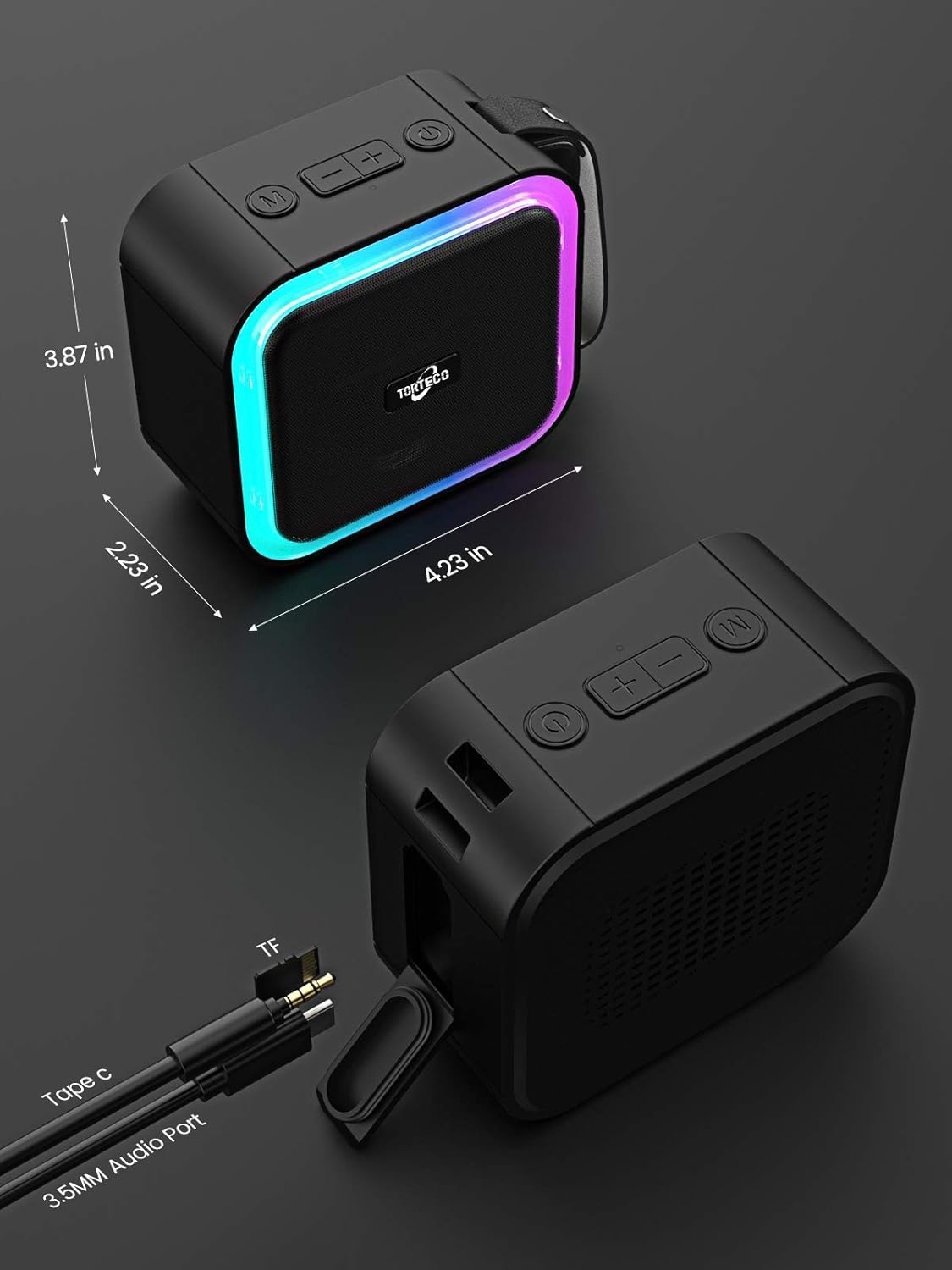
Image 2: Torteco F50 Speaker with dimensions and port labels. This image illustrates the speaker's physical dimensions and identifies the USB Type-C charging port, TF card slot, and 3.5mm audio port, along with control buttons on the top panel.
Control Buttons:
- Power Button: Press and hold to power on/off. Short press to play/pause.
- Volume Up (+): Short press to increase volume. Long press for next track.
- Volume Down (-): Short press to decrease volume. Long press for previous track.
- Mode Button (M): Short press to cycle through input modes (Bluetooth, TF Card, AUX).
- Light Button: Short press to change light modes.
Ports:
- USB Type-C Port: For charging the speaker.
- TF Card Slot: For playing music directly from a TF (MicroSD) card.
- 3.5mm Audio Port (AUX): For wired audio connection.
4. Setup
4.1 Charging the Speaker
- Connect the provided USB Type-C cable to the speaker's charging port.
- Connect the other end of the cable to a USB power adapter (not included) or a computer's USB port.
- The charging indicator light will illuminate. It will turn off or change color once fully charged.
A full charge provides approximately 13 hours of playback time.
4.2 Power On/Off
- To Power On: Press and hold the Power button for 2-3 seconds. You will hear an audible prompt.
- To Power Off: Press and hold the Power button for 2-3 seconds. You will hear an audible prompt.
4.3 Bluetooth Pairing
- Ensure the speaker is powered on and in Bluetooth mode (indicated by a flashing blue light). If not, press the 'M' button to switch modes.
- Enable Bluetooth on your device (smartphone, tablet, computer).
- Search for available Bluetooth devices and select "Torteco F50" from the list.
- Once connected, the speaker will emit a confirmation sound, and the blue light will stop flashing.
4.4 Dual Wireless Stereo Pairing (TWS Function)
To achieve a stereo sound experience, you can pair two Torteco F50 speakers together.

Image 3: Two Torteco F50 speakers demonstrating dual pairing. This image shows two speakers wirelessly connected, illustrating the stereo sound capability with sound waves emanating from both units.
- Ensure both Torteco F50 speakers are powered on and not connected to any other Bluetooth device.
- On one of the speakers (this will be the primary speaker), double-press the Power button. The speaker will enter TWS pairing mode, indicated by a specific sound.
- The two speakers will automatically search for and connect to each other. Once connected, you will hear a confirmation sound.
- Now, enable Bluetooth on your device and connect to the primary speaker ("Torteco F50"). Both speakers will play audio in stereo.
- To disconnect TWS, double-press the Power button on either speaker.
5. Operating Instructions
5.1 Music Playback
- Play/Pause: Short press the Power button.
- Volume Up: Short press the '+' button.
- Volume Down: Short press the '-' button.
- Next Track: Long press the '+' button.
- Previous Track: Long press the '-' button.
5.2 Call Management
- Answer Call: Short press the Power button when a call comes in.
- End Call: Short press the Power button during a call.
- Reject Call: Long press the Power button when a call comes in.
5.3 Light Modes
The Torteco F50 features a multi-polar gradient lighting effect. Short press the Light button to cycle through different light modes or to turn the lights off.

Image 4: Torteco F50 speaker in a party setting. This image shows the speaker's gradient light active in a social environment, demonstrating its aesthetic appeal during use.
5.4 IPX7 Waterproof Feature
The Torteco F50 speaker is IPX7 waterproof, meaning it can be submerged in water up to 1 meter (3 feet) for up to 30 minutes. This makes it suitable for use near pools, beaches, or in the shower.
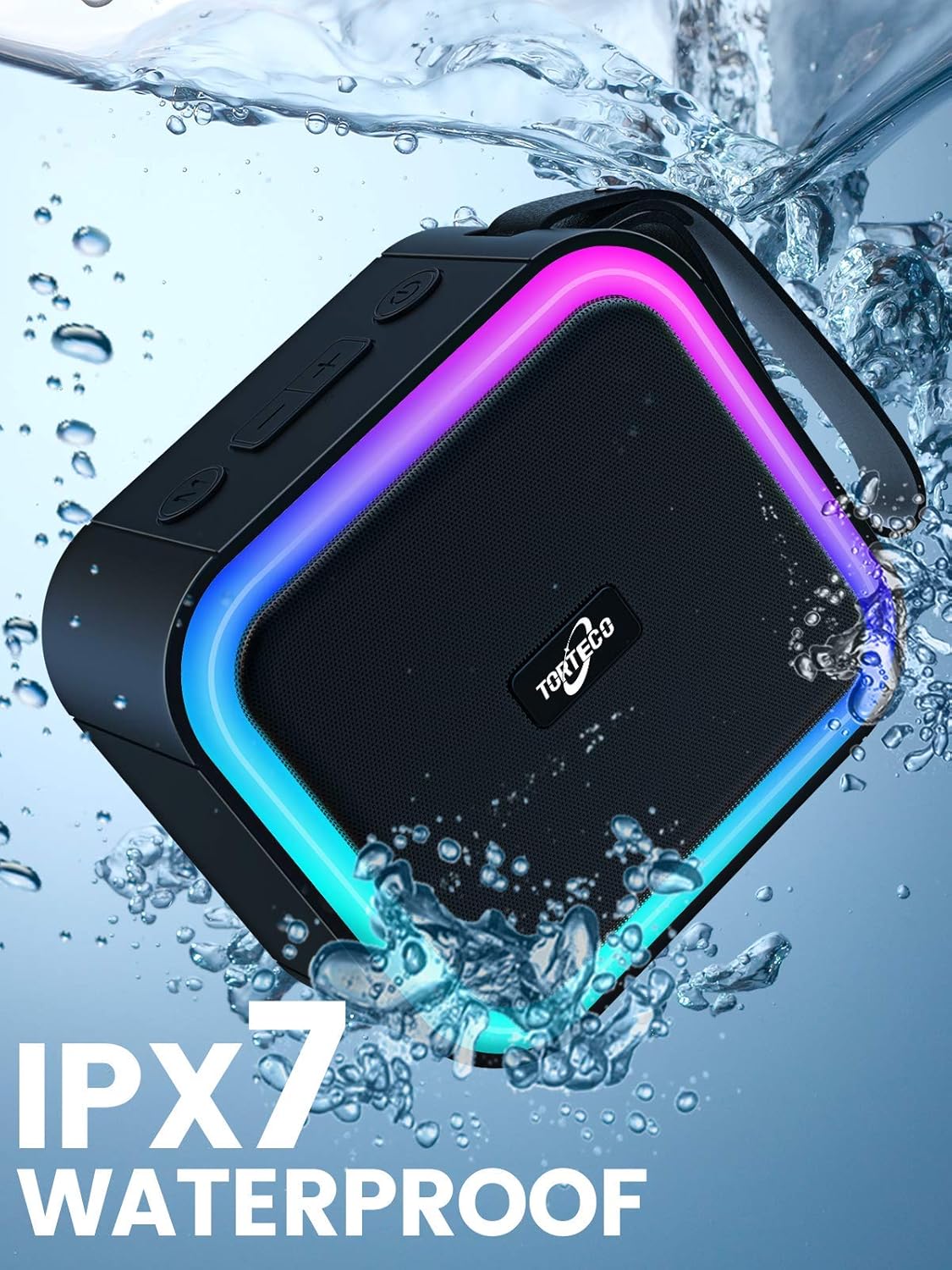
Image 5: Torteco F50 speaker submerged in water, highlighting IPX7 waterproof rating. This image visually confirms the speaker's ability to withstand water immersion.
Important: Ensure the charging port and AUX port covers are securely closed before exposing the speaker to water to maintain its waterproof integrity.
6. Maintenance
- Clean the speaker with a soft, damp cloth. Do not use abrasive cleaners or solvents.
- Store the speaker in a cool, dry place when not in use.
- Avoid exposing the speaker to extreme temperatures or direct sunlight for prolonged periods.
- Keep the ports free from dust and debris.
7. Troubleshooting
| Problem | Possible Cause | Solution |
|---|---|---|
| Speaker does not power on | Low battery; Power button not pressed long enough | Charge the speaker; Press and hold the Power button for 2-3 seconds |
| Cannot pair via Bluetooth | Speaker not in pairing mode; Device Bluetooth off; Speaker already connected to another device | Ensure speaker is flashing blue; Turn on device Bluetooth; Disconnect from other devices or restart speaker |
| No sound | Volume too low; Incorrect input mode; Device not playing audio | Increase speaker/device volume; Press 'M' button to select correct mode; Ensure audio is playing on your device |
| TWS pairing fails | Speakers too far apart; One speaker already paired to a device | Place speakers closer; Ensure both speakers are disconnected from other devices before TWS pairing |
8. Specifications
| Feature | Detail |
|---|---|
| Model | F50 (XCF000049_B) |
| Bluetooth Version | 5.0 |
| Waterproof Rating | IPX7 |
| Battery Life | Up to 13 hours |
| Power Source | Rechargeable Lithium-Ion Battery (USB Type-C) |
| Speaker Type | Outdoor, Portable |
| Connectivity Technology | Bluetooth, USB, AUX (3.5mm), TF Card |
| Audio Output Mode | Stereo |
| Dimensions (L x W x H) | 10.75 x 9.83 x 5.67 cm (approximately 4.23 x 3.87 x 2.23 inches) |
| Weight | 700 g (approximately 1.54 lbs) |
9. Warranty and Support
Torteco provides the following support for your F50 Portable Bluetooth Speaker:
- 7-Day Refund Policy: No-reason refund within 7 days of purchase.
- 30-Day Exchange Policy: No-reason exchange within 30 days of purchase.
- 180-Day Repair Service: Free repair service within 180 days of purchase for manufacturing defects.
- Customer Service: 24-hour online customer support is available for assistance.
Please retain your proof of purchase for warranty claims.