
Reebok RVFR-10121BKZ120
Reebok FR20z Floatride Treadmill User Manual
Model: FR20z Black (RVFR-10121BKZ120)
Brand: Reebok
Product Overview
The Reebok FR20z Floatride Treadmill is designed for home fitness, offering a blend of performance, comfort, and connectivity. It features a quiet eco-kinetic motor, extensive incline options, and advanced cushioning technology for a smooth workout experience. Integrated Bluetooth connectivity allows for seamless integration with fitness apps and entertainment.

Figure 1: Front view of the Reebok FR20z Floatride Treadmill.
Setup and Assembly
The Reebok FR20z Floatride Treadmill requires assembly. Follow these steps carefully to ensure proper setup and safe operation.
Unboxing and Preparation
Ensure you have enough clear space around the treadmill for assembly. Lay out all components and hardware as per the packing list.

Figure 2: Treadmill setup dimensions, showing length, width, and height.
Attaching the Arms
Carefully attach the upright arms to the main base. Ensure all wiring connections are secure and tucked away to prevent pinching.
Console Installation
Connect the console to the upright arms. Ensure all electrical connections are properly seated before securing the console with the provided bolts.
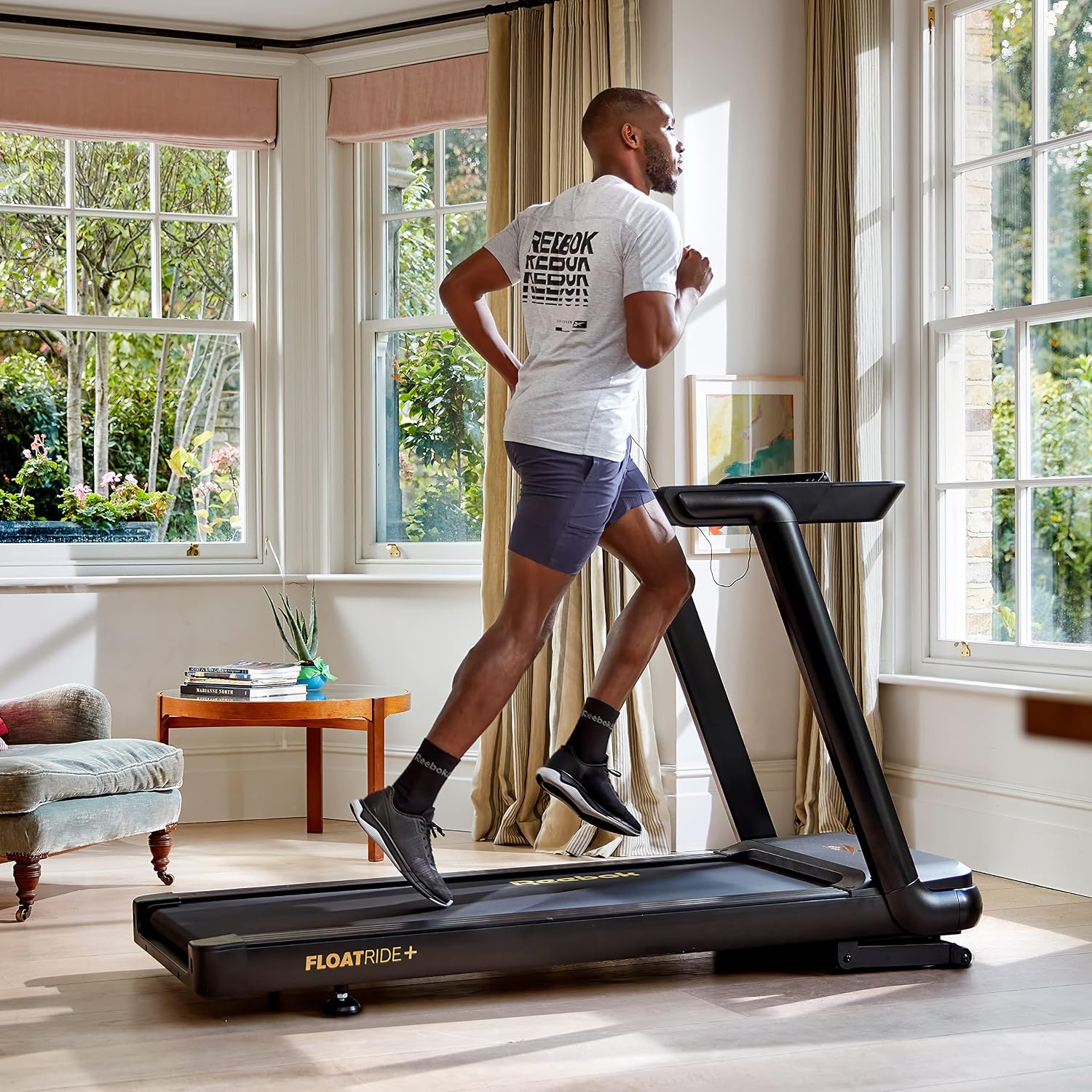
Figure 3: Close-up of the treadmill console displaying various features and controls.
Operating Instructions
Powering On and Initial Use
Plug the treadmill into a grounded outlet. The LED touch response display will illuminate. Press the 'Start' button to begin a quick workout or select from pre-set programs.
Adjusting Speed and Incline
Use the quick speed and incline keys located on the hand rests or the console to adjust your workout intensity. The treadmill offers 15 levels of power incline and a maximum speed of 11.2 mph.

Figure 4: A user interacting with the treadmill's console to adjust settings during a workout.
Pre-set Programs and Connectivity
The FR20z comes with 24 pre-set fitness programs. Connect your device via Bluetooth to utilize the integrated speakers or compatible training apps like Zwift and Kinomap for an immersive experience. The rotatable device holder accommodates tablets up to 15.6 inches.

Figure 5: The treadmill's built-in tablet holder, designed for optimal viewing angle during workouts.
Cushioning Technology
The Floatride+ cushioning technology is strategically placed along the running deck to reduce impact strain and absorb energy, providing a smooth and gentle experience on joints during intense running sessions.
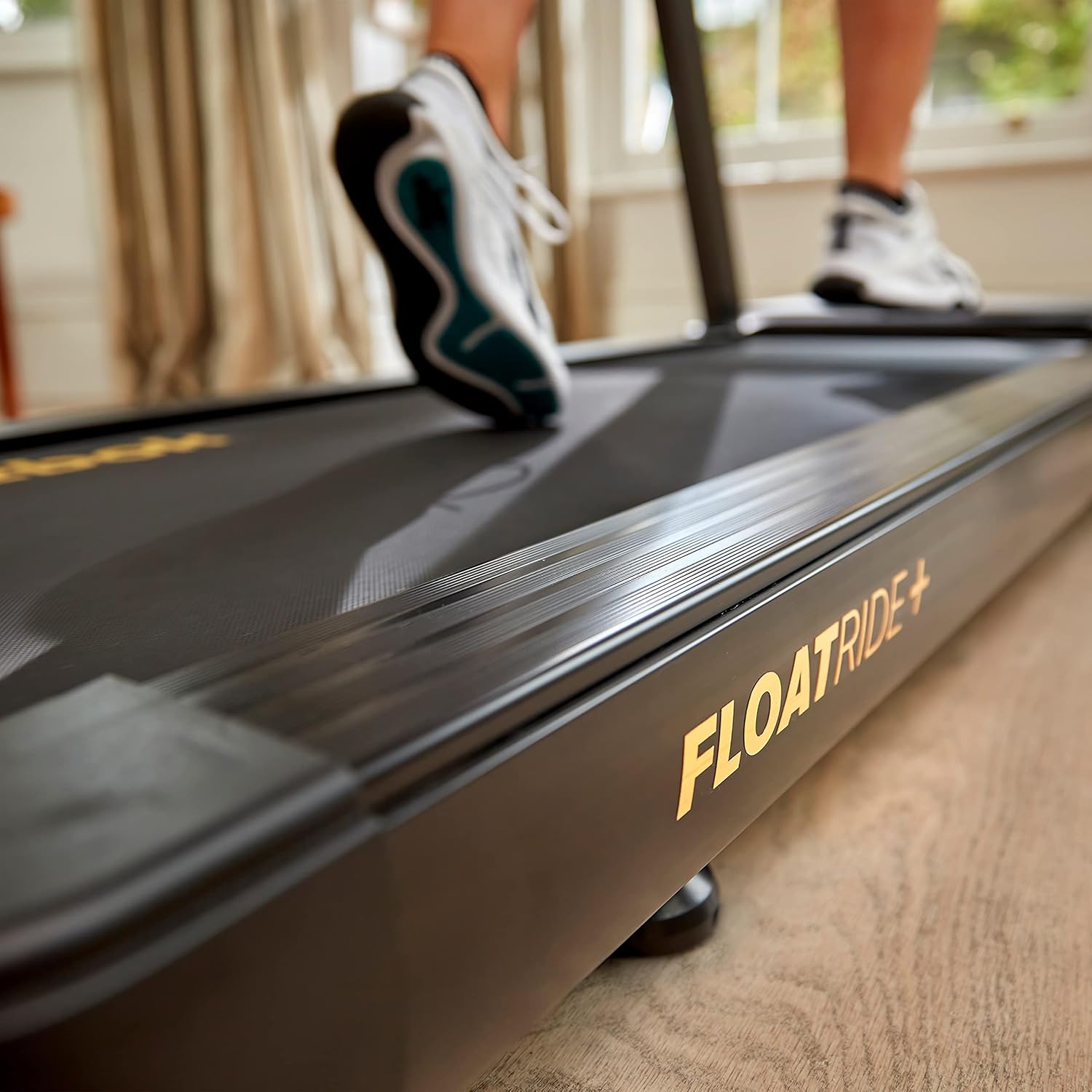
Figure 6: Detail of the Floatride+ cushioning technology integrated into the treadmill's running deck.
Maintenance
Regular maintenance ensures the longevity and optimal performance of your Reebok FR20z Floatride Treadmill.
Cleaning
Wipe down the treadmill surfaces, including the console and handrails, with a damp cloth after each use. Avoid using abrasive cleaners or solvents that could damage the finish.
Belt Lubrication
Periodically check the running belt for proper lubrication. Refer to the detailed instructions in the full manual for specific lubrication procedures and recommended lubricants.
Belt Tension and Alignment
Ensure the running belt is properly tensioned and centered. An improperly tensioned or aligned belt can affect performance and safety. Adjust as needed following the guidelines in the comprehensive manual.
Troubleshooting
This section provides solutions to common issues you might encounter with your treadmill.
Treadmill Not Starting
- Check if the power cord is securely plugged into a grounded outlet.
- Ensure the safety key is properly inserted into the console.
- Verify that the main power switch (usually located near the power cord inlet) is in the 'ON' position.
Running Belt Slipping or Sticking
- The running belt may require lubrication. Refer to the Maintenance section for instructions.
- Check the belt tension. If too loose, it may slip. Adjust according to the full manual.
- Ensure the belt is properly aligned.
Unusual Noises
- Inspect the treadmill for any loose parts or debris that might be causing the noise.
- Ensure the treadmill is on a level surface.
- If the noise persists, contact customer support.
Product Specifications
| Feature | Specification |
|---|---|
| Brand | Reebok |
| Model Name | FR20z Floatride Treadmill - 120V |
| Model Number | RVFR-10121BKZ120 |
| Motor Horsepower | 2.25 Horsepower |
| Maximum Speed | 11 Miles per Hour |
| Maximum Incline Percentage | 12 |
| Deck Length | 55.12 Inches |
| Deck Width | 18.11 Inches |
| Maximum Weight Recommendation | 264.6 Pounds |
| Product Dimensions (D x W x H) | 69.69"D x 27.17"W x 45.28"H |
| Item Weight | 157 Pounds |
| Material | Metal |
| Number of Programs | 24 |
| Display Type | LCD |
| Power Source | Corded Electric |
| Included Components | Power Cord |
| Metrics Measured | Speed, Calories Burned, Time, Distance |
| Special Features | Built-In Speaker, Bluetooth, Shock Absorbent, Preloaded Workout, Auto Incline, Compact Design, Touch Response LED Screen, Water Bottle Holder, Wheeled, Heart Rate Monitor |
| Target Audience | Adult |
| UPC | 885652023863 |
Warranty and Support
Warranty Information
The Reebok FR20z Floatride Treadmill comes with a 2-year manufacturer's warranty. This warranty covers defects in materials and workmanship under normal use. Please retain your proof of purchase for warranty claims.
Customer Support
For technical assistance, troubleshooting, or warranty inquiries, please contact Reebok customer support. You can find contact information on the official Reebok website or through your retailer.
For purchases made through Amazon, customer support is also available via the Amazon platform. The product is sold by SOLE FITNESS.
Related documentsRVFR-10121BKZ120

Ask a question about this manual
Ask about setup, troubleshooting, compatibility, parts, safety, or missing instructions. Manuals+ will review the question and use this page’s manual context to help answer it.