1. Introduction
Thank you for choosing the UTRAI Portable Car Jump Starter. This device is designed to provide a reliable solution for jump-starting vehicles with dead batteries, as well as serving as a portable power bank for your electronic devices. Its compact design and multi-functional features make it an essential tool for any vehicle owner. Please read this manual thoroughly before using the product to ensure safe and optimal performance.

Image 1.1: The UTRAI Portable Car Jump Starter, including the main unit, smart clamps, and a compact carrying case.
Package Contents:
- UTRAI Portable Car Jump Starter Unit
- Smart Jumper Clamps
- USB Charging Cable
- User Manual (this document)
- Carrying Case

Image 1.2: All items included in the UTRAI Portable Car Jump Starter package.
2. Safety Information
Please read and understand all safety information before using this product. Failure to follow these instructions may result in electric shock, fire, or serious injury.
- Do NOT jump start a frozen battery.
- Do NOT use the jump starter if the cables or clamps are damaged.
- Do NOT connect the positive (+) and negative (-) clamps together when the unit is powered on. This can cause a short circuit.
- Do NOT allow children to operate the jump starter. Keep out of reach of children.
- Do NOT expose the product to rain or water.
- Do NOT disassemble the unit. Refer all servicing to qualified personnel.
- Ensure proper ventilation when operating.
- Always wear safety glasses and gloves when working with batteries.
- If battery acid comes into contact with skin or eyes, flush immediately with plenty of water and seek medical attention.
- The smart clamps are equipped with multiple protection features.

Image 2.1: The smart clamps feature 7 protection mechanisms for safe operation, including protection against overheating, overvoltage, short circuits, reverse connection, over-discharge, overload, and overcurrent.
3. Product Overview
Familiarize yourself with the components and features of your UTRAI Jump Starter.
Main Unit Features:
- Power Button: To turn the unit on/off and cycle through flashlight modes.
- LED Display: Shows battery level and operational status.
- Jump Start Port: For connecting the smart jumper clamps.
- USB Output Ports (x2): For charging electronic devices.
- USB-C/DC Input Port: For recharging the jump starter unit.
- Wireless Charging Pad: For compatible wireless charging devices.
- LED Flashlight: Integrated light with Normal, Strobe, and SOS modes.
- Compass: Integrated for navigation assistance.

Image 3.1: The UTRAI Jump Starter functions as a power bank, offering 10W fast wireless charging and two USB output ports for wired charging.

Image 3.2: The integrated LED flashlight offers three modes: Normal illumination, Strobe for signaling, and SOS for emergencies.
4. Setup
4.1 Initial Charging
Before first use, fully charge the UTRAI Jump Starter. It comes partially charged, but a full charge ensures maximum performance and battery longevity.
- Connect the provided USB charging cable to the USB-C/DC input port on the jump starter.
- Connect the other end of the USB cable to a USB wall adapter (not included) or a powered USB port.
- The LED display will show the charging progress. Charge until the display indicates 100%.
A full charge typically takes several hours. It is recommended to recharge the unit every 3-6 months, even if not used, to maintain battery health.
5. Operating Instructions
5.1 Jump Starting a Vehicle
Ensure the jump starter is at least 50% charged before attempting to jump start a vehicle.
- Connect Smart Clamps to Unit: Fully insert the blue plug of the smart clamps into the jump start port on the UTRAI unit. Ensure a secure connection.
- Connect Clamps to Battery:
- Connect the RED positive (+) clamp to the positive (+) terminal of the vehicle's battery.
- Connect the BLACK negative (-) clamp to the negative (-) terminal of the vehicle's battery.
The LED display on the smart clamp will show the battery voltage and indicate readiness.
- Start Vehicle: Once the smart clamp indicates a ready state (e.g., solid green light or appropriate voltage display), start your vehicle's engine.
- Remove Clamps: As soon as the vehicle starts, immediately remove the smart clamps from the vehicle battery terminals, then disconnect the smart clamps from the jump starter unit.

Image 5.1: Step-by-step guide for jump starting a vehicle using the UTRAI Jump Starter.
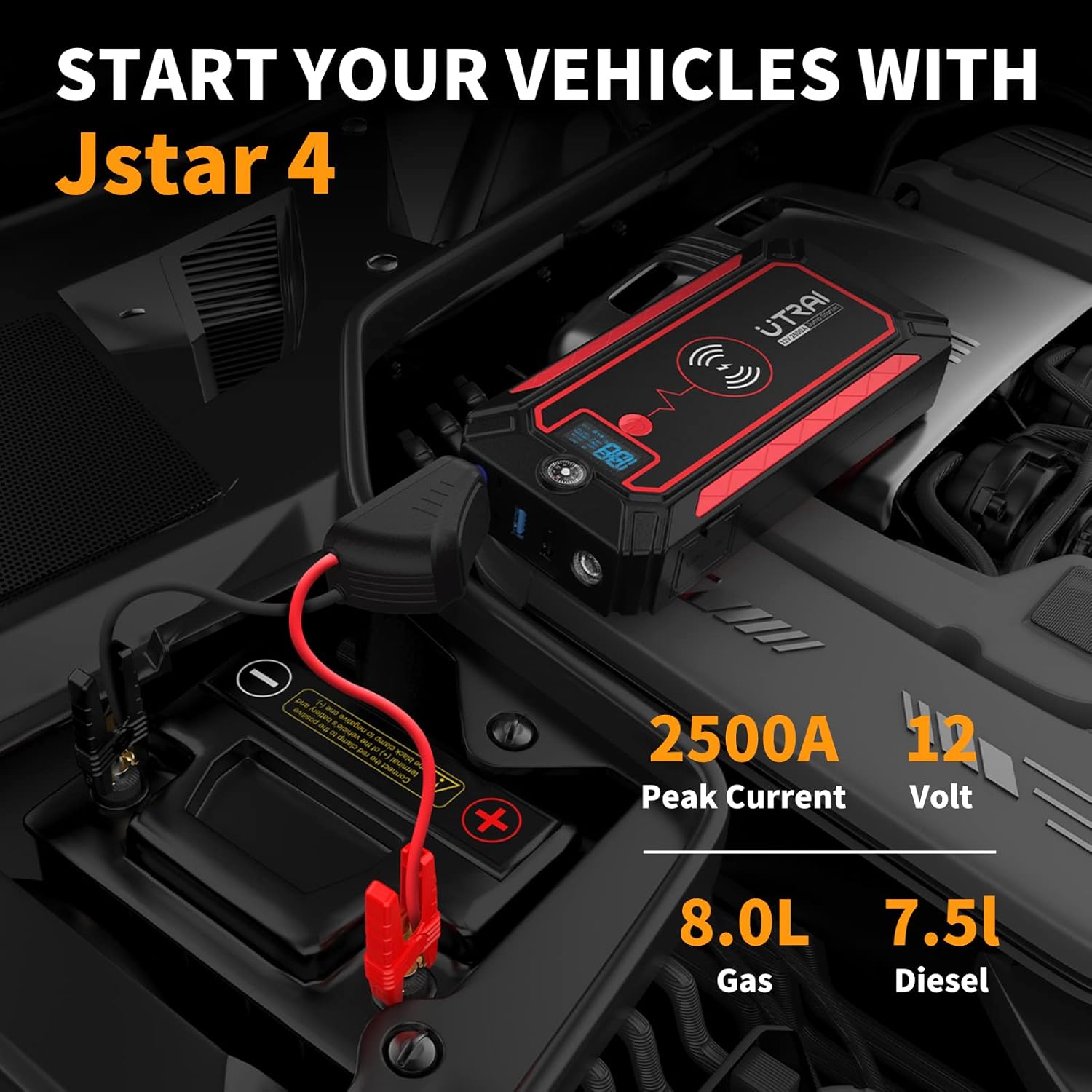
Image 5.2: The UTRAI Jump Starter connected to a vehicle battery, demonstrating its capability to start vehicles with up to 8.0L gas or 7.5L diesel engines with 2500A peak current.
5.2 Using as a Power Bank
The UTRAI Jump Starter can charge various electronic devices.
USB Charging:
- Connect your device's USB charging cable to one of the USB output ports on the jump starter.
- The unit will automatically begin charging your device.
Wireless Charging:
- Place your wireless charging compatible device (e.g., smartphone) on the wireless charging pad located on the top surface of the jump starter.
- Ensure the device is centered on the pad for optimal charging.
- The unit will automatically begin wireless charging.
5.3 Using the LED Flashlight
The integrated LED flashlight has three modes:
- Press the Power Button once to turn on the flashlight (Normal mode).
- Press the Power Button again to switch to Strobe mode.
- Press the Power Button a third time to switch to SOS mode.
- Press the Power Button a fourth time to turn off the flashlight.
6. Maintenance
6.1 Recharging the Unit
To ensure the longevity and readiness of your jump starter, it is crucial to recharge it after each use, especially after jump-starting a vehicle. If the unit is not used frequently, recharge it every 3-6 months to maintain optimal battery health.
6.2 Storage
- Store the jump starter in a cool, dry place, away from direct sunlight and extreme temperatures.
- Keep the unit and accessories in the provided carrying case to protect them from dust and damage.
- Avoid storing the unit in temperatures below -20°C (-4°F) or above 60°C (140°F).
6.3 Cleaning
Wipe the unit with a soft, dry cloth. Do not use harsh chemicals or abrasive cleaners.
7. Troubleshooting
| Problem | Possible Cause | Solution |
|---|---|---|
| Unit will not turn on / LED display is blank. | Battery is completely discharged. | Recharge the jump starter unit fully. |
| Vehicle does not start after connecting. |
|
|
| Smart clamp displays an error code (e.g., "ERR", "VOL"). |
|
|
| USB charging or wireless charging not working. |
|
|
8. Specifications
| Feature | Detail |
|---|---|
| Model | JSTAR-4 |
| Peak Current | 2500 Amps |
| Battery Type | Lithium Polymer |
| Start Voltage | 12V |
| Engine Compatibility (Gas) | Up to 8.0 Liters |
| Engine Compatibility (Diesel) | Up to 7.5 Liters |
| Product Dimensions | 8.2 x 3.3 x 1.1 inches |
| Item Weight | 2.82 pounds |
| USB Output | 5V/2.1A (standard USB ports) |
| Wireless Charging Output | 10W |
9. Warranty & Support
9.1 Product Guarantee
The UTRAI Portable Car Jump Starter (Model JSTAR-4) comes with a 12-month product guarantee from the date of purchase. This warranty covers manufacturing defects and ensures the product performs as described under normal use. Please retain your proof of purchase for warranty claims.
9.2 Customer Support
For any questions, technical assistance, or warranty claims, please contact UTRAI customer support through the retailer's platform where you purchased the product or visit the official UTRAI website for contact information. Our team is dedicated to providing prompt and helpful assistance.
You can find more information and support resources by visiting the UTRAI Store on Amazon.


