
1. Introduction
The LOTUS Connected Hybrid Smartwatch model 18800/3 combines the timeless elegance of a classic analog watch with the advanced functionalities of a modern smartwatch. Crafted from high-quality 316L stainless steel, this watch offers durability and style. It seamlessly integrates with your digital life, providing features such as activity tracking, music control, and call notifications, all while maintaining the traditional appearance of a wristwatch.
This manual provides essential information for setting up, operating, and maintaining your LOTUS Connected Hybrid Smartwatch to ensure optimal performance and longevity.
2. Product Overview
Familiarize yourself with the components of your LOTUS Connected Hybrid Smartwatch.
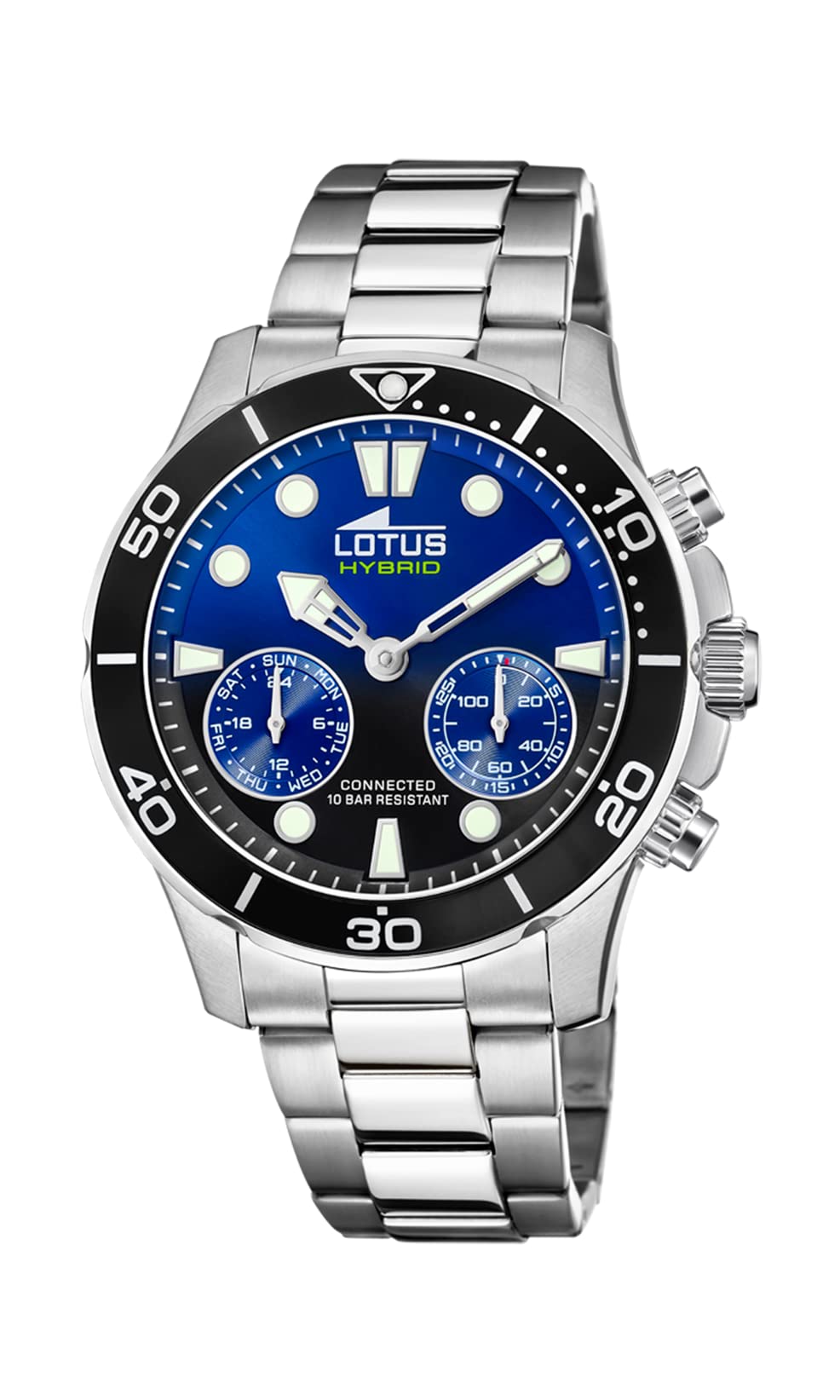

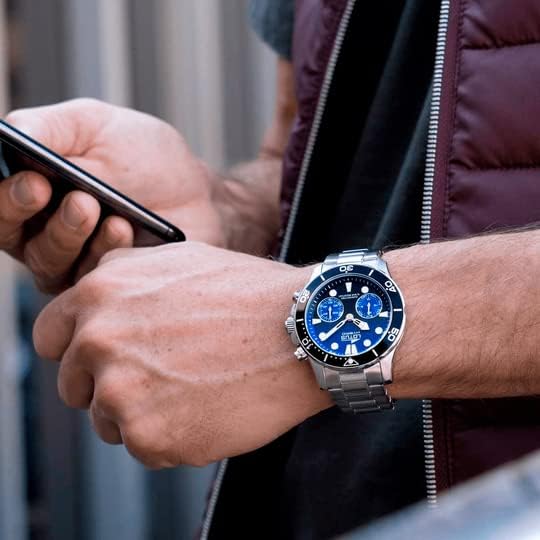

3. Setup
3.1 Initial Charging and Battery
Your LOTUS Connected Hybrid Smartwatch is powered by a specific product battery. While it comes with some charge, it is recommended to fully charge it before first use. Refer to the included quick start guide for specific charging instructions.
3.2 App Installation and Pairing
- Download the official Lotus Connected application from your smartphone's app store (iOS or Android).
- Ensure your smartphone's Bluetooth is enabled.
- Open the Lotus Connected app and follow the on-screen instructions to create an account or log in.
- Select 'Add New Device' or similar option within the app. The app will guide you through the pairing process.
- During pairing, the watch's analog hands may move to indicate connection status. Once successfully paired, the watch will synchronize its time with your phone.
3.3 Analog Time Setting
The analog time is automatically set upon successful pairing with the Lotus Connected app. If manual adjustment is ever needed, use the crown on the side of the watch. Pull out the crown to the appropriate position and rotate to adjust the hands. Push the crown back in to secure the setting.
4. Operating Instructions
Your LOTUS Connected Hybrid Smartwatch offers a blend of traditional timekeeping and smart functionalities accessible via the watch and the companion app.
4.1 Basic Timekeeping
The watch displays time using traditional analog hands. It also features a digital display for additional information such as date, dual-time, and chronograph functions.
4.2 Smart Functions Overview
Access and customize these features through the Lotus Connected app.

- Activity Tracking: The watch incorporates a step counter to monitor your daily activity. View your progress in the app.
- Music Control: Control music playback on your connected smartphone directly from your watch. Functions typically include play, pause, skip track.
- Call Notifications and Rejection: Receive discreet notifications for incoming calls. You can choose to accept or reject calls directly from your watch.
- Chronograph: Utilize the stopwatch function for timing events.
- Date Display (Datum): View the current date on the digital display.
- Dual-Time Display: Keep track of a second time zone.
- Camera Control: Remotely trigger your smartphone's camera shutter.
- Find My Phone: Activate an alert on your phone to locate it quickly.
- Alarms: Set silent alarms that vibrate on your wrist.
- Weather: Get current weather information.
- World Time: Access additional time zones.
- IFTTT Integration: Connect with 'If This Then That' services for advanced automation.
4.3 Water Resistance
The watch is water-resistant up to 10 ATM (100 meters). This means it is suitable for swimming, snorkeling, and showering. It is not recommended for high-impact water sports, diving, or prolonged submersion at depths beyond its rating. Avoid operating the crown or pushers while the watch is wet or submerged to prevent water ingress.
5. Maintenance
Proper care will extend the life and appearance of your LOTUS Connected Hybrid Smartwatch.
5.1 Cleaning
- Case and Strap: For the stainless steel case and strap, wipe regularly with a soft, damp cloth. For stubborn dirt, a mild soap solution can be used, followed by thorough rinsing with clean water and drying.
- Crystal: The sapphire crystal is highly scratch-resistant. Clean it with a soft, lint-free cloth. Avoid abrasive materials.
5.2 Battery Replacement
When the battery life diminishes, it will need replacement. It is recommended to have the battery replaced by an authorized service center to ensure the watch's water resistance and proper functioning are maintained.
5.3 Storage
When not in use, store your watch in a cool, dry place, away from direct sunlight and extreme temperatures. The original presentation box is ideal for storage.
6. Troubleshooting
If you encounter issues with your watch, refer to the following common solutions.
- Watch Not Connecting/Pairing:
- Ensure Bluetooth is active on your smartphone.
- Check if the watch battery has sufficient charge.
- Restart both your smartphone and the watch (if applicable, or try re-pairing through the app).
- Ensure the Lotus Connected app is up to date.
- If analog hands spin uncontrollably during pairing, try resetting the watch via the app or by holding down specific buttons as per the quick start guide. Then attempt pairing again.
- Incorrect Time Display:
- Verify that the watch is properly connected to the app, as time synchronization occurs automatically.
- Check your smartphone's time and date settings.
- Notifications Not Received:
- Confirm that notification permissions are granted for the Lotus Connected app in your smartphone settings.
- Ensure the watch is within Bluetooth range of your phone.
- Check notification settings within the Lotus Connected app.
- Short Battery Life:
- Frequent use of smart features (e.g., constant notifications, music control) can reduce battery life.
- Ensure the battery is fully charged. If issues persist, the battery may need replacement.
For further assistance, please contact LOTUS customer support.
7. Specifications
| Feature | Description |
|---|---|
| Model Number | 18800/3 |
| Brand | LOTUS |
| Display Format | Analog-digital |
| Movement Type | Quartz |
| Case Material | Stainless Steel |
| Strap Material | Stainless Steel |
| Water Resistance | 10 ATM (100 meters) |
| Case Diameter | 46 mm |
| Strap Width | 22 mm |
| Case Thickness | 15 mm |
| Band Length | 20 cm |
| Crystal Type | Sapphire Crystal |
| Power Source | Battery (Specific product type) |
| Special Features | Chronograph, Date, Dual-Time-display, Step counter, Music control, Call notifications, Camera control, Find my phone, Alarms, Weather, World Time, IFTTT Integration |
8. Warranty and Support
8.1 Warranty Information
This product is indicated to have No Warranty. Please refer to your point of purchase or retailer for their specific return or exchange policies.
8.2 Customer Support
For any questions, technical assistance, or service inquiries regarding your LOTUS Connected Hybrid Smartwatch, please visit the official LOTUS website or contact their customer service department. Contact details can typically be found on the brand's official website or in the packaging materials.


