
Introduction
Thank you for choosing the LYONGTECH Micro USB to USB-C Remote Control Cable. This manual provides essential information for the proper setup, operation, and maintenance of your cable. Please read these instructions carefully before use to ensure optimal performance and longevity of the product.
Product Overview
The LYONGTECH Micro USB to USB-C Remote Control Cable is designed to connect your DJI drone remote controller to a mobile device (smartphone or tablet) equipped with a USB-C port. It features a durable nylon braided surface for enhanced flexibility and sturdiness, and 90-degree L-shaped connectors for convenient side connection, preventing cable strain.
Key Features:
- Connector Type: Micro USB (for remote controller) to USB-C (for mobile device).
- Length: Approximately 29 cm (11.4 inches).
- Material: Nylon braided for durability and flexibility.
- Design: 90-degree L-shaped connectors for secure and ergonomic connection.
Compatibility:
This cable is compatible with the following DJI drone remote controllers:
- DJI Mini SE
- DJI Mavic Mini (1st generation)
- DJI Mavic 2 Pro
- DJI Mavic 2 Zoom
- DJI Mavic Air (1st generation)
- DJI Mavic Pro (1st generation)
- DJI Mavic Pro Platinum
- DJI Spark

Figure 1: Compatible remote control versions for the LYONGTECH cable.
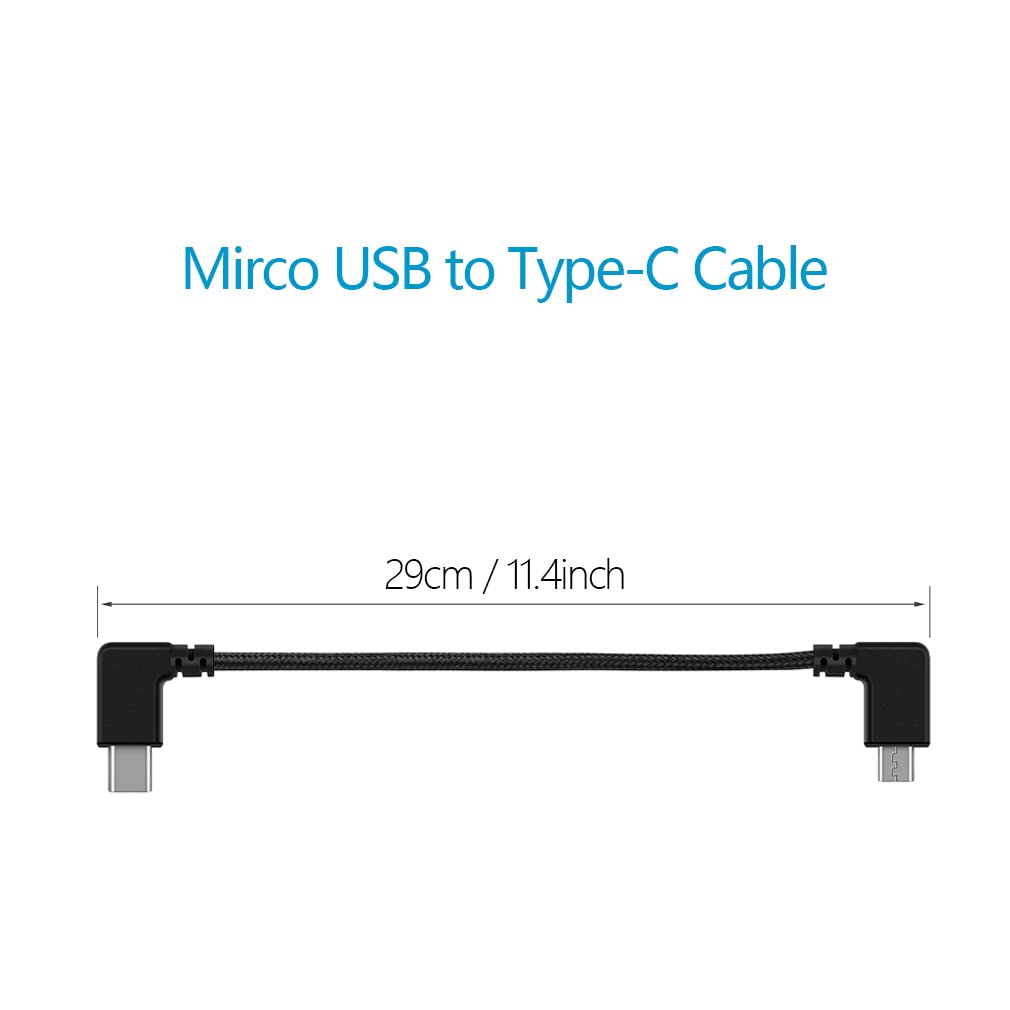
Figure 2: The LYONGTECH Micro USB to USB-C cable, illustrating its 29 cm (11.4 inch) length.

Figure 3: Detail of the nylon braided cable, designed for durability and flexibility.
Setup
Follow these steps to connect your drone remote controller to your mobile device using the LYONGTECH cable:
- Identify Connectors: Locate the Micro USB connector on your drone remote controller and the USB-C port on your smartphone or tablet.
- Connect to Remote Controller: Gently insert the Micro USB end of the LYONGTECH cable into the Micro USB port on your DJI remote controller. Ensure it is fully seated.
- Connect to Mobile Device: Insert the USB-C end of the cable into the USB-C port on your smartphone or tablet. The 90-degree L-shaped connector is designed for a snug, side connection.
- Secure Device: Place your mobile device securely into the remote controller's phone/tablet holder.
- Power On: Power on your remote controller and mobile device. Launch the DJI Fly app or relevant drone control application on your mobile device.

Figure 4: Cable connected to a tablet and DJI remote controller.

Figure 5: Cable connected to a smartphone and DJI remote controller.

Figure 6: The 90-degree angle connectors provide a secure and low-profile connection.
Operating Instructions
Once the cable is securely connected and both devices are powered on, the LYONGTECH cable facilitates the data transmission between your DJI remote controller and your mobile device. This allows your mobile device to display the drone's camera feed, telemetry data, and provide control inputs through the drone's dedicated application.
- Ensure the drone control application on your mobile device recognizes the connection.
- Verify that the video feed and control signals are stable before initiating flight.
- Avoid disconnecting the cable during drone operation to prevent loss of control or data.
Maintenance
Proper care and maintenance will extend the life of your LYONGTECH cable:
- Storage: When not in use, coil the cable loosely. Avoid tight coiling or sharp bends, which can damage the internal wires.
- Cleaning: Use a soft, dry cloth to wipe the cable and connectors. Do not use liquid cleaners or solvents.
- Handling: Always grasp the connector housing when plugging or unplugging the cable. Avoid pulling directly on the cable itself.
- Protection: Keep the cable away from extreme temperatures, direct sunlight, and moisture.
Troubleshooting
If you encounter issues with your LYONGTECH cable, try the following solutions:
- No Connection Detected:
- Ensure both ends of the cable are fully and correctly inserted into their respective ports.
- Restart both the remote controller and the mobile device.
- Verify that your mobile device's USB-C port is functioning correctly by testing it with another cable or device.
- Confirm that your drone control application is up to date.
- Intermittent Connection:
- Check for any visible damage to the cable or connectors.
- Ensure there is no debris or lint in the Micro USB or USB-C ports.
- Avoid bending or stressing the cable during use.
- Cable Not Charging Mobile Device:
- This cable is primarily designed for data transmission for drone control, not for high-speed charging. While it may provide some power, its main function is communication.
If problems persist after attempting these troubleshooting steps, please contact LYONGTECH customer support for further assistance.
Specifications
| Brand | LYONGTECH |
| Model Number | 738630353929 |
| Cable Length | 29 cm (11.4 inches) |
| Connector Type | Micro USB (Male) to USB Type C (Male) |
| Cable Type | USB |
| Special Feature | Nylon Braided, 90-degree L-shaped Connectors |
| Compatible Devices | DJI Mavic MINI, Mavic 2 Pro Zoom, Mavic Air, Mavic Pro Platinum, Mini SE, Spark remote controllers |
| Pin Count | 24 |
| AC Adapter (Amperage) | 3 Amperes (for compatible USB-C devices) |
Warranty and Support
LYONGTECH is committed to customer satisfaction. This product comes with a 1-year warranty from the date of purchase. If the product is found to be defective during this period, you are eligible for a refund or a free replacement.
For warranty claims, technical support, or any inquiries regarding your LYONGTECH Micro USB to USB-C Remote Control Cable, please contact our customer service team through the retailer's platform where the purchase was made. Please have your order number and product model information ready when contacting support.